
Highlight
Reality Composer Pro に Timelines 機能が追加され、Spin、Transform To、Animation、Audio などのアクションをビジュアルタイムライン上で編成し、tap、collision、notification などのトリガーで再生を開始できます。アニメーションシーケンスのコードを手書きする必要はありません。
主要内容
visionOS 向けのインタラクティブ 3D コンテンツを作る際、最も手間がかかるのがアニメーションの編成です。「キャラクターが目標地点まで歩いて手を伸ばす」という単純なシーケンスでも、コード上では回転・移動・スケルタルアニメーション・効果音のタイミングと並列関係を手動で管理する必要があり、1 つのタイミングを変えると全体に波及します。
Reality Composer Pro の Timelines 機能はこれを解決します。エディタ下部にタイムラインパネルが追加され、左側に Timeline 一覧、中央にドラッグ&ドロップ編集エリア、右側にプリセットアクション一覧(Spin、Transform To、Animation、Audio、Notification など)が表示されます。アクションをタイムラインにドラッグして順序と並列関係を設定し、末尾をドラッグして長さを調整、Timeline を右クリックして別の Timeline にネストして再利用できます。再生トリガーは 2 通り:コードで entity.playAnimation を呼ぶか、Reality Composer Pro でエンティティに Behaviors コンポーネントを追加し、tap / collision / notification トリガーをバインドしてコード不要で起動します。
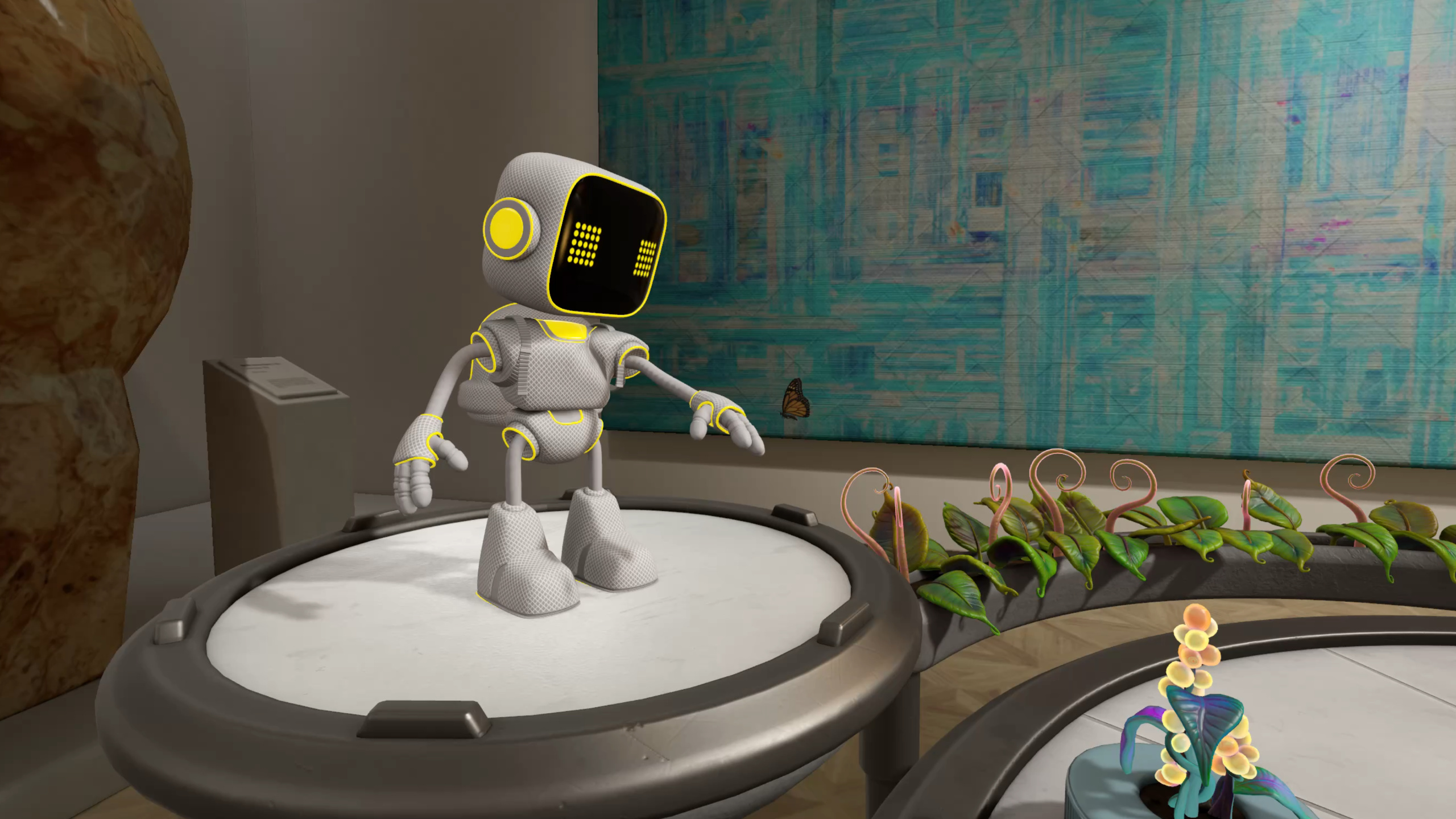
セッション全体を通じて Botanist サンプルの拡張版を使用:3 本の枯れた植物。タップ後、ロボットが向きを変え、移動して手を伸ばして水をやり、植物が回復し、ロボットが起点に戻ります。各ステップで Timelines 編成、Full Body IK、Animation Actions、Blend Shape、Skeletal Poses の 5 つのアニメーション手法をデモします。
詳細
Timelines 編成
Timelines は Reality Composer Pro の中核となる新機能です。Timeline を作成したら、右パネルからアクションをドラッグし、Inspector で対象エンティティとパラメータを設定します。例えば Spin アクションの revolutions を 0.12 に設定して微調整の回転を行い、Transform To アクションで manipulator を使って植物の前に目標位置をドラッグします。Timeline はネストに対応——まず RobotMove Timeline に歩行アニメーションと足音を配置し、MoveToPoppy Timeline 内で右クリックして RobotMove を挿入し、アニメーションと移動を並列再生します(04:17)。
AnimationLibraryComponent と AudioLibraryComponent は 2 つの付属コンポーネントです。USD アニメーションをインポートすると Reality Composer Pro が自動的に AnimationLibraryComponent を作成します。Inspector のハサミアイコンで長いアニメーションを startWalk / endWalk の 2 セグメントに分割し、タイムライン上で連続配置できます。AudioLibraryComponent は手動追加が必要で、プラスボタンからプロジェクト内のオーディオファイルを選択します(07:32)。
Full Body Inverse Kinematics
ロボットが植物に到達した後、水やりのために手を伸ばす処理に RealityKit の新しい Full Body IK システムを使用します。IKRig がソルバー設定を定義し、制約が関節の可動範囲を制御し、IKResource がランタイムデータを保持し、IKComponent をエンティティに付けるとフレームごとに目標位置を更新できます。
// Setup IKComponent
import RealityKit

struct HeroRobotRuntimeComponent: Component {
    var rig = try? IKRig(for: modelSkeleton)

    rig.maxIterations = 30
    rig.globalFkWeight = 0.02

    let hipsJointName = "root/hips"
    let chestJointName = "root/hips/spine1/spine2/chest"
    let leftHandJointName = "root/hips/spine1/spine2/chest/…/L_arm3/L_arm4/L_arm5/L_wrist"

    rig.constraints = [
        .parent(named: "hips_constraint",
                on: hipsJointName,
                positionWeight: SIMD3(repeating: 90.0),
                orientationWeight: SIMD3(repeating: 90.0)),
        .parent(named: "chest_constraint",
                on: chestJointName,
                positionWeight: SIMD3(repeating: 120.0),
                orientationWeight: SIMD3(repeating: 120.0)),
        .point(named: "left_hand_constraint",
               on: leftHandJointName,
               positionWeight: SIMD3(repeating: 10.0))
    ]

    let resource = try? IKResource(rig: rig)
    modelComponentEntity.components.set(IKComponent(resource: resource))
}
キーポイント:
IKRig(for:)にモデルのスケルトンを渡し、ソルバー設定を初期化maxIterationsでソルバー精度を制御——30 が経験値;globalFkWeightを 0.02 にすると FK の重みが極めて低く、IK が支配的になる.parent制約は位置と向きの両方を制限——腰と胸に使用;.point制約は位置のみ——手のひらに使用positionWeightが大きいほど制約が強い——胸 120 は腰 90 より安定、手のひら 10 が最も柔軟
フレームごとの更新では animationOverrideWeight を 0–1 の間でフェードし、「手を伸ばし始めるとき IK の影響力が 0 から 1 へ、引っ込めるとき 1 から 0 へ」という滑らかな遷移を実現します(21:33)。
Animation Actions
ロボットが起点に戻る処理には Animation Actions API を使用——Timelines の基盤 API です。組み込みアクションには SpinAction、PlayAnimationAction などがあります。要件を満たさない場合はカスタム EntityAction を定義できます。
// Sequence and play animation actions
import RealityKit

struct HeroRobotRuntimeComponent: Component {
    let rotateAnimationResource = createRotateAnimationResource()
    let walkAndMoveAnimationGroup = createWalkAndMoveAnimationGroup()
    let alignAtHomeActionResource = createAlignAtHomeActionResource()
    let robotTravelHomeCompleteActionResource = createRobotTravelHomeCompleteAction()

    let moveHomeSequence = try? AnimationResource.sequence(with: [
        rotateAnimationResource,
        walkAndMoveAnimationGroup,
        alignAtHomeActionResource,
        robotTravelHomeCompleteActionResource
    ])

    _ = robotEntity.playAnimation(moveHomeSequence)
}
キーポイント:
AnimationResource.sequence(with:)で複数リソースを順番に連結AnimationResource.group(with:)で複数リソースを並列再生- カスタム EntityAction は
animatedValueTypeを実装(補間データがない場合は nil を返す)し、makeActionAnimationでリソースを生成 EntityAction.subscribe(to: .started / .ended)でカスタムアクションのライフサイクルイベントを監視(26:39)
Blend Shape アニメーション
植物が枯れた状態から回復する処理には BlendShapeWeightsComponent を使用。重み 1 = 枯れた状態、0 = 健康、中間値は遷移状態です。
// Setup BlendShapeWeightsComponent
import RealityKit

struct HeroPlantComponent: Component, Codable {
    guard let modelComponentEntity = findModelComponentEntity(entity: entity),
          let modelComponent = modelComponentEntity.components[ModelComponent.self]
    else { return }

    let blendShapeWeightsMapping
        = BlendShapeWeightsMapping(meshResource: modelComponent.mesh)

    entity.components.set(BlendShapeWeightsComponent(weightsMapping:
                                                        blendShapeWeightsMapping))
}
キーポイント:
BlendShapeWeightsMappingがMeshResourceから blend target 定義を読み取るBlendShapeWeightsComponentをエンティティに付けた後、weightSetの重みをフレームごとに更新して変形を駆動- USD blend shape アニメーションを
playAnimation経由で直接再生することも可能
Skeletal Poses
2 台目のロボットが蝶を追う際の頭部追従には SkeletalPosesComponent を使用。USD からインポートしたスケルタルキャラクターにはこのコンポーネントが自動付与され、手動作成は不要です。
// Update Skeletal Poses
import RealityKit

struct StationaryRobotRuntimeComponent: Component {
    guard var component = entity.components[SkeletalPosesComponent.self]
    else { return }

    let neckRotation = calculateRotation()

    component.poses.default?.jointTransforms[neckJointIndex].rotation = neckRotation
}
キーポイント:
- エンティティから
SkeletalPosesComponentを取得し、指定関節の rotation(ローカル空間)を変更 - RealityKit System の update 関数で毎フレーム呼び出し、リアルタイム追従を実現
- translation、scale、rotation を個別に変更可能。jointTransform 全体の更新も可能
重要ポイント
-
やること: Timelines で手書きのアニメーションシーケンスコードを置き換える。キャラクターの移動・回転・アニメーション/効果音のタイミングロジックを Reality Composer Pro 上でドラッグ編成し、コードはトリガーのみ担当。価値: アニメーションタイミングの調整に再コンパイルが不要になり、アーティストが独立して反復できる。始め方: Reality Composer Pro の下部パネルで Timeline を作成し、Spin + Transform To + Animation アクションをドラッグ、対象エンティティに Behaviors コンポーネントを追加して tap トリガーをバインド。
-
やること: Full Body IK で自然な手を伸ばす/掴む動作を実現。手のひらの目標位置と関節制約を設定し、RealityKit が中間関節のポーズを自動計算、
animationOverrideWeightのフェードで滑らかな遷移。価値: 手を伸ばすアニメーションをキーフレーム調整するには各関節の微調整が必要だが、IK は目標点だけ指定すればよい。始め方:IKRigを作成し、.parentと.point制約を追加、IKResourceとIKComponentを生成、フレーム更新でtarget.translationとanimationOverrideWeightを設定。 -
やること: BlendShapeWeightsComponent で表情や形状のグラデーション。0–1 の重みで blend target を駆動し、フレームごとに更新して形態間の滑らかな遷移を実現。価値: スケルタルアニメーションより軽量。表情、植物の枯れ/回復など非スケルタル駆動の形状変化に適する。始め方:
MeshResourceからBlendShapeWeightsMappingを作成、BlendShapeWeightsComponentを初期化してエンティティに付与、update でweightSetの重みを変更。 -
やること: SkeletalPosesComponent で頭部視線追従、指の独立弯曲など、局所関節のリアルタイム制御。価値: 追従動作ごとにアニメーションクリップを作る必要がなく、コードで回転値を計算してフレームごとに関節に書き込める。始め方: USD インポート済みエンティティから
SkeletalPosesComponentを取得し、RealityKit System の update でjointTransforms[関節インデックス].rotationを変更。
関連セッション
- Discover RealityKit APIs for iOS, macOS, and visionOS — クロスプラットフォーム RealityKit 新 API の概要。ビデオドッキングと環境オーサリングを含む
- Build a spatial drawing app with RealityKit — RealityKit で空間描画アプリを構築する実践ケース
- Work with RealityKit APIs — RealityKit API の使い方とベストプラクティス
- Enhance the immersion of media viewing in custom environments — ビデオドッキングと環境オーサリングで没入感を強化
コメント
GitHub Issues · utterances