
Highlight
In iOS 27, Apple brings Channel Sounding to Bluetooth accessories, enabling accessories to report precise distance and direction through Nearby Interaction and Core Bluetooth APIs.
Core Content
Finding accessories used to be awkward.
After a Bluetooth accessory connects, you know it is nearby, but not exactly where it is. Is it in the couch cushion? In the next room? Users can only guess from clues like “why won’t it connect?”
There has always been a possible approach: estimate distance from signal strength, or RSSI. But RSSI is too sensitive to the environment. A wall, a different device angle, or a nearby microwave can make the reading jump. RSSI also gives no direction at all.
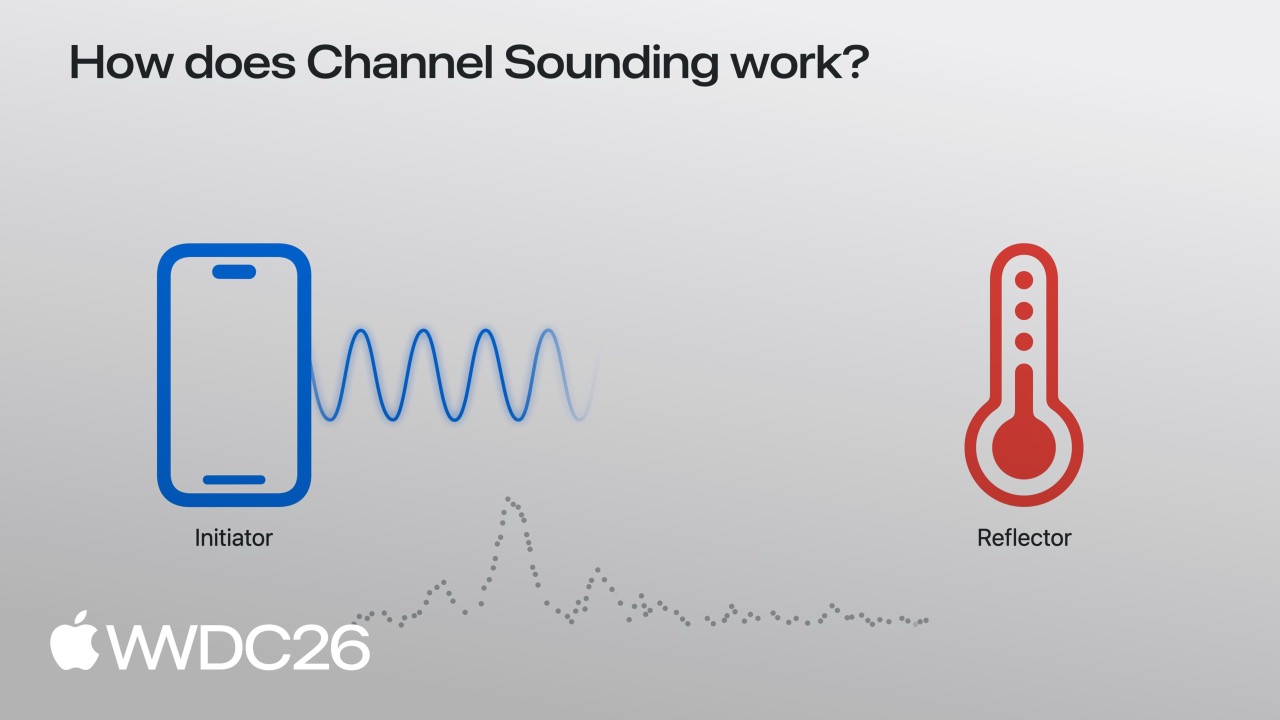
Apple’s solution is Bluetooth Channel Sounding. This technology, introduced in the Bluetooth 5.1 standard, lets two devices calculate precise distance through two-way ranging, with accuracy down to the centimeter level.
iOS 27 opens this capability to developers:
- Core Bluetooth adds APIs that can perform channel sounding directly with accessories and obtain distance data.
- Nearby Interaction now supports Bluetooth channel sounding and can obtain both distance and direction.
- Accessories need firmware updates to support it, and Apple provides complete implementation guidance for the accessory side.
With these pieces in place, finding an accessory becomes much simpler: open the app, see exactly where the accessory is on a map, how far away it is, and which direction to walk.
Details
Core Bluetooth channel sounding
([03:43](https://developer.apple.com/videos/play/wwdc2026/369/?time=223))
Core Bluetooth adds channel sounding support in iOS 27. First check whether the device supports it:
import CoreBluetooth

func isChannelSoundingSupported() -> Bool {
    guard centralManager.state == .poweredOn else { return false }
    if #available(iOS 27.0, *) {
        // Check whether the current device supports Bluetooth channel sounding
        return CBCentralManager.supportsFeatures(.channelSounding)
    }
    return false
}
Key points:
- The device must be in the
.poweredOnstate. supportsFeatures(.channelSounding)must returntrue.
Start a ranging session:
func startChannelSounding(_ peripheral: CBPeripheral) {
    guard peripheral.isConnected else { return }
    if #available(iOS 27.0, *) {
        // Step 1: Create the session configuration and specify this device as the initiator
        let config = CBChannelSoundingSessionConfiguration(role: .initiator)

        // Step 2: Start the channel sounding session
        peripheral.startChannelSoundingSession(config)
    }
}
Key points:
role: .initiatormeans the phone starts the ranging session and the accessory responds.- Only a connected peripheral can start ranging.
- The accessory must support channel sounding.
Receive ranging results:
([04:09](https://developer.apple.com/videos/play/wwdc2026/369/?time=249))
func peripheral(_ peripheral: CBPeripheral,
                didReceive results: CBChannelSoundingProcedureResults?,
                error: Error?) {
    guard let results = results else { return }

    let distance = results.distance
    // Use the distance data
}
Key points:
distancereturns a precise distance value, usually in centimeters.- Results arrive through a
CBPeripheralDelegatecallback. - Handle
errorcases.
Cancel the session:
func cancelChannelSounding(_ peripheral: CBPeripheral) {
    guard peripheral.isConnected else { return }
    if #available(iOS 27.0, *) {
        peripheral.cancelChannelSoundingSession(config)
    }
}

func peripheral(_ peripheral: CBPeripheral,
                didCompleteChannelSoundingSession error: Error?) {
    // The session has ended
}
Key points:
- Both active cancellation and accessory disconnection trigger the completion callback.
- Save power by stopping the session as soon as it is no longer needed.
Nearby Interaction integration
([04:41](https://developer.apple.com/videos/play/wwdc2026/369/?time=281))
Nearby Interaction can now use Bluetooth channel sounding as well, and it can provide direction information.
First check device capabilities:
import NearbyInteraction

func startChannelSoundingThroughNearbyInteraction(_ peripheral: CBPeripheral) {
    if #available(iOS 27.0, *) {
        // Step 1: Check whether the device supports Bluetooth channel sounding
        guard NISession.deviceCapabilities.supportsBluetoothChannelSounding else { return }

        // Step 2: Create the accessory configuration
        let config = NINearbyAccessoryConfiguration(
            bluetoothChannelSoundingIdentifier: peripheral.identifier,
            previousChannelSoundingIdentifier: nil)

        // Step 3: Enable camera assistance to support direction
        if NISession.deviceCapabilities.supportsCameraAssistance {
            config.isCameraAssistanceEnabled = true
        }
    }
}
Key points:
bluetoothChannelSoundingIdentifieruses the accessory’s UUID.previousChannelSoundingIdentifiercan reuse the previous session to speed up connection.- Enabling camera assistance provides direction data and requires user authorization.
Run the session:
([05:19](https://developer.apple.com/videos/play/wwdc2026/369/?time=319))
func runChannelSoundingThroughNearbyInteraction(_ config: NINearbyAccessoryConfiguration) {
    let session = NISession()
    session.delegate = self
    session.run(config)
}
Receive updates:
func session(_ session: NISession, didUpdate nearbyObjects: [NINearbyObjects]) {
    guard let object = nearbyObjects.first else { return }

    if let distance = object.distance {
        // Use the distance data
    }

    if let direction = object.horizontalAngle {
        // Use the direction data
    }
}
Key points:
distanceis the precise distance.horizontalAnglegives the horizontal direction angle.- Data updates continuously, enabling real-time tracking.
Optimize direction output:
func updateAccessoryMotionState(_ isMoving: Bool) {
    let motionState = isMoving ? .moving : .stationary
    session.updateMotionState(motionState, forObjectWithToken: object.discoveryToken)
}
Key points:
- Tell Nearby Interaction whether the accessory is stationary or moving.
- Direction calculations are more accurate when the accessory is stationary.
- If the accessory has motion sensors, pass the live state.
Power optimization
Channel sounding consumes power, so Apple recommends using it on demand:
- Start sessions only when needed.
- Cancel as soon as enough data has been collected.
- Avoid continuous ranging in the background.
- Adjust update frequency based on the use case.
Accessory-side requirements
Accessories need firmware updates to support channel sounding:
- Implement Bluetooth 5.1 or later.
- Support the Channel Sounding feature.
- Act as the responder in the accessory role.
- Follow Apple’s accessory implementation guide.
Key Takeaways
-
Precise item-finding app: Go beyond “nearby” to “30 centimeters to the left of the couch.” Give keys, wallets, or earbuds precise positioning so users can walk straight to them.
-
Smart accessory triggers: Automatically trigger features when a user reaches a certain distance from an accessory, such as turning on a light when nearby or showing an unlock prompt near a door lock.
-
Indoor navigation assistance: In malls or airports, use the distance and direction of nearby fixed Bluetooth beacons for rough indoor positioning that helps users find stores or gates.
-
Game accessory positioning: Track the exact position of motion-game accessories so the game knows where a player’s controller is, how far it is from the screen, and which direction it faces.
-
AR accessory visualization: Combine camera assistance with positioning so users can “see” hidden accessories in an AR view, such as glasses that fell into a couch gap and are marked directly on screen.
Related Sessions
- 341 - Center Stage — Camera-related spatial awareness technologies
- 223 - Live Activities — Accessory status can be displayed in the Dynamic Island and on the Lock Screen
- 277 - WidgetKit — Accessory distance can be displayed live in widgets
- 297 - Visual Intelligence — Combining camera-assisted visual recognition with positioning
- 310 - Shortcuts — Accessory distance can trigger automation shortcuts
Comments
GitHub Issues · utterances