
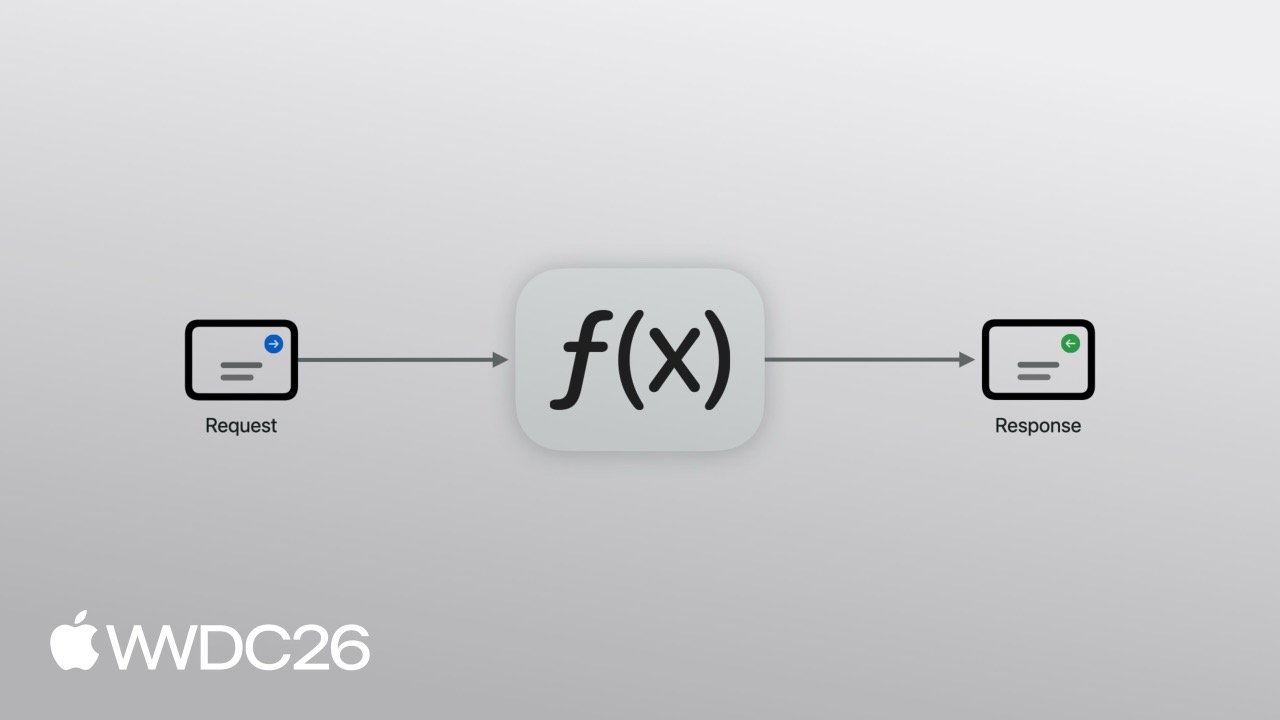
Highlight
Apple now provides a native gRPC runtime for Swift. Developers can use an Xcode build plugin to generate strongly typed client and server code from
.protofiles, implement unary calls and bidirectional streaming withasync/awaitandAsyncSequence, and package Swift servers as container images for cloud deployment.
Core Ideas
The problem with hand-written networking code
When building iOS apps, calling a backend API usually means reading documentation, writing URLSession code by hand, defining Codable models, and handling serialization errors. The documentation may be outdated, fields in the model may be misspelled, and the problem may only appear during integration testing. If you need real-time bidirectional communication, you also have to bring in WebSocket and handle heartbeats, reconnection, and state machines yourself. This process is time-consuming and easy to get wrong.
gRPC’s answer is to separate API definitions from implementation. You write a .proto file with Protocol Buffers (Protobuf) to describe service interfaces, and the code generator produces Swift types and calling code. That .proto file becomes the single source of truth. The iOS client and the server share the same definition, and type safety is enforced at compile time.
From .proto to Xcode: a much better project experience
The session uses a kart-racing league app to demonstrate the full end-to-end flow.
(03:38) First, define the service interface. In a .proto file, declare a SwiftKartService with a ListRaces RPC:
edition = "2024";

import "google/protobuf/timestamp.proto";

service SwiftKartService {
  rpc ListRaces(ListRacesRequest) returns (ListRacesResponse);
}

message ListRacesRequest {
  int32 limit = 1 [default = 100];
}

message ListRacesResponse {
  repeated Race races = 1;
}

message Race {
  string name = 1;
  string location = 2;
  google.protobuf.Timestamp start_time = 3;
  int32 laps = 4;
  string championship = 5;
}(05:55) Then add two Swift packages in Xcode: grpc-swift-nio-transport provides the SwiftNIO-based networking transport layer, and grpc-swift-protobuf provides the build plugin for code generation. Add the GRPCProtobufGenerator plugin in the target’s Build Phases, then configure a JSON file that tells the plugin to generate client code only:
{
    "generate": {
        "clients": true,
        "servers": false,
        "messages": true
    }
}
During compilation, the plugin automatically scans .proto files and generates Swift code. You no longer need to run protoc manually.
Client calls: call remote services like local functions
(06:24) Import three modules in a SwiftUI view:
import GRPCCore
import GRPCNIOTransportHTTP2
import SwiftProtobuf(06:38) Create a client with withGRPCClient and make a call:
.task {
    do {
        try await withGRPCClient(
            transport: .http2NIOTS(
                address: .ipv4(host: "127.0.0.1", port: 8080),
                transportSecurity: .tls
            )
        ) { client in
            let kart = SwiftKartService.Client(wrapping: client)
            let request = ListRacesRequest()
            let response = try await kart.listRaces(request)
            self.races = response.races.map { race in
                RaceInfo(
                    name: race.name,
                    location: race.location,
                    startTime: race.startTime.date,
                    championship: race.championship,
                    laps: Int(race.laps),
                    drivers: race.drivers
                )
            }
        }
    } catch {
        print("gRPC error: \(error)")
    }
}
Key points:
withGRPCClientautomatically manages the connection lifecycle and closes the connection when the closure ends.http2NIOTSuses SwiftNIO Transport Services and supports TLSSwiftKartService.Client(wrapping: client)wraps the generic gRPC client as a type-safe business clientlistRacesis anasyncmethod, so you get the response directly withawaitrace.startTime.dateconverts Protobuf’sTimestampto Swift’sDate
Connection reuse and lifecycle management
(07:55) Creating a new connection every time a view appears adds latency. The right pattern is to maintain a shared client connection pool at the app level.
(08:30) The session provides a ClientManager implementation:
import GRPCCore
import GRPCNIOTransportHTTP2
import Synchronization
import SwiftUI

@Observable
final class ClientManager: Sendable {
    fileprivate let state = Mutex(State.disconnected)

    static func makeTransport() throws -> HTTP2ClientTransport.TransportServices {
        try .http2NIOTS(
            target: .ipv4(address: "127.0.0.1", port: 8080),
            transportSecurity: .plaintext
        )
    }

    func withClient(
        body: (_ client: GRPCClient<HTTP2ClientTransport.TransportServices>) async throws -> Void
    ) async throws {
        let client = try connectIfNecessary()
        try await body(client)
    }

    private func connectIfNecessary() throws -> GRPCClient<HTTP2ClientTransport.TransportServices> {
        try self.state.withLock { state in
            try state.connectIfNecessary()
        }
    }

    func disconnect() {
        let client = self.state.withLock { state in
            state.disconnect()
        }
        client?.beginGracefulShutdown()
    }
}

extension ClientManager {
    enum State {
        case connected(GRPCClient<HTTP2ClientTransport.TransportServices>, Task<Void, any Error>)
        case disconnected
    }
}

extension ClientManager.State {
    mutating func connectIfNecessary() throws -> GRPCClient<HTTP2ClientTransport.TransportServices> {
        switch self {
        case .connected(let client, _):
            return client
        case .disconnected:
            let client = try GRPCClient(transport: ClientManager.makeTransport())
            let task = Task { try await client.runConnections() }
            self = .connected(client, task)
            return client
        }
    }

    mutating func disconnect() -> GRPCClient<HTTP2ClientTransport.TransportServices>? {
        switch self {
        case .connected(let client, _):
            self = .disconnected
            return client
        case .disconnected:
            return nil
        }
    }
}
Key points:
Mutexfrom theSynchronizationframework protects connection state and satisfies Swift 6 strict concurrency checkingconnectIfNecessary()lazily creates a connection and reuses it when already connectedrunConnections()continuously maintains the HTTP/2 connection in a background taskbeginGracefulShutdown()closes the connection gracefully and avoids data loss from abrupt disconnects
(08:39) Inject ClientManager at the app entry point:
@main
struct SwiftKartApp: App {
    let manager = ClientManager()
    @Environment(\.scenePhase) private var scenePhase

    var body: some Scene {
        WindowGroup {
            RaceScheduleView()
                .environment(manager)
        }
        .onChange(of: scenePhase) { _, newPhase in
            switch newPhase {
            case .background:
                manager.disconnect()
            case .inactive, .active:
                break
            @unknown default:
                break
            }
        }
    }
}
Key points:
.environment(manager)injects the connection manager into the SwiftUI environment- Observe
scenePhasechanges and actively disconnect when the app enters the background to release resources
(09:12) Child views get the manager through @Environment:
@Environment(ClientManager.self) var manager(09:21) Calls now use manager.withClient and reuse the existing connection:
.task {
    do {
        try await manager.withClient { client in
            let kart = SwiftKartService.Client(wrapping: client)
            let request = ListRacesRequest()
            let response = try await kart.listRaces(request)
            self.races = response.races.map { ... }
        }
    } catch {
        print("gRPC error: \(error)")
    }
}
Protobuf serialization: more compact than JSON
(09:41) Protobuf messages identify data with field numbers instead of field names during serialization, so the binary payload for the same content is about half the size of JSON:
var race = Race()
race.name = "Duck Pond Dash"
race.location = "Apple Park, Cupertino"
race.startTime = .init(roundingTimeIntervalSince1970: 1_781_198_600)
race.laps = 6
race.championship = "Corporate Cup"
race.drivers = ["Monty", "Pepper", "Mycroft", "Pancakes", "Duke", "Kiko", "Sissi", "Bo"]

try race.serializedBytes()
Key points:
SwiftProtobufmaps Protobuf messages to native Swift structsserializedBytes()generates compact binary data- Field numbers replace field names and reduce transfer size
- This is especially useful on mobile networks
Bidirectional streaming RPC: real-time data push
(11:06) gRPC supports four RPC types: unary, client streaming, server streaming, and bidirectional streaming. The session focuses on bidirectional streaming for real-time scenarios.
(13:20) Define a bidirectional streaming RPC in the .proto file:
service SwiftKartService {
  rpc ListRaces(ListRacesRequest) returns (ListRacesResponse);
  rpc FollowRace(stream FollowRaceRequest) returns (stream FollowRaceResponse);
}

message FollowRaceRequest {
  string race_name = 1;
  repeated RaceEventType event_types = 2;
}

enum RaceEventType {
  RACE_EVENT_TYPE_UNSPECIFIED = 0;
  RACE_EVENT_TYPE_KART_LOCATIONS = 1;
  RACE_EVENT_TYPE_STANDINGS = 2;
}

message FollowRaceResponse {
  oneof event {
    KartLocations locations = 1;
    Standings standings = 2;
  }
}
Key points:
- The
streamkeyword marks bidirectional streaming oneofmaps to a Swift enum with associated values, so each message can be onlylocationsorstandings- The
RaceEventTypeenum lets clients dynamically subscribe to the event types they care about
(12:45) Implement ListRaces on the server:
struct Service: SwiftKartService.SimpleServiceProtocol {
    private let database = RaceDB()

    func listRaces(
        request: ListRacesRequest,
        context: ServerContext
    ) async throws -> ListRacesResponse {
        var response = ListRacesResponse()
        response.races = await database.listRaces(atMost: request.limit)
        return response
    }
}
Key points:
- Implement
SimpleServiceProtocol; methods are generated automatically by the build plugin - It is a plain
asyncfunction that usesawaitto query the database ServerContextprovides call metadata such as timeout and authentication information
(14:38) Implement bidirectional streaming FollowRace on the server:
func followRace(
    request: RPCAsyncSequence<FollowRaceRequest, any Error>,
    response: RPCWriter<FollowRaceResponse>,
    context: ServerContext
) async throws {
    try await withThrowingTaskGroup { group in
        var iterator = request.makeAsyncIterator()
        guard let first = try await iterator.next() else { return }
        let eventTypes = Mutex(Set(first.eventTypes))

        group.addTask {
            let events = tracker.events(forRace: first.raceName).filter { event in
                eventTypes.withLock { $0.contains(event.type) }
            }

            for await event in events {
                var message = FollowRaceResponse()
                switch event {
                case .locations(let locations):
                    message.locations.karts = locations.map { location in
                        var kart = KartLocations.Kart()
                        kart.number = Int32(location.number)
                        kart.latitude = location.latitude
                        kart.longitude = location.longitude
                        return kart
                    }
                case .standings(let standings):
                    message.standings.entries = standings.map { standing in
                        var entry = Standings.Entry()
                        entry.gapToLeader = .init(rounding: standing.delta, rule: .towardZero)
                        entry.kartNumber = Int32(standing.kartNumber)
                        entry.lap = Int32(standing.lap)
                        entry.position = Int32(standing.position)
                        return entry
                    }
                }

                try await response.write(message)
            }
        }

        while let next = try await iterator.next() {
            eventTypes.withLock { $0 = Set(next.eventTypes) }
        }

        group.cancelAll()
    }
}
Key points:
RPCAsyncSequenceis the request stream sent by the clientRPCWriterwrites response messages back to the clientwithThrowingTaskGrouphandles request consumption and event pushing concurrentlyMutexprotects theeventTypesset and supports dynamic subscription changes from the client- When the client closes the stream (
iterator.next()returnsnil), all tasks are cancelled
(17:32) The client calls the bidirectional stream:
.task {
    do {
        let (stream, continuation) = AsyncStream.makeStream(of: Bool.self)
        self.continuation = continuation
        continuation.yield(showLeaderboard)

        try await manager.withClient { client in
            let kart = SwiftKartService.Client(wrapping: client)
            try await kart.followRace { requestStream in
                for await showLeaderboard in stream {
                    var message = FollowRaceRequest()
                    message.raceName = race.name
                    message.eventTypes = [.kartLocations]
                    if showLeaderboard {
                        message.eventTypes.append(.standings)
                    }
                    try await requestStream.write(message)
                }
            } onResponse: { responseStream in
                for try await message in responseStream.messages {
                    if let event = message.event {
                        await handleEvent(event)
                    }
                }
            }
        }
    } catch {
        print("gRPC error: \(error)")
    }
}

@MainActor
private func handleEvent(_ event: FollowRaceResponse.OneOf_Event) {
    switch event {
    case .locations(let locations):
        self.tracking.updateKartCoordinates(
            locations.karts.map {
                TrackedKart(number: $0.number, latitude: $0.latitude, longitude: $0.longitude)
            }
        )
    case .standings(let standings):
        self.standings = standings.entries.map {
            StandingsEntry(
                kartNumber: $0.kartNumber,
                secondsToLeader: $0.gapToLeader.timeInterval,
                position: $0.position,
                lap: $0.lap
            )
        }
    }
}
Key points:
followRacehas two closures: the first writes requests, and the second handles responsesAsyncStreambridges UI state changes (showLeaderboard) into the request stream- When the user opens the leaderboard, the client dynamically adds a
.standingsevent subscription responseStream.messagesis anAsyncSequenceconsumed withfor try await@MainActorensures UI updates run on the main thread
Deploy to the cloud
(20:55) Package the server as a container image with a multi-stage build:
FROM swift:latest AS builder

WORKDIR /app
COPY Package.swift Package.resolved .
COPY Sources/ Sources/

RUN swift build -c release --product server
RUN cp "$(swift build -c release --show-bin-path)/server" /usr/bin/server

FROM swift:slim
COPY --from=builder /usr/bin/server /usr/bin/server

EXPOSE 8080
ENTRYPOINT ["/usr/bin/server"]
Key points:
- Multi-stage build: use the full Swift toolchain for compilation, then keep only the binary and slim image at runtime
- The final image is much smaller
swift build -c releasegenerates an optimized release binary
(21:56) Deploy to Google Cloud Run:
gcloud run deploy wwdc-demo-server \
  --image us-central1-docker.pkg.dev/wwdc26/wwdc-demo-server/wwdc-demo-server:latest \
  --region us-central1 \
  --use-http2 \
  --allow-unauthenticated
Key points:
--use-http2must be enabled because gRPC is based on HTTP/2--allow-unauthenticatedallows public access
(22:22) Update the client to connect to the cloud service:
static func makeTransport() throws -> HTTP2ClientTransport.TransportServices {
    try .http2NIOTS(
        target: .dns(host: "wwdc-demo-server-863666503339.us-central1.run.app"),
        transportSecurity: .tls
    )
}
Key points:
.dnsreplaces.ipv4and supports domain-name resolution- Production environments must use
.tls
Details
How the Xcode build plugin works
(05:32) GRPCProtobufGenerator is an Xcode build tool plugin. Before compilation, it scans .proto files in the target directory and generates corresponding Swift code based on the JSON configuration. The first time you use it, Xcode shows a security prompt asking you to trust the plugin.
The three configuration switches:
clients: true— generate client calling codeservers: true— generate server protocol stubsmessages: true— generate Protobuf message models
iOS apps usually need only clients and messages; servers need all three.
Comparing the four RPC types
| Type | Request | Response | Use case |
|---|---|---|---|
| Unary | One message | One message | Normal API calls, such as fetching a list |
| Client streaming | Many messages | One message | Batch uploads, such as kart telemetry data |
| Server streaming | One message | Many messages | Real-time push, such as live text updates |
| Bidirectional | Many messages | Many messages | Real-time two-way communication, such as location tracking plus leaderboard updates |
SwiftNIO transport layer
gRPC Swift’s networking layer is based on SwiftNIO and provides two transport implementations:
http2NIOTS— uses Network.framework and is recommended for Apple platformshttp2NIOPosix— uses POSIX sockets and is recommended for Linux servers
(12:32) The server uses the POSIX implementation:
let server = GRPCServer(
    transport: .http2NIOPosix(
        address: .ipv4(host: "127.0.0.1", port: 8080),
        transportSecurity: .plaintext
    ),
    services: [Service()]
)
try await server.serve()
Protobuf Edition 2024
The .proto file in the session uses edition = "2024", the new Protobuf syntax version. Compared with proto3, Edition 2024 provides more fine-grained control over field behavior while preserving backward compatibility.
Key Takeaways
1. Use one .proto file to unify frontend and backend APIs
What to do: Migrate an existing app’s REST API to gRPC, with the frontend and backend sharing the same .proto definition.
Why it is worth doing: It eliminates drift between API documentation and implementation. Field type changes are caught at compile time, greatly reducing integration time.
How to start: Choose a module with frequent data exchange, such as user profiles or product lists. Write the .proto definition, generate code with the build plugin, and gradually replace the existing networking layer.
2. Replace WebSocket with bidirectional streaming in messaging or collaboration apps
What to do: Use gRPC bidirectional streaming for real-time message push and state synchronization.
Why it is worth doing: gRPC provides strongly typed messages, automatic reconnection, flow control, and load balancing, making it more reliable than hand-written WebSocket state machines. AsyncSequence keeps business code concise.
How to start: Define a bidirectional streaming RPC. On the client, use AsyncStream to bridge UI events into the request stream. On the server, use TaskGroup to handle multiple client connections concurrently.
3. Package Swift servers as containers and deploy them to the cloud
What to do: Write a gRPC server in Swift, package it with a multi-stage Docker build, and deploy it to Cloud Run, AWS ECS, or Fly.io.
Why it is worth doing: Server-side Swift performance is close to C++, memory usage is lower than Node.js and Python, and gRPC’s efficient binary serialization further lowers resource cost.
How to start: Use the Containerfile from the session as a reference, use swift:slim as the runtime image, and make sure HTTP/2 is enabled at deployment.
4. Use gRPC for interprocess communication
What to do: Use gRPC for communication between a macOS app and a helper process, or between a host OS and a Linux VM.
Why it is worth doing: Apple’s open-source Containerization framework already uses gRPC Swift internally over virtual sockets. It is more flexible than XPC and naturally cross-platform.
How to start: Define an interprocess communication interface in .proto and connect to a local Unix domain socket with .plaintext transport security.
5. Combine Swift OTel with distributed tracing
What to do: Add OpenTelemetry to the gRPC call chain and trace the full path from the iOS client to the server.
Why it is worth doing: gRPC Swift integrates with Swift OTel. In production, distributed tracing is more effective than logs when finding latency bottlenecks and root causes of errors.
How to start: Extract trace context from ServerContext on the server, inject spans on the client call, and inspect traces in Jaeger or Grafana Tempo.
Related Sessions
- Session 262: Swift — Swift 6’s strict concurrency model and the
Sendableprotocol are the foundation for understanding the use ofMutexinClientManager - Session 267: Swift Testing — Use Swift Testing to write unit tests for gRPC servers and validate RPC implementations
- Session 268: Instruments responsiveness — Use Instruments to analyze gRPC connection latency and memory usage
- Session 389: Container machines — Apple’s containerization framework uses gRPC Swift internally for cross-VM communication, directly matching this session’s technology stack
Comments
GitHub Issues · utterances