
Highlight
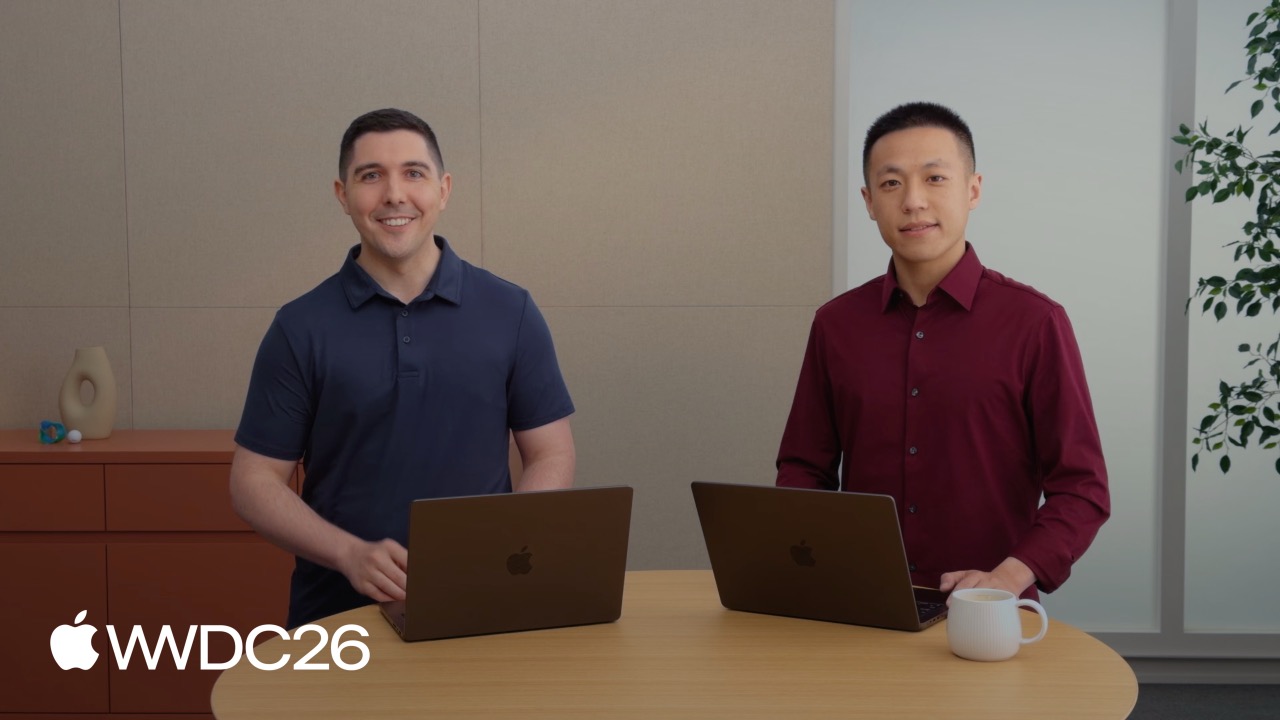
Apple is open-sourcing the Foundation Models framework and adding multimodal understanding, access to larger Private Cloud Compute models, Dynamic Profiles for agent experiences, plus the fm CLI and Python SDK. Developers can now call large-model capabilities both on device and in the cloud.
Core Content
From closed to open: the framework is fully open source
When Apple introduced the Foundation Models framework last year, developers could only call the system’s built-in on-device model from iOS and macOS apps. Its capabilities were limited, and extensibility was constrained.
This year, Apple is fully open-sourcing the framework’s core code and also introducing the Foundation Models Framework Utilities package, which can keep experimental features moving between OS releases. That means Swift developers can run the same code on Linux servers and are no longer limited to Apple platforms.
Model choice goes from “one” to “any”
Previously, a LanguageModelSession could only bind to the system’s built-in on-device model. Reasoning capability was limited, the context window was only a few thousand tokens, and complex tasks quickly hit the ceiling.
This year, Apple introduces the LanguageModel protocol, allowing any local or remote model to integrate with the framework. The system provides three built-in implementations:
SystemLanguageModel: on-device model, 8192-token context, now with Vision capabilitiesPrivateCloudComputeLanguageModel: cloud model, 32000-token context, with reasoning supportCoreAILanguageModel/MLXLanguageModel: open-source models running on the Apple Neural Engine or Mac GPU
Third-party models are supported too. Anthropic and Google have both released Swift packages. After importing a package, you initialize the model, pass it into a session, and downstream code stays unchanged.
Multimodal: images go directly into the prompt
The on-device model can now understand images. There is no need to preprocess or crop them to a fixed size. You can pass a UIImage, NSImage, CGImage, Core Image type, CVPixelBuffer, or file URL directly into the prompt.
let response = try await session.respond {
    "What animal is this?"
    Attachment(UIImage(...))
}
The model supports images of any size and aspect ratio. Larger images consume more tokens and increase latency, so developers should choose resolution based on the use case.
Cloud models with zero configuration
The Private Cloud Compute (PCC) model is the same class of large model behind Apple Intelligence. It provides a 32K context window, built-in reasoning, no API key, and no account authentication.
Developers only need to change one line:
let model = PrivateCloudComputeLanguageModel()
let session = LanguageModelSession(model: model)

let response = try await session.respond(
    to: "Recommend a craft that doesn't require scissors.",
    contextOptions: ContextOptions(reasoningLevel: .light)
)
reasoningLevel controls how deeply the model thinks: .light responds faster, while .deep gives higher quality but consumes more compute.
PCC is free for developers with fewer than 2 million first-year downloads. Users have a fixed daily quota, and iCloud+ subscribers get a higher quota. watchOS 27 also supports PCC, so large models can run from the wrist.
Agent experiences: Dynamic Profiles manage context
An agent app usually needs to switch between different tasks. Image analysis uses one set of instructions and tools; brainstorming uses another. Previously, developers had to manually create multiple sessions and migrate conversation history, which was verbose and easy to get wrong.
Dynamic Profile solves this with a declarative API. A struct conforms to the DynamicProfile protocol and returns different Profile values based on app state:
struct CraftProfile: LanguageModelSession.DynamicProfile {
    let states: CraftProjectStates

    var body: some DynamicProfile {
        switch states.mode {
        case .craftAnalysis:
            Profile {
                Instructions { /* analysis instructions */ }
                RecordImageAnalysisTool()
                SwitchModeTool(states: states)
            }
        case .brainstorm:
            Profile {
                Instructions { /* brainstorming instructions */ }
                BrainstormRecordTool()
            }
            .model(states.privateCloudCompute)
            .reasoningLevel(.deep)
        }
    }
}

let session = LanguageModelSession(profile: CraftProfile())
When the profile switches, the framework automatically preserves the conversation history. Developers only need to focus on business logic. The analysis stage can use the on-device model for fast responses, while the brainstorming stage automatically switches to PCC deep reasoning, all without a visible break.
System tools: built-in Vision and Spotlight integration
The framework adds two Vision tools and one search tool:
BarcodeReaderTool: reads barcode informationOCRTool: extracts structured text from images- Spotlight search tool: implements local RAG (retrieval-augmented generation) based on Core Spotlight indexes
These tools require no extra setup. Add them directly to the session’s tools array and use them.
Transparent token usage
When third-party models charge by token, developers need to know exactly how much was consumed. Session and response now have a usage property:
print(response.usage.input.totalTokenCount)
print(response.usage.input.cachedTokenCount)
print(response.usage.output.totalTokenCount)
print(response.usage.output.reasoningTokenCount)
You can precisely track input tokens, cache-hit tokens, output tokens, and reasoning tokens.
Mac developer tools: fm CLI and Python SDK
macOS 27 introduces the fm command-line tool, letting you call the on-device model and PCC directly from Terminal:
fm chat "What does valley fold mean in origami?"
fm generate --image IMG_1234.jpg "Suggest a descriptive filename"
It can be embedded in shell scripts for document summarization, information extraction, and content generation.
Python developers also get an official SDK:
import apple_fm_sdk as fm

model = fm.SystemLanguageModel()
is_available, reason = model.is_available()

if is_available:
    session = fm.LanguageModelSession(model=model)
    response = await session.respond(prompt="Hello!")
    print(response)
The Python SDK covers the core features of the Swift framework, from prompts to structured responses, in just a few lines.
Details
Querying on-device model context
(02:46)
Starting in iOS 26.4, developers can query model context size and token counts, then adjust dynamically based on hardware capability:
let model = SystemLanguageModel()
print(model.contextSize)
// 8192

let count = try await model.tokenCount(for: "What are the Japanese characters for origami?")
print(count)
Key points:
contextSizereturns the current model’s maximum context length in tokenstokenCount(for:)counts the tokens in a given text, so you can estimate whether a request will exceed the context limit- On-device models may have different context sizes on different devices, so query at runtime instead of hard-coding
Image attachment types
(03:52)
let response = try await session.respond {
    "What animal is this?"
    Attachment(UIImage(...))
}
Key points:
Attachment()supportsUIImage,NSImage,CGImage, Core Image types,CVPixelBuffer, and file URLs- Image size and aspect ratio are unrestricted; the framework handles them automatically
- Large images consume more tokens, so choose an appropriate resolution for the scenario
Checking token usage
(08:45)
let response = try await session.respond(
    to: "Recommend a craft that doesn't require scissors.",
    contextOptions: ContextOptions(reasoningLevel: .light)
)

print(response.usage.input.totalTokenCount)
print(response.usage.input.cachedTokenCount)
print(response.usage.output.totalTokenCount)
print(response.usage.output.reasoningTokenCount)
Key points:
usage.input.totalTokenCount: total input tokens consumed by this requestusage.input.cachedTokenCount: input tokens read from cache; cache hits can reduce costusage.output.totalTokenCount: total output tokens generated by the modelusage.output.reasoningTokenCount: output tokens used for the reasoning process, only for reasoning models
Dynamic Profile: mode switching and conversation history retention
(11:55)
@Observable
final class AppStates {
    var mode: Mode
}

let appStates: AppStates
var session: LanguageModelSession?

func updateSession() {
    let originalTranscript = session?.transcript.dropFirstInstructions() ?? Transcript()

    switch appStates.mode {
    case .craftAnalysis:
        session = LanguageModelSession(
            tools: [
                RecordImageAnalysisTool(),
                SwitchModeTool(states: appStates)
            ],
            instructions: "Analyze the user's craft project...",
            transcript: originalTranscript
        )
    case .brainstorm:
        session = LanguageModelSession(
            tools: [
                RecordBrainstormRecordTool(),
            ],
            instructions: "Brainstorm some ideas...",
            transcript: originalTranscript
        )
    }
}

struct SwitchModeTool: Tool {
    let description = "Switch to a different mode."
    let states: AppStates

    @Generable
    struct Arguments {
        let mode: Mode
    }

    func call(arguments: Arguments) async throws -> some PromptRepresentable {
        appStates.mode = arguments.mode
        return "Successfully switched to \(arguments.mode)."
    }
}

withObservationTracking {
    appStates.mode
} onChange: {
    updateSession()
}
Key points:
transcript.dropFirstInstructions()preserves conversation history but drops old instructions, avoiding instruction accumulationSwitchModeToollets the model actively call a tool to switch app modes- The parameter struct marked with
@Generablelets the framework automatically generate parameter parsing logic withObservationTrackinglistens for mode changes and automatically rebuilds the session
Declarative Dynamic Profile
(12:42)
struct CraftProfile: LanguageModelSession.DynamicProfile {
    var body: some DynamicProfile {
        Profile {
            Instructions {
                """
                You are an expert crafting assistant. \
                Record craft project image analyses   \
                using the recordImageAnalysis tool.
                """
            }
            RecordImageAnalysisTool()
        }
    }
}

let session = LanguageModelSession(profile: CraftProfile())
Key points:
- The
DynamicProfileprotocol requires abodyproperty returningsome DynamicProfile - The
Profilebuilder can containInstructionsand anyTool - Pass a profile instance when initializing a session, and the framework manages context automatically
Dynamic Profile with model switching
(14:36)
struct CraftProfile: LanguageModelSession.DynamicProfile {
    let states: CraftProjectStates

    var body: some DynamicProfile {
        switch states.mode {
        case .craftAnalysis:
            Profile {
                Instructions { /* ... */ }
                RecordImageAnalysisTool()
                SwitchModeTool(states: states)
            }
        case .brainstorm:
            Profile {
                Instructions { /* ... */ }
                BrainstormRecordTool()
            }
            .model(states.privateCloudCompute)
            .reasoningLevel(.deep)
        }
    }
}
Key points:
- The
.model()modifier switches the underlying model, such as from on-device to PCC .reasoningLevel(.deep)asks the model to perform deeper reasoning, which suits complex tasks such as creative generation- Conditional branches determine the currently active profile, and the framework handles switching logic
- Conversation history is preserved automatically during switches
Basic Python SDK usage
(18:29)
import apple_fm_sdk as fm

model = fm.SystemLanguageModel()

is_available, reason = model.is_available()

if is_available:
    session = fm.LanguageModelSession(model=model)
    response = await session.respond(prompt="Hello!")
    print(response)
Key points:
apple_fm_sdkis the package name on the Python sideis_available()checks whether the model can run on the current deviceLanguageModelSessionkeeps its API consistent with the Swift framework- It supports asynchronous calls and works naturally with Python’s
asyncioecosystem
Key Takeaways
1. Build a diary app that can “understand images”
- What to build: After the user takes a photo, the app automatically recognizes objects, scenes, and text in the image, then stores structured tags in the diary.
- Why it is worth building:
SystemLanguageModeladds Vision capabilities,AttachmentacceptsUIImagedirectly, andOCRToolplusBarcodeReaderToolextract text and barcode information. Everything runs on device without uploading to the cloud. - How to start: Create a
LanguageModelSession, pass both a text prompt andAttachment(UIImage)in therespondclosure, and useOCRToolandBarcodeReaderToolto process extracted results.
2. Build a personal knowledge assistant that can search
- What to build: The user asks questions in natural language, and the assistant retrieves local documents, mail, and notes before generating an answer.
- Why it is worth building: The framework includes a Spotlight search tool, enabling local RAG directly on Core Spotlight indexes. You do not need to build a vector database or embedding model; a few lines of code can let the model “remember” the user’s local files.
- How to start: Add the Spotlight search tool to the session’s
toolsarray. When the user asks a question, the model automatically calls it to retrieve relevant content, then uses the results as context for the answer.
3. Build a creative writing assistant that “upgrades automatically”
- What to build: Use the on-device model for fast responses during outlining, then automatically switch to PCC deep reasoning during expansion.
- Why it is worth building: Dynamic Profile makes model switching declarative. The outline stage uses
SystemLanguageModelfor low latency; the expansion stage uses.model(PrivateCloudComputeLanguageModel()).reasoningLevel(.deep)to improve quality, while preserving conversation history automatically. - How to start: Define a struct that conforms to
DynamicProfile, use aswitchto return differentProfilevalues based on the writing stage, and add.model()plus.reasoningLevel()to the expansion branch.
4. Batch-process files with the fm CLI
- What to build: Write shell scripts to batch rename images, summarize PDFs, and extract key information from documents.
- Why it is worth building: macOS 27 includes the
fmcommand. You can call on-device models and PCC directly from Terminal without writing Swift code or configuring an API key. - How to start: After installing macOS 27, run
fm chat "your question"orfm generate --image image.jpg "instruction"in Terminal, then embed the commands in shell scripts for batch processing.
5. Build a cross-platform Swift server-side AI app
- What to build: Write an AI backend service in Swift that serves both iOS apps and a web frontend.
- Why it is worth building: After the Foundation Models framework is open sourced, it supports Linux.
CoreAILanguageModelandMLXLanguageModelcan run open-source models on servers, and the unifiedLanguageModelprotocol lets client and server share the same interface. - How to start: Bring the open-source Foundation Models framework into a Linux server, load a model with
CoreAILanguageModel, and expose an HTTP API. On iOS, connect a third-party model package to the same protocol and keep the interface consistent.
Related Sessions
- Bring an LLM provider to the Foundation Models framework — Learn how to connect third-party models to the framework’s model abstraction layer
- Build agentic app experiences with Foundation Models framework — A deeper explanation of Dynamic Profile and agent experiences
- Adding server-side intelligence with Private Cloud Compute — A complete integration guide for PCC and entitlement configuration
- LLM search using Core Spotlight — Implementation details for local RAG based on Spotlight
- Build AI-powered scripts with the fm CLI and Python SDK — Advanced usage of the fm command-line tool and Python SDK
Comments
GitHub Issues · utterances