
Highlight
Apple added a tap-to-segment API to Vision for segmenting any object, added image input to the Foundation Models framework, and connected the two through Tool Calling. An LLM can now automatically call Vision tools for pixel-level tasks such as barcode reading and OCR, and Vision supports watchOS for the first time.
Core Content
From “person segmentation only” to “tap anything to segment it”
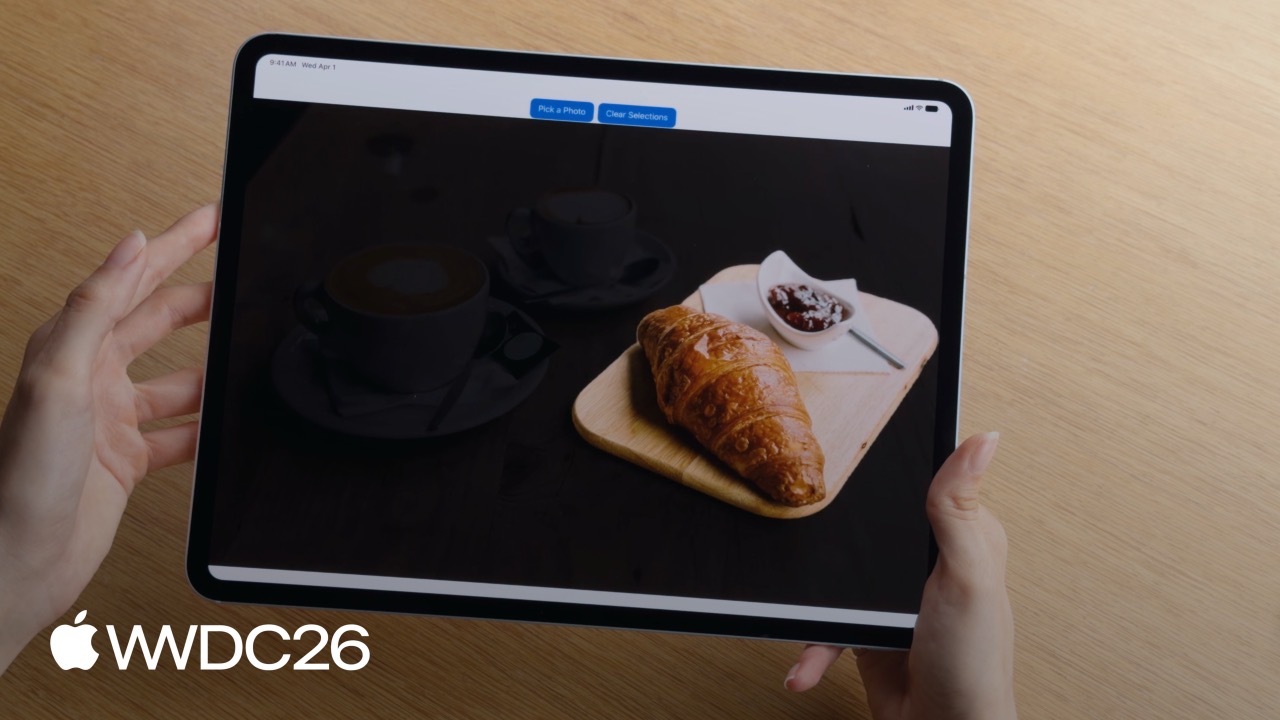
In the past, image segmentation with Vision offered limited choices. VNGeneratePersonSegmentationRequest could only cut people out from the background. Want to isolate a flower, a coffee cup, or a patch of floor? There was no built-in option. Developers had to train their own model or use a third-party service.
This year, Vision adds GenerateIterativeSegmentationRequest. When the user taps any object in an image, the system can generate a corresponding mask.
There are four interaction styles:
- Single point: tap a cup, and the cup is cut out
- Rectangle selection: draw a box around a cup and plate, and both are cut out together
- Lasso: draw a closed loop around a croissant
- Scribble: roughly paint across several objects and select them all at once
(02:19)
The more practical part is iteration. Tap the cup first to generate a mask, then tap the plate next to it, and the mask merges automatically. If you tap the wrong area, you can subtract too: tap inside the cup body as an exclusion and only the coffee remains.
(03:16)
LLMs can finally “see” images
The Foundation Models framework supports image input this year. Give an LLM a photo of the inside of a fridge, and it can generate a recipe. Give it a living-room photo, and it can suggest interior design ideas.
(06:09)
The API is direct:
import FoundationModels

let prompt = Prompt {
    "Generate a caption for this image"
    Attachment(image)
}
let response = try await session.respond(to: prompt)
let caption = response.content(06:41)
Vision and LLMs are not alternatives; they are a combination
Vision APIs are optimized for specific tasks and are fast enough to process video frames. But Vision can only do predefined things; it does not “understand” image content.
An LLM can be asked almost anything, but it cannot reliably read tiny text on a barcode, and it cannot handle pixel-level precision.
Apple’s solution is to connect them with Tool Calling. When the LLM hits a task it cannot solve well, it automatically calls a Vision tool to finish the job.
For example, give the LLM an event flyer and ask it to extract the date, location, and registration URL. There is a QR code on the flyer. The LLM cannot read it by itself, so it calls Vision’s BarcodeReaderTool, gets the URL, and then organizes the final answer.
(11:16)
Vision includes two built-in tools:
BarcodeReaderTool: reads barcodes and QR codesOCRTool: recognizes dense small text in more than 30 languages
(11:53)
Vision comes to Apple Watch
The Vision framework supports watchOS for the first time. The watch screen is small, and when a full photo is shown, the subject can be hard to see. Use GenerateObjectnessBasedSaliencyImageRequest to find the most prominent object in the photo, then crop and show only the subject area.
(13:18)
Details
Complete usage of tap-to-segment
let handler = ImageRequestHandler(image)
let request = GenerateIterativeSegmentationRequest(seed: point)
let observation = try await handler.perform(request)
let mask = observation?.pixelBuffer

// Iterative refinement: add a new point
request.addIncludedPoint(newPoint)
let refinedObservation = try await handler.perform(request)(04:15)
Key points:
ImageRequestHandlerholds the image to processGenerateIterativeSegmentationRequestis the new request type introduced this year- The
seedparameter passes in the initial point, and the system generates the initial mask from it addIncludedPointadds a new area to the mask, whileaddExcludedPointremoves an area from the mask- The returned
pixelBufferis a black-and-white mask; white pixels belong to the target object
Three notes:
- The coordinate system origin is in the lower-left corner, with values from 0 to 1, so coordinates must be normalized before use
- A lasso line must be at least 1% of the image width; if it is too thin, it will not be recognized
- The model must be downloaded the first time it is used. Use
downloadAssetsto predownload it andassetStatusto check status
(04:51)
Writing an image tool for an LLM
struct PlantIdentifierTool: Tool {
    @SessionProperty(\.history) var history

    @Generable
    struct Arguments {
        var image: ImageReference
    }

    func call(arguments: Arguments) async throws -> String {
        let imageReference = arguments.image
        let transcript = Transcript(history)
        guard let imageAttachment = imageReference.resolve(in: transcript) else {
            throw AppError.imageNotFound
        }
        let image = try imageAttachment.pixelBuffer()
        return classifyPlant(image)
    }
}(09:55)
Key points:
- The tool must conform to the
Toolprotocol - The parameter struct marked with
@Generablelets the model automatically generate call arguments ImageReferenceis a reference to the image, not the real image data@SessionProperty(\.history)gets the current conversation historyTranscript(history)converts the history into a queryable transcriptimageReference.resolve(in: transcript)resolves the real image attachment from the conversation contextpixelBuffer()converts the attachment into aCVPixelBufferfor traditional computer-vision code
Using Vision’s built-in tools
import FoundationModels
import Vision

let session = LanguageModelSession(model: model, tools: [BarcodeReaderTool()])
let response = try await session.respond(generating: EventInfo.self) {
    "Get the date, location, and website from this flyer"
    Attachment(image)
        .label("flyer")
}(12:09)
Key points:
- After
import Vision, you can useBarcodeReaderToolandOCRTool - Pass the tool list through the
toolsparameter when creatingLanguageModelSession Attachment(image).label("flyer")labels the image so the model can locate which image to use when calling a toolgenerating: EventInfo.selfmakes the model return results in the specified struct format
Saliency cropping on watchOS
func generateImageCrop(in image: CGImage) async throws -> NormalizedRect? {
    let request = GenerateObjectnessBasedSaliencyImageRequest()
    let observation = try await request.perform(on: image)
    let prominentObjects = observation.salientObjects
    return prominentObjects.first
}(13:54)
Key points:
GenerateObjectnessBasedSaliencyImageRequestanalyzes the “most prominent” region in an imagesalientObjectsreturns an array of rectangles sorted by saliency- Use
firstto get the most prominent subject region - The returned
NormalizedRectcan be used directly to crop the image
Key Takeaways
1. Build an “intelligent photo editor”
Users can tap an object in a photo to cut it out, change its background, or apply a filter. Use GenerateIterativeSegmentationRequest for interactive segmentation, with support for tap, rectangle selection, and scribble. The entry API is ImageRequestHandler + GenerateIterativeSegmentationRequest.
2. Build a “point the camera and identify anything” app
The user takes a plant photo, and the app identifies the species automatically. Use Foundation Models for natural-language interaction, and call a custom Vision tool for the specific recognition task. Implementation idea: define a PlantIdentifierTool, use ImageReference.resolve in call to get the image, then run your own classifier.
3. Build an “automatic receipt entry” tool
The user photographs an invoice or event flyer, and the LLM automatically extracts the amount, date, location, and URL. When the LLM cannot read a QR code clearly, it automatically calls BarcodeReaderTool; dense small text goes through OCRTool. Configure LanguageModelSession(tools: [BarcodeReaderTool(), OCRTool()]).
4. Improve image presentation on Apple Watch
In a watchOS photo or Messages app, use GenerateObjectnessBasedSaliencyImageRequest to automatically crop to the main subject so the important content remains visible on a small screen. This API only gained watchOS support this year; previously it was iOS-only.
5. Build a “fridge ingredient manager” app
The user opens the fridge and takes a photo. The LLM identifies the ingredients and recommends recipes. Use the image-input capability in Foundation Models, pass Attachment(image) directly into the prompt, and let the model generate an ingredient list and recipe suggestions.
Related Sessions
- Discover Swift enhancements in the Vision framework — Go deeper into more than 30 image analysis capabilities in the Vision framework, including face analysis, pose estimation, object tracking, and more
- What’s new in the Foundation Models framework — Learn about other new features in the Foundation Models framework, including the full mechanism for tool calling
- Build agentic apps with the Foundation Models framework — Learn how to build agent apps that can call tools
- What’s new in SwiftUI — Build interactive interfaces for image editing and previews with SwiftUI
- What’s new in watchOS — Learn about other new watchOS capabilities and pair them with Vision to build image apps on Apple Watch
Comments
GitHub Issues · utterances