
Highlight
In macOS 26.2, Apple supports RDMA over Thunderbolt 5. Combined with the open-source communication library JACCL and MLX, a few Macs can form a local cluster capable of running trillion-parameter models locally, with inference and fine-tuning speeds improving by roughly three times and no cloud servers required.
Core Content
A Single Mac Can No Longer Run Every Large Model
Local large models are evolving quickly. Models are getting larger and more capable, and developers use them to process longer contexts and more complex tasks. But memory, compute, and bandwidth eventually hit a ceiling. Even an M3 Ultra can run only models up to a certain size; larger models simply do not fit.
WWDC26 session 232 showed how to run a local AI agent on a single Mac with MLX. But if you have several Macs on your desk, can you connect them and spread the workload?
This talk gives the complete path to doing exactly that.
A Full-Stack Solution from Hardware to Software
Apple did not stop at a high-level framework abstraction. It starts from the low-level communication protocol.
(02:29) Starting in macOS 26.2, Thunderbolt 5 supports RDMA, or Remote Direct Memory Access. RDMA moves data directly from one machine’s memory to another, bypassing much of the CPU and operating-system overhead to enable high-bandwidth, low-latency communication between machines.
(03:17) RDMA alone is not enough. Distributed programs need higher-level communication primitives. Apple open-sourced JACCL, Just Another Collective Communication Library, which provides collective communication operations over RDMA over Thunderbolt, such as sending data across machines and aggregating results. JACCL is not limited to machine learning; any distributed workload on Apple Silicon can use it.
(03:57) The top layer is MLX. MLX uses JACCL for low-latency distributed communication and provides tools to orchestrate distributed tasks on the cluster.
Turn Four M3 Ultra Macs into a Cluster
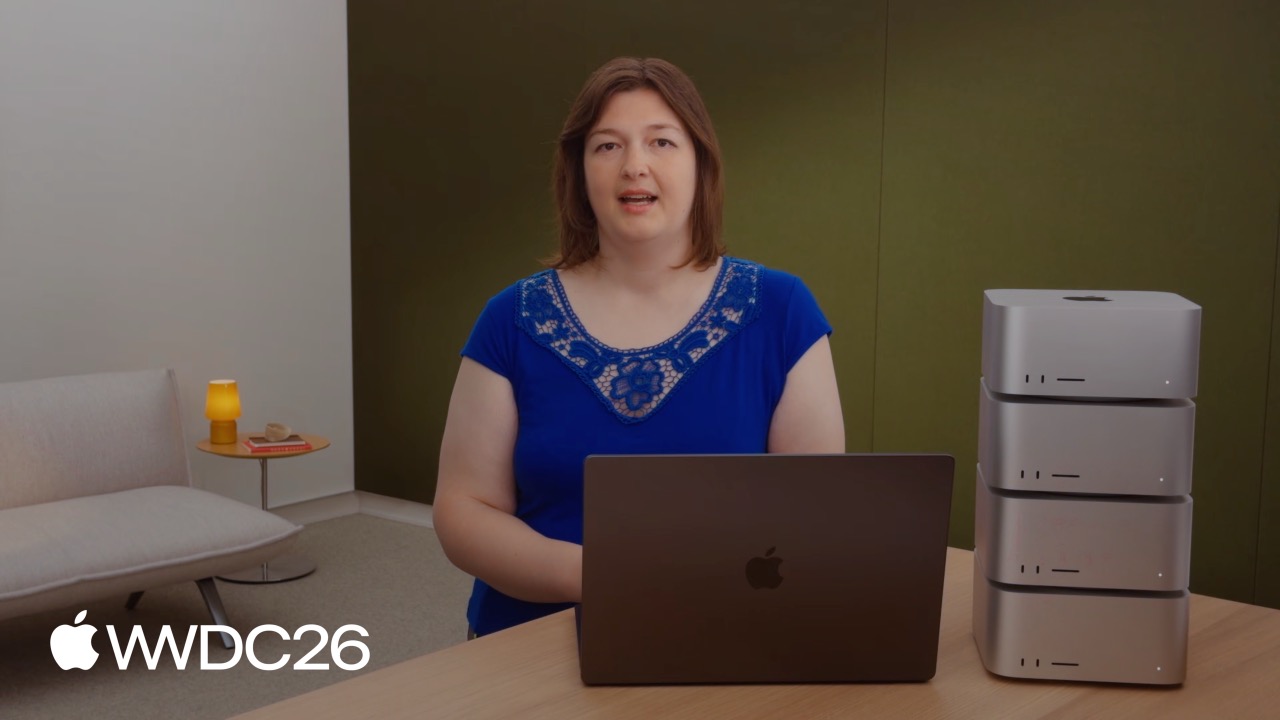
(04:22) The talk demonstrated the full workflow with four M3 Ultra machines.
The first step is choosing a topology. JACCL supports two options:
- Mesh: every machine connects directly to every other machine. This gives the lowest latency and is suitable for workloads that communicate frequently.
- Ring: each machine connects only to two neighbors. It saves ports and cables, and multiple cables can increase single-link bandwidth, making it suitable for bandwidth-sensitive large message transfers.
(06:46) JACCL automatically chooses the optimal topology based on message size and operation type: small messages use mesh for lower latency, and large messages use ring for higher bandwidth.
The second step is enabling RDMA. Search for “RDMA” in System Settings, turn on “Enable RDMA over Thunderbolt,” and restart.
(07:59) The third step is launching the distributed task with mlx.launch. It connects to each machine over SSH, starts the executable, and then the machines communicate directly over Thunderbolt links.
mlx.launch needs a hostfile that describes the cluster. MLX provides the mlx.distributed_config tool to generate one automatically:
mlx.distributed_config \
    --hosts m3-ultra-0,m3-ultra-1,m3-ultra-2,m3-ultra-3 \
    --output "m3-ultra-jaccl.json" \
    --env MLX_METAL_FAST_SYNCH=1 \
    --auto-setup \
    --backend jaccl
Key points:
--hosts: host names for every machine in the cluster.--output: path for the generated hostfile.--env MLX_METAL_FAST_SYNCH=1: enables faster GPU-CPU synchronization. In distributed tasks, compute runs on the GPU and communication runs on the CPU, so synchronization speed is critical.--auto-setup: automatically disables Thunderbolt Bridge and configures RDMA.--backend jaccl: mesh topology; usejaccl-ringfor ring topology.
The script first checks SSH connectivity, then probes Thunderbolt ports to discover the physical connection layout, and finally outputs a JSON hostfile.
Distributed Inference: Run a Cluster with One Command
(10:39) Once the cluster is ready, running distributed inference with MLX LM is almost as simple as running on a single machine.
Single-machine inference:
mlx_lm.chat --model "Qwen/Qwen3.6-27B" --max-tokens 2048Distributed inference:
mlx.launch --hostfile "m3-ultra-jaccl.json" -- \
/remote/path/to/mlx_lm.chat --model "Qwen/Qwen3.6-27B" --max-tokens 2048(12:21) On stage, the speaker compared a single Mac against a four-machine cluster running Qwen 3.6, a 27-billion-parameter model. The cluster’s token generation speed was close to three times that of the single machine.
(13:18) Speed is not the only reason. Some models are too large to fit on one machine at all. Kimi 2.6 has one trillion parameters; after 8-bit quantization, its weights are about 1TB. One M3 Ultra cannot hold it, but four can.
Pipeline vs. Tensor Parallelism
MLX supports two model-sharding strategies:
(13:47) Pipeline parallelism splits by depth. Each machine stores a group of layers, and data flows through machines sequentially. It does not accelerate inference because each token still passes through every group of layers serially, but communication is simple because activations are exchanged only at layer-group boundaries.
(14:13) Tensor parallelism splits by width. Each machine stores part of every layer, and all machines process the same token at the same time. This accelerates inference, but every layer and every token requires communication, so latency matters. That is why the mesh topology is important: any two machines can reach each other in one hop.
Tensor parallelism is the default strategy in MLX LM. Switching to pipeline parallelism only requires adding the --pipeline flag:
mlx.launch --hostfile "m3-ultra-jaccl.json" -- \
    /remote/path/to/mlx_lm.chat --model "moonshotai/Kimi-K2.6" \
                                 --max-tokens 2048 \
--pipeline(15:03) The talk demonstrated running Kimi 2.6 with tensor parallelism across four M3 Ultra machines: a trillion-parameter model, one command, running locally.
Distributed Fine-Tuning: Data Parallelism
(16:11) In single-machine fine-tuning, the training data is split into batches, gradients are computed one batch at a time, and weights are updated. Multi-machine acceleration uses data parallelism: every machine keeps a copy of the model, processes different batches, then averages gradients so each update incorporates information from all batches.
In theory, N machines can improve data-processing speed by a factor of N.
Distributed fine-tuning is almost identical to the single-machine command:
# Single-machine fine-tuning
mlx_lm.lora --model "Qwen/Qwen3.5-9B" \
             --data "mlx-community/wikisql" \
             --train --batch-size 4

# Distributed fine-tuning (scale batch-size by device count)
mlx.launch --hostfile "hostfile.json" -- \
    /remote/path/to/mlx_lm.lora --model "Qwen/Qwen3.5-9B" \
                                  --data "mlx-community/wikisql" \
--train --batch-size 16(17:55) The on-stage comparison showed a single M3 Ultra at roughly 180 tokens per second and a four-machine cluster at roughly 600 tokens per second, giving more than a threefold fine-tuning speedup.
Details
Controlling Distributed Inference with the Python API
(19:01) Beyond the CLI, MLX provides a fine-grained Python API.
import mlx.core as mx
from mlx_lm import stream_generate
from mlx_lm.utils import sharded_load

# Initialize the distributed backend
group = mx.distributed.init(strict=True, backend="jaccl")
# Define the parallelism strategy
tensor_group, pipeline_group = group, None

# Load and shard the model
model, tokenizer = sharded_load("moonshotai/Kimi-K2.6", pipeline_group, tensor_group)
for response in stream_generate(model, tokenizer, prompt, max_tokens=1024):
    if group.rank() == 0:
        print(response.text, end="", flush=True)
Key points:
mx.distributed.init(backend="jaccl"): initializes the JACCL distributed group.tensor_group = group, pipeline_group = None: enables tensor parallelism and disables pipeline parallelism.sharded_load(): automatically shards and loads the model according to the selected parallelism strategy.group.rank() == 0: only rank 0 outputs results, preventing duplicate printing.- Once loaded, the model is used exactly like a single-machine model; MLX handles distributed communication internally.
Manually Sharding Layers
(19:31) If you need lower-level control, you can use MLX’s shard_linear directly:
import mlx.core as mx
import mlx.nn as nn

# Initialize the distributed backend
group = mx.distributed.init(strict=True, backend="jaccl")

# Define the layer and shard it by columns
layer = nn.Linear(1024, 1024)
sharded_layer = nn.layers.distributed.shard_linear(
    layer, strategy="all-to-sharded", group=group
)
data = mx.random.normal((1, 1, 1024))
output = sharded_layer(data)
mx.eval(output)
Key points:
strategy="all-to-sharded": shards the full layer by columns across devices.shard_linearreturns a layer that automatically handles cross-device communication when called.mx.eval(output): triggers actual computation and synchronization.
Cross-Language Primitives: All-Reduce
(19:47) MLX exposes the same distributed primitives in Python, Swift, and C++. Using all-reduce, or summing across devices, as an example:
Python:
import mlx.core as mx
world = mx.distributed.init(strict=True, backend="jaccl")
data = mx.full((4,), float(world.rank()), dtype=mx.float32)
result = mx.distributed.all_sum(data, group=world)
mx.eval(result)
Swift:
let group = try DistributedGroup(strict: .ring)
let data = rank == 0
    ? MLXArray(converting: [1.0, 2.0, 3.0])
    : MLXArray(converting: [5.0, 6.0, 7.0])
let result = try group.allSum(data)
C++:
namespace mx = mlx::core;
auto world = mx::distributed::init(/* strict */ true, "jaccl");
mx::array data = mx::full({4}, static_cast<float>(world.rank()), mx::float32);
mx::array result = mx::distributed::all_sum(data, world);
mx::eval(result);
Key points:
- The API structure is consistent across all three languages: initialize group, prepare data, run all_sum, and call eval to synchronize.
world.rank()gets the current node number, useful for constructing differentiated test data.all_sumsums arrays element by element across devices and broadcasts the result back to every device.
Use JACCL Directly, Outside MLX
(20:14) JACCL can be used independently of MLX. It provides a C++ API:
#include <jaccl/jaccl.h>
#include <iostream>

int main() {
    // Initialize the JACCL group
    auto group = jaccl::init();
    std::cout << "Rank " << group->rank() << " of " << group->size() << std::endl;
    // Run all-reduce summation
    float data[10] = {1.0f, 2.0f, 3.0f, 4.0f, 5.0f, 6.0f, 7.0f, 8.0f, 9.0f, 10.0f};
    float output[10];
    group->all_sum(data, output, sizeof(data), jaccl::Float32);
    std::cout << "Result: " << output[0] << std::endl;
    return 0;
}
Key points:
jaccl::init(): automatically discovers the cluster configuration and initializes the communication group.group->rank()/group->size(): gets the current node number and total node count.- The parameters to
all_sumare the input array, output array, byte count, and data type. - Any program that needs to synchronize data across machines can be built on JACCL.
Key Takeaways
1. Deploy a local enterprise knowledge base
- What to do: Use 2-4 Mac Studio machines as a cluster and deploy Qwen 3.6 or a larger model locally as the company’s internal knowledge-base Q&A system.
- Why it is worth doing: Data stays inside the company network and satisfies compliance requirements; distributed inference can approach the speed of cloud A100 instances, with cost shifted to one-time hardware purchase.
- How to start: First validate model quality on one Mac with
mlx_lm.chat. After confirming the result, buy a second Mac, generate a configuration withmlx.distributed_config, and start the distributed service withmlx.launch.
2. Fine-tune a private domain model
- What to do: Collect internal documents, customer-support conversations, and product manuals, then fine-tune a base model with MLX LoRA to build a dedicated assistant.
- Why it is worth doing: The session showed more than a threefold fine-tuning speedup on a four-machine cluster, and local fine-tuning means sensitive training data is never uploaded to a third party.
- How to start: Validate the fine-tuning flow on a single machine with
mlx_lm.loraand a small dataset. Once the result is confirmed, scale--batch-sizeby device count and expand to the cluster withmlx.launch.
3. Inference backend for a multi-agent collaboration system
- What to do: Build a local multi-agent system where different agents handle code review, document generation, and test-case writing, all sharing the same large-model backend.
- Why it is worth doing: Session 232 explains local agentic AI, while this session solves the bottleneck of models that are not large enough or fast enough. Together, they enable a truly usable local agent workflow.
- How to start: Build a single-agent prototype using the method from session 232, then replace the inference layer with this session’s
sharded_loadandstream_generateto support concurrent requests from multiple agents.
4. Use JACCL for non-ML distributed computing
- What to do: Use JACCL’s C++ API for distributed workloads such as batch image processing, audio analysis, or scientific computing.
- Why it is worth doing: JACCL is not tied to MLX. Any program that needs to synchronize data across machines can use it. Thunderbolt 5’s bandwidth and latency are an order of magnitude better than Wi-Fi or Ethernet.
- How to start: Write a simple C++ program that includes
<jaccl/jaccl.h>, callsjaccl::init()andall_sumto verify communication, then connect the business logic.
5. Embed distributed inference in a Swift app
- What to do: Integrate large-model inference into a macOS app, letting a user’s multiple Macs automatically form a cluster to speed up responses.
- Why it is worth doing: MLX’s Swift API has the same structure as the Python API, so a Python model experiment can be ported directly into an app.
- How to start: First validate the model and sharding strategy with the Python API. Then rewrite the core inference logic with MLX Swift’s
DistributedGroupand related APIs, and embed it in the app.
Related Sessions
- Session 232: Run local agentic AI on the Mac using MLX — A starter guide to single-machine local AI agents, completing the distributed story in this session
- Session 328: MLX Swift — A detailed guide to using MLX in Swift, useful for developers who want to embed distributed inference in an app
- Session 324: Core AI — An overview of Apple’s core AI frameworks and where MLX fits in the broader ecosystem
- Session 241: Foundation Models — The design philosophy behind Apple’s foundation models, helping explain why running large models locally matters more and more
Comments
GitHub Issues · utterances