
Highlight
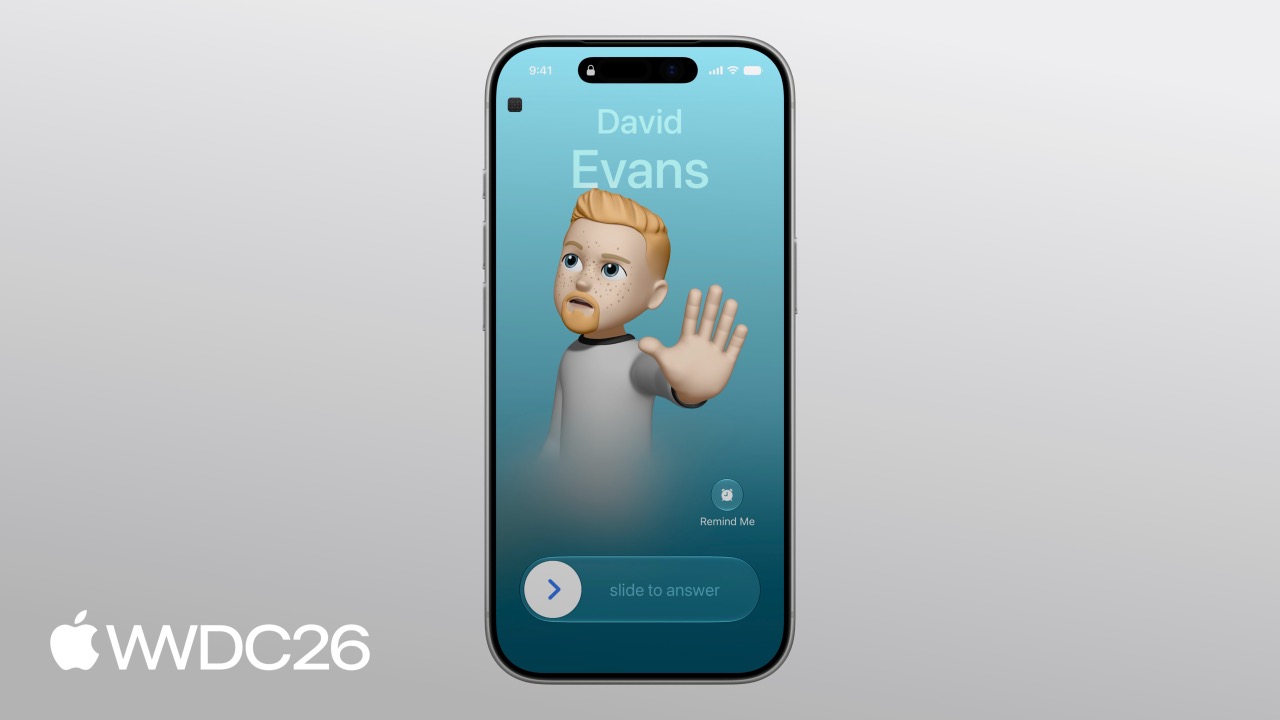
Apple introduces the LiveCommunicationKit framework, giving third-party real-time communication apps the same system-level full-screen incoming call UI, Dynamic Island multitasking presentation, Phone app Recents entries, and Siri launch support as system phone calls, replacing the traditional CXProvider API.
Key Takeaways
From CXProvider to LiveCommunicationKit
In the past, developers building VoIP calls on iOS mainly relied on CallKit’s CXProvider API. It could provide a basic system incoming-call interface, but it was not flexible enough, and support for modern communication scenarios such as group chats, call merging, and video calls was not very intuitive.
LiveCommunicationKit is a new framework built specifically for these problems. It abstracts a “call” into the more general concept of a “conversation.” One-to-one audio, video calls, group conversations, merged sessions, and other forms all connect to system-level UI.
(00:53)
The Conversation Lifecycle
A conversation moves through five states from creation to end:
- idle: reported to the system, and the device starts ringing
- joining: the user answers, and the app is establishing the connection
- joined: the connection is ready, and audio/video begins transmitting
- leaving: the user ends the call, and the app is cleaning up resources
- left: cleanup is complete, and the conversation ends
(04:10)
Every state transition is actively reported by the app through ConversationManager. The system updates the Lock Screen, Dynamic Island, and Recents UI based on the current state.
Unified State Management
LiveCommunicationKit’s core design is a single source of truth. Whether the user answers from the Lock Screen, taps hang up in the Dynamic Island, or presses a button inside the app, every interaction becomes a ConversationAction and enters the app through the same ConversationManagerDelegate callback.
This means the app does not need to maintain two sets of state logic. System UI and app UI stay synchronized.
(06:00)
Details
Configure ConversationManager
Every app that uses LiveCommunicationKit needs a ConversationManager instance. It is usually created at app launch and kept for the lifetime of the app.
import LiveCommunicationKit

let configuration = ConversationManager.Configuration(
  ringtoneName: "SampleRingtone.caf",
  iconTemplateImageData: UIImage(named: "SampleIcon")?.pngData(),
  maximumConversationGroups: 1,
  maximumConversationsPerConversationGroup: 2,
  includesConversationInRecents: true,
  supportsVideo: true,
  supportedHandleTypes: [.phoneNumber, .emailAddress]
)

let manager = ConversationManager(configuration: configuration)
manager.delegate = self
Key points:
ringtoneName: the ringtone file in the app bundle, played for incoming callsiconTemplateImageData: the app icon template used in system UImaximumConversationGroupsandmaximumConversationsPerConversationGroup: limits for merged conversation hierarchyincludesConversationInRecents: whether call records appear in Recents in the Phone appsupportsVideo: enables the video button in system UIsupportedHandleTypes: the contact handle types the app supports, which affects contact matching
(06:41)
Handle Incoming Calls
Incoming calls wake the app through a PushKit VoIP push. The app must report the conversation before the delegate method returns, or the system will terminate the app.
import LiveCommunicationKit
import PushKit

final class SamplePushHandler: NSObject, PKPushRegistryDelegate {
  func pushRegistry(
    _ registry: PKPushRegistry,
    didReceiveIncomingVoIPPushWith payload: PKPushPayload,
    metadata: PKVoIPPushMetadata) async {

    guard let (handle, uuid) = parseConversationPayload(from: payload) else { return }

    let capabilities = [.video, .pausing, .merging]
    let update = Conversation.Update(members: [handle], capabilities: capabilities)
    try? await manager.reportNewIncomingConversation(uuid: uuid, update: update)
  }
}
Key points:
parseConversationPayload: extracts the handle, meaning the caller identifier, and UUID, meaning the conversation’s unique identifier, from the push payloadConversation.Update: describes the initial conversation state, including members and capabilities- The
capabilitiesarray declares what the conversation supports, and the system uses it to decide which controls to show reportNewIncomingConversationmust finish before the method returns, or the app is terminated
(09:22)
Respond to System Actions
All user interactions enter the app through ConversationManagerDelegate’s perform action method.
import LiveCommunicationKit

final class SampleDelegate: ConversationManagerDelegate {
  func conversationManager(
    _ manager: ConversationManager,
    perform action: ConversationAction
  ) {
    switch action {
    case let action as JoinConversationAction:
      handleJoinAction(action)
    case let action as EndConversationAction:
      handleEndAction(action)
    case let action as StartConversationAction:
      handleStartAction(action)
    case let action as MergeConversationAction:
      handleMergeAction(action)
    default:
      action.fail()
    }
  }
}
Key points:
JoinConversationAction: the user answers an incoming callEndConversationAction: the user hangs upStartConversationAction: the user starts a call from inside the appMergeConversationAction: the user merges two conversations- Unrecognized actions must call
fail()so the system can clean up UI state
(09:57)
Handle the Answer Action
extension SampleDelegate {
  func handleJoinAction(_ action: JoinConversationAction) {
    guard let conversation = manager.conversations.first(where: { $0.uuid == action.conversationUUID }) else {
      return action.fail()
    }

    manager.reportConversationEvent(.conversationStartedConnecting(.now), for: conversation)

    Task {
      do {
        try await setupMediaStream(with: action.conversationUUID)
        manager.reportConversationEvent(.conversationConnected(.now), for: conversation)
        action.fulfill(dateConnected: .now)
      } catch {
        action.fail()
      }
    }
  }
}
Key points:
- First find the matching conversation by UUID. If it cannot be found, call
fail() conversationStartedConnecting: tells the system to enter the joining state, and the UI shows “connecting”setupMediaStream: the app’s own media-connection logic, running in a Task so the delegate can remain responsiveconversationConnected: tells the system the media is ready and the conversation has entered the joined statefulfill(dateConnected:): marks the action complete, and the system updates UI- Any error goes through
fail(), and the system cleans up automatically
(10:13)
Start an Outgoing Call
When starting a call from inside the app, create a StartConversationAction and execute it through ConversationManager.
let startAction = StartConversationAction(
  conversationUUID: UUID(),
  handles: [Handle(type: .phoneNumber, value: "+1-650-555-0199", displayName: "Ryan Notch")],
  isVideo: false
)

try await manager.perform([startAction])
Key points:
conversationUUID: the newly generated unique identifierhandles: the array of recipient contact handlesisVideo: whether this is a video callmanager.perform: submits the action to the system. After the system updates UI, it forwards the action to the delegate for handling
(12:14)
Group Conversations and Session Merging
Group conversations distinguish between two member lists:
members: all invited participantsactiveRemoteMembers: participants currently sending media
let adam = Handle(type: .emailAddress,
                  value: "[email protected]",
                  displayName: "Adam Halwani")
let david = Handle(type: .emailAddress,
                   value: "[email protected]",
                   displayName: "David Evans")
let ryan = Handle(type: .phoneNumber,
                  value: "+16505550199",
                  displayName: "Ryan Notch")

let startAction = StartConversationAction(
  conversationUUID: UUID(),
  handles: [david, ryan],
  isVideo: false
)
try await manager.perform([startAction])
Report updates when membership changes:
let update = Conversation.Update(
  localMember: adam,
  members: [david, ryan],
  activeRemoteMembers: [david, ryan],
  capabilities: [.merging, .pausing, .unmerging]
)

manager.reportConversationEvent(
  .conversationUpdated(update),
  for: conversation
)(13:51)
Merge Two Conversations
When the user merges two parallel conversations into one group conversation, the system sends a MergeConversationAction.
extension SampleDelegate {
  func handleMergeAction(_ action: MergeConversationAction) {
    let sourceUUID = action.conversationUUID
    let targetUUID = action.conversationUUIDToMergeWith

    guard manager.conversations.contains(where: { $0.uuid == sourceUUID }),
          manager.conversations.contains(where: { $0.uuid == targetUUID }) else {
      return action.fail()
    }

    Task {
      do {
        let update = try await combineStreams(from: sourceUUID, into: targetUUID)
        manager.reportConversationEvent(.conversationUpdated(update), for: target)
        action.fulfill()
      } catch {
        action.fail()
      }
    }
  }
}
Key points:
conversationUUID: the identifier of the source conversationconversationUUIDToMergeWith: the identifier of the target conversation- Verify both conversations exist before merging
combineStreams: the app’s own server-side logic for merging two media streams- After the merge completes, report the update and call
fulfill() - Unmerging follows the exact same delegate pattern
(15:33)
Ideas to Build
1. Turn any real-time interactive app into a system-level call
Customer support, remote collaboration, and game voice chat can all integrate LiveCommunicationKit. Users answer directly from the Lock Screen, see status in the Dynamic Island, and get an experience consistent with phone calls. The entry APIs are ConversationManager and reportNewIncomingConversation.
2. Use group merging to add someone to a conversation
In a support scenario, a frontline agent can talk one-on-one with a user, then merge in an expert session when technical help is needed, without making the user hang up and call again. Start by declaring the .merging capability and handling MergeConversationAction.
3. Make call history an app entry point
After enabling includesConversationInRecents: true, users can call back directly from Recents in the Phone app. Combined with StartCallIntent donation, Siri can start calls directly too. This is a natural traffic entry point that reduces user drop-off.
4. Switch audio and video dynamically
Capabilities can be updated during the conversation lifecycle. If a user turns on the camera in the middle of an audio call, you only need to update capabilities to include .video, and the system UI responds immediately. There is no need to rebuild the entire conversation.
5. Use Handle to connect with the contact system
Map in-app user identifiers to .phoneNumber or .emailAddress Handle types, and the system can automatically match contact avatars and names from Contacts. For unknown numbers, it uses displayName as the fallback.
Related Sessions
- 121 - Siri and iPhone features. Learn how to integrate StartCallIntent so Siri can start calls directly
- 223 - Live Activities. Learn how to show additional information with a Live Activity during a call
- 310 - Shortcuts. Learn about App Intents donation so call history can be found through system search and Shortcuts
- 345 - New App Intents features. Understand intent donation and NSUserActivity integration in depth
- 369 - Bluetooth. Learn how to handle Bluetooth headset route changes and audio path management during calls
Comments
GitHub Issues · utterances