
Highlight
SwiftUI’s
Viewprotocol is isolated to@MainActorby default. Closures on APIs likeShape.path(in:),visualEffect,Layout, andonGeometryChangeare marked@Sendable, and SwiftUI dispatches them to background threads.
Core content
Data races are the oldest headache for SwiftUI developers: stuttering animation, broken state, even lost data. Before Swift 6, you had to rely on discipline and experience to know which code ran on the main thread and which did not. Get it wrong and the bug usually only showed up at runtime.
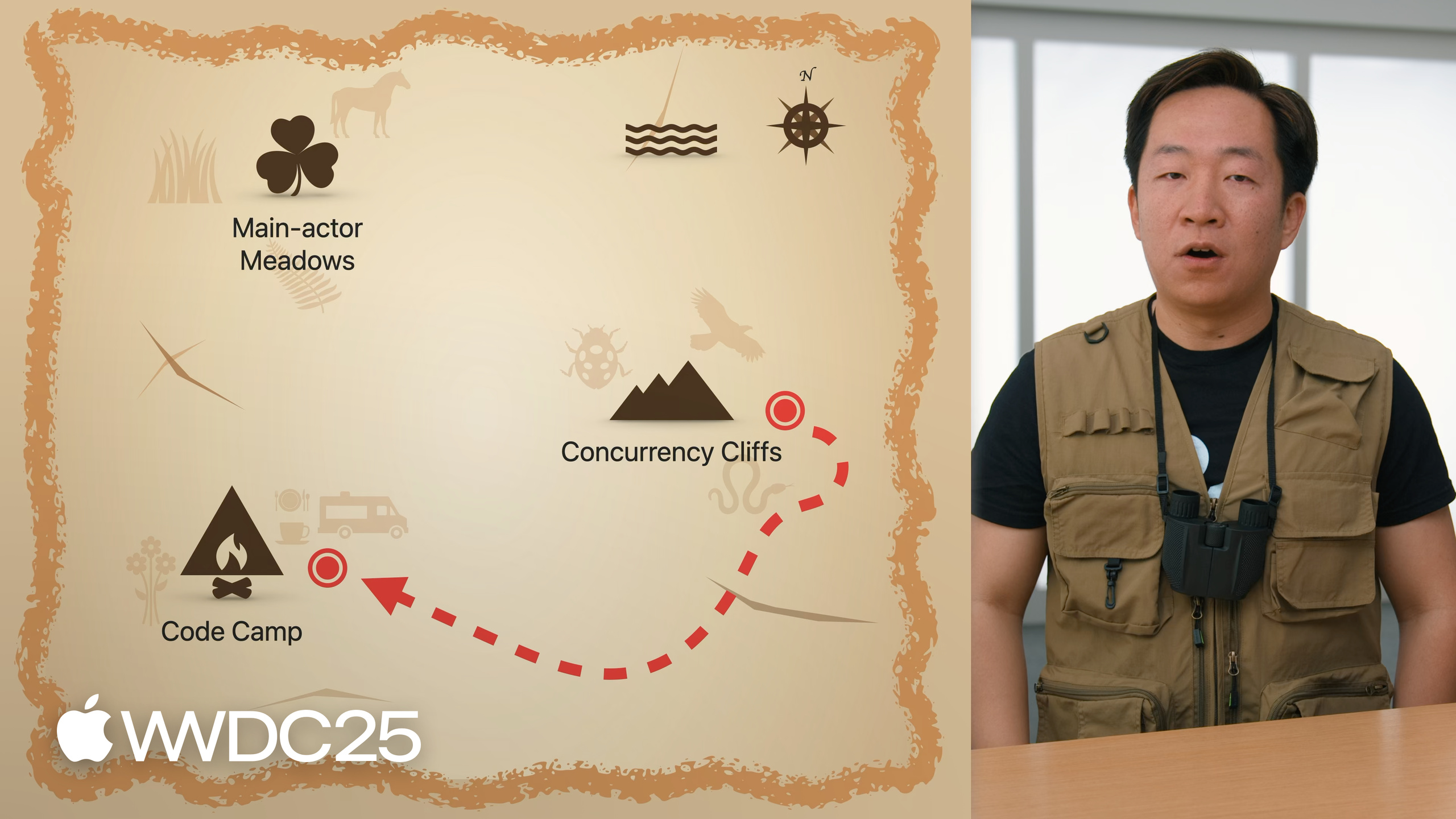
Daniel walks through a “color extractor app” in three stops, each one mapping SwiftUI onto a piece of Swift’s concurrency model. Stop one, Main Actor Meadows: the View protocol itself is @MainActor, so your structs, your body, and @State all run on the main thread by default. Even an @Observable model needs no extra annotation. Stop two, Concurrency Cliffs: SwiftUI actively pushes the closures of Shape.path(in:), visualEffect, Layout protocol methods, and onGeometryChange onto background threads. Their parameters are marked @Sendable, so the compiler catches data races for you. Stop three, Camp: it explains why a Button action is a synchronous closure — UI state changes around a long task (a loading animation, say) must fire synchronously, because an await introduces a suspension and may miss the next frame’s window.
Detailed content
The whole session is built around one ColorExtractorView (02:45):
struct ColorExtractorView: View {
    @State private var model = ColorExtractor()

    var body: some View {
        ImageView(
            imageName: model.imageName,
            isLoading: model.isExtracting
        )
        EqualWidthVStack {
            ColorSchemeView(
                isLoading: model.isExtracting,
                colorScheme: model.scheme,
                extractCount: Int(model.colorCount)
            )
            .onTapGesture {
                guard !model.isExtracting else { return }
                withAnimation { model.isExtracting = true }
                Task {
                    await model.extractColorScheme()
                    withAnimation { model.isExtracting = false }
                }
            }
            Slider(value: $model.colorCount, in: 3...10, step: 1)
                .disabled(model.isExtracting)
        }
    }
}
Key points:
- The
Viewprotocol is declared@MainActor, soColorExtractorViewinfers@MainActorisolation through conformance.bodyand@Staterun on the main thread. - The
modelinstance is created with@Statein the view declaration, and Swift carries it into the@MainActorisolation automatically. The@ObservableclassColorExtractorneeds no separate annotation. - The tap gesture flips to the loading state synchronously with
withAnimation, then enters an async context withTaskto callextractColorScheme(), and flips back synchronously when the result returns. This closure inherits@MainActortoo.
The entry to a background thread looks like this (08:26):
struct SchemeContentView: View {
    let isLoading: Bool
    @State private var pulse: Bool = false

    var body: some View {
        ZStack {
            Circle()
                .scaleEffect(isLoading ? 1.5 : 1)

            VStack {
                Text(isLoading ? "Please wait" : "Extract")
            }
            .visualEffect { [pulse] content, _ in
                content
                    .blur(radius: pulse ? 2 : 0)
            }
            .onChange(of: isLoading) { _, newValue in
                withAnimation(newValue ? kPulseAnimation : nil) {
                    pulse = newValue
                }
            }
        }
    }
}
Key points:
- The closure on
visualEffectis marked@Sendable, and SwiftUI may call it on a background thread. The goal is to lift high-frequency visual computation off the main thread (11:12). - The closure needs to read
pulse. Writingpulseis the same asself.pulse, and the compiler rejects it:selfis a@MainActorView, and reaching for a@MainActorproperty after handingselfto a non-isolated closure trips the data-race check. - The fix is a capture list,
[pulse], which copies the value.Boolis a value type and sendable. The closure reads only this local copy, no longer depends onself, and skips the cross-actor access (15:52).
Stop three explains why you should not write async state changes directly into the view (19:15). An await inserts a suspension point, and the runtime may pause for any length of time before resuming. By the time it resumes, the frame’s deadline may already be gone, and the animation falls behind the gesture. Daniel’s advice is to bridge with state: the state kicks off a Task, the async work assigns back to state synchronously when it finishes, and the UI reacts through @Observable. The view code itself stays synchronous. There is a side benefit: once async logic moves out, unit tests can run without importing SwiftUI (23:48).
Core takeaways
-
Trust the
@MainActordefault. Swift 6.2’s new language mode adds@MainActorto the whole module implicitly. Turn it on first when you upgrade an old app, then strip the hand-written@MainActorfrom the view layer — odds are a large pile of redundant annotations falls out. -
To pull an outside value into a closure, copy it through a capture list. When a
@Sendableclosure fails to compile onself.someState, reach for[someState]first, notnonisolated. The first copies only what you need; the second hands the responsibility for data safety back to you. -
Move async logic out of the view and bridge with state. Keep the view to synchronous state reads and writes. Hand long tasks to a model or manager, and let the result return through a synchronous mutation on
@Observable. ATaskin the view should only “tell the model about a UI event” — never make a time-sensitive UI change inside it. -
State changes tied to animation must fire synchronously. Write
withAnimation { isLoading = true }inside a synchronous callback likeonTapGesture, not after anawait. The resume time after anawaitis out of your hands and may miss the frame deadline. -
Use
Mutexto make a custom class sendable. If you really must share a reference type across concurrent tasks,Synchronization.Mutexis what Apple’s docs recommend, and it is steadier than rolling your own lock.
Related sessions
- Embracing Swift concurrency — A primer on Swift’s concurrency model. This session cites it repeatedly as required reading.
- Elevate an app with Swift concurrency — How to lift heavy work off the main thread. Pairs with the Concurrency Cliffs stop in this session.
- What’s new in SwiftUI — A tour of SwiftUI’s 2025 features, including APIs this session touches like
onScrollVisibilityChange. - Code-along: Cook up a rich text experience in SwiftUI with AttributedString — A hands-on example of bridging async work with an
@Observablemodel and@State, in the same shape as this session.
Comments
GitHub Issues · utterances