
Highlight
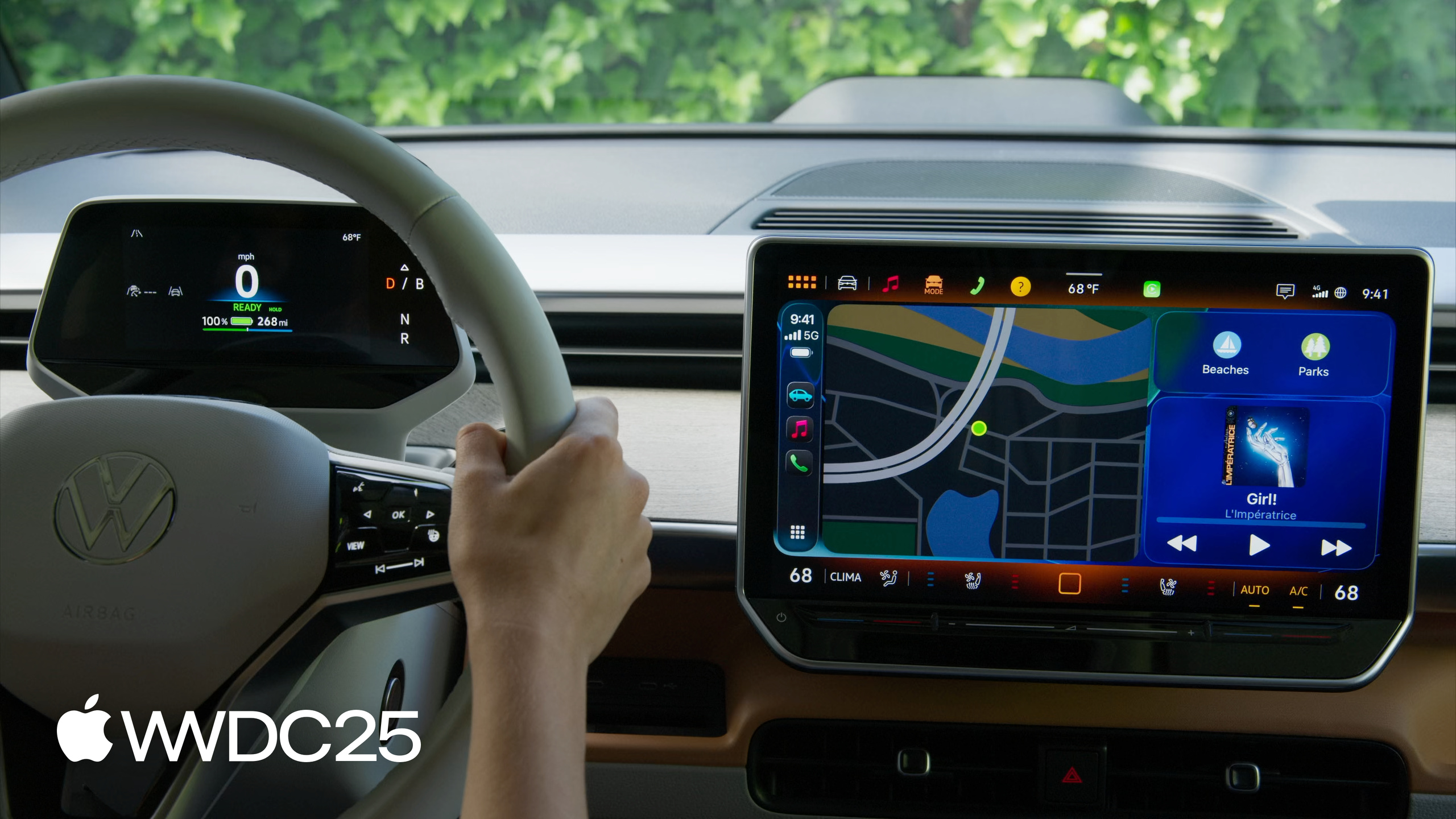
iOS 26 lets widgets and Live Activities reach the car without a CarPlay app. Navigation apps can push turn metadata straight to the instrument cluster and HUD through 54 maneuver types.
Core content
CarPlay used to set a high bar for developers. You had to apply for an audio, communication, or navigation entitlement before your app could appear on the car screen. Most apps fit none of these categories and had no reason to write a dedicated CarPlay version, so the screen in the car had nothing to do with your product. iOS 26 tears that wall down. If your app already implements a systemSmall widget or already uses Live Activities, it shows up on the CarPlay Dashboard automatically — no CarPlay app, no entitlement.
The driver swipes the Dashboard to the left to see the widget. Touchscreen cars can interact with it directly (02:27). A Live Activity started on iPhone enters the Dashboard on its own. If the Dashboard is not visible, CarPlay pins it to the bottom of the screen as a notification so the driver does not miss progress updates (05:23). CarPlay renders Live Activities at the activity family small size. If you have not built that size, it falls back to the Dynamic Island compact leading/trailing layout. For food delivery, ride-hailing, and flight apps, this is a free spot on the in-car display.
The second track upgrades existing CarPlay apps. The list template gains pinned headerGridButtons. The Now Playing template supports a sports mode with two teams, a score, and a game clock. The map template gets multi-touch callbacks for pinch, pitch, and rotate. The biggest piece is navigation metadata: through CPNavigationSession you report 54 maneuver types and junction angles, and the car renders them on the cluster and HUD using its own design language. The app does not need to care about the visual style.
Details
Minimum step to put a widget in the car: implement the systemSmall family. If the widget does not fit the in-car context — dense text, heavy interaction, or data protection class A/B — declare it explicitly with disfavoredLocations (03:21):
// Disfavored locations modifier for CarPlay

WidgetConfiguration()
    .disfavoredLocations([.carPlay], for: [.systemSmall])
Key points:
.disfavoredLocations([.carPlay], for: [.systemSmall])tells the system this widget is not suited for CarPlay.- The widget still appears in CarPlay settings, but it is grouped and labeled “not optimized.”
- If the driver still enables it, its interaction is disabled and it shows static content only.
- Good candidates for
disfavored: game widgets, widgets that refresh on tap, and widgets whose main entry point is an app with no CarPlay version.
Pinned elements in the list template: a row of grid buttons can now be pinned to the top of a list (10:05):
// Pinned elements

var headerGridButtons: [CPGridButton]?

// Create a Grid Button

class CPGridButton

init(titleVariants: [String],
     image: UIImage,
     handler: ((CPGridButton) -> Void)?)
Key points:
headerGridButtonsis a new property onCPListTemplate. Once set, it renders above the first section.titleVariantsis an array of strings. The system picks the best fit for the available width.- The
handlerclosure runs when the button is tapped. - Communication apps can also pass a SiriKit conversation identifier and an unread flag through
CPMessageGridItemConfiguration(conversationIdentifier:unread:).
Navigation metadata: a navigation app declares support by implementing one delegate method, then feeds maneuvers and lane guidance to CPNavigationSession ahead of time (16:28):
// Add support for metadata

// Declare support

func mapTemplateShouldProvideNavigationMetadata(_ mapTemplate: CPMapTemplate) -> Bool {
    true
}

// Provide maneuver information up-front

cpNavigationSession.add(maneuvers)
cpNavigationSession.add(laneGuidance)

// Reroute

cpNavigationSession.pauseTrip(for: .rerouting, description: "Rerouting")
cpNavigationSession.resumeTrip(updatedRouteInformation: cpRouteInformation)
Key points:
mapTemplateShouldProvideNavigationMetadatareturningtrueis the switch for the metadata channel. The system uses it to decide whether to ask the car for turn information.cpNavigationSession.add(maneuvers)pushes upcoming maneuvers in one batch, avoiding the lag of sending them one at a time.CPManeuversupports 54 types covering straight, left/right turn, on-ramp/off-ramp, roundabout, ferry boarding/exiting, and more (15:53).add(laneGuidance)submits lane guidance data.- To reroute, call
pauseTrip(for: .rerouting, description:)to pause the current trip, build a newCPRouteInformation, and callresumeTrip(updatedRouteInformation:)to switch. - The car does the rendering. The app only supplies semantic types such as
straightAhead,onRamp,offRamp,enter_ferry, andarriveAtDestination. The cluster and HUD decide the actual look (16:16).
Testing path: no real car required. Download the CarPlay Simulator from Additional Tools for Xcode and connect your iPhone to the Mac over USB to reproduce the full experience (06:25).
Key takeaways
-
Do this: bring your existing
systemSmallwidget to CarPlay.- Why it pays off: the cost is tiny — often just a
containerBackgroundRemovableline and a system font check — and you get a slot on the CarPlay Dashboard. For apps outside the CarPlay categories, this is the only path into the car. - How to start: run the existing widget in the CarPlay Simulator and look at the default rendering. If the widget is dense, interaction-heavy, or relies on lock-screen data, declare
disfavoredLocations([.carPlay], for: [.systemSmall])first so a driver who turns it on anyway does not get a broken experience.
- Why it pays off: the cost is tiny — often just a
-
Do this: implement
activity family smallfor your Live Activity.- Why it pays off: the watchOS Smart Stack and CarPlay share this size class. One adaptation gives you a hand-tuned layout on both surfaces instead of a fallback that degrades from the Dynamic Island compact view.
- How to start: review the state machine of your current Live Activity and keep only the few most important states in the small size. CarPlay is non-interactive here, so assume the driver only glances at it.
-
Do this: navigation apps should adopt navigation metadata.
- Why it pays off: the cluster and HUD are the closest surfaces to the driver’s line of sight. Putting turns there is a generational jump in user experience, and CarPlay handles vehicle communication and state for you.
- How to start: implement
mapTemplateShouldProvideNavigationMetadatato returntrue, map your maneuver types to Apple’s 54 enum values, and batch them up front withcpNavigationSession.add(maneuvers). Verify in the CarPlay Simulator.
-
Do this: audio apps should audit their audio session lifecycle.
- Why it pays off: a CarPlay environment mixes iPhone audio, the car’s FM or satellite radio, and audio from other CarPlay apps. A session that is not deactivated in time will steal audio from other sources, which feels terrible (13:07).
- How to start: search the code for every
AVAudioSession.setActive(true), confirm each has a matchingsetActive(false), and narrow the activation window to the moment audio is about to play.
Related sessions
- Meet Liquid Glass — Liquid Glass is the new design language, and CarPlay’s
CPMapTemplatebuttons pick it up automatically. - Wake up to the AlarmKit API — AlarmKit pairs with Live Activities as another “no app needed” path to the car.
- Finish tasks in the background — background execution decides whether widgets and Live Activities can refresh in time inside the car.
Comments
GitHub Issues · utterances