
Highlight
Location authorization in Core Location has always been a complex topic. A user might grant “While Using” but only approximate location—then a feature suddenly needs precise location, so you call
requestTemporaryFullAccuracy. If the user previously chose “Allow Once” and switched to another app, authorization is lost and you must request again. The combinatorics of different authorization states make code fragile.
Core Content
Managing location authorization with CLLocationManager makes code fragile easily. If the user chose “Allow Once”, switched to another app, and came back, authorization is gone and you must call requestWhenInUseAuthorization again. If the user granted approximate location but your navigation feature needs precise location, you call requestTemporaryFullAccuracy(withPurposeKey:), but temporary authorization expires. The whole process is procedural: you judge the current state yourself, decide which method to call next, and any missed branch leaves you stuck.
CLServiceSession, introduced in iOS 18, flips this model from procedural to declarative. You create a session and tell the system what authorization level you need (for example .whenInUse); the system prompts the user at the right time. If a feature needs precise location, create another session with fullAccuracyPurposeKey—layered, not replaced. Each feature module declares its own authorization needs independently, and Core Location handles them centrally. Also, when you iterate AsyncSequences like CLLocationUpdate.liveUpdates or CLMonitor.events, the system automatically treats you as having an implicit .whenInUse session—in many cases you only need to remove old manual authorization code.
Detailed Content
Basic usage of CLServiceSession (01:07)
Previously, getting location authorization required a large block of CLLocationManager + delegate code. With CLServiceSession, a few lines suffice:
// CLServiceSession in action

Task {
    let session = CLServiceSession(authorization: .whenInUse)

    for try await update in CLLocationUpdate.liveUpdates {
        // Process update.location or update.authorizationDenied
    }
}
Key points:
CLServiceSession(authorization: .whenInUse)declares your authorization goal as “while in use”; the system requests authorization at the appropriate time- Session lifetime is determined by how long you hold it: while held, the system knows your goal; after release, it no longer maintains authorization for that goal
- Iterating
CLLocationUpdate.liveUpdatesitself also creates an implicit.whenInUsesession (07:15)
Layering fullAccuracy sessions (04:08)
When the user starts navigation, precise location is needed. Layer a session with fullAccuracyPurposeKey instead of replacing the original:
// Base session: only approximate location is needed.
let baseSession = CLServiceSession(authorization: .whenInUse)

// Navigation needs precise location, so layer another session.
let navSession = CLServiceSession(
    authorization: .whenInUse,
    fullAccuracyPurposeKey: "Nav"
)
Key points:
fullAccuracyPurposeKey: "Nav"corresponds to a localized string in Info.plist explaining why precise location is needed- Layering, not replacing: the base session stays unchanged; the new session additionally declares precise location needs
- Each feature module creates and releases its own session independently—no cross-module coordination needed
Implicit Service Session (07:34)
Iterating liveUpdates implicitly carries a .whenInUse authorization goal, so you can skip explicit session creation:
Task {
    for try await update in CLLocationUpdate.liveUpdates {
        // Process update.location or update.authorizationDenied
    }
}
Key points:
- Implicit sessions are enabled by default when iterating
liveUpdatesormonitor.events - To disable implicit behavior, set
NSLocationRequireExplicitServiceSessionin Info.plist - Implicit sessions do not include
.alwaysorfullAccuracyrequirements—these must be declared explicitly
Diagnostic Properties (13:37)
CLServiceSession exposes a diagnostics AsyncSequence for real-time authorization status:
// Following the progress of location authorization with CLServiceSession
Task {
    let mySession = CLServiceSession(authorization:.whenInUse)

    for try await diagnostic in mySession.diagnostics {
        if (!diagnostic.authorizationRequestInProgress) {
            reactToChanges(authorized:!diagnostic.authorizationDenied)
        }
    }
}
Key points:
- When
diagnostic.authorizationRequestInProgressis false, the user has made a choice (or authorization already existed) diagnostic.authorizationDeniedmeans authorization was denieddiagnostic.authorizationDeniedGloballymeans location services are disabled system-wide—you can show different guidance accordinglydiagnostic.insufficientlyInUsemeans the current state is insufficient for the system to show an authorization promptCLLocationUpdateandCLMonitor.Eventalso add Diagnostic Properties:.accuracyLimited(approximate location updates only every 15–20 minutes),.locationUnavailable(Core Location temporarily cannot determine location)
Core Takeaways
-
What to do: Replace all manual
CLLocationManagerauthorization request code withCLServiceSession. Why it’s worth it: The declarative model eliminates “what state am I in, which method should I call next” logic; the system handles authorization recovery (for example when the app returns to the foreground after being suspended). How to start: Find allrequestWhenInUseAuthorization()andrequestTemporaryFullAccuracy(withPurposeKey:)calls in your project and replace them withCLServiceSessioncreated in the corresponding feature modules. -
What to do: Create layered sessions with
fullAccuracyPurposeKeyindependently for features that need precise location. Why it’s worth it: Users may grant approximate location but not precise location; layered sessions keep each feature’s authorization needs self-contained without one feature affecting others. How to start: List all features in your app that need precise location; when each feature activates, createCLServiceSession(authorization: .whenInUse, fullAccuracyPurposeKey: "YourKey"), and release it when the feature ends. -
What to do: Replace timeout and guesswork logic with Diagnostic Properties. Why it’s worth it: Previously you couldn’t distinguish “waiting for location update” from “authorization denied” and had to use timeouts; now you can check
.authorizationDenied,.accuracyLimited, and other properties for accurate UI feedback. How to start: In loops iteratingliveUpdatesordiagnostics, check Diagnostic Properties on each update/event and show corresponding UI states (for example, “Location accuracy is limited; navigation may be inaccurate”). -
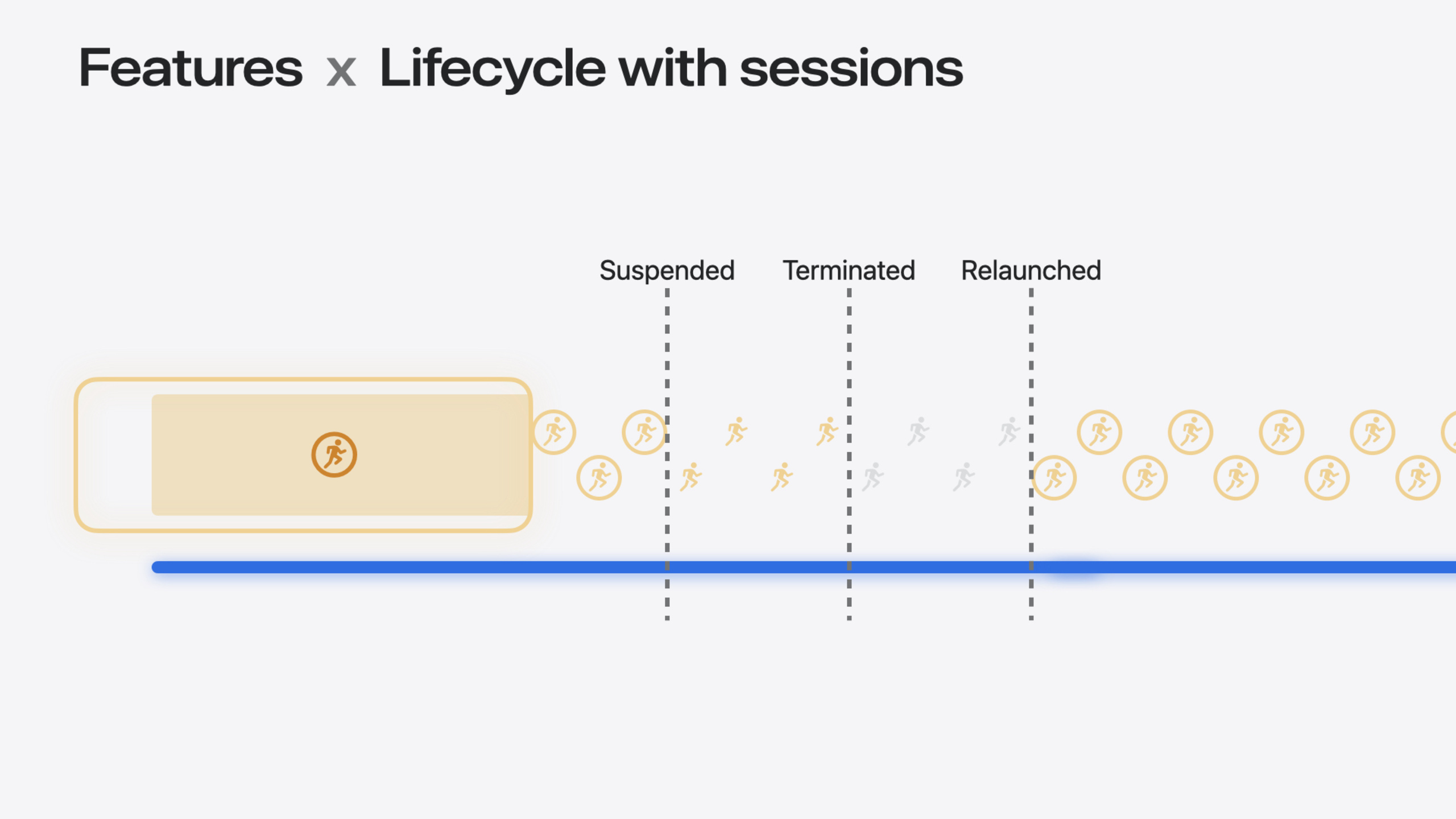
What to do: Recreate previous sessions when the app launches. Why it’s worth it: Core Location only retains session state for a few seconds after the app is terminated; after relaunch you must recreate sessions quickly or background location updates will stop. How to start: In app launch logic, immediately recreate the corresponding
CLServiceSessionor resumeliveUpdatesiteration based on persisted feature state (for example, “recording a workout route”).
Related Sessions
- What’s new in privacy — iOS 18 privacy framework updates that complement the new declarative location authorization model
- Meet Core Location — 2023 introduction of
CLLocationUpdateandCLMonitorfoundational sessions - Discover streamlined location updates — Detailed usage of
CLLocationUpdate.liveUpdates, the source of implicit sessions - Meet CLMonitor — Geofencing and conditional monitoring with
CLMonitor; event iteration triggers implicit sessions
Comments
GitHub Issues · utterances