
Highlight
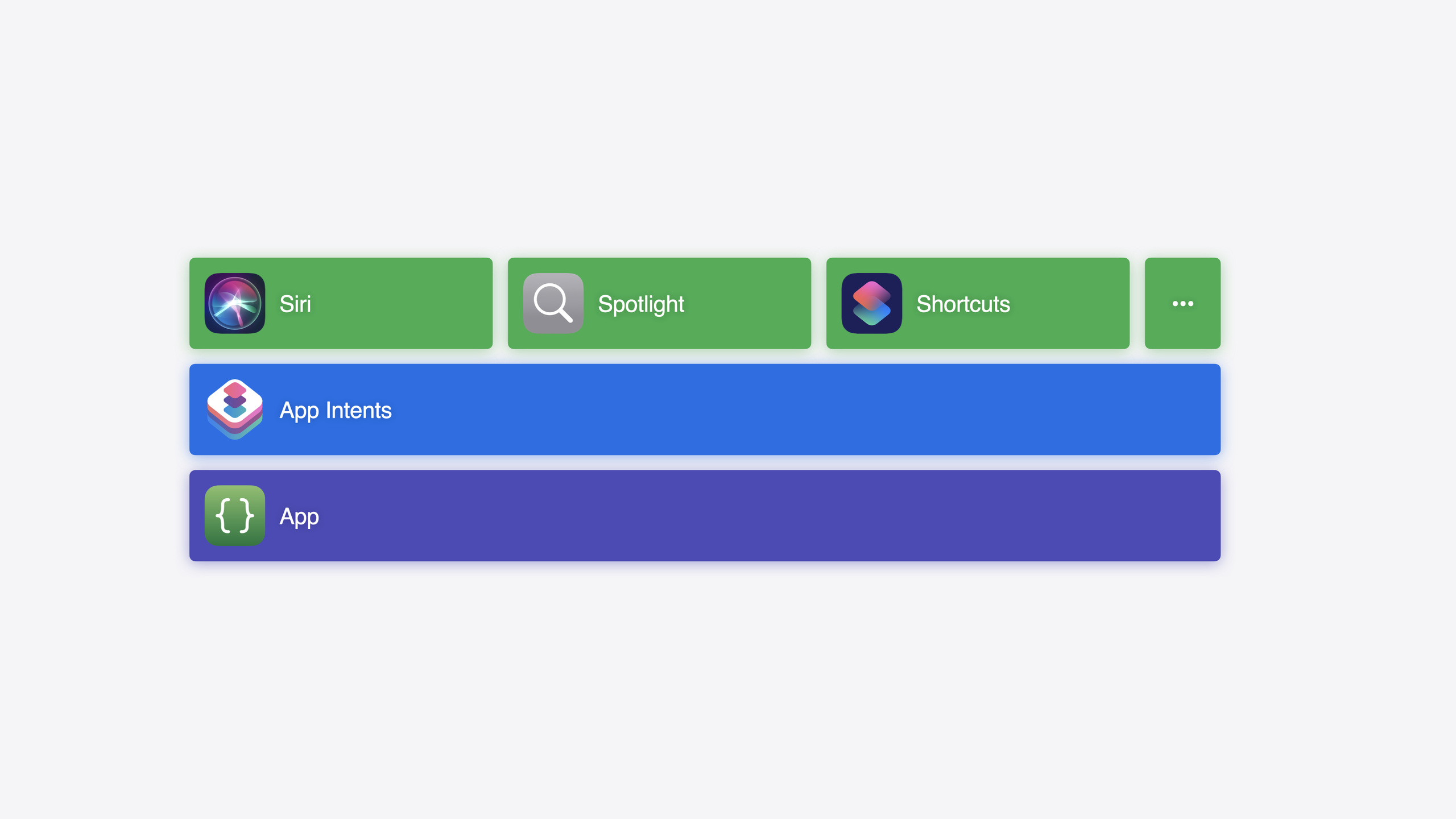
App Intents is the unified protocol layer for Siri, Spotlight, Shortcuts, Widgets, Control Center, and all system integrations—define Intent, Entity, and Query once and drive multiple system entry points.
Core Content
No matter how good your app is, users see nothing if they don’t open it. Christopher Nebel opens with a blunt metaphor: every app is a carefully crafted “box” with a perfect in-box experience, but switching between boxes is friction. Switching apps takes time and attention; repeated small friction breaks the user’s flow.
App Intents addresses this. It lets the system understand your app’s core actions and content objects, then surface them in Spotlight search suggestions, Siri conversations, Home Screen widgets, Control Center controls, the Action Button, Apple Pencil Pro squeeze, and more. Users can complete key actions without opening your app first. The session demos a hiking trail app throughout: starting with the simplest OpenPinnedTrailIntent, expanding to parameterized intents, configurable widgets, Control Center buttons, and App Shortcuts—showing how the same Entity and Query reuse across features.
The key insight is code reuse. The TrailEntity and TrailEntityQuery you define for OpenTrail Intent work directly in widget configuration parameters, Control Center button configuration, and Siri natural language. Write once, use everywhere.
Detailed Content
Intent: defining actions (09:31)
An Intent is a type conforming to AppIntent with two requirements: title (localized, shown as the action name in Shortcuts) and perform() (does the work).
struct OpenPinnedTrailIntent: AppIntent {
    static var title: LocalizedStringResource = "Open Pinned Trail"

    static var openAppWhenRun = true

    func perform() throws -> some IntentResult {
        // Navigate to the pinned trail detail page.
        TrailNavigator.navigateToPinnedTrail()
        return .result()
    }
}
Key points:
titleis localized; Shortcuts uses it as the action nameopenAppWhenRun = truetells the system to bring the app to the foreground when runperform()returnsIntentResult; here.result()is empty because navigation is enough- Name intents with user-understandable actions (OpenPinnedTrail), not internal implementation names
Entity + Query: content and lookup (12:13)
An Entity is a “noun” in your app—a core content object. It conforms to AppEntity with displayRepresentation, id, and query.
struct TrailEntity: AppEntity {
    static var typeDisplayRepresentation = TypeDisplayRepresentation(name: "Trail")
    static var defaultQuery = TrailEntityQuery()

    var id: UUID
    var name: String

    var displayRepresentation: DisplayRepresentation {
        DisplayRepresentation(title: "\(name)")
    }
}
Query answers two questions: what Entities are available? Which Entity matches an ID? The simplest path is EnumerableEntityQuery with allEntities():
struct TrailEntityQuery: EntityQuery, EnumerableEntityQuery {
    func allEntities() async throws -> [TrailEntity] {
        // Return all trails; suitable when the dataset can be fully loaded into memory.
        TrailStore.shared.allTrails.map { trail in
            TrailEntity(id: trail.id, name: trail.name)
        }
    }

    func entities(for identifiers: [UUID]) async throws -> [TrailEntity] {
        // Look up by ID to restore parameters when the Intent runs.
        allEntities().filter { identifiers.contains($0.id) }
    }
}
Key points:
- Built with iOS 18 SDK,
EnumerableEntityQuerycan automatically derive search, predicate queries, and more (14:18) - If data is too large for memory, use other sub-protocols like
EntityStringQuery - Query’s
entities(for:)lets the system restore saved IDs to full Entity objects at Intent runtime—you get Entities, not bare IDs
Parameterized Intent: OpenIntent (11:04)
When an Intent needs a user-selected content object, use OpenIntent:
struct OpenTrailIntent: OpenIntent {
    static var title: LocalizedStringResource = "Open Trail"

    @Parameter(title: "Trail")
    var target: TrailEntity

    func perform() throws -> some IntentResult {
        TrailNavigator.navigateToTrail(id: target.id)
        return .result()
    }
}
Key points:
OpenIntentimpliesopenAppWhenRun—no manual declaration needed@Parameterproperties appear in Shortcuts parameter UI; Query supplies options- Parameter type should be the Entity (
TrailEntity), not descriptive data (name or UUID)
Parameter Summary: readable Shortcuts descriptions (15:00)
static var parameterSummary: some ParameterSummary {
    Summary("Open \.$target")
}
Key points:
- Without parameterSummary, parameters collapse below the list in Shortcuts
- With it, actions read like “Open Monterey Bay Coastal Trail”
- Placeholders update live while editing parameters
Widget and Control Center: reuse Entities (16:59)
Widget configuration intents conform to WidgetConfigurationIntent and reuse TrailEntity as a parameter. Control Center configurable controls use ControlConfigurationIntent:
extension OpenTrailIntent: ControlConfigurationIntent {}
// Empty extension; OpenTrailIntent already has everything it needs.
Key points:
- One Intent can conform to multiple configuration protocols—no separate Intents for Widget and Control Center
- Control Center button taps can pass a configured Intent instance—it already has
perform()and parameter values
App Shortcut: automatic Spotlight and Siri (20:40)
struct TrailAppShortcuts: AppShortcutsProvider {
    static var appShortcuts: [AppShortcut] {
        AppShortcut(
            intent: OpenPinnedTrailIntent(),
            phrases: [
                "Open my pinned trail in \(.applicationName)"
            ],
            shortTitle: "Open Pinned Trail",
            systemImageName: "pin.fill"
        )
    }
}
Key points:
- App Shortcut wraps an Intent instance, not a type—you can pre-fill parameters at registration
phrasesmust include\.applicationNamefor Siri voice matching- No manual registration—the framework detects
AppShortcutsProviderautomatically; works after install - Existing App Shortcuts automatically support Apple Pencil Pro squeeze this year and Action Button last year (22:30)
Return Dialog + Snippet instead of opening the app (22:56)
When Siri runs an Intent to show information rather than navigate, return Dialog and a SwiftUI view to avoid launching the app:
struct ShowPinnedTrailIntent: AppIntent {
    static var title: LocalizedStringResource = "Show Pinned Trail Conditions"

    func perform() async throws -> some IntentResult & ProvidesDialog & ShowsSnippetView {
        let trail = TrailStore.shared.pinnedTrail
        return .result(
            dialog: "\(trail.name) conditions: \(trail.conditions)",
            view: TrailConditionsView(trail: trail)
        )
    }
}
Key points:
ProvidesDialoglets Siri speak text;ShowsSnippetViewshows a SwiftUI snippet on screen- Dialog and view text can differ—spoken vs visual emphasis
- Views use the same archiving as widgets—only widget-supported SwiftUI features
- After the snippet, users stay in place instead of being thrown into your app
Core Takeaways
-
What to do: Define
AppEntity+EntityQueryfor core content models. Why: Entities are the foundation for all App Intents features—define once and Shortcuts parameters, widget config, Control Center config, and Siri understanding come free. How to start: Pick your app’s 1–2 core data models, conform toAppEntity, implementdisplayRepresentation,id, andEnumerableEntityQuery. -
What to do: Turn your highest-frequency actions into App Shortcuts. Why: App Shortcuts work on install, appear in Spotlight and Siri with zero user setup—best ROI integration. How to start: Find 1–2 most-used actions (“open recent document,” “view favorites”), wrap with
AppShortcutsProvider, write phrases and shortTitle. -
What to do: Drive multiple system entry points with one Intent. Why: The session’s
OpenTrailIntentpowers Shortcuts, widget config, Control Center buttons, and Siri from one implementation. One Intent conforming to multiple protocols (OpenIntent+WidgetConfigurationIntent+ControlConfigurationIntent) covers all scenes. How to start: Migrate existing SiriKit intents or custom URL handlers to App Intents, then extend with protocol conformances for widgets and Control Center.
Related Sessions
- Designing App Intents — How to design App Intents that work well in Siri, Shortcuts, Spotlight, and more
- Bring your app to Siri — App Intents and Siri integration in depth
- What’s new in App Intents — Latest 2024 App Intents framework updates
- Explore enhancements to App Intents — WWDC23 deep dive on widget configuration and Entity Query enhancements
Comments
GitHub Issues · utterances