
Highlight
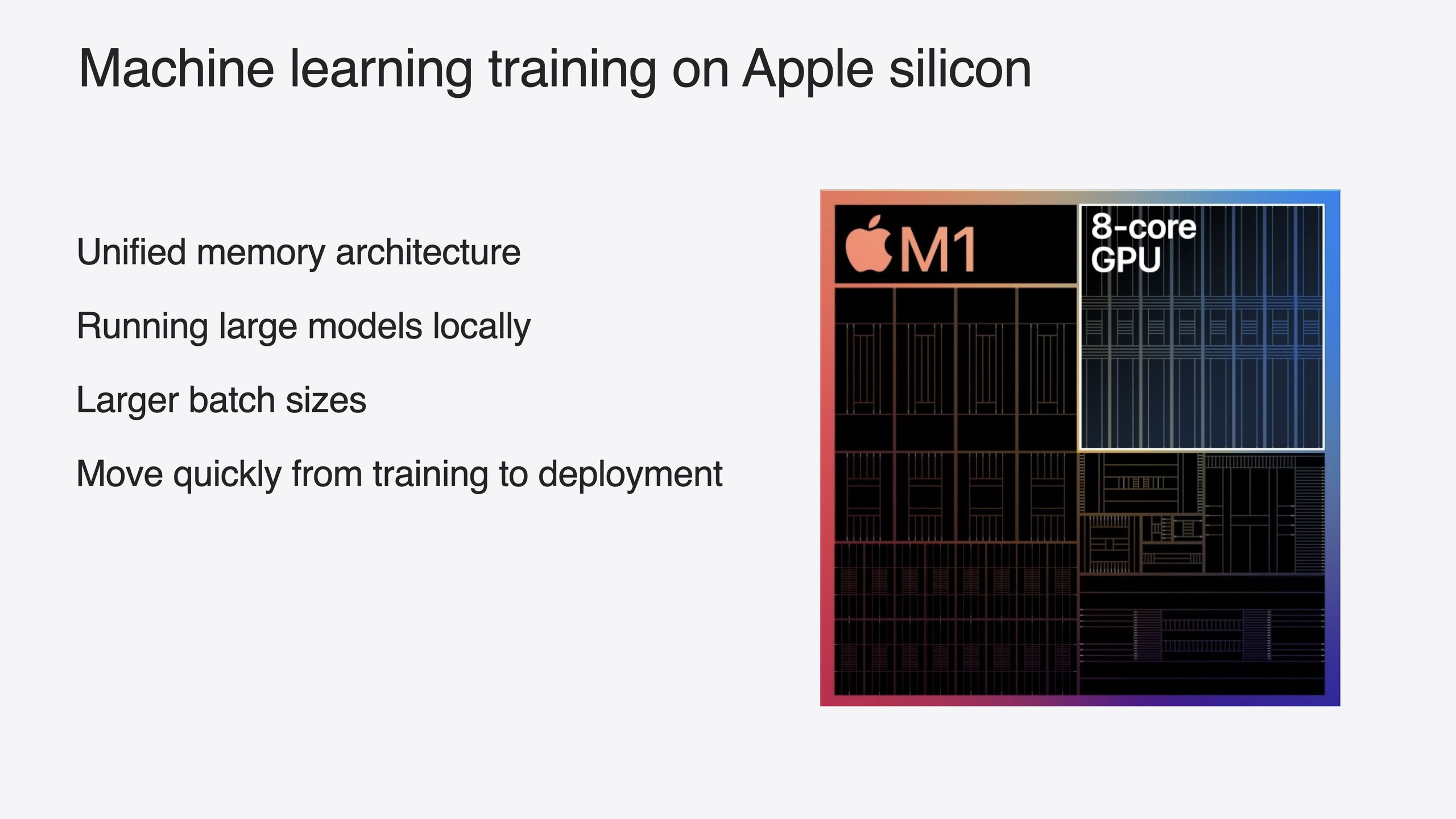
Apple Silicon GPUs have natural advantages for ML training: strong parallel compute, unified memory letting the GPU access large memory directly, and no need to distribute model weights across machines. This year Apple upgraded both the PyTorch MPS backend and JAX Metal backend, with PyTorch as the focus.
Core Content
The first hurdle in training large models is memory. NVIDIA GPUs have dedicated VRAM—when parameters grow, you split across multiple cards for distributed training and engineering complexity jumps. Apple Silicon’s unified memory lets CPU and GPU share the same memory pool—a 128GB Mac Studio gives the GPU direct access to all 128GB with no copying parameters back and forth between CPU and GPU.
The session’s core updates focus on the PyTorch MPS backend. Last WWDC23 the MPS backend entered beta; this year three improvements target transformer models directly: int8/int4 quantization lets large models fit in device memory; fused scaled dot product attention merges multi-head attention’s matrix multiply, scaling, and softmax into one GPU kernel call, reducing dispatch overhead; unified memory support eliminates redundant tensor copies between CPU and GPU. These three improvements make HuggingFace Top-50 hottest transformer models work out of the box on MPS.
The JAX Metal backend also got updates: BFloat16 support, NDArray indexing, and padding/dilation configuration. MuJoCo (physics simulation) and AXLearn (large-scale deep learning) already use the JAX Metal backend in production.
Detailed Content
Three PyTorch MPS backend improvements
1. int8 and int4 integer quantization (05:41)
Training typically uses 32-bit or 16-bit floats. After training, quantization converts parameters from floats to 8-bit or 4-bit integers, halving or quartering memory usage. Benefits include smaller models, higher compute throughput, and usually small accuracy loss. This lets 7B-parameter models run on 16GB Macs.
2. Fused scaled dot product attention (06:26)
Scaled dot product attention is the core transformer operation: input text splits into query, key, and value tensors, then passes through matrix multiply, scaling, softmax, and more. Dispatching each step separately to the GPU accumulates overhead. Fused SDPA merges this sequence into a single kernel call, reducing GPU dispatch overhead.
3. Unified memory support (07:02)
In traditional architectures, CPU and GPU have separate memory—tensors must copy between them. Apple Silicon unified memory means tensors exist only in main memory, accessible by both CPU and GPU, eliminating copies.
End-to-end workflow: OpenLLaMA v2 3B LoRA fine-tuning
The session demos the full flow from downloading a model to fine-tuning to deployment (07:34). Core code:
import torch
from transformers import AutoModelForCausalLM, AutoTokenizer

# Download the OpenLLaMA v2 3B model and its tokenizer
model = AutoModelForCausalLM.from_pretrained("openlm-research/open_llama_3b_v2")
tokenizer = AutoTokenizer.from_pretrained("openlm-research/open_llama_3b_v2")

# Attach the LoRA adapter with the PEFT library
from peft import LoraConfig, get_peft_model
lora_config = LoraConfig(
    r=8,
    lora_alpha=16,
    target_modules=["q_proj", "v_proj"],
    lora_dropout=0.05,
    task_type="CAUSAL_LM",
)
model = get_peft_model(model, lora_config)

# Move the model to the MPS device
model = model.to("mps")
Key points:
from_pretraineddownloads model weights and tokenizer directly from HuggingFace—no manual format conversionLoraConfigdefines LoRA adapter parameters:r=8is LoRA rank,target_modulesspecifies attention layers to fine-tune.to("mps")sends the model to Apple Silicon GPU—the only device-related code change needed
Training uses HuggingFace’s Trainer class (09:01):
from transformers import Trainer, TrainingArguments, DataCollatorForLanguageModeling

training_args = TrainingArguments(
    output_dir="./results",
    per_device_train_batch_size=4,
    num_train_epochs=10,
)
trainer = Trainer(
    model=model,
    args=training_args,
    data_collator=DataCollatorForLanguageModeling(tokenizer, mlm=False),
    train_dataset=tokenized_dataset,
)
trainer.train()
Key points:
per_device_train_batch_size=4uses unified memory’s large capacity for a bigger batch sizenum_train_epochs=10runs 10 epochs; the demo went from “dictionary-like” output to contextual repliesmlm=Falsemeans causal LM (autoregressive) mode, not masked LM
After training, merge adapter and base model and save (10:58):
model = model.merge_and_unload()
model.save_pretrained("./fine_tuned_model")
tokenizer.save_pretrained("./fine_tuned_model")
Deployment: ExecuTorch + MPS Partitioner
The session shows deploying Meta LLaMA2 4-bit quantized model to iPad with ExecuTorch (11:25):
# Clone and install ExecuTorch with MPS bindings enabled
git clone https://github.com/pytorch/executorch.git
cd executorch
git submodule update --init --recursive
./install_requirements.sh --mps
ExecuTorch uses the MPS Partitioner to analyze the computation graph and automatically offload recognized patterns to the MPS device.
JAX Metal backend updates
Three JAX Metal backend updates this year (13:24):
BFloat16 support (14:52):
import jax
import jax.numpy as jnp

# Create a BFloat16 tensor
x = jnp.array([1.0, 2.0, 3.0], dtype=jnp.bfloat16)
NDArray indexing (15:19):
# NumPy-style array indexing and updates
arr = jnp.ones((2, 2))
arr = arr.at[:, 0].divide(10)  # Divide the first column by 10
Padding and dilation (15:40):
# Positive padding: insert gaps between elements, also called dilation
padded = jax.lax.pad(tensor, 0.0, [(0, 0, 1)])  # (before, after, dilation)

# Negative padding: remove elements
trimmed = jax.lax.pad(tensor, 0.0, [(-1, 0, 0)])  # Remove the first element
The session demos JAX inference with AXLearn’s Fuji 7B model—Metal backend output matches CPU exactly with BFloat16.
Core Takeaways
-
What to build: Fine-tune open-source LLMs on Mac with PyTorch + LoRA. Why it’s worth doing: Unified memory lets a single machine fine-tune 3B–7B models without multi-GPU distribution—engineering complexity drops an order of magnitude. How to start:
pip install torch transformers peft, download an OpenLLaMA or LLaMA model, change.to("cuda")to.to("mps"), fine-tune with PEFT’s LoRA config. -
What to build: Quantize trained models to int8/int4 before on-device deployment. Why it’s worth doing: Quantization halves or quarters memory usage—7B models run on 16GB devices with faster inference. How to start: Use PyTorch’s
torch.quantizationAPI for post-training quantization, verify acceptable accuracy loss, then deploy with Core ML or ExecuTorch. -
What to build: Use the MLX framework for Apple Silicon-native model experiments. Why it’s worth doing: MLX is designed for Apple Silicon with native unified memory and JIT compilation, Python/Swift/C++ bindings, NumPy-like API with low learning curve. How to start:
pip install mlx, reference fine-tuning and image generation examples in the MLX GitHub repo.
Related Sessions
- Bring your machine learning and AI models to Apple silicon — Model optimization and compression, model conversion workflows for Apple Silicon
- Deploy machine learning and AI models on-device with Core ML — Core ML speed and memory optimization, new model representations and model stitching
- Accelerate machine learning with Metal — New Metal Performance Shaders Graph features for accelerating transformer models
- Support real-time ML inference on the CPU — BNNSGraph for CPU ML inference with real-time guarantees
- What’s new in Create ML — Create ML interactive data previews and object tracking templates
Comments
GitHub Issues · utterances