
Highlight
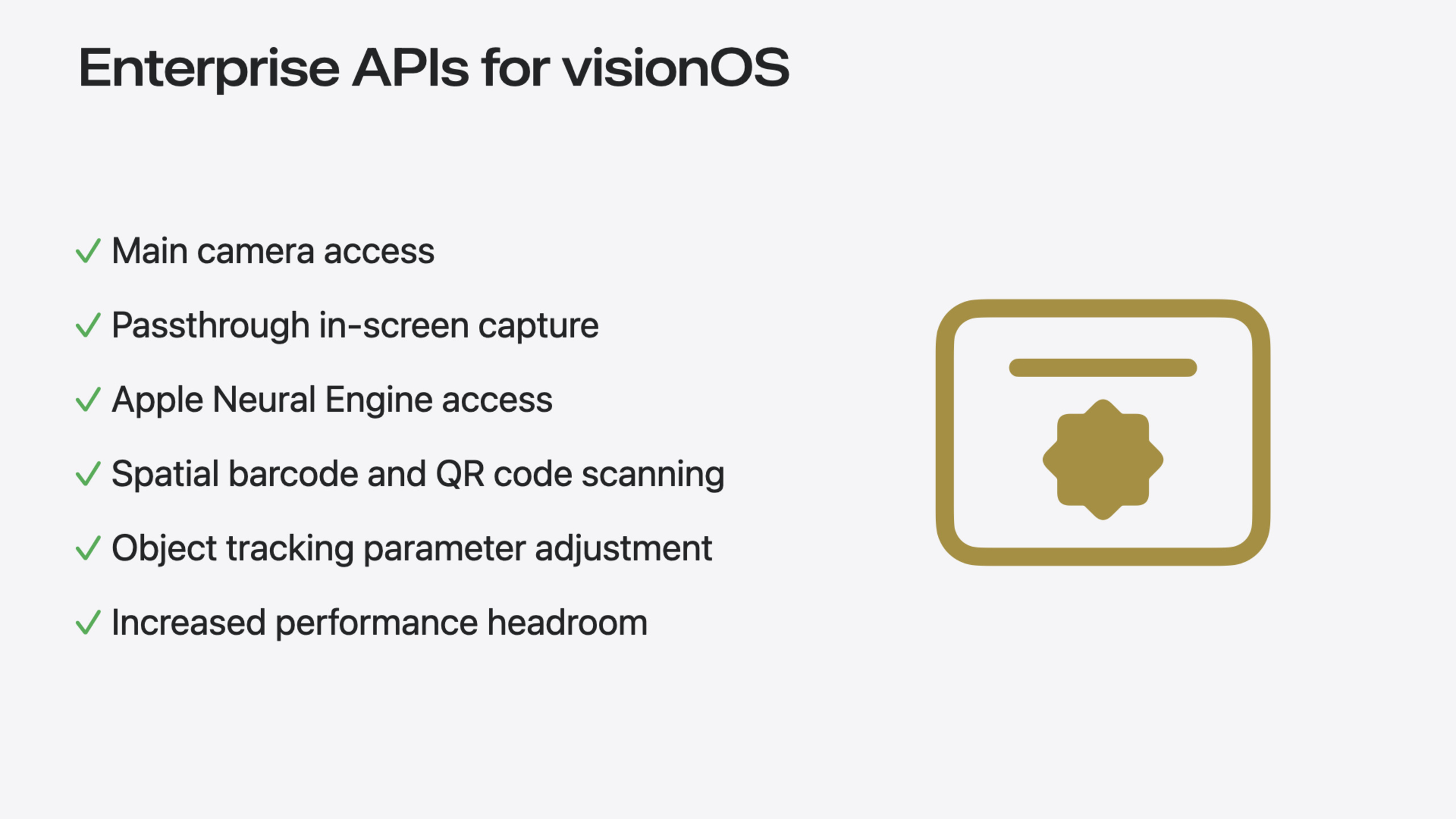
visionOS adds six enterprise API groups providing main camera access, Passthrough screen capture, spatial barcode scanning, direct Apple Neural Engine access, object tracking parameter tuning, and app performance enhancements—available for in-house distribution only.
Core Content
Since Vision Pro launched, enterprise customers have consistently requested more device capability access to build spatial apps that truly change how work gets done. Enterprise APIs for visionOS, introduced in this session, were built for exactly that purpose.
Presenter Kyle McEachern makes clear these APIs provide significantly higher device capability access than existing APIs. For privacy protection, Apple designed strict controls: managed entitlements are required, a license file tied to the developer account is needed, and distribution is limited to in-house (In-House or private distribution through Apple Business Manager).
The six APIs fall into two categories. The first is enhanced sensor access: main camera video stream (Main Camera Access), Passthrough video screen capture (Include Passthrough in Screen Capture), and spatial barcode/QR code scanning (Spatial Barcode & QR Code Detection). The second is platform control: direct Apple Neural Engine access (ANE), enhanced Object Tracking, and app performance tuning (Performance Tuning).
Each API comes with concrete industrial scenarios: part anomaly detection on production lines (main camera + computer vision), remote expert collaboration (Passthrough screen sharing), warehouse pick confirmation (barcode scanning), edge AI inference (ANE), and more. The session also demos a comprehensive scenario: a technician struggling to assemble electronic equipment connects to a remote support expert through an enterprise app, sequentially enabling main camera sharing, barcode scanning to retrieve manuals, and full-screen Passthrough sharing, completing assembly under expert guidance.
Detailed Content
Main Camera Access
This is the most requested feature from enterprise customers. Once enabled, apps can access the Vision Pro main camera video stream and use computer vision algorithms for environmental awareness.
Typical scenario: production line quality inspection. The main camera captures product images; CV algorithms analyze in real time, highlighting nonconforming items so workers can quickly replace them.
Implementation code (03:36):
// Main camera access example

let formats = CameraVideoFormat.supportedVideoFormats(for: .main, cameraPositions:[.left])
let cameraFrameProvider = CameraFrameProvider()

var arKitSession = ARKitSession()
var pixelBuffer: CVPixelBuffer?

await arKitSession.queryAuthorization(for: [.cameraAccess])

do {
    try await arKitSession.run([cameraFrameProvider])
} catch {
    return
}

guard let cameraFrameUpdates =
    cameraFrameProvider.cameraFrameUpdates(for: formats[0]) else {
    return
}

for await cameraFrame in cameraFrameUpdates {
    guard let mainCameraSample = cameraFrame.sample(for: .left) else {
        continue
    }
    self.pixelBuffer = mainCameraSample.pixelBuffer
}
Key points:
CameraVideoFormat.supportedVideoFormats(for: .main)gets supported main camera formats- Requires requesting
.cameraAccessauthorization - The main camera is on the left side of the device, so use
.cameraFrameUpdates(for: ...).sample(for: .left)to get frames - Each frame returns a
CVPixelBufferthat can be passed to CV algorithms or displayed
Entitlement: main-camera-access.allow
Include Passthrough in Screen Capture
By default, Vision Pro screen capture includes only app windows with the background removed. Enabling this API includes the full Passthrough camera view—the complete spatial scene the user sees.
Typical scenario: remote expert collaboration. On-site technicians use system broadcast to share a complete “what you see is what you get” view (including Passthrough background and app windows) with remote experts for precise guidance.
Requirements:
- Entitlement:
include-passthrough - Must use a Broadcast Upload Extension to receive the video stream
- Users must explicitly start capture through the system “Start Broadcast” button
This is essentially an “add one entitlement line and it works” feature with minimal implementation.
Spatial Barcode & QR Code Detection
Vision Pro can now automatically detect and parse barcodes and QR codes in space. Apps receive barcode type, spatial location, and content information.
Typical scenario: warehouse picking. Workers simply look at a barcode on a package; the system automatically verifies it’s the correct item—no handheld scanner needed.
Implementation code (07:47):
// Spatial barcode scanning example

await arkitSession.queryAuthorization(for: [.worldSensing])
let barcodeDetection = BarcodeDetectionProvider(symbologies: [.code39, .qr, .upce])

do {
    try await arkitSession.run([barcodeDetection])
} catch {
    return
}

for await anchorUpdate in barcodeDetection.anchorUpdates {
    switch anchorUpdate.event {
        case .added:
           // Add a visual marker around the newly detected barcode
           addEntity(for: anchorUpdate.anchor)
        case .updated:
            // Update the barcode position marker
            updateEntity(for: anchorUpdate.anchor)
       case .removed:
            // Remove the barcode marker
            removeEntity(for: anchorUpdate.anchor)
    }
}
Key points:
- Requires
.worldSensingpermission BarcodeDetectionProviderspecifies supported barcode types (Code-39, QR, UPC-E, etc.)- Receives detection events through the
anchorUpdatesasync stream added/updated/removedevents correspond to first detection, position changes, and leaving the field of view
Entitlement: barcode-detection.allow
Apple Neural Engine Access (ANE Access)
Previously on visionOS, Core ML models could only run on CPU and GPU. This API unlocks the Apple Neural Engine, enabling locally running ML models that need higher compute power on device.
Typical scenario: combined with main camera access, run a custom anomaly detection model for fully local product quality analysis.
Implementation code (13:17):
// Apple Neural Engine access example

let availableComputeDevices = MLModel.availableComputeDevices

for computeDevice in availableComputeDevices {
    switch computeDevice {
        case .cpu: setCpuEnabledForML(true) // Example method name
        case .gpu: setGpuEnabledForML(true) // Example method name
        case .neuralEngine: runMyMLModelWithNeuralEngineAvailable() // Example method name
        default: continue
    }
}
Key points:
- Query available compute devices through
MLModel.availableComputeDevices - The system dynamically selects the most appropriate compute unit based on resource usage, model requirements, and other factors
- If NE is unavailable or inefficient, CoreML automatically falls back to GPU/CPU
Entitlement: neural-engine-access
Object Tracking Enhancements
visionOS 2.0 introduced known object tracking. Enterprise APIs further open parameter tuning capabilities, including:
maximumTrackableInstances: Maximum simultaneously tracked objects (default 10)maximumInstancesPerReferenceObject: Maximum instances per reference object typedetectionRate: Frequency of new object recognitionstationaryObjectTrackingRate: Static object tracking frequencymovingObjectTrackingRate: Moving object tracking frequency
Typical scenario: complex repair environments requiring simultaneous tracking of many tools and parts, assisting technicians through step-by-step repairs.
Implementation code (15:39):
// Object tracking enhancement example

var trackingParameters = ObjectTrackingProvider.TrackingConfiguration()

// Increase the maximum number of tracked objects from the default 10 to 15
trackingParameters.maximumTrackableInstances = 15

// Keep other parameters at their default values
trackingParameters.maximumInstancesPerReferenceObject = 1
trackingParameters.detectionRate = 2.0
trackingParameters.stationaryObjectTrackingRate = 5.0
trackingParameters.movingObjectTrackingRate = 5.0

let objectTracking = ObjectTrackingProvider(
        referenceObjects: Array(referenceObjectDictionary.values),
        trackingConfiguration: trackingParameters)

var arkitSession = ARKitSession()
arkitSession.run([objectTracking])
Key points:
- Parameter adjustments require balancing compute resources—increasing one parameter may require lowering others
- Reference objects are
.referenceObjectfiles; see documentation for creation methods - Pass configured parameter values to
ObjectTrackingProvider
Entitlement: object-tracking-parameter-adjustment.allow
App Compute Settings
This API lets apps access more CPU and GPU compute power, at the cost of increased fan speed and ambient noise.
Typical scenario: rendering high-fidelity 3D design models, using enhanced compute to improve rendering performance and frame rate.
Entitlement: app-compute-category
Notes:
- This setting is app-level and cannot be toggled dynamically through code
- The system dynamically adjusts based on device state and workload
Core Takeaways
-
Prioritize Passthrough screen capture for enterprise scenarios: This is the lowest-cost, highest-impact feature. Just add the entitlement and existing apps can support complete “what you see is what you get” remote collaboration—ideal as a first step for enterprise visionOS apps.
-
Main camera + barcode scanning is the standard combo for warehousing and logistics: If your customers involve warehouse management, production line QC, or retail inventory, prioritize these two APIs. Main camera provides environmental awareness; barcode scanning provides item identification—together they build a complete digital twin workflow.
-
ANE access unlocks on-device AI capabilities: For scenarios requiring custom ML models, ANE access is key. Visual tasks like anomaly detection, defect recognition, and OCR can run entirely on device without cloud dependency—ideal for privacy-sensitive enterprise environments.
Related Sessions
- Create enhanced spatial computing experiences with ARKit — Latest ARKit features including room tracking, object tracking, environment lighting response, hand tracking, and plane detection improvements
- Explore object tracking for visionOS — How to use object tracking to convert real-world objects into virtual anchors in visionOS apps
- Render Metal with passthrough in visionOS — How to integrate Metal rendering content with the physical environment through Passthrough for more immersive experiences
- What’s new in device management — Latest management features for iOS, iPadOS, macOS, and visionOS, including Apple Business Manager updates
- Discover RealityKit APIs for iOS, macOS, and visionOS — Explore RealityKit’s cross-platform new APIs for building immersive apps on iOS, macOS, and visionOS
Comments
GitHub Issues · utterances