
Highlight
Area mode skips bounding box detection—call
startCapturingdirectly to begin outdoor area scanning. Combined with Quad Mesh and 16K textures on Mac, you can produce film-quality 3D models.
Core Content
Object Capture’s previous object mode required you to walk around a movable object, set a bounding box, and capture each side. That works well for a vase on a desk, but falls short for outdoor terrain, wall-mounted reliefs, or rock faces you cannot walk around—you cannot complete a full loop, and you cannot flip an entire hillside to scan its underside.
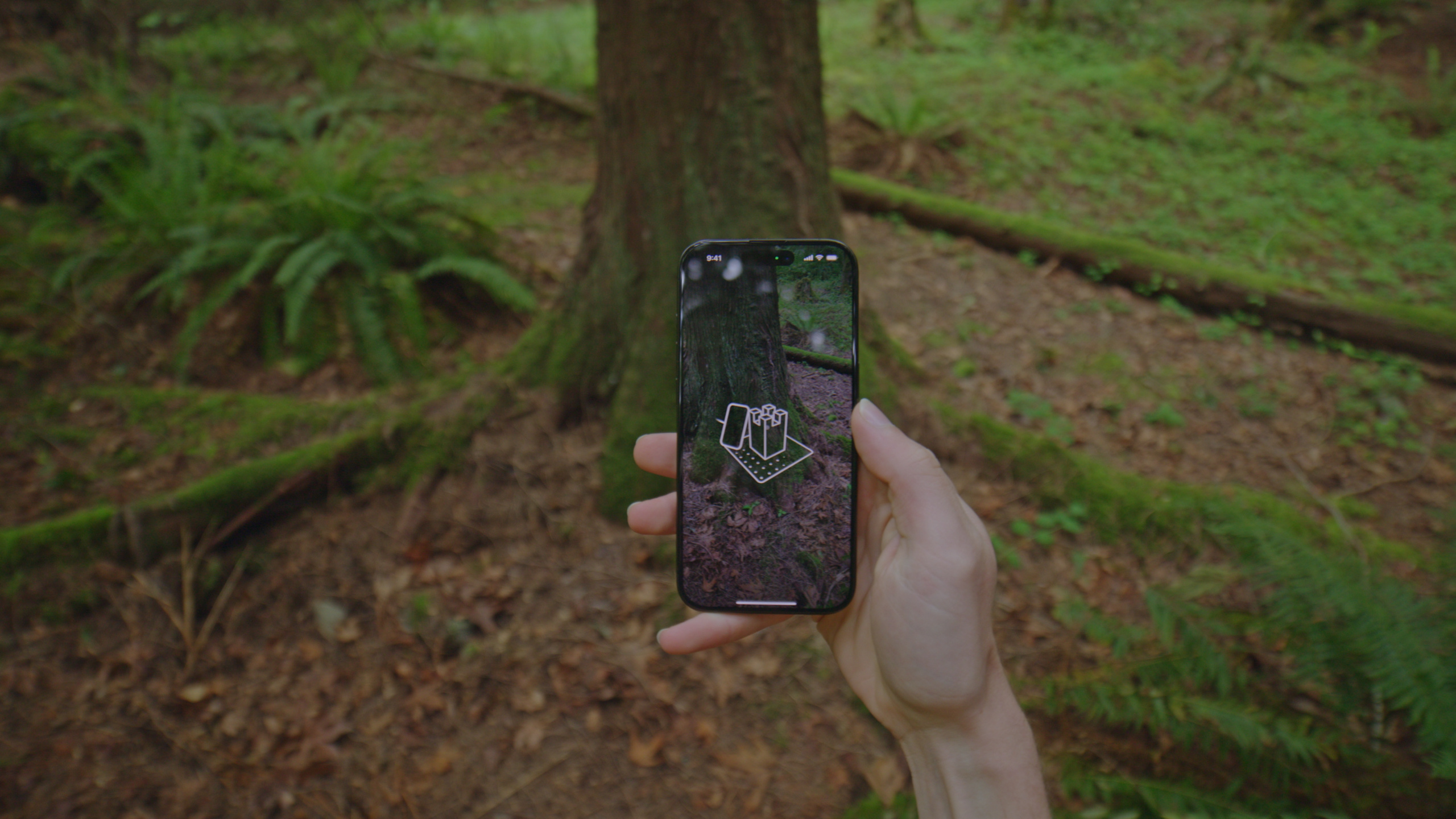
Area mode is designed for these scenarios. It removes the bounding box detection step and turns the reticle into a “brush”: you move slowly over a surface and the system captures overlapping shots automatically. After capture, you can use the new camera pose visualization to review coverage and ensure you have enough data before leaving the site. Models generate directly on iPhone, or you can export to Mac for higher-quality processing.
On Mac, Quad Mesh output and up to 16K textures are new this year. Quad Mesh includes sensible edge loops for UV editing and rigging in DCC tools like Blender; 16K textures dramatically improve detail for large scenes and VFX offline rendering. On Macs with ample unified memory, you can process up to 2,000 images. The new Data Loading API also lets you load PhotogrammetrySample with depth, gravity, and other metadata in just a few lines of code, and attach custom objectMask values to exclude distracting foreground elements.
Detailed Content
iOS: Entering Area Mode
Last year’s flow was start -> startDetecting (set bounding box) -> startCapturing. Area mode needs no new API: skip startDetecting and call startCapturing to enter the area scanning UI (03:41).
Also use the new hideObjectReticle modifier to hide the object-mode reticle so users know they are in area mode from the start (04:06).
Capture tips:
- Outdoors, choose overcast skies or shaded areas to avoid hard shadows
- Move slowly along a regular path to ensure image overlap
- Capture multiple rows from different heights to cover all angles
- For areas larger than 6 feet, process at high precision on Mac
- Supported on iPad Pro 2021, iPhone 12 Pro, and later
Mac: Quad Mesh and 16K Textures
The new Mac Sample App provides a visual interface to select an image folder and set output type. Two new output types this year:
- Quad Mesh: Quadrilateral mesh with artist-friendly edge loops, suited for UV editing, rigging, and animation
- 16K textures: Custom detail level up to 16K—large scenes and offline rendering benefit significantly (05:19)
On Macs with ample unified memory, up to 2,000 images can be processed (05:37).
Data Loading API: Custom Masks and Pipeline
When the capture background is uncontrollable or dynamic occluders appear (such as a hand blocking the subject), you can attach an objectMask to each image to tell the reconstruction algorithm which pixels are foreground. This year’s new API reduces the loading process from hundreds of lines to just a few:
func loadSampleAndMask(file: URL) -> PhotogrammetrySample? {
    do {
        var sample = try PhotogrammetrySample(contentsOf: file)
        sample.objectMask = try loadObjectMask(for: file)
        return sample
    } catch {
        return nil
    }
}
Key points:
PhotogrammetrySample(contentsOf:)is the new synchronous initializer that automatically loads RGB, depth maps, gravity vectors, and all available metadata from an image file (08:30)- The
sample.objectMaskproperty accepts a custom bitmap mask to exclude interfering regions from reconstruction - On failure, returns
nil; subsequentcompactMapautomatically skips failed loads
func createCustomPhotogrammetrySession(for images: [URL]) -> PhotogrammetrySession {
    let inputSequence = images.lazy.compactMap { file in
        return loadSampleAndMask(file: file)
    }
    return PhotogrammetrySession(input: inputSequence)
}
Key points:
images.lazyensures images are not all loaded into memory at once—the session loads them one by one during iteration (09:30)compactMapautomatically ignoresnilelements from failed loads- The returned
PhotogrammetrySessioncan be processed with standard requests
Object Capture images now also include camera transform, intrinsics matrix, and calibration data for building custom backend reconstruction pipelines or advanced visualization (10:35).
Core Takeaways
-
What to build: An outdoor 3D capture app. Use Area mode to let users scan rock textures, garden terrain, and wall reliefs while hiking or traveling, generating 3D souvenirs viewable in visionOS Quick Look. Why it’s worth doing: Most existing 3D scanning apps only support object mode—large outdoor scenes are an underserved market. How to start: Based on Apple’s official Sample App, remove the
startDetectingcall, addhideObjectReticle, and integrate area mode. -
What to build: An e-commerce/real estate 3D presentation pipeline. Process capture data on Mac with Quad Mesh output and 16K textures to produce high-quality models editable in Blender for product display or interior space preview. Why it’s worth doing: Quad Mesh edge loops let artists quickly redo UVs and rig; 16K textures keep large-scene detail sharp. How to start: In the Mac Sample App, select Quad Mesh output type, set detail level to 16K, export USDZ, then make final adjustments in Reality Composer Pro.
-
What to build: A custom reconstruction pipeline. Use the Data Loading API to load PhotogrammetrySample with camera transform and intrinsics, build your own backend reconstruction or SLAM pipeline, or develop capture quality visualization tools. Why it’s worth doing: Camera transform and intrinsics were previously unavailable—now every frame has them, enabling capture coverage heat maps, real-time relocalization, and other advanced features. How to start: Load images with
PhotogrammetrySample(contentsOf:), readcameraTransformandintrinsicsMatrixproperties, and draw 3D camera pose visualization in SwiftUI.
Related Sessions
- Optimize your 3D assets for spatial computing — End-to-end 3D asset optimization workflow covering mesh, material, and texture best practices
- Explore object tracking for visionOS — Turn real-world objects into visionOS spatial anchors, complementing Object Capture
- What’s new in Quick Look for visionOS — Preview and interact with USDZ models produced by Area mode in Quick Look
- Compose interactive 3D content in Reality Composer Pro — Compose and edit 3D assets produced by Object Capture in Reality Composer Pro
Comments
GitHub Issues · utterances