
Highlight
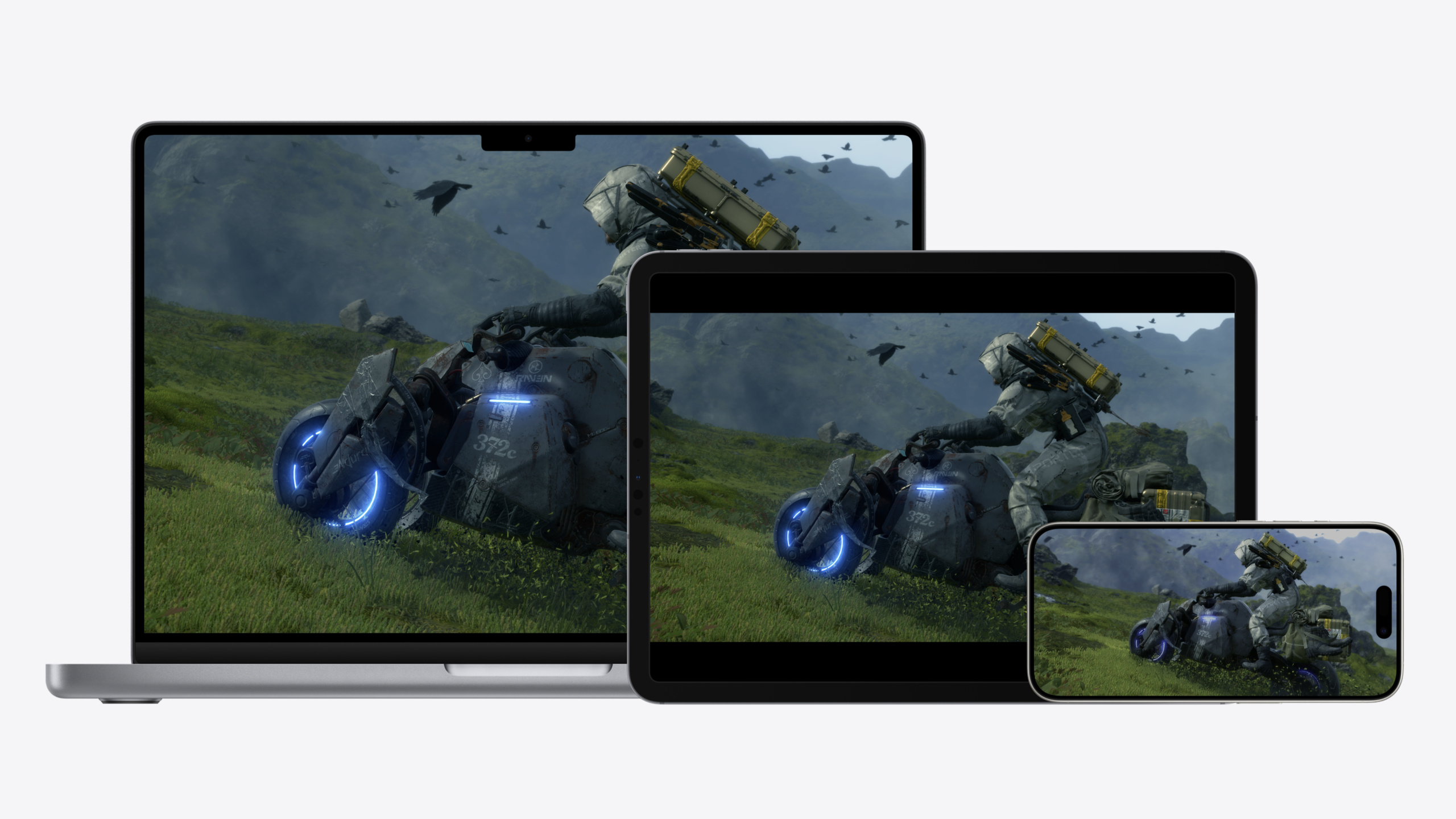
Game Porting Toolkit 2 adds AVX and ray tracing evaluation support; Metal Shader Converter can carry HLSL debug info; compile shaders once and deploy to macOS and iOS.
Core Content
Porting a Windows AAA game to Mac used to mean rewriting shaders, re-plumbing the graphics API, and debugging per platform—months of work. Last year Apple shipped Game Porting Toolkit (GPTK) gen 1: an evaluation environment to run games on Apple Silicon without code changes, but limited—no AVX, no ray tracing, compatibility and performance differed from the final port. Ubisoft used GPTK to move Assassin’s Creed Mirage shaders to Metal and saved months, but plenty remained manual.
GPTK 2 addresses three pain points. First, the evaluation environment gains AVX, ray tracing, better graphics/compute compatibility, and performance closer to the shipped port—frame rates in evaluation better predict final experience. Second, the shader toolchain closes the debug loop: Metal Shader Converter now carries HLSL debug info into Metal libraries; Xcode Shader Debugger and Shader Profiler break on original HLSL, inspect variables, and find hotspots—whether running the Windows binary in evaluation or the Metal build. Third, multi-device deploy goes from two compiles to one: Unified Metal Shaders compile to MetalIR once for macOS and iOS; Metal device init API unified; Device Certification API adjusts quality by device tier.
The port flow is three phases: evaluate (run Windows binary unchanged), port (Xcode project from sample code), debug/optimize (full Metal tooling). GPTK 2 includes a complete 2D game Xcode project covering graphics, shaders, audio, controllers, Cloud Saves—build and run, or extract modules you need.
Detailed Content
Evaluation environment: run first, then commit
Evaluation is GPTK’s entry point. Drop the Windows executable into evaluation; it runs on Apple Silicon via a compatibility layer with baseline performance and shader conversion results. This year’s upgrades:
- AVX support: Windows games using AVX couldn’t be evaluated before; now they can (02:37).
- Ray tracing support: evaluation runs DXR games (02:44).
- Performance gains: better graphics/compute compatibility; frame rates closer to the final port (02:51).
Community tools like Whisky and Homebrew wrap GPTK; CrossOver integrates evaluation.
Project setup: one project for macOS and iOS
An Xcode project can target macOS and iOS together. Most game code is shared under “Always Used.” Only lifecycle and platform-specific APIs need separation via target conditionals or SDK filters (06:22).
Key unified APIs this year:
- Unified Metal Shaders: compile once, deploy to macOS and iOS (07:56).
- Unified Metal device initialization: same creation API on both platforms (08:03).
- Device Certification API: query device performance tier, adjust settings dynamically (08:09).
- Game Mode on iOS: add
GCSupportsGameMode = truein Info.plist—iOS reduces background activity and Bluetooth latency (08:17).
Metal Shader Converter: HLSL to Metal bridge
Metal Shader Converter supports all shader stages including ray tracing and mesh shaders, plus traditional geometry and tessellation (09:34). It ports resource layout to Metal with a header-only runtime for binding and common tasks.
Two major updates this year:
- Globally-coherent texture access: advanced algorithms needing cross-thread-group visible texture ops (10:29).
- Debug info passthrough: add
-Zi -Qembed_debugat DXC compile; Converter passes debug info to Metal libraries so Xcode tools debug original HLSL (22:34).
Invoke Converter via CLI or dynamic library on Windows and macOS.
Residency Sets: simplify GPU residency management
Apple platforms use unified memory—GPUs can access lots of memory, but Metal needs explicit residency. Previously track resources one by one; this year Residency Sets batch management (11:58).
// Build a residency set.

// Create a new residency set.
MTL::ResidencySet* residencySet;
residencySet = device->newResidencySet(residencySetDescriptor, &error);

// Add to main command queue.
commandQueue->addResidencySet(residencySet);

// Add allocations and commit changes.
residencySet->addAllocation(texture);
residencySet->addAllocation(buffer);
residencySet->addAllocation(heap);
residencySet->commit();

// Use residency sets.

// Allocate and encode a command buffer.
MTL::CommandBuffer* commandBuffer = commandQueue->commandBuffer();

// ...

// The command queue marks residency for the set for this command buffer.
commandBuffer->commit();
Key points:
newResidencySetcreates a residency set from the Metal device with descriptor and error pointer (12:51).addResidencySetbinds the set to the command queue; all command buffers on that queue inherit residency automatically.addAllocationadds texture, buffer, or whole heap; one commit applies.- Setup once when creating or removing resources; encode command buffers normally—commit inherits the residency set.
Especially useful for ray tracing—pack all scene resources in one residency set, mark all resident at once.
MetalFX: Temporal Scaler adds Reactive Mask
MetalFX upscales from lower resolution for higher frame rates. Temporal Scaler uses temporal accumulation; this year adds optional reactive mask (15:00).
// Upscale image with MetalFX.

mfxTemporalScaler->setColorTexture(currentFrameColor);
mfxTemporalScaler->setDepthTexture(currentFrameDepth);
mfxTemporalScaler->setMotionTexture(currentFrameMotion);
mfxTemporalScaler->setOutputTexture(currentFrameUpscaledColor);

mfxTemporalScaler->setJitterOffsetX(currentFrameJitter.x);
mfxTemporalScaler->setJitterOffsetY(currentFrameJitter.y);

mfxTemporalScaler->setReactiveMaskTexture(currentFrameReactiveMask);

mfxTemporalScaler->encodeToCommandBuffer(commandBuffer);
Key points:
- Set color, depth, motion inputs and one output texture (14:46).
- Jitter offset is sub-pixel offset for temporal alignment.
setReactiveMaskTextureis new optional API for fast-moving alpha-blended objects—inaccurate motion; reactive mask improves upscale quality.encodeToCommandBufferencodes the upscale pass.
Cloud Saves: cross-device save sync
GPTK 2 sample provides CloudSaveManager wrapping CloudKit save sync (19:33).
// Use the cloud save manager.

CloudSaveManager* cloudSaveManager =
    [[CloudSaveManager alloc] initWithCloudIdentifier:@"iCloud.com.mycompany.mygame"
                              saveDirectoryURL:[NSURL fileURLWithPath:@"/path/to/saves"]];

[cloudSaveManager syncWithCompletionHandler:^(BOOL conflictDetected, NSError *error) {
    // Handle conflicts or errors, for example, by presenting a choice.
}];

// Access and write saves
[cloudSaveManager uploadWithCompletionHandler:^(BOOL conflictDetected, NSError *error) {
    // Handle errors and conflicts or delay until the next sync.
}];
Key points:
initWithCloudIdentifiertakes iCloud container ID and local save directory URL (19:53).syncWithCompletionHandleron game launch pulls cloud saves and merges locally; completion handles conflicts.uploadWithCompletionHandlerafter each save write pushes changes to iCloud.
Metal tools: full HLSL debug pipeline
The biggest Metal tools change this year is HLSL source debugging. Prep: add -Zi -Qembed_debug when compiling HLSL with DXC; Converter passes debug info to Metal libraries (22:34).
Three key tools:
- Runtime Validation: API Validation checks Metal API legality (very light, always on); Shader Validation checks undefined behavior in shaders—this year adds texture type mismatch detection, a common error binding textures to converted shaders (22:58). Per-pipeline Shader Validation toggles reduce noise.
- Shader Debugger: variable values per line; Debug Navigator shows execution history; previews on the right; click to see neighbor pixel values and execution masks (24:52).
- Shader Profiler: Shader Cost Graph for hottest calls; line-level stats in source; Performance Heat Map for costly pixels; select a pixel for SIMD group history and call stack (25:48).
All tools work when running the Windows binary in evaluation and when debugging the Metal build.
Core Takeaways
-
Manage ray tracing scene resources with Residency Sets
- Why it’s worth it: Tracking texture and buffer residency one by one is easy to miss and adds CPU overhead; Residency Sets commit all at once—cleaner code, lower CPU overhead.
- How to start: Add all scene textures, buffers, and heaps to one ResidencySet, bind to the command queue; command buffer commits inherit residency.
-
MetalFX Temporal Scaler + Reactive Mask for frame rate
- Why it’s worth it: Low-res render plus upscale is standard; reactive mask fixes blur when alpha-blended fast objects have bad motion vectors.
- How to start: Insert MetalFX temporal scaler pass; generate reactive mask for fast alpha-blended objects; pass via
setReactiveMaskTexture.
-
Cross-device saves with CloudKit
- Why it’s worth it: Play on Mac at home, iPhone commuting, iPad at a café—disconnected saves break the experience. CloudKit is the most direct sync in Apple’s ecosystem.
- How to start: Use sample CloudSaveManager; sync on launch, upload after each write; handle conflicts in completion handlers.
-
DXC
-Zi -Qembed_debugfor direct HLSL debug in Metal tools- Why it’s worth it: Shader bugs are hardest in a port—seeing original HLSL variables and paths in Xcode avoids bouncing between toolchains.
- How to start: Add
-Zi -Qembed_debugto DXC in your HLSL build script; recompile shaders; Shader Debugger and Profiler show HLSL source.
Related Sessions
- Design advanced games for Apple platforms — Design habits for ported games on Mac, iPad, and iPhone
- Bring your iOS or iPadOS game to visionOS — Taking iOS/iPadOS games further into visionOS
- Render Metal with passthrough in visionOS — Metal rendering with passthrough best practices on visionOS
- Explore game input in visionOS — Game input design and implementation on visionOS
Comments
GitHub Issues · utterances