
Highlight
Swift structured concurrency implements automatic cancellation propagation, priority inheritance and task-local values (Task-Local Values) delivery through the task tree, and adds new
withThrowingDiscardingTaskGroupandDiscardingTaskGroupTo optimize scenarios that do not require collecting subtask results.
Core Content
The most difficult thing to deal with with concurrent code is life cycle management. A network request is sent out and the user switches to the page. Should the request continue? If you continue, the result will be to update the UI that no longer exists, which will waste resources at best and crash at worst.
Swift’s structured concurrency uses task trees to solve this problem. Structured tasks (async letand Task Group) form a tree hierarchy with the parent task, and are automatically canceled when leaving the scope. Unstructured tasks (Task.initandTask.detached) does not participate in this level and requires manual management.
(02:24)
From unstructured to structured
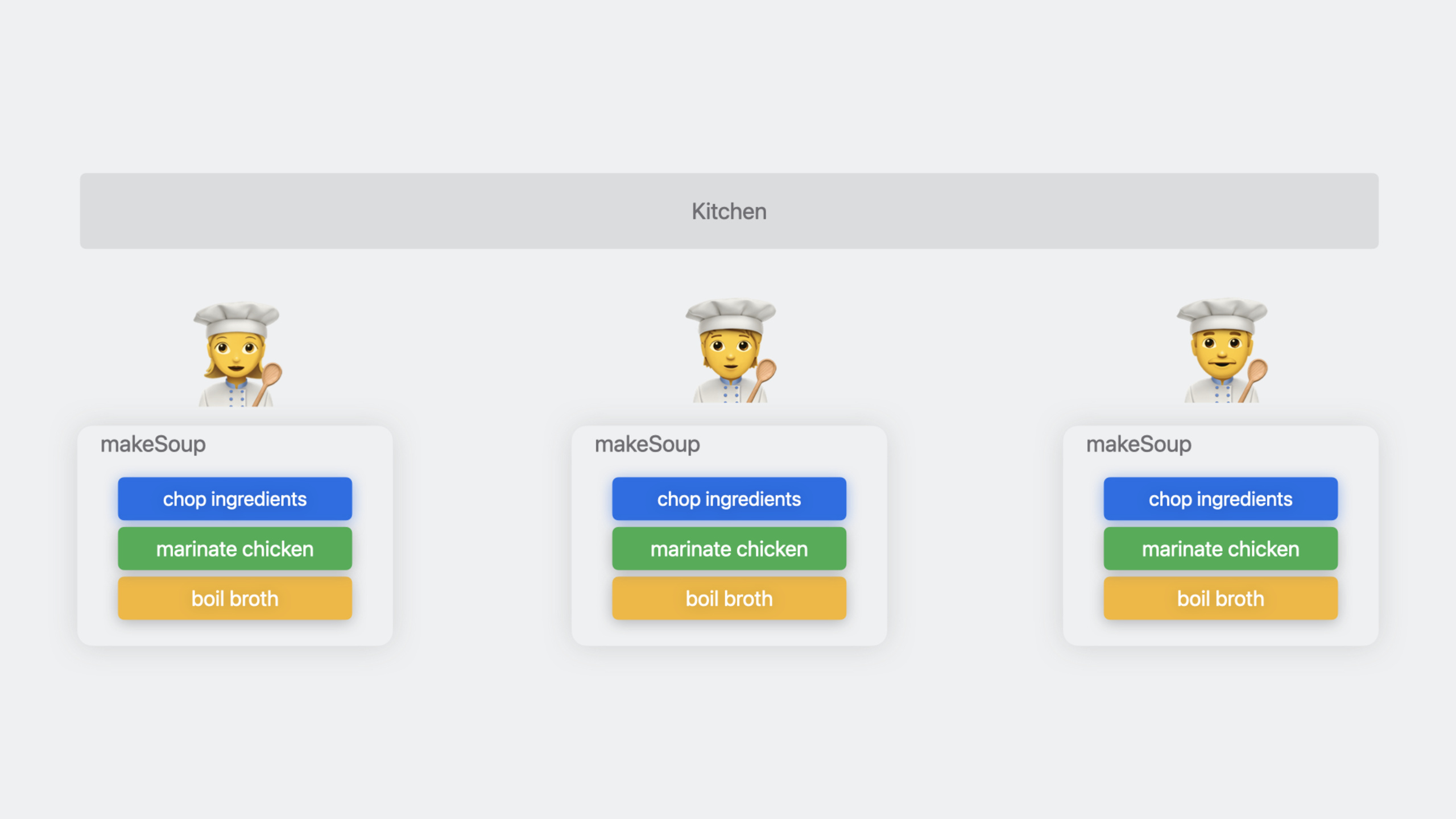
Suppose you are making soup and need to cook broth, cut vegetables, and marinate meat at the same time. Unstructured writing:
func makeSoup(order: Order) async throws -> Soup {
    let boilingPot = Task { try await stove.boilBroth() }
    let choppedIngredients = Task { try await chopIngredients(order.ingredients) }
    let meat = Task { await marinate(meat: .chicken) }
    let soup = await Soup(meat: meat.value, ingredients: choppedIngredients.value)
    return await stove.cook(pot: boilingPot.value, soup: soup, duration: .minutes(10))
}
The problems with this way of writing are: threeTaskare all unstructured, and their life cycles are similar tomakeSoupFunctions have no binding relationship. ifmakeSoupIf canceled, these three tasks will not be canceled automatically.
Rewritten as structured concurrency:
func makeSoup(order: Order) async throws -> Soup {
    async let pot = stove.boilBroth()
    async let choppedIngredients = chopIngredients(order.ingredients)
    async let meat = marinate(meat: .chicken)
    let soup = try await Soup(meat: meat, ingredients: choppedIngredients)
    return try await stove.cook(pot: pot, soup: soup, duration: .minutes(10))
}
async letThe tasks created are structured, withmakeSoupForm a father-son relationship.makeSoupWhen canceled, the three subtasks are automatically canceled.
(02:42)
Task canceled
Cancellation is collaborative. Unset onlyisCancelledflag, the task will not be forced to stop. Your code needs to be actively checked for:
func makeSoup(order: Order) async throws -> Soup {
    async let pot = stove.boilBroth()

    guard !Task.isCancelled else {
        throw SoupCancellationError()
    }

    async let choppedIngredients = chopIngredients(order.ingredients)
    async let meat = marinate(meat: .chicken)
    let soup = try await Soup(meat: meat, ingredients: choppedIngredients)
    return try await stove.cook(pot: pot, soup: soup, duration: .minutes(10))
}Task.checkCancellation()It is a more concise way of writing, it is thrown directly when it has been cancelled.CancellationError:
func chopIngredients(_ ingredients: [any Ingredient]) async throws -> [any ChoppedIngredient] {
    return try await withThrowingTaskGroup(of: (ChoppedIngredient?).self) { group in
        try Task.checkCancellation()

        for ingredient in ingredients {
            group.addTask { await chop(ingredient) }
        }

        var choppedIngredients: [any ChoppedIngredient] = []
        for try await choppedIngredient in group {
            if let choppedIngredient {
                choppedIngredients.append(choppedIngredient)
            }
        }
        return choppedIngredients
    }
}
Key points: Canceling the parent task will recursively cancel all child tasks. Call in task groupgroup.cancelAll()All active subtasks and subtasks added in the future will be cancelled.
(04:32)
Cancellation processing when suspending
When a task is pending and waitingAsyncSequenceThere is no way to check the cancellation status by polling for the next element.withTaskCancellationHandlerThis scenario was handled:
public func next() async -> Order? {
    return await withTaskCancellationHandler {
        let result = await kitchen.generateOrder()
        guard state.isRunning else {
            return nil
        }
        return result
    } onCancel: {
        state.cancel()
    }
}
To cancel the shared state between the processor and the main logic, it needs to be protected by atomic operations. Used hereManagedAtomic:
private final class OrderState: Sendable {
    let protectedIsRunning = ManagedAtomic<Bool>(true)
    var isRunning: Bool {
        get { protectedIsRunning.load(ordering: .acquiring) }
        set { protectedIsRunning.store(newValue, ordering: .relaxed) }
    }
    func cancel() { isRunning = false }
}(05:47)
Detailed Content
Limit the number of concurrencies
Task Group defaults to eachaddTaskCreate a new task with uncontrolled concurrency. ifingredientsIf there are 100, 100 chopping tasks will be created at the same time.
Mode to limit concurrency: start a fixed number of tasks first, and start a new one after each one is completed:
func chopIngredients(_ ingredients: [any Ingredient]) async -> [any ChoppedIngredient] {
    return await withTaskGroup(of: (ChoppedIngredient?).self) { group in
        let maxChopTasks = min(3, ingredients.count)
        for ingredientIndex in 0..<maxChopTasks {
            group.addTask { await chop(ingredients[ingredientIndex]) }
        }

        var choppedIngredients: [any ChoppedIngredient] = []
        var nextIngredientIndex = maxChopTasks
        for await choppedIngredient in group {
            if nextIngredientIndex < ingredients.count {
                group.addTask { await chop(ingredients[nextIngredientIndex]) }
                nextIngredientIndex += 1
            }
            if let choppedIngredient {
                choppedIngredients.append(choppedIngredient)
            }
        }
        return choppedIngredients
    }
}
The core logic of this model:
- Start the most first
maxChopTaskstasks - in
for awaitIn the loop, every time a task is completed, if there are still unprocessed tasks, a new task is added. - Always keep the most
maxChopTaskstasks are running
(10:55)
DiscardingTaskGroup
Traditional Task Group needs to collect the results of all subtasks. But some scenarios only care about “all tasks completed” and do not require results. For example, in a restaurant service, multiple chefs work at the same time. As long as one task is completed (closing time is up), the entire service will end.
func run() async throws {
    try await withThrowingTaskGroup(of: Void.self) { group in
        for cook in staff.keys {
            group.addTask { try await cook.handleShift() }
        }

        group.addTask {
            try await Task.sleep(for: shiftDuration)
        }

        try await group.next()
        group.cancelAll()
    }
}
The problem with this way of writing is that it needs to be called explicitlycancelAll(), and ifgroup.next()Returning the chef task instead of the closing task requires additional logic.
New in Swift 5.9withThrowingDiscardingTaskGroup:
func run() async throws {
    try await withThrowingDiscardingTaskGroup { group in
        for cook in staff.keys {
            group.addTask { try await cook.handleShift() }
        }

        group.addTask {
            try await Task.sleep(for: shiftDuration)
            throw TimeToCloseError()
        }
    }
}DiscardingTaskGroupSubtask results are not collected. As long as one subtask throws an error or all are completed, the entire group ends. No manual requiredcancelAll()。
(11:56)
Task-Local Values
Task-Local Values allow automatic propagation of context information within the task tree. Subtasks automatically inherit the task-local value of the parent task.
actor Kitchen {
    @TaskLocal static var orderID: Int?
    @TaskLocal static var cook: String?

    func logStatus() {
        print("Current cook: \(Kitchen.cook ?? "none")")
    }
}

let kitchen = Kitchen()
await kitchen.logStatus()           // "Current cook: none"
await Kitchen.$cook.withValue("Sakura") {
    await kitchen.logStatus()       // "Current cook: Sakura"
}
await kitchen.logStatus() // "Current cook: none"@TaskLocalThe static attributes of the tag pass$Prefix access.withValueThe value is set during the execution of the closure and is automatically restored after the closure ends.
(14:10)
Simplify logging with MetadataProvider
In server-side development, each function needs to record context such as order ID, chef name, etc. Without task-local values, these contexts need to be passed as parameters:
func makeSoup(order: Order) async throws -> Soup {
    log.debug("Preparing dinner", [
        "cook": "\(self.name)",
        "order-id": "\(order.id)",
        "vegetable": "\(vegetable)",
    ])
}useMetadataProviderTask-local values can be automatically injected into each log:
let orderMetadataProvider = Logger.MetadataProvider {
    var metadata: Logger.Metadata = [:]
    if let orderID = Kitchen.orderID {
        metadata["orderID"] = "\(orderID)"
    }
    return metadata
}

let chefMetadataProvider = Logger.MetadataProvider {
    var metadata: Logger.Metadata = [:]
    if let chef = Kitchen.chef {
        metadata["chef"] = "\(chef)"
    }
    return metadata
}

let metadataProvider = Logger.MetadataProvider.multiplex([
    orderMetadataProvider,
    chefMetadataProvider
])

LoggingSystem.bootstrap(
    StreamLogHandler.standardOutput,
    metadataProvider: metadataProvider
)
After configuration, the logging code is simplified to:
func makeSoup(order: Order) async throws -> Soup {
    logger.info("Preparing soup order")
    async let pot = stove.boilBroth()
    async let choppedIngredients = chopIngredients(order.ingredients)
    async let meat = marinate(meat: .chicken)
    let soup = try await Soup(meat: meat, ingredients: choppedIngredients)
    return try await stove.cook(pot: pot, soup: soup, duration: .minutes(10))
}orderIDandchefIt will automatically appear in every log and does not need to be passed manually.
(16:17)
Distributed Tracing
Combined with the Swift Distributed Tracing library, you can usewithSpanPerformance analysis of server-side code:
func makeSoup(order: Order) async throws -> Soup {
    try await withSpan("makeSoup(\(order.id)") { span in
        async let pot = stove.boilWater()
        async let choppedIngredients = chopIngredients(order.ingredients)
        async let meat = marinate(meat: .chicken)
        let soup = try await Soup(meat: meat, ingredients: choppedIngredients)
        return try await stove.cook(pot: pot, soup: soup, duration: .minutes(10))
    }
}
Custom properties can also be added:
func makeSoup(order: Order) async throws -> Soup {
    try await withSpan(#function) { span in
        span.attributes["kitchen.order.id"] = order.id
        async let pot = stove.boilWater()
        async let choppedIngredients = chopIngredients(order.ingredients)
        async let meat = marinate(meat: .chicken)
        let soup = try await Soup(meat: meat, ingredients: choppedIngredients)
        return try await stove.cook(pot: pot, soup: soup, duration: .minutes(10))
    }
}withSpanThe created span will automatically include the tracking information of the subtask, forming a complete call chain.
(20:30)
Core Takeaways
Add unified cancellation check for network requests
Add at the beginning of each request method in the data layertry Task.checkCancellation(), to prevent users from continuing to perform useless network requests after switching to the page.
Entrance: atURLSession.data(for:)Add a cancellation check to the encapsulation layer. Cooperateasync letWhen multiple requests are initiated, parent task cancellation is automatically propagated to all child requests.
Use Task-Local Values to implement request tracking ID
Either the server or the client can use one@TaskLocal static var requestID: String?to mark the current request. All logs automatically contain this ID, and you can filter logs by request ID when troubleshooting.
Entrance: At the request entranceawait RequestContext.$requestID.withValue(UUID().uuidString), log configurationMetadataProviderRead automatically.
Limit the number of concurrent downloads
When the picture list page loads many pictures at the same time, use Task Group’s “Complete one and add one” mode to limit the number of concurrencies to avoid network congestion caused by too many requests being initiated at the same time.
Entrance: ReferencechopIngredientscurrent limiting mode, putmaxChopTasksChange tomaxDownloadTasks(like 3 or 5).
Use DiscardingTaskGroup to manage background tasks
Background tasks such as heartbeat detection, log reporting, and location updates do not require collecting results. UsewithDiscardingTaskGroupmanage. All background tasks automatically end when the main task is canceled.
Entrance: PutTask { ... }Change togroup.addTask { ... },usewithDiscardingTaskGrouppack.
Related Sessions
- Write Swift macros — Write your first Swift macro
- Expand on Swift macros — Deeply understand the design principles of macros and more role types
- Meet Swift OpenAPI Generator — Use code generation to simplify server-side API calls
- Swift concurrency: Behind the scenes — The underlying principles of Swift structured concurrency
Comments
GitHub Issues · utterances