
Highlight
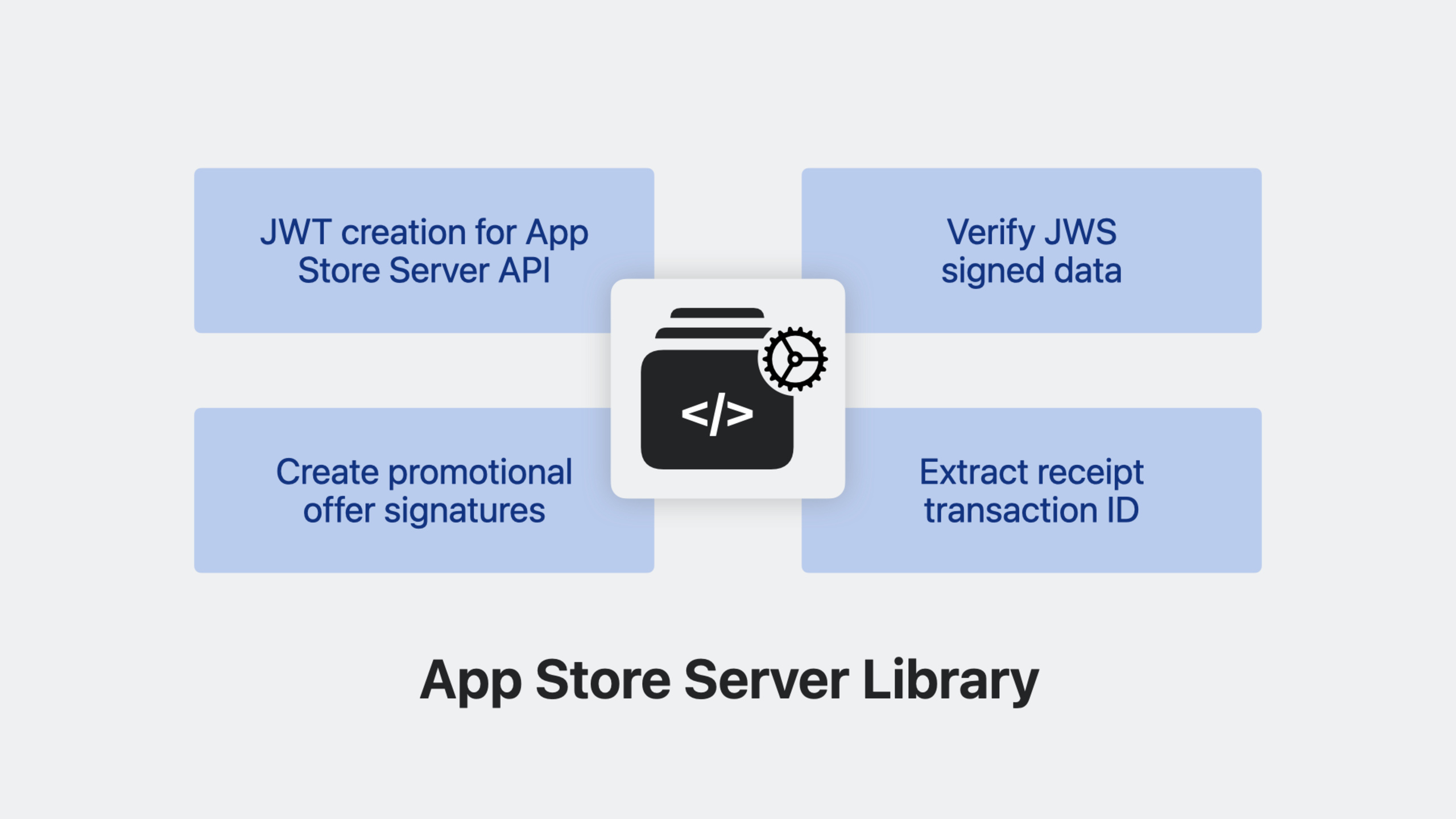
Apple released the App Store Server Library open source library at WWDC23, which supports four languages: Swift, Java, Node.js and Python. It provides four core capabilities of JWT generation, JWS signature data verification, receipt migration and promotional offer signature, significantly lowering the integration threshold of the App Store Server API.
Core Content
Why do we need this library?
(00:34) In 2021 Apple launched StoreKit 2, App Store Server API, and App Store Server Notifications V2. These tools provide signed transaction data using JWS (JSON Web Signature) format, which is more secure and flexible than the old verifyReceipt. However, the verification process of JWS involves multiple complex steps such as certificate chain verification, OCSP revocation check, signature verification, etc., which poses a high threshold for developers who are not familiar with cryptography protocols.
(01:33) App Store Server Library was born to solve this problem. It encapsulates complex operations such as JWT generation, signature verification, and receipt parsing into simple API calls, allowing developers to focus on business logic.
Four core competencies
(02:07)
1. App Store Server API call
The library handles JWT generation automatically. You only need to provide issuerId, keyId, private key, bundleId and environment (sandbox/production) to create an API client and directly call all Server API endpoints.
2. JWS signature data verification
Verify that the signed data received from the App Store is authentic and valid. This includes validating the certificate chain, checking certificate revocation status, confirming signatures, and verifying that the application identifier and environment match.
3. Receipt Migration Tool
Extracting the transactionId from the old app receipt allows you to obtain transaction information directly using the Server API, bypassing the deprecated verifyReceipt endpoint.
4. Promotional Offer Signature
Use the in-app purchase private key to automatically generate signatures for subscription promotional offers, eliminating the trouble of manually implementing signature logic.
Quick Start
(04:22) Before using the library, you need to collect the following information from the App Store Connect and Apple PKI websites:
- Issuer ID: App Store Connect → Users and Access → Keys → In-App Purchase
- Key ID and Private Key: Generate a new private key on the same page and download the private key file (can only be downloaded once)
- Apple Root Certificates: Download the root certificate from the Apple PKI website
- Bundle ID: your application bundle identifier
Detailed Content
Java Example: Creating an API Client
(05:34) Take Java as an example to demonstrate how to use the library to call the App Store Server API.
Gradle dependencies:
dependencies {
    implementation 'com.apple.itunes.storekit:app-store-server-library:1.0.0'
}
Create client and call API:
import com.apple.itunes.storekit.client.AppStoreServerAPIClient;
import com.apple.itunes.storekit.model.Environment;

public class ExampleApp {
    public static void main(String[] args) throws Exception {
        String issuerId = "YOUR_ISSUER_ID";
        String keyId = "YOUR_KEY_ID";
        String privateKey = "-----BEGIN EC PRIVATE KEY-----\n...";
        String bundleId = "com.example.yourapp";
        Environment environment = Environment.SANDBOX;

        // Create the API client
        AppStoreServerAPIClient client = new AppStoreServerAPIClient(
            privateKey, keyId, issuerId, bundleId, environment
        );

        // Request a test notification
        var response = client.requestTestNotification();
        System.out.println("Test notification token: " + response.getTestNotificationToken());
    }
}
Key points:
AppStoreServerAPIClientAutomatically handle JWT generation and refresh- All Server API endpoints have corresponding methods -Environment parameters distinguish between sandbox and production
Verify JWS signature data
(07:29) JWS data contains three Base64URL encoded parts separated by dots: header, payload, signature.
The header contains the algorithm (fixed to ES256) and certificate chain (x5c). The verification process includes:
- Verify that each certificate in the certificate chain is signed by the previous certificate
- Check the certificate validity period and format
- Use OCSP to check whether the certificate has been revoked
- Verify that the leaf certificate is used for App Store receipt signing
- Verify the JWS signature using the public key of the leaf certificate
- Check whether the appAppleId and bundleId in the payload match your application
(13:52) in the librarySignedDataVerifierThe class encapsulates all these steps:
import com.apple.itunes.storekit.verification.SignedDataVerifier;
import com.apple.itunes.storekit.model.Environment;
import java.util.Set;

// Load Apple root certificates
Set<String> rootCertificates = Set.of(
    Files.readString(Path.of("AppleRootCA-G3.cer")),
    Files.readString(Path.of("AppleRootCA-G2.cer"))
);

// Create the verifier
SignedDataVerifier verifier = new SignedDataVerifier(
    rootCertificates,      // Apple root certificate collection
    null,                  // appAppleId,pass null in the sandbox environment
    bundleId,              // your bundle ID
    environment,           // SANDBOX or PRODUCTION
    true                   // whether to perform online revocation checks
);

// Verify the notification
var result = verifier.verifyAndDecodeNotification(signedPayload);
System.out.println("Notification type: " + result.getNotificationType());
Key points:
onlineChecksParameters: For the notification just received, set totrue, for the historical data a few months ago, set tofalse(Certificate may have expired)- The validator automatically checks if appAppleId, bundleId and environment match
- After verification, the data in the payload can be safely trusted
Extract transactionId from receipt
(16:52) The ReceiptUtility class helps extract transactionId from old app receipts and implements migration from verifyReceipt to Server API:
import com.apple.itunes.storekit.util.ReceiptUtility;

// App receipt from the device or a V1 notification
String appReceipt = "MII...";  // Base64-encoded receipt

ReceiptUtility utility = new ReceiptUtility();
String transactionId = utility.extractTransactionIdFromAppReceipt(appReceipt);

if (transactionId != null) {
    // Use transactionId to call Get Transaction History
    var request = new TransactionHistoryRequest();
    request.setProductType(ProductType.CONSUMABLE);
    request.setRevoked(false);
    request.setSort(SortOrder.DESCENDING);

    List<TransactionInfo> transactions = new ArrayList<>();
    String revision = null;

    do {
        var response = client.getTransactionHistory(transactionId, revision, request);
        transactions.addAll(response.getSignedTransactions());
        revision = response.getRevision();
    } while (Boolean.TRUE.equals(response.getHasMore()));

    System.out.println("Found " + transactions.size() + " transactions");
}
Key points:
- Not all receipts contain transactionId (the user may not have a purchase record)
- The extracted transactionId can be any transactionId, not limited to originalTransactionId
- Endpoints such as the Server API’s Get Transaction History now support arbitrary transactionIds as parameters
- Save the returned
revisiontoken, which can be passed in during the next query to incrementally obtain new transactions.
Core Takeaways
-
Replace handwritten JWT and verification logic with official libraries
- What to do: Replace the code on the server that manually generates JWT and validates JWS with the App Store Server Library
- Why it’s worth doing: The library’s verification logic has been officially reviewed by Apple, which is more reliable than handwritten implementation, and will automatically follow up on protocol updates.
- How to get started: Select the corresponding library (Swift/Java/Node.js/Python) according to your back-end language, and replace the existing code according to the examples in the README
-
Establish a server-side transaction verification pipeline
- What to do: Deploy a complete transaction verification process on the server, including receiving notifications, verifying signatures, and updating user permissions
- Why it’s worth doing: JWS signature data standardizes server-side verification, and ReceiptUtility allows old devices to be connected to the new system
- How to get started: Use SignedDataVerifier to verify all signed data received from clients and notifications, use ReceiptUtility to process old receipts, and establish a unified transaction processing process
-
Plan verifyReceipt migration roadmap
- What to do: Develop a migration plan from verifyReceipt to App Store Server API to support the coexistence of old and new devices
- Why it’s worth doing: verifyReceipt has been abandoned, new functions are only released in the JWS system; ReceiptUtility provides a smooth transition solution
- How to get started: The new code uses the Server API directly, the old code extracts the transactionId through ReceiptUtility and then calls the Server API, gradually phasing out verifyReceipt
-
Integrated promotional offer signature generation
- What to do: Use the library’s promotional offer signature feature to simplify the implementation of subscription offers
- Why it’s worth doing: Manually implementing signatures is error-prone, the library provides a proven implementation
- How to get started: Call the signature method of the library when generating a promotional offer, passing in the product ID, offer ID and private key
Related Sessions
- What’s new in App Store server APIs — Server API new endpoints and notification fields detailed explanation
- Explore testing in-app purchases — StoreKit Testing, Sandbox, and TestFlight testing guide
- Subscription Offers Best Practices — Design and implementation of subscription promotional offers
- What’s new in StoreKit 2 — StoreKit 2 client new features
Comments
GitHub Issues · utterances