
Highlight
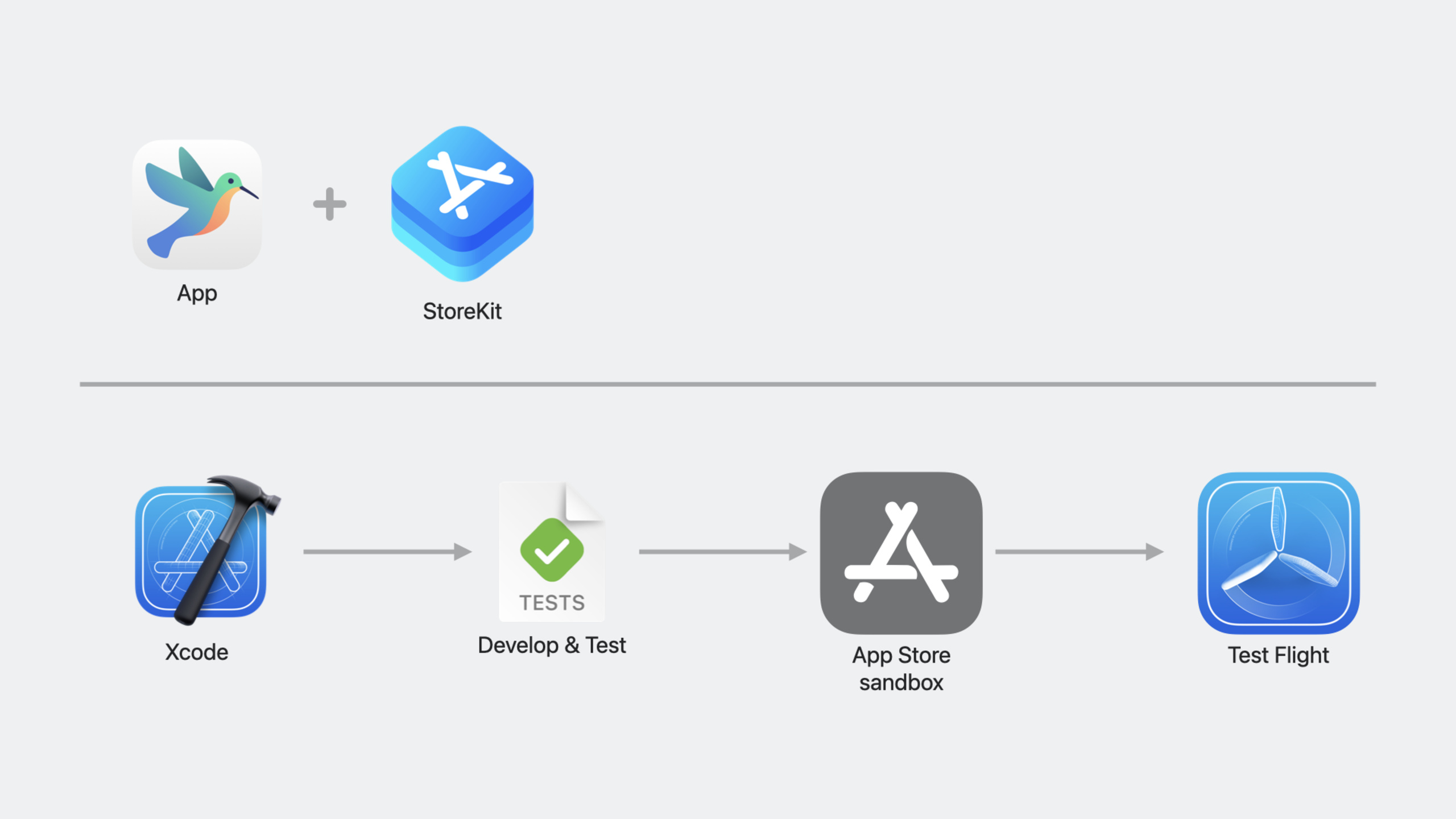
StoreKit 2 added promotion purchase management API, Transaction/RenewalInfo data model extension, SwiftUI dedicated product display view (ProductView/StoreView/SubscriptionStoreView) in WWDC2023, and StoreKit Testing tool chain in Xcode 15 that supports multi-device offline debugging, simulated error injection and custom subscription renewal rate.
Core Content
Complete link to promote purchase
When a user sees a promoted in-app purchase item on the App Store product page and clicks to purchase it, the app needs to listen for this intent and complete the transaction. In the past, developers could only wait passively, but now they can actively manage the display order and visibility of promoted products.
When a user purchases a promoted product from the App Store, the app may not be ready yet (for example, in a level). PurchaseIntent supports deferred processing, saving the intent for later completion. Purchased products can be hidden, and the display order of game level progress can be dynamically adjusted.
The data model is finally enough
The Transaction model adds storefront (store area), storefrontCountryCode (country code) and reason (purchase reason: user actively purchased or automatically renewed). RenewalInfo added nextRenewalDate (next renewal date).
These fields solve long-term pain points: determining which regional store the user comes from, distinguishing between first purchase and renewal, and informing users in advance of the next deduction time.
Testing is no longer a black box
StoreKit Testing in Xcode 15 supports creating transactions directly when the device is not running the app, simulating a subscription purchase from a year ago and observing automatic renewal. Exceptions such as network errors and product unavailability can be injected to verify the fault-tolerant logic of the application. The subscription renewal rate can be adjusted to once per minute to quickly verify the status of long-term subscriptions.
Detailed Content
Monitor promotional purchase intentions
(01:42)
import StoreKit

let promotedPurchasesListener = Task {
    for await promotion in PurchaseIntent.intents {
        let product = promotion.product

        do {
            let result = try await product.purchase()
            // Handle the purchase result
        } catch {
            // Handle errors, or save the intent to retry later
        }
    }
}
Key points:
PurchaseIntent.intentsis an async sequence, which generates a new value every time the user clicks on the promotion purchase in the App Store- The system will retain the intent when the app is not running and will receive it immediately after startup.
- You can save the
promotionobject and callpurchase()at the appropriate time for the user - Need to keep the listener running during the application life cycle
Manage promoted product order and visibility
(02:57)
import StoreKit

// Query the current promotion order
do {
    let promotions = try await Product.PromotionInfo.currentOrder

    if promotions.isEmpty {
        // No local override; use the order configured in App Store Connect
    }

    for promotion in promotions {
        let productID = promotion.productID
        let visibility = promotion.visibility
    }
} catch {
    // Handle errors
}

// Set a custom order
let newOrder = ["acorns.individual", "nectar.cup", "sunflowerseeds.pile"]
do {
    try await Product.PromotionInfo.updateProductOrder(byID: newOrder)
} catch { }

// Hide specific products
do {
    try await Product.PromotionInfo.updateProductVisibility(.hidden, for: "acorns.individual")
} catch { }

// Or modify through the object
var firstPromotion = promotions.first!
firstPromotion.visibility = .hidden
try await firstPromotion.update()
Key points:
currentOrderis empty means there is no local coverage and the default configuration of App Store Connect is used.visibilityhas three states:.visible,.hidden,.default(follow App Store Connect settings)- Modifying order and visibility only affects the current device
- Suitable for dynamically adjusting promotion display based on game progress and user status
Transaction and RenewalInfo new fields
(05:00)
// New fields on Transaction
for await result in Transaction.currentEntitlements {
    if case .verified(let transaction) = result {
        let storefront = transaction.storefront
        let countryCode = transaction.storefrontCountryCode
        let reason = transaction.reason // .purchase or .renewal

        print("Storefront: \(storefront), reason: \(reason)")
    }
}

// New fields on RenewalInfo
if let subscriptionInfo = product.subscription {
    let renewalInfo = try await subscriptionInfo.status
    for status in renewalInfo {
        if case .verified(let info) = status.renewalInfo {
            if let nextDate = info.nextRenewalDate {
                print("Next renewal: \(nextDate)")
            }
        }
    }
}
Key points:
storefrontandstorefrontCountryCodehelp determine the user’s regionreasondistinguishes between user active purchase (.purchase) and automatic renewal (.renewal)nextRenewalDateIn RenewalInfo, inform the next renewal processing time- Apps built with Xcode 15 are available, and most fields are forward compatible with older systems
Handling billing issue messages
(06:12)
for await message in Message.messages {
    switch message.reason {
    case .billingIssue:
        // Subscription renewal failed; show the billing issue sheet
        // StoreKit displays it automatically; the app may defer or suppress it
        await message.display()
    default:
        break
    }
}
Key points:
.billingIssueIntroduced in iOS 16.4, triggered when the subscription fails to renew due to billing issues- StoreKit automatically displays the Billing Problem sheet so users can solve it without leaving the app
- Applications can defer messages (the user is in the middle of an interaction) or suppress messages
- The Sandbox environment is enabled and can be tested in advance
SwiftUI product display view
(08:32)
import SwiftUI
import StoreKit

// Single product view
struct BirdFoodShop: View {
    let productID: String

    var body: some View {
        ProductView(id: productID) {
            BirdFoodProductIcon(for: productID)
        }
        .productViewStyle(.large)
    }
}

// Store view (multiple products)
struct StorePage: View {
    let productIDs: [String]

    var body: some View {
        StoreView(ids: productIDs) { product in
            BirdFoodIcon(productID: product.id)
        }
    }
}

// Subscription store view
struct SubscriptionPage: View {
    let groupID: String

    var body: some View {
        SubscriptionStoreView(groupID: groupID)
    }
}

// Manage subscriptions sheet
.manageSubscriptionsSheet(
    isPresented: $showManageSheet,
    subscriptionGroupID: groupID // Jump directly to the specified subscription group
)
Key points:
ProductViewautomatically loads product information and displays localized titles, descriptions and promotional imagesStoreViewdisplays product collections and builds a complete store with a few lines of codeSubscriptionStoreViewshows all levels of a subscription group, justsubscriptionGroupID.manageSubscriptionsSheetAddedsubscriptionGroupIDparameter to jump directly to the specified group- All views support SwiftUI standard customization, such as background, font, etc.
Xcode Transaction Manager offline debugging
(11:12)
Transaction Manager in Xcode 15 supports:
- View StoreKit app transaction history across all connected devices and emulators
- View historical purchases without running the app
- Create new purchases directly from Mac, configure purchase parameters (quantity, discount code, purchase date) -Supports automatic renewal configuration and historical review of subscriptions
Operation path: Debug > StoreKit > Manage Transactions
Simulate StoreKit errors
(18:54)
In the Configuration Settings of the StoreKit Configuration file:
- Check the Simulate errors option for Purchase API
- Select an error type, such as
.productUnavailable(user switches store) - Configurations automatically saved and synced to running devices
- Test without re-running the app
Supported APIs and error types include: Loading Products, Purchases, Receipt Validation, Transaction Validation, Refund Requests, and more.
Mock purchases and bugs in unit tests
(21:09)
import StoreKit
import StoreKitTest
import XCTest

func testSubscriptionRenewal() async throws {
    let session = try SKTestSession(configurationFileNamed: "Store")

    // Simulate a subscription purchase from one year ago
    let oneYear: TimeInterval = 365 * 24 * 60 * 60
    let transaction = try await session.buyProduct(
        identifier: "birdpass.individual",
        options: [.purchaseDate(Date.now - oneYear)]
    )

    // Verify transaction status
    XCTAssertNotNil(transaction)
}

func testLoadProductsError() async throws {
    let session = try SKTestSession(configurationFileNamed: "Store")

    // Inject a network error
    session.setSimulatedError(.generic(.networkError), forAPI: .loadProducts)

    do {
        _ = try await Product.products(for: ["product1"])
        XCTFail("Expected a network error to be thrown")
    } catch StoreKitError.networkError {
        // Expected error
    }

    // Clear simulated errors
    session.setSimulatedError(nil, forAPI: .loadProducts)
}

func testFastRenewal() async throws {
    let session = try SKTestSession(configurationFileNamed: "Store")

    // Renew once per minute to quickly verify long-term subscription status
    session.timeRate = .oneRenewalEveryMinute

    let transaction = try await session.buyProduct(identifier: "birdpass.individual")

    // Wait to observe renewal behavior
}
Key points:
SKTestSessionCreate a test environment from a StoreKit Configuration filebuyProduct(options:)supports test-specific options such aspurchaseDatesetSimulatedError(_:forAPI:)injects errors for the specified APItimeRatecontrols the subscription renewal speed,.oneRenewalEveryMinuteis the fastest- Clear simulation errors after testing to avoid affecting other tests
Core Takeaways
-
Dynamic promotion store
- What to build: Dynamically adjust the display order and visibility of App Store promoted products based on user game progress
- Why it’s worth doing:
Product.PromotionInfoallows local coverage of the promotion sequence. Advanced props are automatically displayed after the user clears the level, and purchased props are automatically hidden. - How to start: Monitor
PurchaseIntent.intentsto handle promotional purchases, useupdateProductOrderandupdateProductVisibilityto adjust according to game status
-
Subscription Status Dashboard
- What to build: Display the user’s subscription details within the app, including the next renewal date, store region, and reason for renewal
- Why it’s worth doing:
nextRenewalDateLet users know the deduction time in advance,storefrontCountryCodehelps locate regional pricing issues - How to start: Traverse
Transaction.currentEntitlements, readstorefrontandreason, getrenewalInfofromProduct.SubscriptionInfo
-
Self-service repair of billing issues
- What to build: When subscription renewal fails, proactively guide users to repair their payment methods to reduce churn.
- Why it’s worth doing:
.billingIssueinMessage.messagesallows the application to solve the problem before the user leaves, and StoreKit automatically displays the repair sheet - How to start: Monitor
Message.messages, judge the timing when receiving.billingIssue, callmessage.display()or postpone it until the appropriate time
-
Zero Code Store Page
- What to build: Use StoreKit SwiftUI views to quickly build in-app purchase pages
- Why it’s worth doing:
StoreViewandSubscriptionStoreViewA few lines of code to implement a complete store, automatically handling the loading, display and purchase process - How to start: Pass in the product ID array to create
StoreView, or useSubscriptionStoreView(groupID:)to display subscription options, and use.productViewStyleand.containerBackgroundto customize the appearance
Related Sessions
- Meet StoreKit for SwiftUI — Complete usage and customization of StoreKit SwiftUI views
- Explore testing in-app purchases — An in-depth guide to StoreKit testing
- Meet the App Store Server Library — Server-side receipt verification and notification processing
Comments
GitHub Issues · utterances