
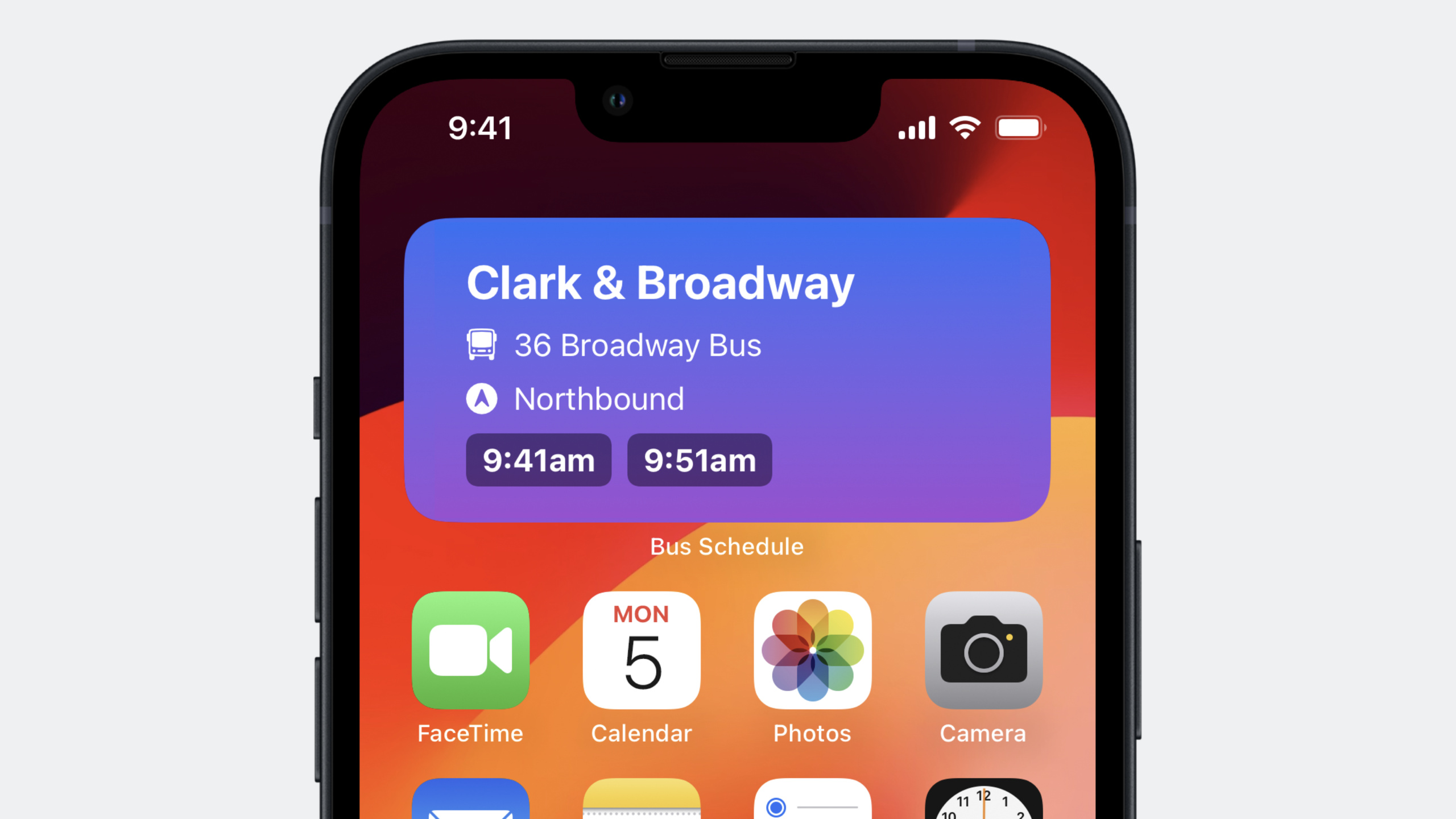
Highlight
iOS 17 App Intents unify Widget configuration, interactivity, and Shortcuts integration in a single codebase. SwiftUI Button/Toggle can trigger Intents directly, parameter dependencies cascade, and Apple Pay integrates—no more maintaining multiple Intent definition files.
Core Content
App Intents for Widget Configuration
Previously, configuring Widgets required maintaining an Intent Definition File in Xcode. iOS 17 lets you define configuration Intents directly in Widget Extension code.
import WidgetKit
import AppIntents
import SwiftUI

// Replace IntentConfiguration with AppIntentConfiguration
struct NextBusWidget: Widget {
    var body: some WidgetConfiguration {
        AppIntentConfiguration(
            kind: "com.example.nextbus",
            intent: ShowNextBusIntent.self,
            provider: Provider()
        ) { entry in
            NextBusWidgetView(entry: entry)
        }
    }
}

// Define the configuration Intent directly in the Widget Extension
struct ShowNextBusIntent: WidgetConfigurationIntent {
    static var title: LocalizedStringResource = "Next Bus"

    @Parameter(title: "Bus Stop")
    var busStop: BusStop

    @Parameter(title: "Route")
    var route: BusRoute

    @Parameter(title: "Direction")
    var direction: Direction
}
Key points:
- Replace
IntentConfigurationwithAppIntentConfiguration WidgetConfigurationIntentis a subprotocol ofAppIntent- Dynamic options and queries can be implemented directly in the Widget Extension—no separate Intents Extension needed
(01:05)
Widget Interactivity
SwiftUI Button and Toggle now support App Intents—users can tap buttons in Widgets to run app code directly.
import WidgetKit
import SwiftUI
import AppIntents

// Define the interactive Intent
struct SetAlarmIntent: AppIntent {
    static var title: LocalizedStringResource = "Set Bus Alarm"

    @Parameter(title: "Bus Time")
    var busTime: Date

    func perform() async throws -> some IntentResult {
        AlarmManager.shared.setAlarm(for: busTime)
        return .result(dialog: "Alarm set for \(busTime)")
    }
}

struct NextBusWidgetView: View {
    var entry: Provider.Entry

    var body: some View {
        VStack {
            ForEach(entry.upcomingBuses) { bus in
                // The button is directly associated with an App Intent
                Button(intent: SetAlarmIntent(busTime: bus.arrivalTime)) {
                    Text(bus.arrivalTime, style: .time)
                }
            }
        }
    }
}
Key points:
Button(intent:)associates an App Intent with a button tap- The same Intent can serve both Widget interactivity and Shortcuts actions
- Operations complete without opening the app
(05:41)
Parameter Dependency Linking
IntentParameterDependency lets DynamicOptionsProvider access other parameter values for cascading selection.
import AppIntents

struct BusRouteQuery: EntityQuery {
    // Depends on the busStop parameter of ShowNextBusIntent
    @IntentParameterDependency(ShowNextBus.self, \.busStop)
    var showNextBus

    func suggestedEntities() async throws -> [BusRoute] {
        guard let stop = showNextBus?.busStop else {
            return BusRoute.allRoutes
        }
        // Filter available routes based on the selected stop
        return BusRoute.routes(forStop: stop)
    }
}

// Example of multiple parameter dependencies
struct DirectionQuery: EntityQuery {
    @IntentParameterDependency(ShowNextBus.self, \.busStop)
    var showNextBusStop

    @IntentParameterDependency(ShowNextBus.self, \.route)
    var showNextBusRoute

    @IntentParameterDependency(ShowFavoriteRoute.self, \.route)
    var favoriteRoute

    var route: BusRoute? {
        showNextBusRoute?.route ?? favoriteRoute?.route
    }

    func suggestedEntities() async throws -> [Direction] {
        guard let route = route else { return Direction.all }
        return route.availableDirections
    }
}
Key points:
@IntentParameterDependencyworks across Widgets, Shortcuts, and Focus Filters- Can depend on multiple parameters and multiple Intents
- Return filtered options so users only see context-relevant choices
(07:59)
Array Parameter Size Limits
Widget configuration can declare size limits for array parameters, with different upper bounds per Widget size.
struct FavoriteRoutesIntent: WidgetConfigurationIntent {
    static var title: LocalizedStringResource = "Favorite Routes"

    // Limit selection to at most 3 routes
    @Parameter(title: "Routes", size: .init(upperBound: 3))
    var routes: [BusRoute]

    // Set different limits based on the Widget family
    @Parameter(title: "Routes", size: [
        .systemSmall: .init(upperBound: 1),
        .systemMedium: .init(upperBound: 2),
        .systemLarge: .init(upperBound: 5)
    ])
    var dynamicRoutes: [BusRoute]
}
Key points:
- Array parameters can set
upperBoundto limit selection count - Supports mapping different size limits per Widget family
- Larger Widgets can accommodate more items
(10:54)
Detailed Content
ParameterSummary and Widget Configuration UI
ParameterSummary defines how App Intent parameters appear in the Shortcuts editor, Focus Filters, and Widget configuration.
struct ShowNextBusIntent: WidgetConfigurationIntent {
    @Parameter(title: "Routes")
    var routes: [BusRoute]

    @Parameter(title: "Include Weather")
    var includeWeatherInfo: Bool

    static var parameterSummary: some ParameterSummary {
        Summary("Show schedules for \(routes)") {
            \$includeWeatherInfo
        }
    }
}
iOS 17 adds When statements to conditionally show parameters by Widget family:
static var parameterSummary: some ParameterSummary {
    Summary("Show schedules for \(routes)") {
        When(.widgetFamily, .equalTo, .systemLarge) {
            \$includeWeatherInfo
        }
    }
}
Key points:
- Parameters in the sentence appear first; closure parameters follow
Whenstatements let large Widgets show more configuration options- Small Widgets can hide less important parameters
(11:35)
Widget Tap Navigation
When users tap a Widget, widgetConfigurationIntent provides the configuration Intent for navigating to a specific in-app page.
import SwiftUI

struct BusScheduleApp: App {
    var body: some Scene {
        WindowGroup {
            ContentView()
                .onContinueUserActivity(NSUserActivityTypeBrowsingWeb) { userActivity in
                    // Get the configuration Intent from the Widget tap
                    if let intent = userActivity.widgetConfigurationIntent as? ShowNextBusIntent {
                        NavigationManager.shared.showBusStop(
                            stop: intent.busStop,
                            route: intent.route
                        )
                    }
                }
        }
    }
}
Key points:
userActivity.widgetConfigurationIntentreturns the associated App Intent- Use Intent contents to navigate to the corresponding screen
- Users see relevant content immediately after tapping the Widget
(12:52)
Framework Support Extension
iOS 17 lets frameworks expose App Intents directly—no need to compile the same code into multiple targets.
// BusScheduleIntents framework
public struct ShowScheduleIntent: AppIntent {
    public static var title: LocalizedStringResource = "Show Schedule"
    // ...
}

// Enable the framework to support re-exporting
extension BusScheduleIntents: AppIntentsPackage {}

// The BusScheduleUI framework depends on and re-exports BusScheduleIntents
extension BusScheduleUI: AppIntentsPackage {}

// The main app imports only BusScheduleUI
import BusScheduleUI

@main
struct BusScheduleApp: App, AppIntentsPackage {
    var body: some Scene {
        WindowGroup {
            ContentView()
        }
    }
}
Key points:
AppIntentsPackageprotocol lets frameworks recursively import dependencies- Apps only need to reference directly depended frameworks
- Reduces binary size and avoids code duplication
(14:47)
Foreground Continuation
Two new protocols let Intents continue execution in the foreground:
// Option one: fully stop background execution and require the user to continue in the foreground
struct FetchBusScheduleIntent: AppIntent, ForegroundContinuableIntent {
    func perform() async throws -> some IntentResult {
        do {
            let schedule = try await BusAPI.fetchSchedule()
            return .result(value: schedule)
        } catch {
            // Throw an error, and the system will prompt the user to continue in the foreground
            throw needsToContinueInForegroundError {
                // Closure that runs after the app enters the foreground
                NavigationManager.shared.showErrorScreen()
            }
        }
    }
}

// Option two: pause background execution, get user input, then continue
struct ChooseAlternateRouteIntent: AppIntent {
    func perform() async throws -> some IntentResult {
        let currentRoute = try await BusAPI.fetchCurrentRoute()

        if currentRoute.hasMaintenanceIssue {
            // Ask the user to choose an alternative route in the foreground
            let alternateRoute = try await requestToContinueInForeground(
                returnValue: BusRoute.self
            ) {
                // Show the route selection UI
                RouteSelectionView.preselectRoute(currentRoute)
            }

            return .result(value: alternateRoute)
        }

        return .result(value: currentRoute)
    }
}
Key points:
ForegroundContinuableIntentfor scenarios that must fully stop and restart in the foregroundrequestToContinueInForegroundfor scenarios that need user input before continuing- Continuation closures run on the main thread
(19:11)
Apple Pay Integration
import AppIntents
import PassKit

struct BuyTicketIntent: AppIntent {
    static var title: LocalizedStringResource = "Buy Bus Ticket"

    func perform() async throws -> some IntentResult {
        let paymentRequest = PKPaymentRequest()
        paymentRequest.merchantIdentifier = "merchant.com.example.bus"
        paymentRequest.countryCode = "US"
        paymentRequest.currencyCode = "USD"
        paymentRequest.paymentSummaryItems = [
            PKPaymentSummaryItem(label: "Bus Ticket", amount: 2.50)
        ]

        let controller = PKPaymentAuthorizationController(paymentRequest: paymentRequest)

        guard await controller.present() else {
            return .result(dialog: "Unable to process payment")
        }

        // Handle the payment result
        return .result(dialog: "Payment successful")
    }
}
Key points:
- Create
PKPaymentRequestdirectly inperform() - Present the payment sheet with
PKPaymentAuthorizationController - Supports completing payment flows in Shortcuts automations
(21:50)
Progress Reporting
struct DownloadScheduleIntent: AppIntent, ProgressReportingIntent {
    static var title: LocalizedStringResource = "Download Schedule"

    func perform() async throws -> some IntentResult {
        let routes = await BusAPI.fetchAllRoutes()
        progress.totalUnitCount = Int64(routes.count)

        for route in routes {
            try await BusAPI.downloadSchedule(for: route)
            progress.completedUnitCount += 1
        }

        return .result(dialog: "Downloaded all schedules")
    }
}
Key points:
- Implement the
ProgressReportingIntentprotocol - Access the
progressobject inperform() - The Shortcuts app automatically displays a progress bar
(25:00)
Core Takeaways
-
What to build: One App Intents codebase for Widget configuration, interactivity, and Shortcuts
- Why it’s worth doing: Reduces code duplication, ensures consistent behavior across all three scenarios, and dramatically lowers maintenance cost
- How to start: Define
WidgetConfigurationIntentfor configuration,AppIntentfor interactivity, and share the same Query across both
-
What to build: Button and toggle interactivity in Widgets
- Why it’s worth doing: Users complete common actions without opening the app, increasing engagement
- How to start: Use
Button(intent:)andToggle(intent:)in Widget views, with correspondingAppIntentimplementations
-
What to build: Cascading parameter selection
- Why it’s worth doing: When parameters depend on each other, filtered options make selection faster with fewer errors
- How to start: Use
@IntentParameterDependencyin Queries to read other parameter values, return filtered lists insuggestedEntities()
-
What to build: Move App Intents code into a Framework
- Why it’s worth doing: Avoids compiling the same code in both the main app and Widget Extension, reducing binary size
- How to start: Create a Framework containing App Intents, have both the Framework and main app conform to
AppIntentsPackage
-
What to build: Foreground continuation for long-running operations
- Why it’s worth doing: When network requests fail or user confirmation is needed, a foreground UI is more friendly than voice interaction
- How to start: Implement
ForegroundContinuableIntentfor user-decision Intents, or userequestToContinueInForegroundto get user input before continuing
Related Sessions
- Spotlight your app with App Shortcuts — Make app features available in Spotlight and Siri via App Shortcuts
- Bring your widget to life — Add interactivity to Widgets
- Build widgets for the Smart Stack on Apple Watch — Build Widgets for Apple Watch Smart Stack
Comments
GitHub Issues · utterances