
Highlight
Apple introduced Spatial Personas and shared context in visionOS FaceTime, upgrading multi-person SharePlay from “watching a screen together” to “sharing the same space.” Developers need to choose the right spatial seating template and synchronize content state.
Core Content
From “watching together” to “playing together”
With SharePlay, watching video with a friend used to mean everyone staring at their own phone screen, seeing only a small avatar. Communication was voice-only; interaction came from system prompts like “so-and-so paused playback.”
Spatial Personas on visionOS change this. Friends appear around you as three-dimensional figures—you can see their gaze, gestures, and body language. When Jay glances at his phone, you notice immediately (01:57). This natural nonverbal communication makes remote collaboration feel closer to in-person.
Three seating templates
Apple provides three Spatial Persona Templates for different scenarios:
Side-by-side: Everyone sits in a row, suited to scenarios that need shared attention on content, such as watching movies or presentations (07:38).
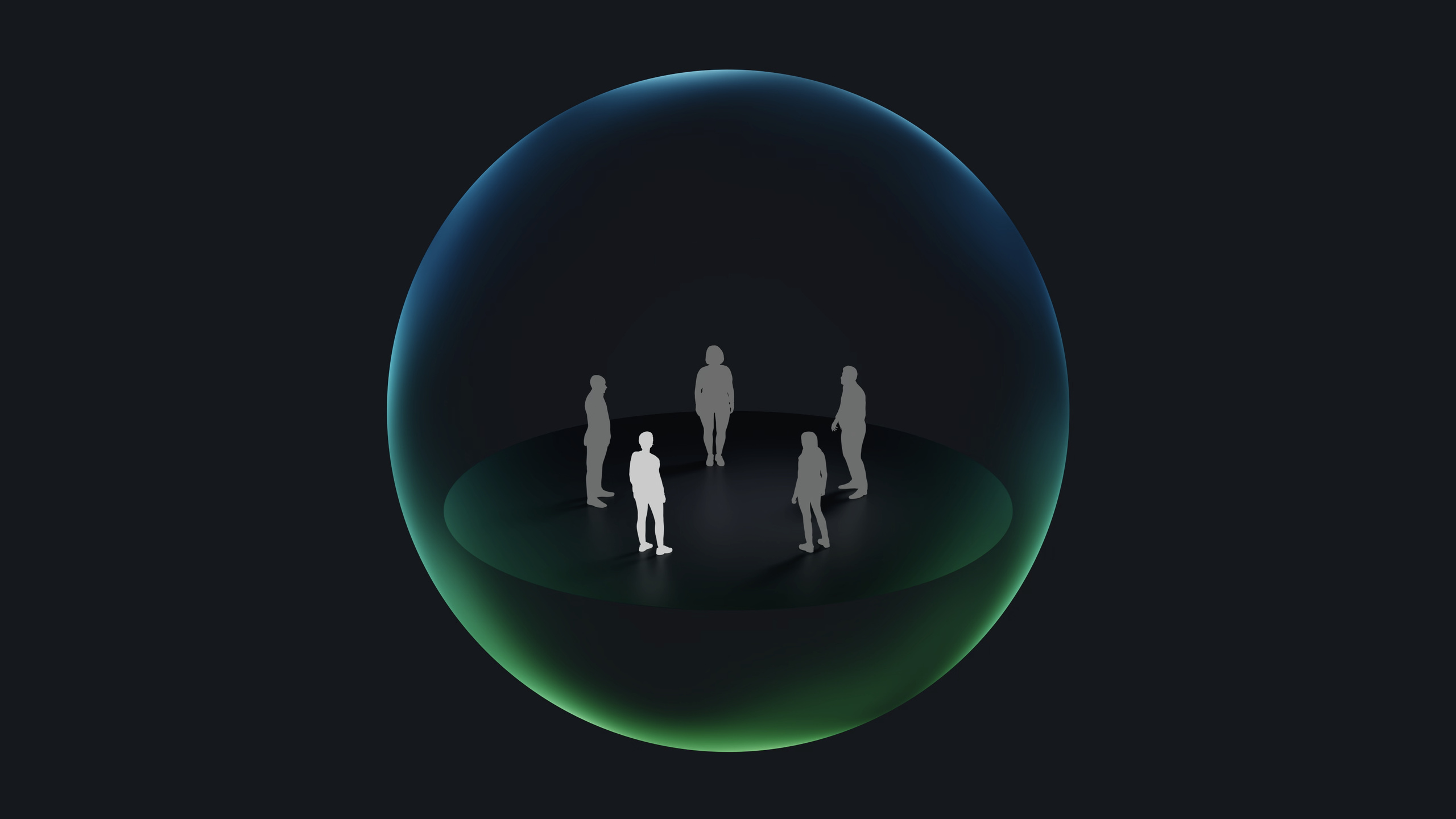
Surround: Content sits in the center with everyone arranged in a circle. Suited to board games, collaborative whiteboards, and other scenarios where each person views content from their own angle (07:51).
Conversational: Conversation is primary; content stays in the background. Suited to casual chat and gatherings where not everyone needs to see content clearly (08:13).
Trade-offs of shared context
Shared context means everyone sees content in the same spatial position. If someone is to your right, you are to their left. This consistency makes gestures and pointing meaningful.
You also need to know when to break shared context. For spatial photos or panoramic video, there is only one ideal viewing position—each person entering their own Full Space works better (14:12). The key: even when viewing separately, keep playback progress synchronized so everyone shares context.
Detailed Content
Choosing windows or Full Space
Your app can share one window and one immersive space through SharePlay (03:37).
Windows suit:
- Multitasking where users can operate other apps at the same time
- Workflows that need drag-and-drop interaction
- Collaborative editing, such as dragging a song from a private window into a shared player
Full Space suits:
- Games
- Immersive media experiences
- Content that needs the user’s full attention
Reducing launch friction
When starting a SharePlay activity, follow these principles (05:34):
- Do not show extra windows unrelated to the activity
- Let people join without signing into an account when possible
- If extra steps are needed, start the activity for those with permission; others see a placeholder window
- Placeholder windows should offer a path to resolve the issue and replace with real content once conditions are met
Personalized controls
Shared context requires synchronized content, but personal controls can differ. In the TV app, each person can set their own volume; users with hearing impairments can enable captions independently without affecting others (12:25).
In collaborative scenarios, each person’s editing tools can be personalized too—you mark in red while a colleague uses blue. The key is keeping the shared view consistent while personal tools differ.
Replace UI notifications with nonverbal communication
In visionOS FaceTime, you can see others’ large gestures directly. The system does not need to show notifications like “so-and-so paused the video.” You can ask out loud or communicate with gaze and gestures (11:00).
Interaction permission design
Do not design complex permission systems or turn-taking unless that is a natural part of the experience. A more permissive approach: let everyone interact freely and resolve conflicts with consistent, predictable rules. Groups will form their own norms (11:45).
Core Takeaways
-
What to do: Build a SharePlay-enabled 3D model viewer so designers and clients can review product prototypes together.
-
Why it matters: Spatial Personas make remote design reviews feel like face-to-face discussion—you can point directly at parts of the model.
-
How to start: Use the GroupActivities framework to define a shared activity and choose the Surround template so participants view the model from their own angles.
-
What to do: Develop a multi-person collaborative music production app where each person controls different tracks.
-
Why it matters: Shared context keeps everyone hearing the same mix while each person independently adjusts their track volume and effects.
-
How to start: Use SharePlay to synchronize playback state and store independent audio settings per participant.
-
What to do: Build an immersive photo album with SharePlay to relive spatial photos with friends.
-
Why it matters: Spatial photos look best in Full Space, but SharePlay lets everyone flip pages and discuss in sync.
-
How to start: Share photos in a window; when tapped, each person enters their own Full Space to view while keeping the photo index synchronized.
-
What to do: Develop a virtual board game platform supporting 2–5 simultaneous players.
-
Why it matters: The Surround template naturally fits board games—everyone sees the board from their own angle.
-
How to start: Choose the Surround template and ensure UI elements remain visible and operable when five people are seated around the table.
Related Sessions
- Design for spatial user interfaces — visionOS UI fundamentals: glass material, typography, and components
- Build spatial experiences with RealityKit — Build 3D spatial experiences with RealityKit
- Enhance your spatial computing app with RealityKit — RealityKit advanced topics: portals, particles, and anchors
Comments
GitHub Issues · utterances