
Highlight
Apple introduces Privacy Manifests, letting third-party SDK developers declare data collection in a standardized way. Xcode 15 can auto-generate privacy reports to help developers accurately fill App Store privacy nutrition labels, while iOS 17 automatically blocks tracking domain connections when the user hasn’t authorized tracking.
Core Content
The third-party SDK privacy information problem
How many third-party SDKs are in your app? Analytics, ads, social sharing—each SDK collects data, but do you really know what they’re collecting?
(01:44) Developers report that getting complete privacy information from third-party SDKs is very difficult. You need to know what data types each SDK collects, whether data is linked to the user, and whether it’s used for tracking—information scattered everywhere or impossible to find.
Apple’s answer is Privacy Manifests.
What privacy manifests are
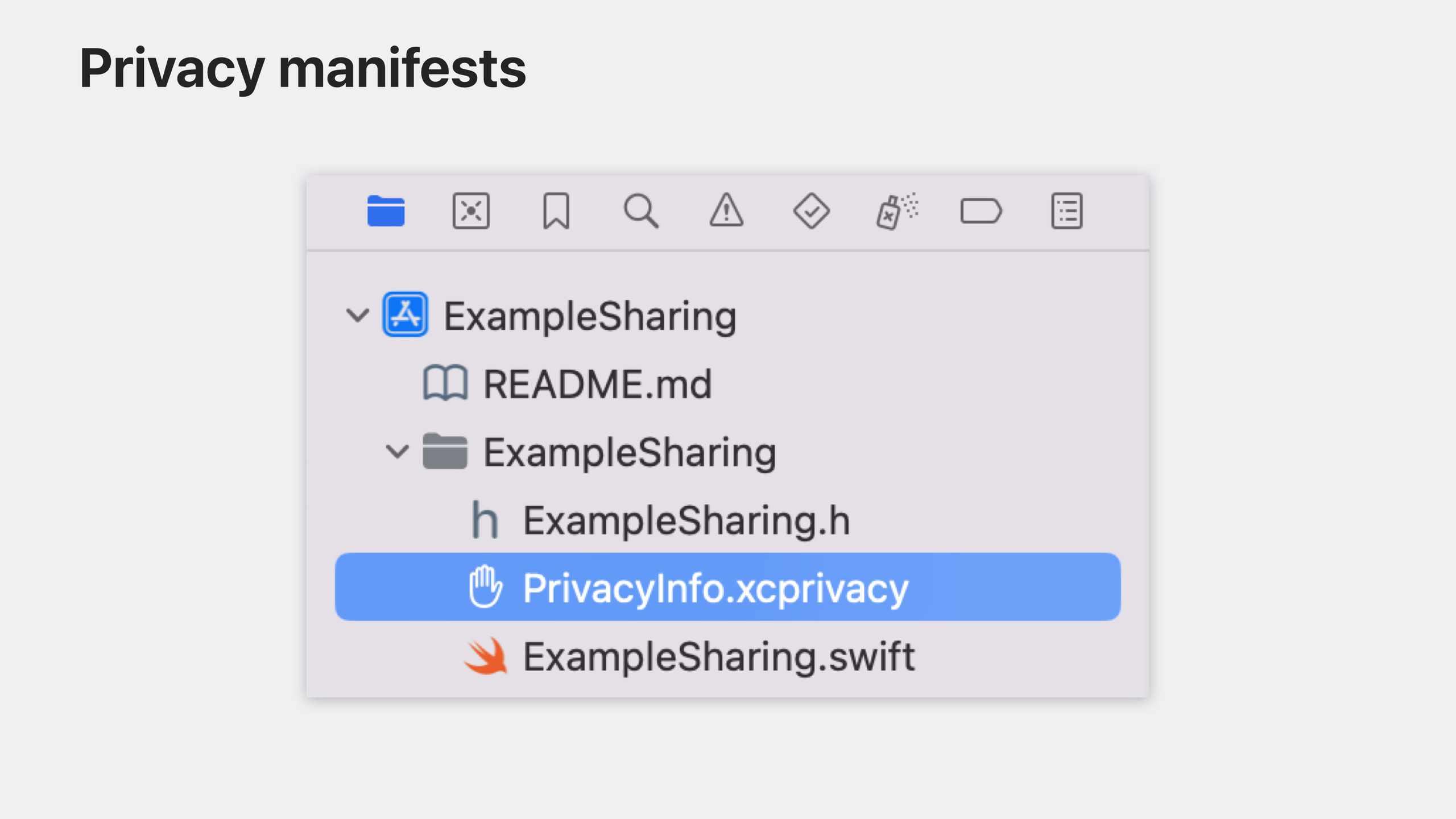
(01:58) A Privacy Manifest is a plist file named PrivacyInfo.xcprivacy that third-party SDK developers include in their SDK. It declares:
- What data types the SDK collects
- The purpose of each data type
- Whether data is linked to the user
- Whether data is used for tracking
Data types and purposes match App Store privacy nutrition labels exactly—you don’t learn two separate systems.
Xcode 15 privacy report
(03:20) When you build your app for App Store submission, Xcode 15 aggregates all privacy manifests in the project and generates a privacy report. Path: Xcode Organizer → right-click Archive → “Generate Privacy Report”.
The PDF is organized like privacy nutrition labels, so you can reference it directly when filling privacy information in App Store Connect.
Automatic tracking domain blocking
(04:23) A common scenario: a third-party SDK still connects to tracking domains by default when the user hasn’t authorized tracking. Developers must manually call SDK disable functions or change configuration—easy to miss.
Tracking domains declared in Privacy Manifests are automatically blocked by iOS 17 when the user hasn’t authorized tracking. No code required—the system handles these edge cases.
If a domain serves both tracking and non-tracking purposes, split it into separate hostnames, e.g. tracking.example.com and non-tracking.example.com, and declare only the former in the manifest.
Required Reason APIs
(07:22) Some platform APIs can be misused for device fingerprinting. Apple classifies these as “Required Reason APIs”; developers must declare approved reasons for using them in the privacy manifest.
For example, one approved reason for NSFileSystemFreeSize (free disk space) is “check whether there’s enough disk space before writing a file.” The full list and approved reasons are maintained in Apple developer documentation.
Privacy-impacting SDKs and signature requirements
(10:15) Apple identifies third-party SDKs with especially high privacy impact as “privacy-impacting SDKs.” Starting fall 2023, the App Store checks that new submissions and updates include signed versions and privacy manifests for these SDKs. From spring 2024, this becomes a formal App Review requirement.
Detailed Content
Creating a privacy manifest file
SDK developers create PrivacyInfo.xcprivacy in Xcode:
<?xml version="1.0" encoding="UTF-8"?>
<!DOCTYPE plist PUBLIC "-//Apple//DTD PLIST 1.0//EN" "http://www.apple.com/DTDs/PropertyList-1.0.dtd">
<plist version="1.0">
<dict>
    <key>NSPrivacyTracking</key>
    <false/>
    <key>NSPrivacyTrackingDomains</key>
    <array>
        <string>tracking.example.com</string>
    </array>
    <key>NSPrivacyCollectedDataTypes</key>
    <array>
        <dict>
            <key>NSPrivacyCollectedDataType</key>
            <string>NSPrivacyCollectedDataTypeName</string>
            <key>NSPrivacyCollectedDataTypeLinked</key>
            <true/>
            <key>NSPrivacyCollectedDataTypeTracking</key>
            <false/>
            <key>NSPrivacyCollectedDataTypePurposes</key>
            <array>
                <string>NSPrivacyCollectedDataTypePurposeAppFunctionality</string>
                <string>NSPrivacyCollectedDataTypePurposeProductPersonalization</string>
            </array>
        </dict>
    </array>
    <key>NSPrivacyAccessedAPITypes</key>
    <array>
        <dict>
            <key>NSPrivacyAccessedAPIType</key>
            <string>NSPrivacyAccessedAPICategoryFileTimestamp</string>
            <key>NSPrivacyAccessedAPITypeReasons</key>
            <array>
                <string>C617.1</string>
            </array>
        </dict>
    </array>
</dict>
</plist>
Key points:
NSPrivacyTracking: whether the SDK is used to track usersNSPrivacyTrackingDomains: tracking domains; iOS 17 blocks them when unauthorizedNSPrivacyCollectedDataTypes: collected data types, linkage, and purposesNSPrivacyAccessedAPITypes: Required Reason APIs used and approved reason codes
Generating a privacy report
(03:40) Steps in Xcode 15:
- Build and Archive your app
- Open Xcode Organizer (Window → Organizer)
- Select the Archives tab
- Right-click the target Archive
- Choose “Generate Privacy Report”
- Save the generated PDF
The report summarizes privacy declarations for your app and all dependencies, organized by data type and purpose—matching App Store Connect’s privacy form.
Detecting tracking domains with Points of Interest Instrument
(06:45) Xcode 15’s Points of Interest Instrument adds tracking domain detection. During testing it flags domain connections that may track users across apps and websites, helping you identify domains to declare in the privacy manifest.
Required Reason API declaration example
For file timestamp APIs in PrivacyInfo.xcprivacy:
<key>NSPrivacyAccessedAPITypes</key>
<array>
    <dict>
        <key>NSPrivacyAccessedAPIType</key>
        <string>NSPrivacyAccessedAPICategoryFileTimestamp</string>
        <key>NSPrivacyAccessedAPITypeReasons</key>
        <array>
            <string>C617.1</string>
        </array>
    </dict>
</array>
Key points:
NSPrivacyAccessedAPICategoryFileTimestamp: file timestamp API categoryC617.1: approved reason—“access file timestamps within the app container, app group container, or the app’s shared container”- Full API categories and reason codes: Apple developer documentation
Core Takeaways
1. Complete privacy manifests for existing apps
- What to build: Check that every third-party SDK in your app provides a privacy manifest
- Why it’s worth doing: From spring 2024, missing privacy manifests for privacy-impacting SDKs will cause App Review rejection
- How to start: Generate a privacy report in Xcode Organizer and verify each dependency
2. Split tracking and non-tracking domains
- What to build: If a backend domain serves both tracking and non-tracking purposes, split it into separate subdomains
- Why it’s worth doing: iOS 17 blocks unauthorized tracking domains; splitting keeps non-tracking features working
- How to start: Declare only the tracking subdomain in
NSPrivacyTrackingDomains
3. Audit Required Reason API usage
- What to build: Scan code for file timestamps, disk space, system boot time, and other sensitive APIs
- Why it’s worth doing: These APIs must be declared with approved reasons in the privacy manifest, or Apple sends warning emails
- How to start: Check against the API list in Apple documentation
4. Add privacy manifests to SDKs you maintain
- What to build: Create
PrivacyInfo.xcprivacyfor internal or open-source SDKs - Why it’s worth doing: Helps consumers of your SDK fill privacy information accurately and builds trust
- How to start: Create a new Property List named
PrivacyInfo.xcprivacyin Xcode and fill in data collection declarations per documentation
5. Enable SDK digital signatures
- What to build: Enable signature verification for third-party SDKs to ensure they come from trusted sources
- Why it’s worth doing: Privacy-impacting SDKs must include both signatures and privacy manifests; signatures prevent tampering
- How to start: SDK developers sign frameworks with
codesign; Xcode 15 verifies automatically for app developers
Related Sessions
- Verify app dependencies with digital signatures — Learn how to verify third-party SDKs with digital signatures
- What’s new in privacy — Latest privacy features in iOS 17 and macOS Sonoma
- What’s new in App Store Connect — Latest privacy information updates in App Store Connect
Comments
GitHub Issues · utterances