
Highlight
watchOS 10 lets organizations manage Apple Watch through MDM, but enrollment and policy enforcement center on the device relationship of “supervised iPhone + paired Apple Watch.”
Core Content
Enterprises already use Apple Watch. Melissa Nierle cites Volvo using Apple Watch to log work orders and simplify customer communication. The gap: Apple Watch lacked organization-level management on par with iPhone, Mac, and iPad.
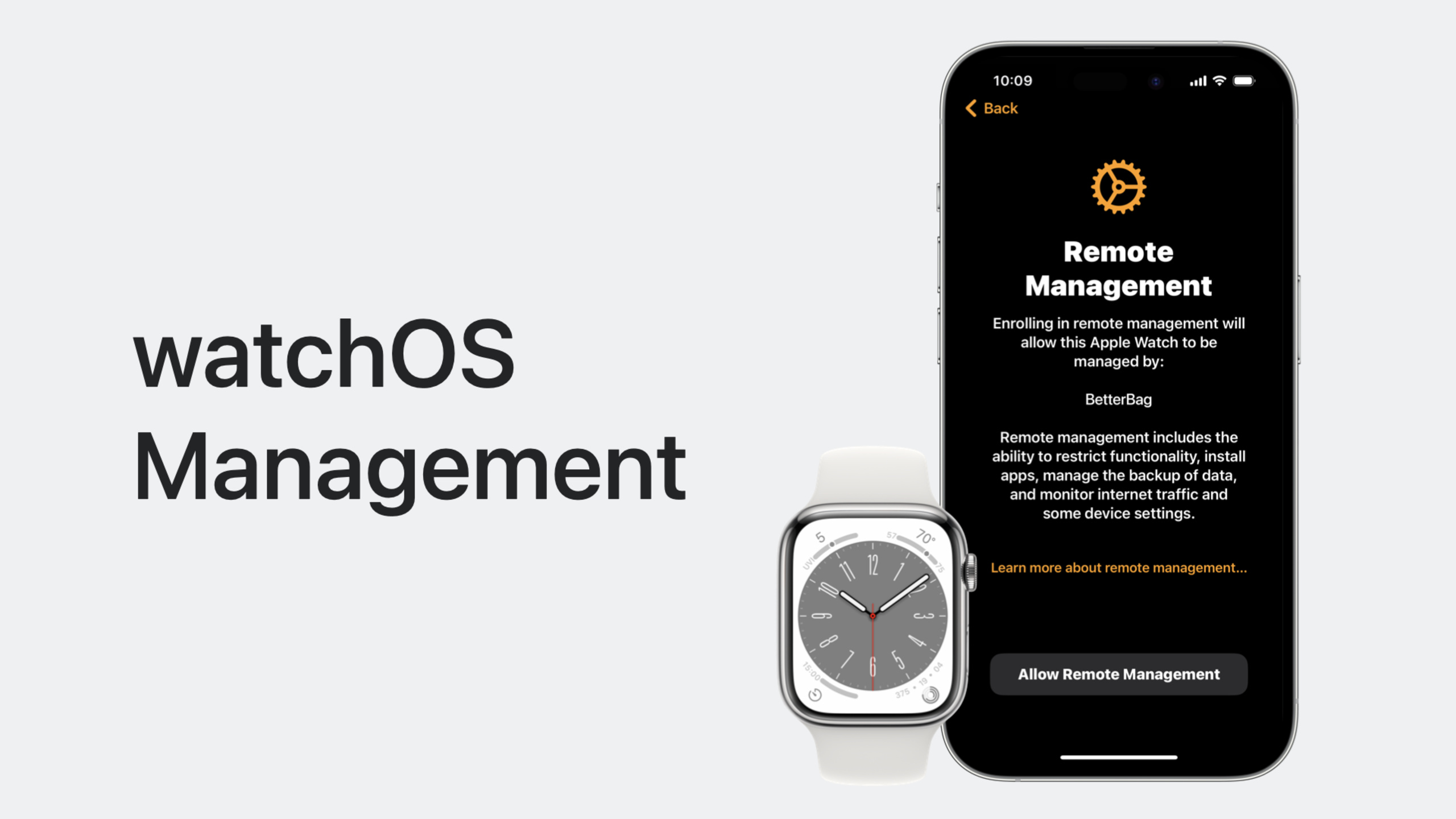
(00:59) watchOS 10 introduces Device Management for watchOS. Organizations can deploy and configure Apple Watch like other Apple devices for productivity, employee wellness, and safety scenarios.
(01:38) Apple Watch management is not isolated device management. It pairs with iPhone, sharing apps, restriction policies, and workflows. Enrollment therefore starts on iPhone: the host iPhone must already be enrolled in MDM and in supervised state. Apple Watch must be new or reset; already-paired watches must be erased and re-paired to enroll.
(02:34) Apple Watch enrollment depends on Declarative Device Management. The MDM server must support both Apple Watch and declarative device management. Admins first push Watch Enrollment configuration to iPhone, telling it that any Apple Watch paired afterward should enroll in MDM.
(03:17) Watch Enrollment configuration has two key items: enrollment URL endpoint and optional AnchorCertificateAssetReferences. The former provides the address where Apple Watch downloads the MDM profile; the latter is a set of anchor certificates for evaluating enrollment profile server trust. All anchor certificates must already be installed on iPhone as asset declarations.
(04:22) The security core of enrollment is the pairing token. When Apple Watch first contacts the MDM server, signed machine info has no pairing token yet. The server should return HTTP 403 with an error indicating missing Watch pairing token and provide a security-token in details. Apple Watch passes this security-token to iPhone. iPhone then sends a new GetToken check-in request to its MDM server with iPhone UDID, Apple Watch UDID, and security-token.
(06:49) The MDM server generates a secure pairing token from this information and returns it to iPhone. iPhone passes the token to Apple Watch. Apple Watch adds the token to Machine Info and requests enrollment again. After the server verifies the token, it confirms two things: the iPhone MDM server identity is trusted, and this Apple Watch’s pairing with this iPhone is trusted. The server then returns the MDM enrollment profile; Apple Watch installs it at the end of pairing. Finally, Apple Watch sends an Authenticate CheckIn request; enrollment completes and the watch enters supervised state.
(08:21) When building MDM products, the most important step is using enrollment data to establish the iPhone–Apple Watch relationship. Admins need UI that clearly shows which watches pair with which phones. Once Watch Enrollment configuration is applied to iPhone, all Apple Watches paired afterward are prompted to enroll; already-paired devices are unaffected and must be erased and re-paired.
(09:24) watchOS 10 supports declarative device management from day one. All declaration types are supported, including activation declaration predicates. The status channel also comes to Apple Watch, letting the watch proactively report status changes instead of server polling.
(10:05) Traditional MDM protocol is supported too. Payloads, restrictions, commands, and queries can all be sent to Apple Watch. For networking, watchOS 10 supports dedicated VPN, Wi-Fi, Cellular, and per-app VPN payloads. For security: SCEP, ACME certificates, passcode rules, and restrictions.
(11:17) Restrictions and passcode policies are directional. Restrictions and passcode rules applied to iPhone sync to the paired Apple Watch. For example, if iPhone requires a passcode, a managed Apple Watch also prompts the user to create one. If iPhone policy requires alphanumeric passcode, Apple Watch needs iPhone unlock after being removed from wrist. But restrictions and password payloads applied directly to Apple Watch do not sync back to iPhone.
(12:54) Unenrollment behavior also differs by platform. Whether the user removes the MDM profile or the server commands removal, Apple Watch unenrolls from MDM, unpairs from the host iPhone, and erases content and settings. This does not affect iPhone enrollment. Conversely, if the host iPhone unenrolls, Apple Watch is also unenrolled, unpaired, and reset.
(13:41) App deployment falls into three categories: Paired app, Dependent watchOS app, and Standalone watchOS app. The first two require admins to manage apps on both iPhone and Apple Watch. Install the iPhone app first, confirm success, then send install command to Apple Watch. Updates and removals need separate commands on both ends. Standalone watchOS apps only need an App Install command to the watch.
Detailed Content
Apple Watch enrollment prerequisites
1. Host iPhone enrolled in MDM
2. Host iPhone in supervised state
3. Apple Watch is new or reset
4. MDM server supports Declarative Device Management
5. MDM server supports Apple Watch enrollment
6. Watch Enrollment configuration pushed to iPhone
7. If using anchor certificates, corresponding asset declarations installed on iPhone first
Key points:
- Already-paired Apple Watch cannot enroll in place—must erase and re-pair
- Enrollment happens during watch pairing flow, not as a post-pairing step
- Declarative device management is a hard dependency, not an optional optimization
Role of Watch Enrollment configuration
Watch Enrollment configuration
  ├─ Enrollment URL endpoint
  │   └─ Apple Watch downloads and installs MDM profile
  └─ AnchorCertificateAssetReferences (optional)
      └─ Evaluate enrollment profile server trust
Key points:
- Configuration installs on iPhone but targets Apple Watches paired afterward
- All referenced anchor certificates must already exist on iPhone
- Once active, watches that begin pairing with this iPhone enter remote management prompt flow
Pairing token security flow
1. Apple Watch → Watch MDM server
   Send signed machine info (no pairing token)

2. Watch MDM server → Apple Watch
   Return HTTP 403
   details contain security-token

3. Apple Watch → iPhone
   Forward security-token

4. iPhone → iPhone MDM server
   GetToken check-in request
   contains:
   - iPhone UDID
   - Apple Watch UDID
   - security-token
   - TokenServiceType = Watch pairing token

5. iPhone MDM server → iPhone
   Return base64 encoded pairing token

6. iPhone → Apple Watch
   Forward pairing token

7. Apple Watch → Watch MDM server
   Send machine info with pairing token

8. Watch MDM server
   Verify token, confirm iPhone MDM identity and device pairing
   Return MDM enrollment profile
Key points:
- HTTP 403 is an intermediate protocol step triggering the token retrieval flow
- GetToken is a new CheckIn message type in watchOS 10
- MDM server must store iPhone UDID–Watch UDID relationships for UI and policy management
Management capability matrix
Declarative Device Management
  - All declaration types
  - Activation declaration predicates
  - Status channel proactive updates

MDM protocol
  - Payloads
  - Restrictions
  - Commands
  - Queries

Network payloads
  - Dedicated VPN
  - Wi-Fi
  - Cellular
  - Per-app VPN

Security payloads
  - SCEP certificates
  - ACME certificates
  - Passcode rules
  - Restrictions

Commands
  - Clear passcode
  - Lock device
  - Erase device
  - Remove MDM profile
  - App install / update / remove
Key points:
- Prefer status channel over polling when possible—watch battery is more sensitive
- iPhone policies sync to Watch; Watch policies do not sync back
- MDM queries still work but should not be the primary mechanism for status changes
App deployment types
Paired app
  - Watch app runs independently
  - Shares data with iPhone app
  - Both devices need commands when managing

Dependent watchOS app
  - Requires companion iPhone app to work
  - Install iPhone app first, then Watch app
  - Updates and removals sync on both ends

Standalone watchOS app
  - Exists only on watchOS
  - Send App Install command to Apple Watch only
Key points:
- Paired and Dependent app management is a dual-device workflow, not single-device commands
- Install order affects UX: iPhone first, then Watch
- Keep both ends consistent for delete and update to avoid leftover unusable apps
Core Takeaways
-
Add a “device pairing relationship” view to MDM console: Apple Watch management centers on the iPhone–Watch pair, not a single device. Admins need to view paired watches per iPhone, look up host iPhone per watch, and see whether policies are synced on both ends.
-
Build Watch enrollment as a migration wizard: Existing paired watches need erase and re-pair. MDM products can offer step-by-step guidance: check iPhone supervised state, confirm DDM support, push Watch Enrollment configuration, prompt user to reset and re-pair.
-
Replace high-frequency polling with status channel: Watch batteries are small; servers should not continuously query. Subscribe battery, profile status, policy status, and other key items to declarative device management status channel for proactive device reporting.
-
Design Watch-specific restriction policies for enterprise scenarios: iPhone policies sync to Watch but not vice versa. Use this directionality to set stricter or lighter restrictions on the watch without affecting employees’ primary phones.
Related Sessions
- Explore advances in declarative device management — declarative device management mechanism that Apple Watch enrollment depends on
- What’s new in managing Apple devices — device management updates for iOS, iPadOS, and macOS
- Meet watchOS 10 — watchOS 10 system design and platform capabilities background
Comments
GitHub Issues · utterances