
Highlight
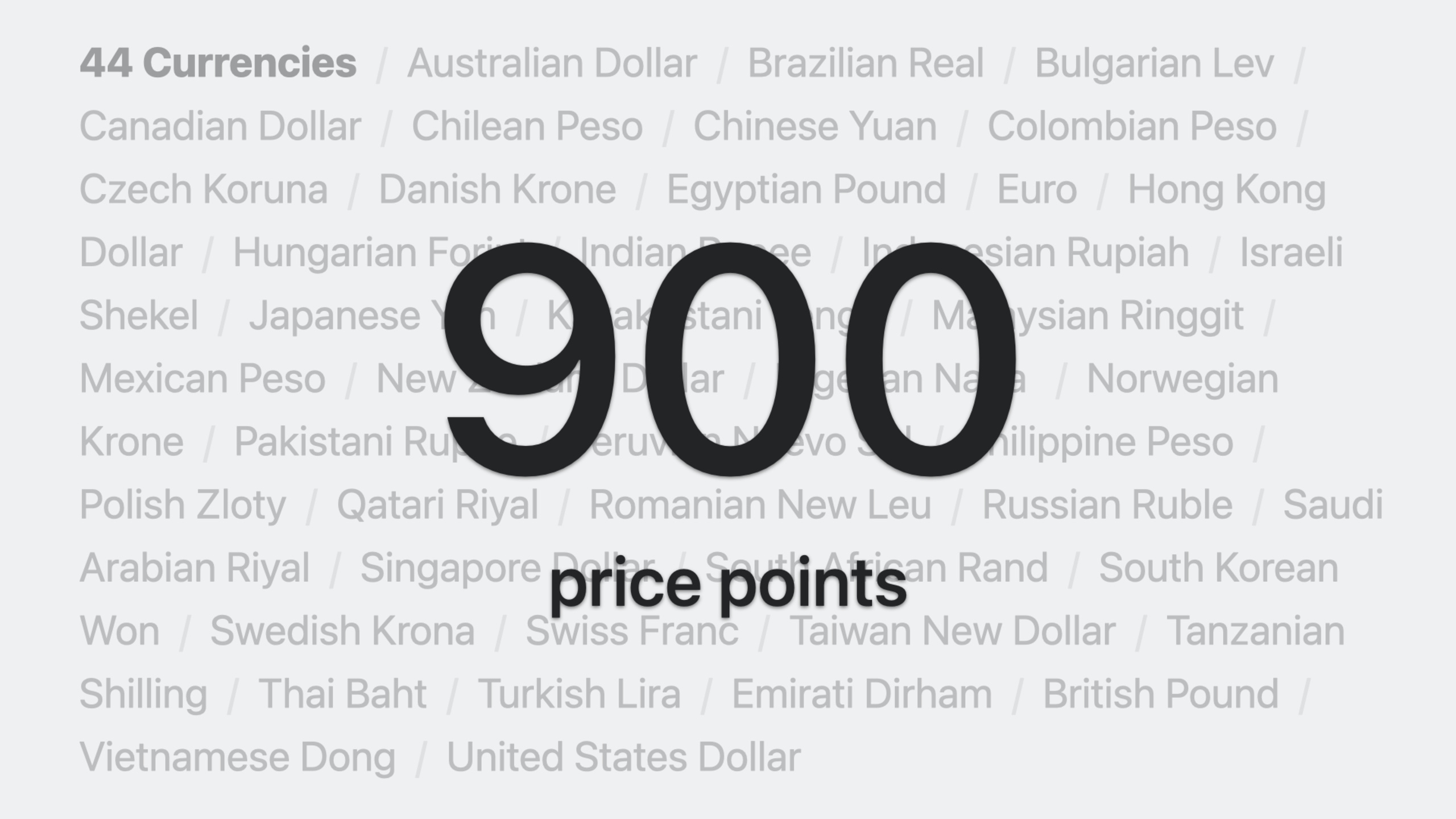
The App Store pricing system received its biggest update ever in March 2023: price points expanded from fewer than 100 to 900, you can choose any of 175 regions as the base for automatically generating global prices, and two new per-region pricing modes were added—temporary prices and custom prices.
Core Content
Before March 2023, managing App Store pricing was a pain. The App Store covers 175 regions and 44 currencies, each with different tax rates. Every time you adjusted prices, you had to calculate them manually for each region—or accept a limited set of price tiers.
In March 2023, Apple launched the largest pricing system upgrade since the App Store launched. This update addressed three core problems: too few price points, inflexible global pricing, and no way to manage pricing finely by region.
Price points expanded from fewer than 100 to 900
Previously, price tiers were very limited—$0.99, $1.99, $2.99, and so on. Many developers found certain price points didn’t fit their business model, but had no alternatives.
Price points now expand to 900. By default, 800 are available; if you need higher prices, you can request an additional 100 high-tier price points. These price points apply to all 44 currencies (01:30).
Base region + automatic global price equalization
Previously, pricing defaulted to the United States as the base, with other regions converted automatically. If you wanted to base pricing on the Japanese market, you couldn’t.
Now you can choose any of 175 regions as the “base region.” The App Store generates equivalent prices for the other 174 regions based on the base region’s price, combined with foreign exchange rates and local tax rates (02:14).
For example: choose the United States as the base region and set a base price of $7.99. The App Store automatically calculates prices for the other 174 regions. The price generated for the UK market might be £7.99, following local pricing conventions (the UK prefers .99 endings).
When exchange rates fluctuate, the App Store automatically adjusts prices in other regions to stay consistent with the base price. If the pound depreciates against the dollar, the UK price adjusts upward. But the base region’s price does not adjust automatically—it is the anchor (03:28).
Any automatic adjustment appears in App Store Connect at least 14 days in advance, giving you enough time to review (07:09).
Three price change types: global, temporary, and custom
Beyond initial pricing, you can schedule three types of price changes (07:53):
Global Price Change: Modify the base price, and other regions follow automatically. Suitable for overall price increases or decreases. For example, adjust the base price from $7.99 to $9.99, effective January 1, 2024.
Temporary Price: Set a promotional price in specific regions for a specific time period. For example, in Canada and France, lower the price to $4.99 / €4.99 from February 1 to February 3. The original price restores automatically after expiration (16:06).
Custom Price: Permanently set a different price in specific regions. For example, set $9.99 uniformly in the United States and Argentina. Note that once you set a custom price, the App Store no longer automatically adjusts that region’s price—you need to track exchange rate changes yourself (17:15).
If you set a custom price for the base region, automatic adjustment for all regions is disabled—this is a key design decision.
Detailed Content
Workflow in App Store Connect
The complete pricing setup flow in App Store Connect is as follows (04:56):
- Click “Pricing and Availability” in the sidebar
- Under “Price Schedule,” click “Add Pricing”
- Select the base region (e.g., United States)
- Choose a price from the dropdown. By default, 25 common price points are shown; scroll to the bottom and click “See Additional Prices” to view all 900
- Confirm prices auto-generated for the other 174 regions
- Review and confirm
After setup, the Price Schedule area shows a “May Adjust Automatically” label, indicating that prices outside the base region may adjust automatically due to exchange rate or tax rate changes.
App Store Connect API
The core resource for the pricing API is AppPriceSchedules, which has three relationships (08:54):
baseTerritory: Base regionmanualPrices: Manually set pricesautomaticPrices: Auto-generated prices
API call order to read the full price schedule:
GET /appPriceSchedules/{appId}/baseTerritory
GET /manualPrices
GET /automaticPrices
Each AppPrice links to an AppPricePoint, and each AppPricePoint links to a territory (Territory). AppPricePoint and Territory are read-only reference data.
Setting price changes requires the POST /appPriceSchedules endpoint. This endpoint overwrites the existing price schedule, so you need to include both current and new prices. The request body must specify:
apprelationship: app IDbaseTerritoryrelationship: base region IDmanualPricesrelationship: list of manual prices
Key steps for scheduling a global price change (11:23):
- Fetch all available price points for the base region
- Select a base price and record its ID
- Use
GET /equalizationsto preview equivalent prices in other regions - Build the
POST /appPriceSchedulesrequest body
Example request body structure:
{
  "data": {
    "type": "appPriceSchedules",
    "relationships": {
      "app": { "data": { "type": "apps", "id": "your-app-id" } },
      "baseTerritory": { "data": { "type": "territories", "id": "USA" } },
      "manualPrices": {
        "data": [
          { "type": "appPrices", "id": "${newprice-0}" },
          { "type": "appPrices", "id": "${newprice-1}" }
        ]
      }
    }
  },
  "included": [
    {
      "type": "appPrices",
      "id": "${newprice-0}",
      "relationships": {
        "pricePoint": {
          "data": { "type": "appPricePoints", "id": "current-price-point-id" }
        }
      }
    },
    {
      "type": "appPrices",
      "id": "${newprice-1}",
      "attributes": { "startDate": "2024-01-01" },
      "relationships": {
        "pricePoint": {
          "data": { "type": "appPricePoints", "id": "new-price-point-id" }
        }
      }
    }
  ]
}
Key points:
- Temporary IDs (such as
${newprice-0}) can be any value, as long as they follow the${...}syntax - When the current price’s
startDateis null, the price takes effect immediately - To schedule a future price change, set the current price’s
endDateto the new price’sstartDate - Temporary prices define promotional periods by setting
startDateandendDate - Test the API on an unpublished app to avoid accidentally affecting live prices
Notes on changing the base region
For apps and in-app purchases created before March 9, 2023, the United States was automatically set as the default base region. Review your base region settings and adjust as needed (25:02).
Changing the base region resets the existing price schedule. Review carefully before proceeding to ensure all price configurations meet expectations.
Legacy API deprecation
App Store Connect API version 2.3 introduced the new pricing API. Legacy pricing-related APIs will retire at the end of 2023. Migrate to the new API as soon as possible to use expanded price points and advanced pricing features (25:49).
Core Takeaways
Based on the new pricing capabilities introduced in this session, here are directions you can act on immediately:
-
Implement automated exchange-rate hedging pricing: Set your base region to your largest revenue market and let the App Store automatically manage exchange rate fluctuations across the other 174 regions. No more manually monitoring foreign exchange markets. Start from the Pricing and Availability page in App Store Connect and select your primary market as the base region.
-
Run holiday promotions for specific markets: Use temporary pricing to set short-term discounts during local holidays in different regions. For example, set different promotional prices for Golden Week in Japan, Singles’ Day in China, and Black Friday in the United States. Set temporary manual prices with
startDateandendDateviaPOST /appPriceSchedules. -
Regional differentiated pricing strategy: If your app faces different competitive landscapes across markets, use custom prices to set lower prices in highly competitive markets while maintaining base prices in mature markets. In App Store Connect, select “Manually manage prices in specific countries or regions” to get started.
-
Build a pricing management dashboard: Use the new App Store Connect API to build an internal dashboard for batch-managing global pricing across all apps. The trio of
GET /appPriceSchedules,GET /equalizations, andPOST /appPriceSchedulesAPIs enables full pricing CRUD operations. -
Automate scheduled price changes: Combine the new API’s global price change feature with scripts to automatically schedule price adjustments for all apps at fixed times each year (such as year-end). The key API is
POST /appPriceSchedules—pass both current and future prices in theincludedarray to schedule changes.
Related Sessions
- What’s new in App Store Connect — Learn about the latest App Store Connect updates, including tools for testing, submitting, and managing apps
- What’s new in App Store server APIs — Learn about the latest App Store server API enhancements, including new endpoints for managing in-app purchases
- Meet StoreKit for SwiftUI — Learn how to add in-app purchases in SwiftUI with StoreKit; pricing is a key part of in-app purchase configuration
- Explore testing in-app purchases — Learn how to test in-app purchases during development with StoreKit Testing, including testing different pricing schemes
Comments
GitHub Issues · utterances