
Highlight
macOS Sonoma’s Virtualization framework adds resizable displays, VM state save and restore, Network Block Device (NBD) storage, NVMe controller support, and Rosetta 2 cache optimizations—making virtual Macs and Linux VMs more usable, flexible, and performant.
Core Content
Previously, when running VMs with the Virtualization framework, display resolution was fixed. Enlarge the window and the VM display would not follow—either leaving black bars or requiring manual resolution changes. This made daily work inside a virtual Mac unfriendly.
(01:19) macOS Sonoma adds the automaticallyReconfiguresDisplay property. When enabled, VM display resolution adjusts in real time with window size for better space utilization.
Another pain point was VM lifecycle management. Previously, shutting down a VM meant power loss—all unsaved work state was lost. Reopening required a cold boot; apps, documents, and browser tabs all had to be reopened.
(01:31) Sonoma introduces save and restore. A running VM can be fully serialized to a disk file and restored to its saved state at any time. Useful for backing up work progress and quickly switching task contexts.
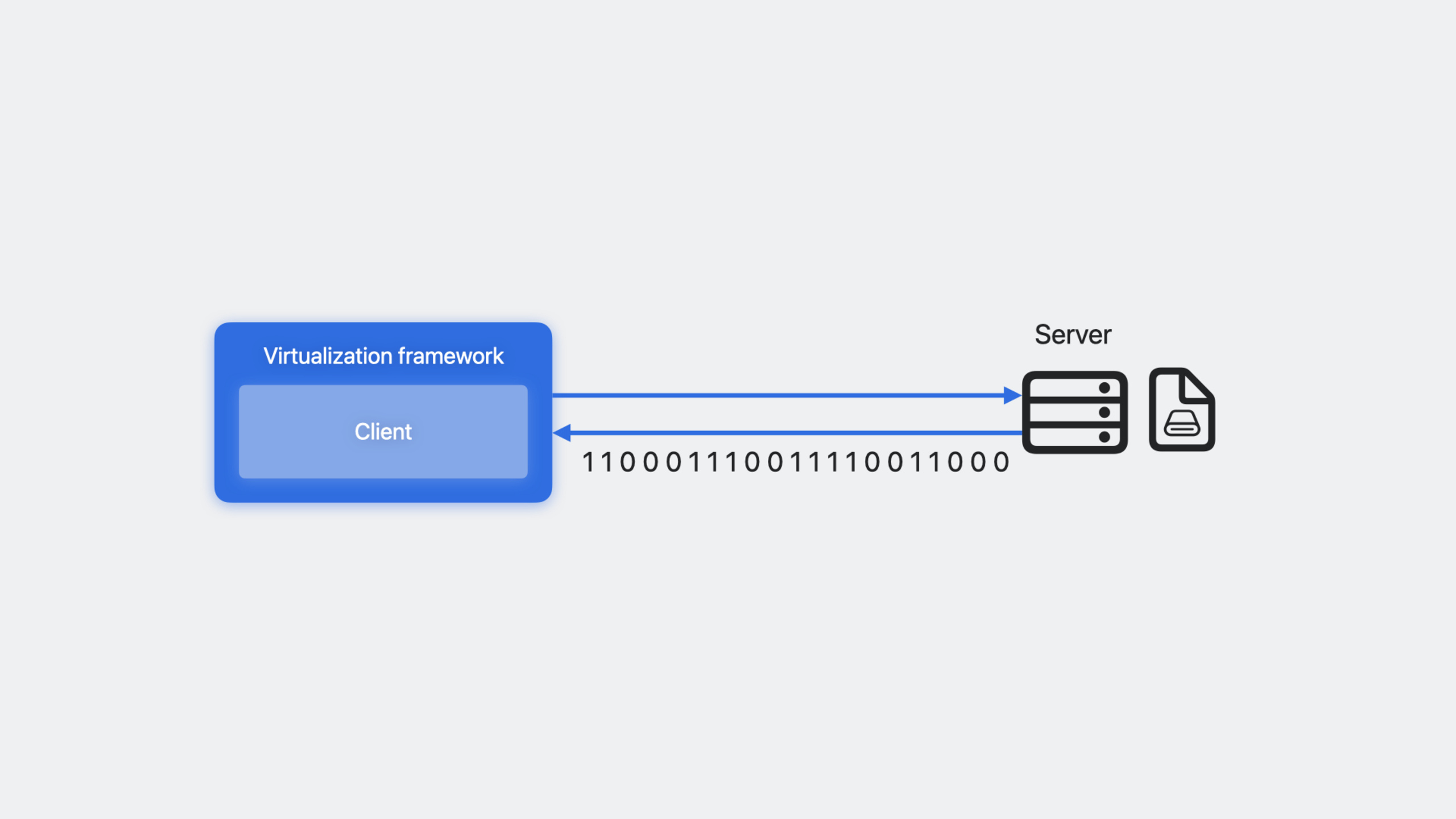
For storage, disk images could previously only live locally. Now remote storage can be mounted via Network Block Device (NBD) protocol, letting VM disks live on remote servers—especially valuable for data center scenarios.
(12:04) Rosetta 2 performance in Linux VMs also improved. A translation cache daemon was added; repeatedly used x86_64 code no longer needs retranslation, making compile and package install exec-heavy tasks noticeably faster.
Detailed Content
Resizable display
(01:58) VZVirtualMachineView adds a boolean property automaticallyReconfiguresDisplay. When set to true, resizing the window automatically notifies the VM to adjust resolution.
let virtualMachineView = VZVirtualMachineView()
virtualMachineView.virtualMachine = virtualMachine

virtualMachineView.automaticallyReconfiguresDisplay = true
Key points:
VZVirtualMachineViewis the native view component provided by the Virtualization frameworkautomaticallyReconfiguresDisplaydefaults tofalse, preserving fixed-resolution behavior- When set to
true, the VM receives display configuration change events and adjusts resolution dynamically - Both virtual Mac and Linux VM support this feature
Saving and restoring VM state
(04:20) Pause the VM before saving to ensure execution is in a stable state:
// virtualMachine is a running VZVirtualMachine.
try await virtualMachine.pause()

let saveFileURL = URL(filePath: "SaveFile.vzvmsave", directoryHint: .notDirectory)
try await virtualMachine.saveMachineStateTo(url: saveFileURL)
Key points:
pause()suspends the VM; CPU execution stopssaveMachineStateTo(url:)writes complete runtime state to the specified file- External resources (such as disk images) must be copied and backed up separately
- Save files are hardware-encrypted; other Macs or user accounts cannot read them
(04:58) To restore, create a new VM instance from the same configuration, then load the save file:
let configuration = VZVirtualMachineConfiguration()
// Customize configuration.

let virtualMachine = VZVirtualMachine(configuration: configuration)

let saveFileURL = URL(filePath: "SaveFile.vzvmsave", directoryHint: .notDirectory)
try await virtualMachine.restoreMachineStateFrom(url: saveFileURL)

try await virtualMachine.resume()
Key points:
- Do not call
start()before restore, or you get a cold boot restoreMachineStateFrom(url:)loads saved state dataresume()resumes execution; the VM returns to the exact saved state- Save files have version numbers; the framework returns specific error codes when formats are incompatible
Network Block Device (NBD) storage
(09:28) The Virtualization framework implements an NBD protocol client. Storage can live on an NBD server anywhere:
let url = URL(string: "nbd://localhost:10809/myDisk")!
let attachment = try VZNetworkBlockDeviceStorageDeviceAttachment(url: url)

let blockDevice = VZVirtioBlockDeviceConfiguration(attachment: attachment)
Key points:
VZNetworkBlockDeviceStorageDeviceAttachmentis a new attachment type- URL format is
nbd://host:port/diskName - Can be used with
VZVirtioBlockDeviceConfigurationorVZUSBMassStorageDeviceConfiguration - Completely transparent to the VM; the VM does not know storage is remote
(10:02) Network connections may drop; listen for state changes via delegate:
let url = URL(string: "nbd://localhost:10809/myDisk")!
let attachment = try VZNetworkBlockDeviceStorageDeviceAttachment(url: url)

let delegate = NetworkBlockDeviceAttachmentDelegate()
attachment.delegate = delegate

let blockDevice = VZVirtioBlockDeviceConfiguration(attachment: attachment)
Key points:
- Delegate conforms to
VZNetworkBlockDeviceStorageDeviceAttachmentDelegate - On disconnect, pause the VM or attempt reconnection
- Custom I/O logic (special image formats or physical drives) can be implemented on the NBD server side
NVMe controller support
(11:21) Some Linux kernels lack virtio drivers but usually have NVMe drivers. Sonoma adds emulated NVMe controller support:
let nvmeDevice = VZNVMExpressControllerDeviceConfiguration(attachment: attachment)Key points:
VZNVMExpressControllerDeviceConfigurationis a new device type- Linux VM only; virtual Mac still recommends virtio block
- Also supports NBD attachments
Rosetta 2 cache optimization
(13:46) Rosetta 2 in Linux VMs adds a translation cache daemon. Configure a communication channel and start the daemon inside the VM:
// Configure Rosetta 2 runtime communication channel with cache daemon
let rosettaConfiguration = VZRosettaDirectoryShare()
// After starting the daemon inside the VM, dynamic linking requests forward to the daemon
// Rosetta 2 runtime fetches pre-translated binaries directly from the daemon
Key points:
- Translation results are cached to disk and shared across apps
- Avoids retranslating the same libraries and executables
- Most noticeable improvement for exec-heavy tasks like compiling and package installation
Core Takeaways
-
Build a VM manager with snapshot support
- Use
saveMachineStateToandrestoreMachineStateFromto auto-save VM state on app exit for instant reopen - Implementation: listen for app lifecycle events and call save API in
applicationWillTerminate
- Use
-
Build a remote development environment
- Use NBD to place VM disks on company servers or cloud hosts; local Mac runs only compute
- Implementation: set up an NBD server and configure
VZNetworkBlockDeviceStorageDeviceAttachmentto mount remote disks
-
Build an x86 Linux compatibility testing tool
- Use Rosetta 2 cache optimization to quickly run x86_64 Linux builds and tests on Apple Silicon Macs
- Implementation: create a Linux VM, enable Rosetta 2, configure shared folder to mount project code
-
Adaptive-resolution virtual desktop client
- Enable
automaticallyReconfiguresDisplayso remote virtual desktop always fills the local window - Implementation: set the property when creating
VZVirtualMachineView, listen for container view size changes
- Enable
Related Sessions
- Create macOS or Linux virtual machines — WWDC22 Virtualization framework introduction; good foundation before this session
- What’s new in Swift — This session’s APIs heavily use Swift async/await; knowing latest Swift features helps use these APIs better
- Meet SwiftData — If your VM management app needs to persist configuration and snapshot metadata, SwiftData is ideal
Comments
GitHub Issues · utterances