
Highlight
AVFoundation introduced a series of async/await APIs at WWDC22, so that operations such as video thumbnail generation, audio and video synthesis, and resource attribute reading no longer block the main thread, and new
entireLengthAvailableOnDemandFlag to optimize playback performance of local custom data sources.
Core Content
Thumbnail generation: from blocking to asynchronous
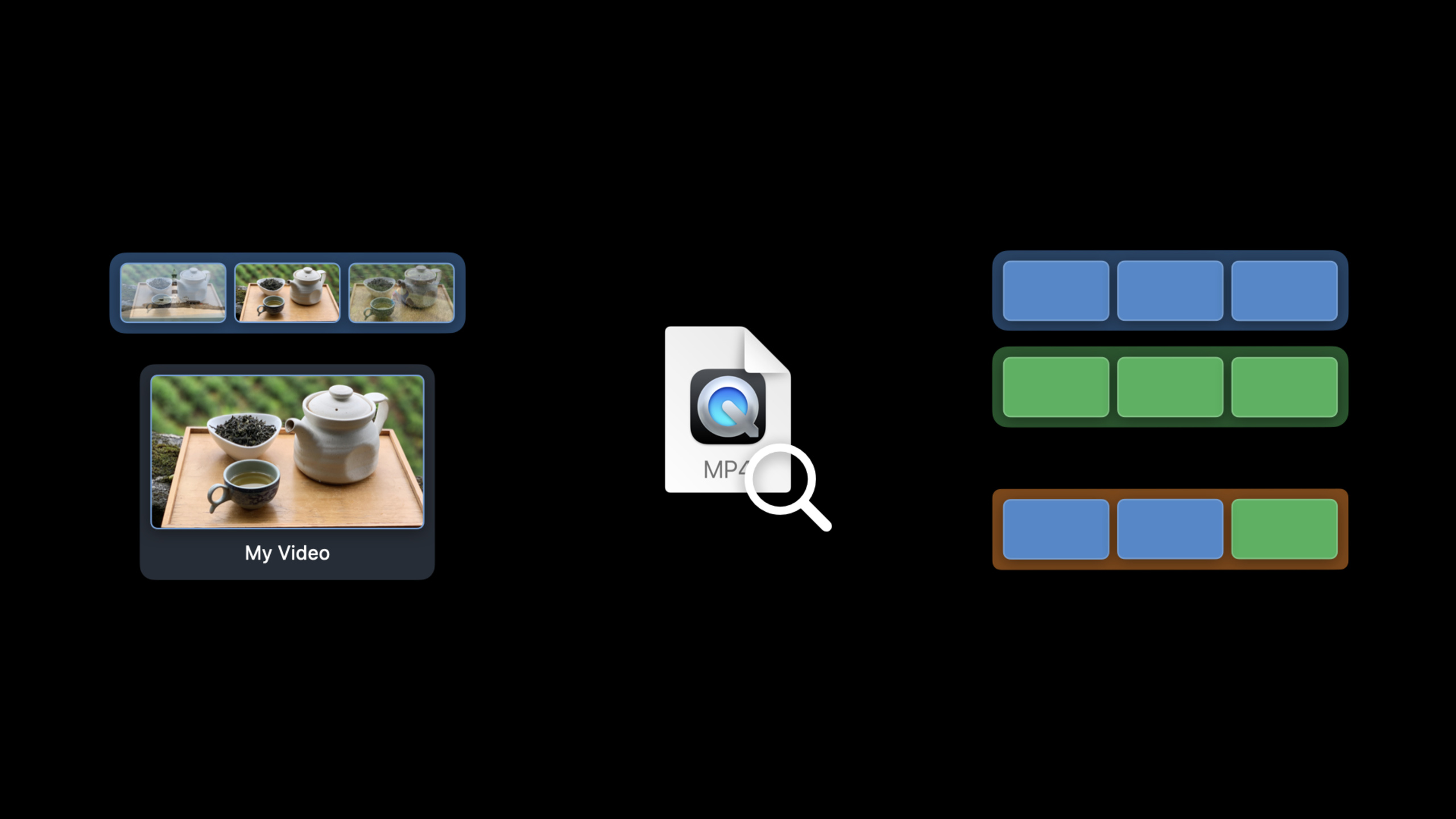
There is a video player in your app. When the user drags the progress bar, you want to display a preview of the corresponding time point above the progress bar. This requirement is very common, but the implementation method directly affects the user experience.
Used beforeAVAssetImageGeneratorofcopyCGImage(at:actualTime:)Method generates thumbnails. This method loads video frame data synchronously on the main thread. When the video file is large and stored on a remote server, the main thread will be stuck, the UI will freeze, and all the user can see is spinning in circles.
WWDC22 givesAVAssetImageGeneratoraddimage(at:)Asynchronous methods. The thread is released immediately when called, and then passed after the data loading is completed.awaitReturn results. The user interface remains responsive and thumbnail generation occurs in the background.
Batch thumbnails: Async Sequence makes the code more natural
It is necessary to generate thumbnails of multiple time points at one time, such as previewing the entire timeline. Used beforegenerateCGImagesAsynchronously(forTimes:completionHandler:), need to put[CMTime]mapped to[NSValue], processing the results in the callback, the code is lengthy.
New APIimages(for:)Accept directly[CMTime], returns an Async Sequence. usefor awaitThe loop obtains results one by one, and success and failure are handled in the loop body. The code structure is as intuitive as traversing the array synchronously.
Audio and video synthesis: hidden synchronization traps
AVMutableCompositionofinsertTimeRange(_:of:at:)It seems that it just inserts a reference into the composite track, but internally it reads the track information of the source resource synchronously. If the track data has not been loaded yet, the main thread will block here.
WWDC22 launchedinsertTimeRangeAn asynchronous version that automatically loads the required properties in the background.AVVideoCompositionThe constructor and validation methods also have asynchronous versions, eliminating the need to manually preload resource properties.
Resource property reading: type-safe alternative to string keys
introduced last yearload(_:)The method replaces traditional string key-value loading with type-safe property identifiers. If the string key is spelled incorrectly, no error will be reported, but it will cause the properties to be loaded synchronously and block the thread.load(_:)Errors can be found at compile time and attribute values of the specified type are directly returned.
This year Apple officially abandoned string-based asynchronous key-value loading and recommends all new code to use it.load(_:)。
Custom data source: local media skips caching
useAVAssetResourceLoaderWhen loading a custom data source, AVAsset manages cache by default based on network communication assumptions. Even if the data is local, it will wait until the cache is filled before starting playback.
new propertiesentireLengthAvailableOnDemandTells AVAsset that the data can be fetched immediately on demand, skipping the caching mechanism. This reduces memory usage and shortens playback startup time. But it only applies to purely local data sources, and network operations involved will cause unreliable playback.
Detailed Content
Generate a single thumbnail asynchronously
(01:41)
func thumbnail() async throws -> UIImage {
    let generator = AVAssetImageGenerator(asset: asset)
    generator.requestedTimeToleranceBefore = .zero
    generator.requestedTimeToleranceAfter = CMTime(seconds: 3, preferredTimescale: 600)
    let thumbnail = try await generator.image(at: time).image
    return UIImage(cgImage: thumbnail)
}
Key points:
AVAssetImageGenerator(asset:)Create a generator and bind it to the target video resource -requestedTimeToleranceBeforeandrequestedTimeToleranceAfterSet a time tolerance to give the generator more frame selection space -generator.image(at: time)Is a new asynchronous method that returns(image: CGImage, actualTime: CMTime)tuple -.imageGet the CGImage directly, eliminating the step of unpacking the tuple -CMTime(seconds: 3, preferredTimescale: 600)Indicates a tolerance of 3 seconds, timescale 600 is a common precision for video editing
Regarding tolerance: Video compression frames are divided into iFrames (key frames, which can be decoded independently) and dependent frames (need adjacent frames to be decoded). Setting the time tolerance to zero will force the generator to find a precise time point. That frame is most likely a dependent frame, and the generator will have to load multiple surrounding frames. Relaxing the tolerance allows the generator to select the nearest keyframe, load less data, and return faster.
Generate thumbnails in batches
(02:56)
func timelineThumbnails(for times: [CMTime]) async {
    for await result in generator.images(for: times) {
        switch result {
        case .success(requestedTime: let requestedTime, image: let image, actualTime: _):
            updateThumbnail(for: requestedTime, with: image)
        case .failed(requestedTime: let requestedTime, error: _):
            updateThumbnail(for: requestedTime, with: placeholder)
        }
    }
}
Key points:
images(for:)accept[CMTime], no need to convert to[NSValue]- Returns the Async Sequence, usingfor awaitConsume results one by one- Each result contains
requestedTime(requested time point),image(generated image),actualTime(actual frame time used) - Go when you fail
.failedBranch, you can fall back to the placeholder map
More concise way of writing:
(03:49)
func timelineThumbnails(for times: [CMTime]) async {
    for await result in generator.images(for: times) {
        updateThumbnail(for: result.requestedTime, with: (try? result.image) ?? placeholder)
    }
}hereresult.imageMay throw an error, usetry?Convert to optional value, used when failure?? placeholderreveal all the details.
Asynchronous audio and video synthesis
(04:40)
let composition = AVMutableComposition()
try await composition.insertTimeRange(timeRange, of: asset, at: startTime)
Key points:
insertTimeRangeThere is nowawaitVersion- Internal automatic asynchronous loading
assetorbital information - No need to do it manually first
try await asset.load(.tracks)
Video composition verification also supports asynchronous:
(04:57)
let videoComposition = try await AVVideoComposition.videoComposition(withPropertiesOf: asset)
try await videoComposition.isValid(for: asset, timeRange: range, validationDelegate: delegate)
Type-safe resource attribute loading
(05:33)
Old way of writing (obsolete):
asset.loadValuesAsynchronously(forKeys: ["duration", "tracks"]) {
    guard asset.statusOfValue(forKey: "duration", error: &error) == .loaded else { ... }
    guard asset.statusOfValue(forKey: "tracks", error: &error) == .loaded else { ... }
    myFunction(thatUses: asset.duration, and: asset.tracks)
}
New way of writing:
let (duration, tracks) = try await asset.load(.duration, .tracks)
myFunction(thatUses: duration, and: tracks)
Key points:
- The old way of writing is using strings
"duration"、"tracks"When making keys, the compiler will not report errors for spelling errors, and synchronous loading during runtime will cause lags. - New writing style
.duration、.tracksis type safeAVAsyncProperty, spelling errors can be found during compilation - once
loadThe call can load multiple properties and receive the results as a tuple - Applicable to
AVAsset、AVAssetTrack、AVMetadataItemand its subcategories
Synchronous insertion of composite tracks (special case)
(07:06)
let composition = AVMutableComposition()
guard let compositionTrack = composition
    .addMutableTrack(withMediaType: .video, preferredTrackID: 1) else { return }

try compositionTrack.insertTimeRange(firstFiveSeconds,
                                     of: videoTrack1, at: .zero)

try compositionTrack.insertTimeRange(firstFiveSeconds,
                                     of: videoTrack2, at: fiveSeconds)
Key points:
- Synth track insertion can be performed synchronously because
AVMutableCompositionis a data structure in memory - No file I/O involved, no blocking of the main thread
- This is one of the few classes that retains synchronized property access
Optimize local custom data sources
(09:09)
let resourceLoader = asset.resourceLoader
resourceLoader.setDelegate(myDelegate, queue: myQueue)
// Set in the delegate
// resourceLoader.entireLengthAvailableOnDemand = true
Key points:
AVAssetResourceLoaderLet the app customize data loading logic -entireLengthAvailableOnDemandTell the system that data is available immediately- Skip the cache mechanism, reduce memory usage, and speed up playback startup
- Only applicable to purely local data. Playback will be unstable after the network data source is turned on.
Core Takeaways
1. Real-time timeline preview for video editor
- What to do: On the timeline of the video editing app, display a thumbnail preview of the corresponding time point when the mouse is hovered
- Why it’s worth doing:
images(for:)Async Sequence is naturally suitable for streaming to generate timeline thumbnails.requestedTimeToleranceAfterSet reasonable tolerances to respond quickly when the user drags - How to start: Use
AVAssetImageGeneratorofimages(for:)Method, generate thumbnails at fixed intervals (such as every 1 second) and save them toNSCachereuse
2. Local encrypted video player
- What to do: Play encrypted videos stored in custom containers, such as offline course packages for educational apps
- Why it’s worth doing:
AVAssetResourceLoader+entireLengthAvailableOnDemandMake decryption and playback seamless, and local data will start faster after skipping the cache. - How to start: Implementation
AVAssetResourceLoaderDelegate,existresourceLoader(_:shouldWaitForLoadingOfRequestedResource:)Decrypt the data and return, setentireLengthAvailableOnDemand = true
3. Video splicing/mixed cutting tool
- What to do: Allow users to select multiple video clips and splice them into one video in sequence, and support adding transition effects
- Why it’s worth doing: Async
insertTimeRangeandAVVideoCompositionThe asynchronous construction method allows multi-segment video synthesis to no longer be stuck in the UI, and the synthesis results can be previewed in real time. - How to get started: Create
AVMutableComposition, use asynchronousinsertTimeRangeTo insert each fragment, useAVVideoComposition.videoComposition(withPropertiesOf:)To generate a transition, useAVPlayerItemPreview
4. Video information quick scanning tool
- What to do: Batch scan videos in albums or folders to extract metadata such as duration, resolution, bitrate, etc.
- Why it’s worth doing:
asset.load(.duration, .tracks)Type-safe API makes batch processing code more reliable, and async/await makes concurrency control easier - How to start: Use
TaskGroupTo load the properties of multiple videos concurrently, useload(.formatDescriptions, .naturalSize)Get technical parameters
Related Sessions
- Meet async sequence — Learn more about how Swift Async Sequence works and cooperate with
images(for:)Use - Discover concurrency in SwiftUI — Combine AVFoundation’s asynchronous API to build a responsive interface in SwiftUI
- Add Live Text interaction to your app — Overlay text recognition capabilities on video frames, used in conjunction with thumbnail generation
- What’s new in AVQT — New features for AVFoundation video quality tools, complementary to media processing
Comments
GitHub Issues · utterances