
Highlight
iOS 16 will
MPNowPlayingSessionExtended from tvOS to iPhone and iPad, with the automatic metadata publishing function, developers can make the application’s playback information correctly displayed on the control center, lock screen, Apple Watch and HomePod with just a few lines of code.
Core Content
Now Playing everywhere
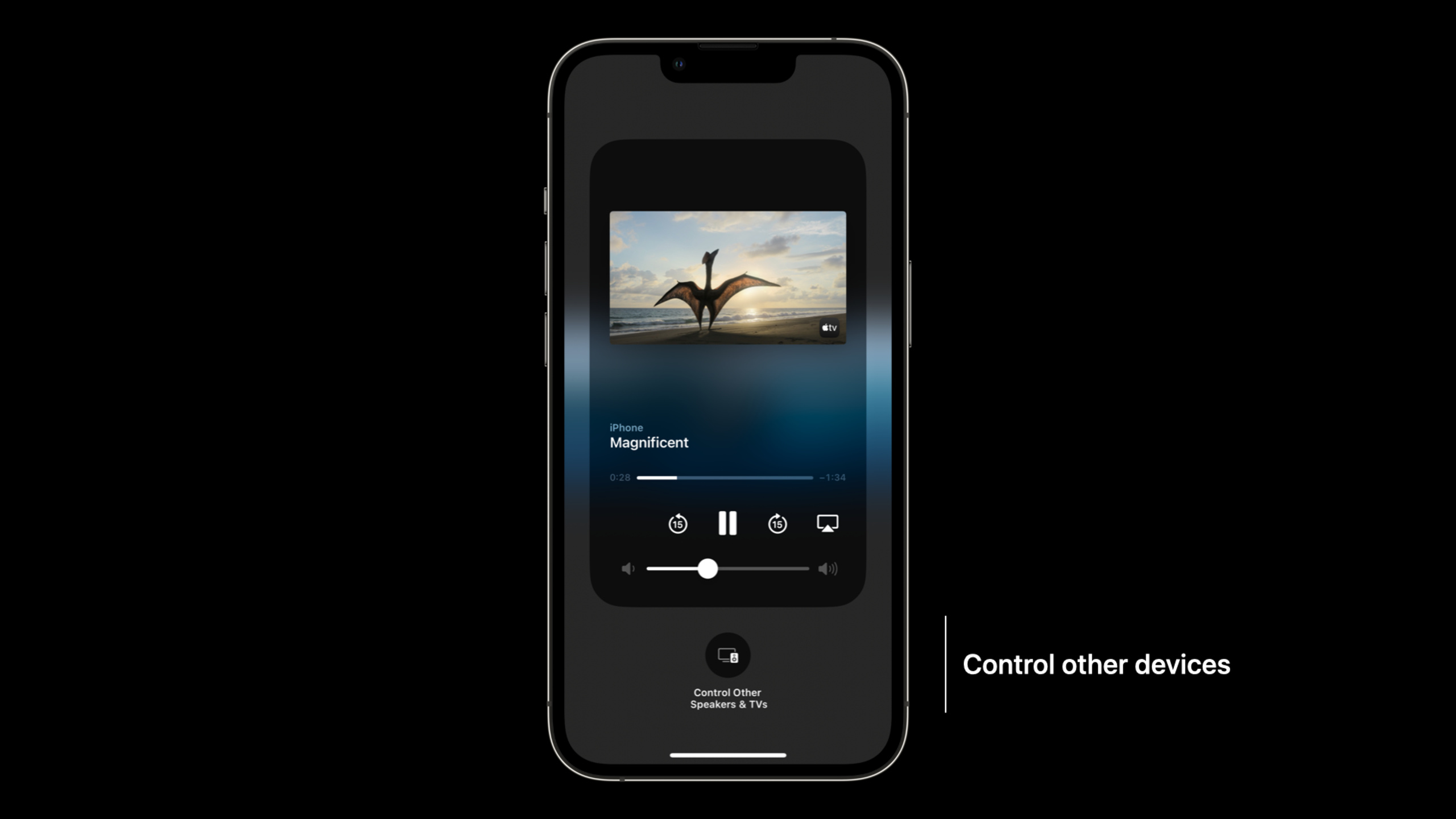
When users adjust the volume in the Control Center, they will see the cover and title of the currently playing content. Quickly pause or AirPlay to other devices while locked. There’s also the Now Playing App on Apple Watch, and there’s even an Apple TV remote built-in.
These interfaces all rely on the application to publish metadata correctly. If the metadata is missing or not updated in time, the user experience will be broken - the cover will not be displayed, the progress bar will be inaccurate, and the remote control will not respond.
MPNowPlayingSession unifies multiple platforms
(02:18)
MPNowPlayingSessionPreviously exclusive on tvOS, iOS 16 is officially available. It represents an independent playback session, and an application can have multiple sessions - such as one for the main player and one for picture-in-picture.
The system determines whether an application is eligible to become a Now Playing application based on two conditions:
- Register at least one remote command handler
2.
AVAudioSessionConfigure as non-mixing category
Automatic release reduces maintenance burden
(07:16)
iOS 16 adds automatic metadata publishing. After opening,MPNowPlayingSessionAutomatically observe player status and update fields such as duration, elapsed play time, and play status in real time. Developers only need to set the title and cover and leave the rest to the system.
Detailed Content
Create a playback session
(04:34)
Single player scenario:
self.session = MPNowPlayingSession(players: [player])Picture-in-picture scene, two independent sessions:
self.session = MPNowPlayingSession(players: [player])
self.pipSession = MPNowPlayingSession(players: [pipPlayer])
Multiple perspectives and same content scenarios, multiple players in one session:
self.session = MPNowPlayingSession(players: [topLeft, topRight, bottomLeft, bottomRight])Key points:
- the same
MPNowPlayingSessionMultiple players within should belong to the same content - Multi-session scenarios require manual promotion of active sessions
Switch active session
(04:58)
To switch active sessions when picture-in-picture content is full screen:
self.pipSession.becomeActiveIfPossible { becameActive in
    // After success, pipSession data is populated on the Lock Screen and in Control Center
    // Remote control commands are also routed to pipSession
}
Key points:
becomeActiveIfPossibleIt is asynchronous, and the success is confirmed through callback.- The system may refuse to switch (if another app is playing)
Respond to remote commands
(05:32)
Play and pause:
self.session = MPNowPlayingSession(players: [player])

self.session.remoteCommandCenter.playCommand.addTarget { event in
    player.play()
    return .success
}

self.session.remoteCommandCenter.pauseCommand.addTarget { event in
    player.pause()
    return .success
}
Fast forward command:
self.session.remoteCommandCenter.skipForwardCommand.preferredIntervals = [15.0]
self.session.remoteCommandCenter.skipForwardCommand.addTarget { event in
    let skipCommand = event as! MPSkipIntervalCommandEvent
    let newTime = CMTimeAdd(
        player.currentTime(),
        CMTimeMakeWithSeconds(skipCommand.interval, preferredTimescale: 1)
    )
    player.seek(to: newTime)
    return .success
}

// Disable fast-forwarding during ads
self.session.remoteCommandCenter.skipForwardCommand.isEnabled = false
Key points:
- each
MPNowPlayingSessionhave ownMPRemoteCommandCenterExample - Register handlers for all applicable commands, unsupported commands can be disabled
-
preferredIntervalsDefine the number of seconds to fast forward/rewind -MPSkipIntervalCommandEvent.intervalGet the specific skip duration requested by the user - Jump commands should be disabled in scenarios such as live streaming
Automatically publish metadata
(07:48)
Set title and cover, and turn on automatic publishing:
let artwork = MPMediaItemArtwork(image: image)
let title = "Magnificent"

playerItem.nowPlayingInfo = [
    MPMediaItemPropertyTitle: title,
    MPMediaItemPropertyArtwork: artwork
]

self.session = MPNowPlayingSession(players: [player])
self.session.automaticallyPublishNowPlayingInfo = true
Key points:
nowPlayingInfoThe dictionary is set inAVPlayerItemsuperior -MPMediaItemPropertyTitleSet title -MPMediaItemPropertyArtworkSet the cover, the type isMPMediaItemArtworkautomaticallyPublishNowPlayingInfo = trueTurn on automatic publishing- The system automatically observes the player and updates the duration, elapsed play time, and play status
Handling inline ads:
let preroll = MPAdTimeRange(
    timeRange: CMTimeRange(
        start: CMTime.zero,
        duration: CMTimeMakeWithSeconds(30, preferredTimescale: 1)
    )
)

playerItem.nowPlayingInfo = [
    MPMediaItemPropertyTitle: title,
    MPMediaItemPropertyArtwork: artwork,
    MPNowPlayingInfoPropertyAdTimeRanges: [preroll]
]

self.session = MPNowPlayingSession(players: [player])
self.session.automaticallyPublishNowPlayingInfo = true
Key points:
MPAdTimeRangeMark advertising time slots -MPNowPlayingInfoPropertyAdTimeRangesPass in advertising array- Automatic press conferences automatically deduct advertising time and calculate the net playback time
AVKit metadata settings
(11:02)
When using AVKit on tvOS, passexternalMetadataset up:
let path = Bundle.main.path(forResource: "poster", ofType: "jpg")!
let posterData = FileManager.default.contents(atPath: path)!

let artwork = AVMutableMetadataItem()
artwork.identifier = .commonIdentifierArtwork
artwork.value = posterData as NSData
artwork.dataType = kCMMetadataBaseDataType_JPEG as String
artwork.extendedLanguageTag = "und"

let title = AVMutableMetadataItem()
title.identifier = .commonIdentifierTitle
title.value = "Magnificent" as NSString
title.extendedLanguageTag = "und"

playerItem.externalMetadata = [artwork, title]
Key points:
AVMutableMetadataItemUsed to build metadata items -identifierSpecify the metadata type,.commonIdentifierArtworkIndicates cover -valueIt is the actual data, used for the coverNSData, for titleNSStringdataTypeIndicate the image format,kCMMetadataBaseDataType_JPEGor_PNGextendedLanguageTaguse"und"(undefined) Ensures all locales are visible- AVKit automatically handles remote command and metadata publishing
Manually publish metadata
(12:59)
Not usedMPNowPlayingSessionFallback when:
let artwork = MPMediaItemArtwork(image: image)

let nowPlayingInfo: [String: Any] = [
    MPMediaItemPropertyTitle: title,
    MPMediaItemPropertyArtwork: artwork,
    MPMediaItemPropertyPlaybackDuration: playerItem.duration,
    MPNowPlayingInfoPropertyElapsedPlaybackTime: player.currentTime().seconds,
    MPNowPlayingInfoPropertyPlaybackRate: player.rate
]

MPNowPlayingInfoCenter.default().nowPlayingInfo = nowPlayingInfo
Update elapsed time and playback rate:
var nowPlayingInfo = MPNowPlayingInfoCenter.default().nowPlayingInfo
nowPlayingInfo?[MPNowPlayingInfoPropertyElapsedPlaybackTime] = player.currentTime().seconds
nowPlayingInfo?[MPNowPlayingInfoPropertyPlaybackRate] = player.rate
MPNowPlayingInfoCenter.default().nowPlayingInfo = nowPlayingInfo
Key points:
- Manual publishing requires maintaining all fields by yourself
- Update metadata when playing/pausing, jumping, switching content
- There is no need to update the played time periodically, the system will automatically calculate it based on the last update and playback rate
- use
MPNowPlayingInfoCenter.default()shared instance of
Core Takeaways
-
What: Adds full lock screen control support to the podcast app
-
Why it’s worth doing: Users often listen to podcasts while driving or exercising, and lock screen and headphone control are the main modes of interaction.
-
How to get started: Create
MPNowPlayingSession, register play/pause/skipForward/skipBackward command, setnowPlayingInfoContains title, cover, and chapter information -
What to do: Build a multi-room audio control application
-
Why it’s worth it: Users can control playback on iPhone via HomePod, and metadata publishing makes this cross-device control work seamlessly
-
How to start: Make sure
AVAudioSessionTo configure the non-mixing class, register the remote command handler, useMPNowPlayingSessionManage playback status -
What to do: Develop a video application that supports picture-in-picture
-
Why it’s worth it: Multi-session management allows Now Playing information to always be correct when users switch between picture-in-picture and full screen
-
How to start: Create for main player and picture-in-picture
MPNowPlayingSession, called when switchingbecomeActiveIfPossible -
What to do: Create a live streaming app
-
WHY IT’S WORTH IT: Live streaming scenarios require disabling certain commands (like fast forward) while keeping other controls available
-
How to start: After registering the command, set it dynamically according to the live broadcast status
isEnabled, disable skip functionality during commercials
Related Sessions
- Create a more responsive media app — Build a responsive media app using AVFoundation
- Deliver reliable streams with HLS Content Steering — HLS content steering technology
- What’s new in AVKit — AVKit new features
Comments
GitHub Issues · utterances