
Highlight
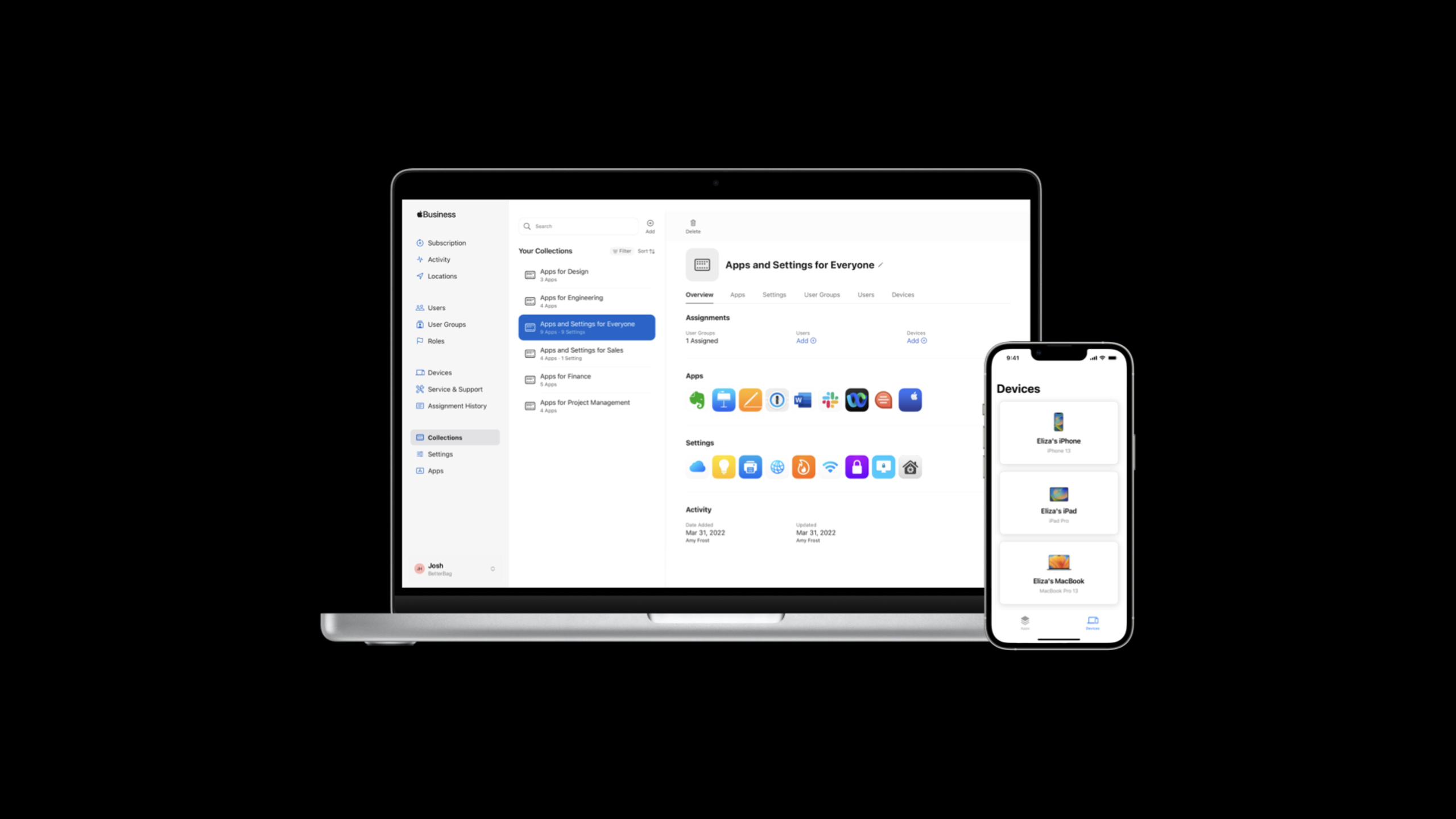
Apple Business Essentials combines device management, 24/7 support and cloud storage into a monthly subscription, allowing small businesses to provision all their employees’ Apple devices with one click using a Managed Apple ID.
Core Content
Pain points of equipment management for small businesses
When a startup team expands, IT management often becomes a side job for the founder. Every new Mac, iPad, and iPhone requires manually configuring Wi-Fi, installing apps, and setting password policies. When employees leave, the data on their devices becomes a security risk.
Apple Business Essentials condenses this process into one login. After employees register a device with a Managed Apple ID, all configurations are automatically delivered, including FileVault encryption, password policies, Wi-Fi settings, and app installation.
Collections: Package the configuration
(04:49)
Administrators create Collections in Apple Business Manager, group Settings and Apps together, and then assign them to specific user groups. The sales team gets sales tools, and the design team gets design software, without interfering with each other.
Collection updates are pushed to all associated devices in real time. When you add a new app, the entire team automatically gets permission to install it.
Personal devices can also manage work data
(09:50)
Employees can log into work accounts on their personal iPhones. Work data and personal data are separated through encryption. Enterprises can only manage work-related parts, and personal privacy is completely preserved.
Detailed Content
Subscription process
(02:54)
When subscribing to Apple Business Essentials in Apple Business Manager, you need to make several key choices:
- Plan type: Employee Plan (employee equipment) or Device Plan (shared equipment such as conference rooms, kiosks, etc.)
- Number of devices: 1 per employee or up to 3
- iCloud Storage: Starting at 200 GB, can be adjusted at any time
- AppleCare+: Includes repair credit, shared by the entire organization
Security settings
(05:07)
Security Tab centrally manages all key security policies:
- FileVault: Mac full disk encryption
- Application Layer Firewall: Block network access for untrusted applications
- Gatekeeper: Prevent unsigned apps from running
- Password Policy: Enforce complex passwords that can require special characters and alphanumeric combinations
Application management
(07:24)
Apps purchased through Apple Business Manager, including free apps, appear in employees’ Essentials App. After installation the application is in Managed state:
- Automatic updates
- Automatically uninstall when user logs out
- Administrators can remotely remove
Device life cycle management
(11:54)
Administrators can perform the following operations remotely:
- Sign Out User: Log out the user and keep the device
- Lock Device: Lock the device
- Erase: Erase all data
These capabilities allow for quick asset recovery when equipment is lost or employees leave.
Core Takeaways
-
What to do: Build a zero-touch device deployment process for your team
-
Why it’s worth it: New employees can get fully configured equipment on the day they join, and the IT workload is close to zero
-
How to get started: Register with Apple Business Manager, create user group, configure Collection
-
What to do: Enable work data isolation on personal devices
-
Why it’s worth it: Employees don’t need to carry two mobile phones, and corporate data is still under control
-
How to get started: Have employees sign in to Managed Apple IDs in Settings > General > VPN & Device Management
-
What: Establish an automated security baseline
-
Why it’s worth doing: Mandatory FileVault + complex passwords + firewall on all devices to reduce the risk of data leakage
-
How to start: Create a Password Policy and FileVault Setting in the Security Tab and add it to the default Collection
-
What: Reduce device maintenance costs with AppleCare+ repair credits
-
Why is it worth doing: The maintenance quota is shared by the entire organization and can be allocated flexibly
-
How to get started: Select AppleCare+ for Business Essentials when subscribing
Related Sessions
- What’s new in managing Apple devices — The latest updates in Apple device management
- Manage devices with Apple Configurator — Manage devices with Apple Configurator
- What’s new in Swift — New features of Swift language
Comments
GitHub Issues · utterances