
Highlight
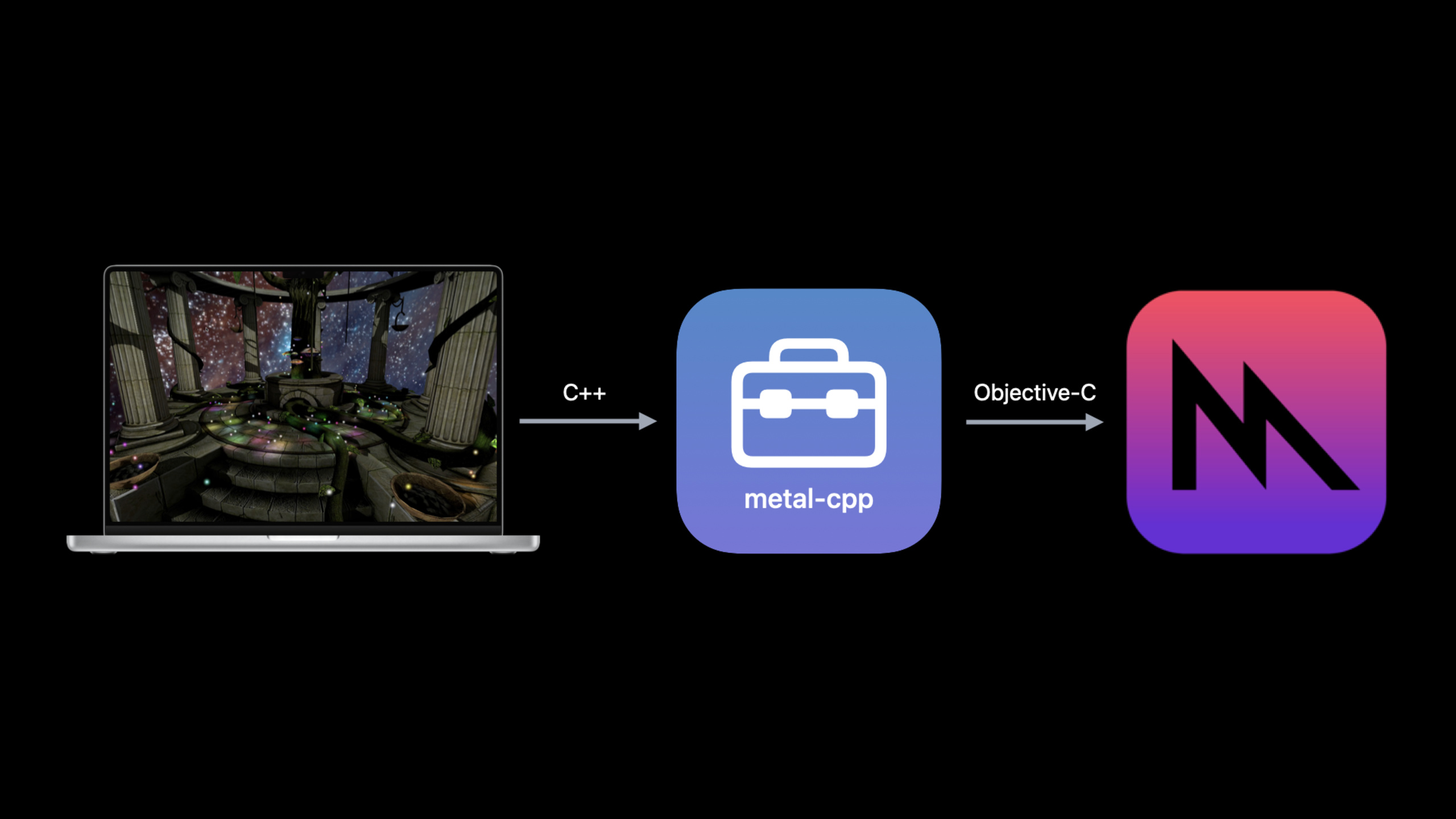
metal-cpp is a header-only C++ package library that directly calls the Objective-C runtime through C language. It provides 100% Metal API coverage for C++ code and has almost one-to-one correspondence with Objective-C Metal function calls. It is fully compatible with developer tools (GPU Frame Capture, Xcode debugger).
Core Content
Your game engine or graphics application is written in C++, but Metal is natively based on Objective-C. In the past you would have to switch back and forth between the two languages, or rewrite the entire rendering layer in Objective-C. metal-cpp solves this pain point.
(01:09) metal-cpp is a lightweight C++ packaging library. Lightweight: it is a header-only implementation, and all function calls are inline. It calls the Objective-C runtime directly through the C language, which is exactly the same mechanism as the Objective-C compiler to perform method calls, so the additional overhead is minimal.
(02:47) metal-cpp provides 100% Metal API coverage. It also encapsulates some interfaces of the Foundation and QuartzCore frameworks. The code is open source, licensed under Apache 2, and can be directly modified and integrated into your projects.
Because there is a one-to-one mapping, all developer tools work seamlessly. GPU Frame Capture, Xcode debugger, and performance analysis tools do not require special configuration.
Detailed Content
Quick Start
(05:30) Using metal-cpp requires three steps:
- Download metal-cpp and add it to the Header Search Paths of the Xcode project
- Set the C++ language standard to C++17 or higher
- Add three frameworks: Foundation, QuartzCore, and Metal
Then define three macros in a .cpp file and introduce the header file:
#define NS_PRIVATE_IMPLEMENTATION
#define CA_PRIVATE_IMPLEMENTATION
#define MTL_PRIVATE_IMPLEMENTATION

#include <Foundation/Foundation.hpp>
#include <Metal/Metal.hpp>
#include <QuartzCore/QuartzCore.hpp>
Key points:
- These three macros will generate the implementation code of the corresponding framework during compilation
- Each macro can only be defined once. Repeated definitions will cause link errors.
- Three header files can be merged into a unified header file for introduction
Draw a triangle
(03:10) Code for drawing triangles using metal-cpp:
MTL::CommandBuffer* pCmd = _pCommandQueue->commandBuffer();
MTL::RenderCommandEncoder* pEnc = pCmd->renderCommandEncoder(pRpd);
pEnc->setRenderPipelineState(_pPSO);
pEnc->drawPrimitives(MTL::PrimitiveTypeTriangle,
                     NS::UInteger(0),
                     NS::UInteger(3));
pEnc->endEncoding();
pCmd->presentDrawable(pView->currentDrawable());
pCmd->commit();
Compare to the Objective-C version:
id<MTLCommandBuffer> cmd = [_commandQueue commandBuffer];
id<MTLRenderCommandEncoder> enc = [cmd renderCommandEncoderWithDescriptor:pRpd];
[enc setRenderPipelineState:_pSO];
[enc drawPrimitives:MTLPrimitiveTypeTriangle
        vertexStart:0
        vertexCount:3];
[enc endEncoding];
[cmd presentDrawable:view.currentDrawable];
[cmd commit];
The function calls of the two are almost identical, with only differences in naming style. If you are already familiar with Objective-C Metal, the learning curve to switch to metal-cpp is extremely low.
Object life cycle management
(06:56) metal-cpp uses manual reference counting (Manual Retain-Release, MRR) and follows Cocoa’s memory management rules:
- use
alloc、new、copy、mutableCopy、createThe method at the beginning creates the object and you own it - use
retaintake ownership - use
releaseRelease ownership - Can’t release objects you don’t own
(10:08) Metal creates some autoreleased temporary objects at runtime. These objects will be put into the AutoreleasePool, which is responsible for releasing them. You need to create AutoreleasePool for each thread:
NS::AutoreleasePool* pPool = NS::AutoreleasePool::alloc()->init();

MTL::CommandBuffer* pCmd = _pCommandQueue->commandBuffer();
MTL::RenderPassDescriptor* pRpd = pView->currentRenderPassDescriptor();
MTL::RenderCommandEncoder* pEnc = pCmd->renderCommandEncoder(pRpd);
pEnc->endEncoding();
pCmd->presentDrawable(pView->currentDrawable());
pCmd->commit();

pPool->release();
Key points:
commandBuffer()、currentRenderPassDescriptor()、currentDrawable()Both return autoreleased objects- AutoreleasePool by
alloc()->init()To create, you need to manuallyrelease()- Each thread needs its own AutoreleasePool
NS::SharedPtr smart pointer
(13:40) metal-cpp providesNS::SharedPtrto simplify lifecycle management. it is related tostd::shared_ptrDifference: Does not rely on the C++ standard library, the reference count is stored directly inside the object.
// TransferPtr: transfers ownership without increasing the reference count
{
    auto ptr = NS::TransferPtr(pMRR);
    // ptr automatically releases when it leaves scope
}

// RetainPtr: retains the object and increases the reference count
{
    auto ptr = NS::RetainPtr(pMRR);
    // ptr automatically releases when it leaves scope, while the original object remains alive
}(16:48) UseNS::TransferPtrManage rendering pipeline state objects:
// Create the descriptor and pipeline state
MTL::RenderPipelineDescriptor* pDesc = MTL::RenderPipelineDescriptor::alloc()->init();
// ... Configure the descriptor ...
MTL::RenderPipelineState* pPSO = _pDevice->newRenderPipelineState(pDesc, &pError);

// Use TransferPtr to take ownership without manually calling release
auto pPSOPtr = NS::TransferPtr(pPSO);
auto pDescPtr = NS::TransferPtr(pDesc);

// Use pPSOPtr->... to access methods
// Automatically releases when leaving scope
Debugging tool: NSZombie
(17:55) use-after-free is a common bug in manual memory management. NSZombie can help you catch this type of problem. Enable Zombie Objects in Xcode scheme, or set environment variablesNSZombieEnabled=YES. When a message is sent to a released object, the breakpoint is triggered and the call stack is displayed.
Interoperate with Objective-C code
(19:50) Most games also need to call other frameworks (Game Controller, Audio, etc.), which are still Objective-C APIs. It is recommended to use the Adapter pattern to isolate the two languages.
Calling C++ from Objective-C:
@interface AAPLRendererAdapter () {
    AAPLRenderer* _pRenderer;
}
@end

@implementation AAPLRendererAdapter
- (void)drawInMTKView:(MTKView *)pMtkView
{
    _pRenderer->draw((__bridge MTK::View*)pMtkView);
}
@end
Calling Objective-C from C++:
CA::MetalDrawable* AAPLViewAdapter::currentDrawable() const
{
    return (__bridge CA::MetalDrawable*)[(__bridge MTKView *)m_pMTKView currentDrawable];
}

MTL::Texture* AAPLViewAdapter::depthStencilTexture() const
{
    return (__bridge MTL::Texture*)[(__bridge MTKView *)m_pMTKView depthStencilTexture];
}
Three bridge types:
-__bridge: Only type conversion is performed, and ownership is not transferred.
-__bridge_retained: Moving from Objective-C (ARC) to metal-cpp (MRR), taking ownership
-__bridge_transfer: From metal-cpp (MRR) to Objective-C (ARC), transfer ownership
(24:06) Use__bridge_retainedLoad textures from MetalKit:
MTL::Texture* newTextureFromCatalog(MTL::Device* pDevice, const char* name,
                                    MTL::StorageMode storageMode, MTL::TextureUsage usage)
{
    NSDictionary<MTKTextureLoaderOption, id>* options = @{
        MTKTextureLoaderOptionTextureStorageMode : @( (MTLStorageMode)storageMode ),
        MTKTextureLoaderOptionTextureUsage : @( (MTLTextureUsage)usage )
    };

    MTKTextureLoader* textureLoader = [[MTKTextureLoader alloc]
        initWithDevice:(__bridge id<MTLDevice>)pDevice];

    NSError* __autoreleasing err = nil;
    id<MTLTexture> texture = [textureLoader
        newTextureWithName:[NSString stringWithUTF8String:name]
        scaleFactor:1
        bundle:nil
        options:options
        error:&err];

    // Take ownership from ARC and move it under MRR management
    return (__bridge_retained MTL::Texture*)texture;
}
Key points:
pDeviceuse__bridgeConversion because ownership is not transferred- returned
textureuse__bridge_retainedconversion, since ownership is wrested from ARC and is then the responsibility of the callerrelease
Core Takeaways
Port existing C++ game engine to Apple Silicon
If your game engine is written in C++, you can now integrate the Metal rendering backend directly without having to rewrite the rendering layer to Objective-C. The API of metal-cpp corresponds one-to-one with Objective-C Metal, and existing Metal tutorials and documentation are fully applicable. From downloading metal-cpp to drawing the first triangle, you only need to configure three macros and header file paths.
Using Metal Performance Shaders in C++ projects
For C++ projects that do image processing or machine learning inference, you can use metal-cpp to call MPS and MPSGraph. combineNS::SharedPtrManage the object life cycle and avoid the tediousness and error risk of manual retain/release.
Building a cross-platform rendering abstraction layer
If your engine needs to support both Metal (Apple) and Vulkan/DirectX (other platforms), you can use metal-cpp to encapsulate the Metal backend into a platform-independent C++ interface. The Adapter mode allows calls to Objective-C frameworks (such as MetalKit) to be isolated in a small number of adaptation files, and the main engine code remains pure C++.
Related Sessions
- Discover Metal 3 — Overview of new features in Metal 3
- Scale compute workloads across Apple GPUs — Scale compute workloads across Apple GPUs
- Transform your geometry with Metal mesh shaders — Metal Mesh Shaders geometry processing pipeline
Comments
GitHub Issues · utterances