
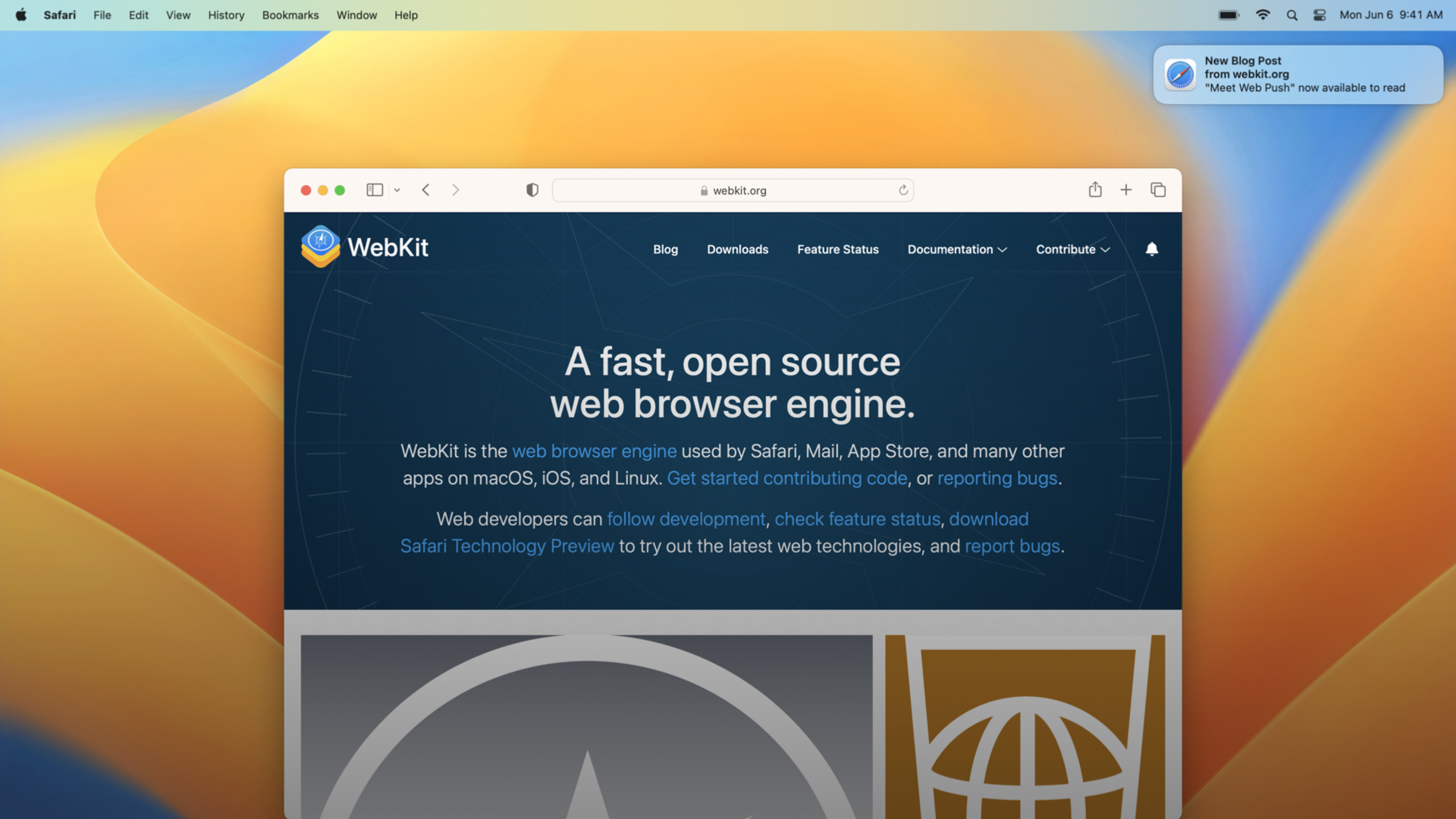
Highlight
Safari 16 adds standard Web Push based on Push API, Notifications API, Service Worker, and VAPID to websites and Web Apps in macOS Ventura; sites that have been implemented according to the standard do not require Safari private APIs or Apple Developer accounts.
Core Content
Website notifications have long had a practical problem: users may not necessarily open your page.Blogs, messages, task reminders, and internal tool updates all hope to notify users after the page is closed.
Safari used to have Safari Push Notifications.It will continue to work.But starting with Safari 16 on macOS Ventura, Safari supports standard Web Push (00:43).Apple makes it clear that it’s using a standard combination also used by other browsers: Push API, Notifications API, and Service Worker (01:08).
This has a direct result: if the site has implemented Web Push according to Web standards, there is no need to write a private branch for Safari (01:16).What you really want to check are two things.First, don’t use browser sniffing to exclude Safari, use feature detection.Second, if the server strictly verifies the pushed endpoint, it must be allowedpush.apple.comAny subdomain name (01:48).
The example app for this session is called Browser Pets.It already has a Service Worker to speed up page loading and synchronize across multiple tabs.What Web Push needs to do is to add three links on this basis: registering or reusing Service Worker, subscribing to push after the user clicks the button, and processing in Service Workerpushandnotificationclickevent.
Detailed Content
Install Service Worker first
(08:27) Web Push relies on Service Worker.Service Worker is JavaScript that runs independently of the current tab and works on behalf of the entire domain.After Safari receives the server push, it will wake up and sendpushevent.
// BrowserPetsWorker.js

function handleMessageEvent(event) {
    // ...
};
self.addEventListener('message', (event) => {
    handleMessageEvent(event);
});

function primeCaches() {
    // ...
};
self.addEventListener('install', (event) => {
    primeCaches();
});

self.addEventListener('fetch', (event) => {
    event.respondWith(caches.match(event.request));
});
Key points:
self.addEventListener('message', ...): Service Worker can receive messages sent by pages or other contexts.self.addEventListener('install', ...): The installation phase is suitable for preparing basic states such as cache.primeCaches(): It is used in the example to represent the logic of preheating the cache.self.addEventListener('fetch', ...): Service Worker intercepts network requests.event.respondWith(caches.match(event.request)): Example looks for the response to the current request from the cache.
(08:42) The page side first uses feature detection to check whether the browser supports Service Worker.If already registered, reuse; if not registered, install again.BrowserPetsWorker.js。
// BrowserPetsMain.js

var registration;
if ('serviceWorker' in navigator) {
    let registration = await navigator.serviceWorker.getRegistration();
    if (!registration)
        registration = await navigator.serviceWorker.register('BrowserPetsWorker.js');
}
Key points:
'serviceWorker' in navigator: Use function detection to determine whether the current browser supports Service Worker.navigator.serviceWorker.getRegistration(): Query whether there is a registered Service Worker under the current scope.if (!registration): Avoid registering the same worker repeatedly.navigator.serviceWorker.register('BrowserPetsWorker.js'): Install the worker script into the browser.
Subscription must come from user gesture
(02:49) Safari does not allow websites to request push permissions without active user action.In the session demo, the system notification authorization pop-up window appears after the user clicks a bell button.
(09:00) Browser Pets with buttonsonclickCall the subscription function.Mouse clicks or keyboard operations all meet the user gesture requirements mentioned in session (04:32).
// BrowserPetsMain.js

async function subscribeToPush() {
    // ...
}

// BrowserPetsMain.html

<button onclick="subscribeToPush()">Register for Updates</button>
Key points:
async function subscribeToPush(): The subscription process includes asynchronous permission request and PushSubscription acquisition.<button ...>: Place the entrance on an interface control that users can see and understand.onclick="subscribeToPush()": Subscription requests are triggered by click events and comply with Safari limitations.Register for Updates: Button copy lets users know that update notifications will be enabled next.
Configure PushSubscription with VAPID
(09:19) After the user clicks the button, the page side callspushManager.subscribe().Safari uses the standard VAPID (Voluntary Application Server Identification) mechanism to allow the server to identify itself to Apple’s push servers (09:29).
// BrowserPetsMain.js

async function subscribeToPush() {
    let serverPublicKey = VAPID_PUBLIC_KEY;

    let subscriptionOptions = {
        userVisibleOnly: true,
        applicationServerKey: serverPublicKey
    };

    let subscription = await swRegistration.pushManager.subscribe(subscriptionOptions);

    sendSubcriptionToServer(subscription);
}
Key points:
VAPID_PUBLIC_KEY: The VAPID public key of the server, used to identify the server sending the push.userVisibleOnly: true: The page promises that every push will generate user-visible notifications.applicationServerKey: serverPublicKey: Pass the VAPID public key to Push API.swRegistration.pushManager.subscribe(...): Creates a push subscription based on the current Service Worker registration.subscription: Contains information such as endpoint and encryption key required by the server to send push.sendSubcriptionToServer(subscription): Transmit subscription information back to its own backend; the specific transmission method is determined by the site.
(10:21)subscribe()A system permission pop-up window will be triggered.The user may reject, and the page code needs to handle the failure path.After user permission, returnPushSubscriptionThere is the exact endpoint URL and the key used to encrypt the transmission (10:30).
Service Worker must display notification after receiving push
(11:13) After the push sent by the server reaches Safari, Safari wakes up the Service Worker and sendspushevent.The server side of Browser Pets puts all the fields required for notification in the JSON payload, and the worker reads and callsshowNotification()。
// BrowserPetsWorker.js

self.addEventListener('push', (event) => {
    let pushMessageJSON = event.data.json();

    // Our server puts everything needed to show the notification
    // in our JSON data.
    event.waitUntil(self.registration.showNotification(pushMessageJSON.title, {
        body: pushMessageJSON.body,
        tag: pushMessageJSON.tag,
        actions: [{
            action: pushMessageJSON.actionURL,
            title: pushMessageJSON.actionTitle,
        }]
    }));
}
Key points:
self.addEventListener('push', ...): Service Worker listens to push events from the browser.event.data.json(): Read the PushMessageData sent by the server as JSON.event.waitUntil(...): Tell the browser that the asynchronous task belongs to this push event processing.self.registration.showNotification(...): Display platform native notifications.pushMessageJSON.title: The notification title comes from the server payload.bodyandtag: Configure the notification body and notification ID respectively.actions: Configure action items for notifications. Here put the URL given by the server.action。
There is an important boundary here.Session has repeatedly emphasized that processing push events does not give JavaScript silent background running time (13:39).Safari does not support silent push.deal withpushNotifications must be posted to the Notification Center when an event occurs (13:53).In macOS Ventura beta, if notifications are not displayed in time for three push events, the site’s push subscription will be revoked (14:07).
Open the target page after clicking the notification
(12:06) Displaying the notification is only the first step.After the user clicks on the notification, Safari willnotificationclickThe event is sent to the Service Worker.The Browser Pets example takes the URL from the notification action and opens a new window.
// BrowserPetsWorker.js

self.addEventListener('notificationclick', async function(event) {
    if (!event.action)
        return;

    // This always opens a new browser tab,
    // even if the URL happens to already be open in a tab.
    clients.openWindow(event.action);
});
Key points:
self.addEventListener('notificationclick', ...): Listen to events after the user clicks on the notification.if (!event.action) return;: Do not continue processing when there is no action URL.event.action: Take out the operation value configured in the notification. In this example, it is used as the target URL.clients.openWindow(event.action): Open a new browser tab pointing to this URL.- Example comment explanation: This code will always open a new tab, even if the same URL is already open.
Debug subscriptions and event handling
(12:28) Web Inspector can debug the subscription code in the page, and can also inspect the Service Worker instance and set breakpoints on the event handler.This can cover two key pieces of code: page-side callspushManager.subscribe()logic, and processing in the workerpush、notificationclicklogic.
Apple Push Notification servers return human readable errors (12:55) when errors occur when publishing push messages.When debugging, look at both browser-side and server-side errors, don’t just focus on the page JavaScript.
Core Takeaways
-
What to do: Add Web Push subscription by column to the content station. Why it’s worth doing: Session recommends providing fine-grained notification control within Web App. Users can choose different types such as blog updates and submission updates (04:58). How to start: First register the Service Worker, and then bind the “Subscribe to this column” button to
pushManager.subscribe(),BundlePushSubscriptionPassed to the backend together with the column ID. -
What to do: Add background task completion reminders to internal operations tools. Why it’s worth doing: Service Worker can receive push when the website has no open tab; on macOS Ventura, it can handle it even if Safari is not running (07:29). How to start: After the task is completed, the server sends a push to the saved endpoint, and the worker
pushUsed in eventsshowNotification()Display the task name and results page link. -
What to do: Add Safari support to existing Chrome/Firefox Web Push sites. Why it’s worth doing: Safari uses the same web standards; existing standard implementations usually don’t require changes to Safari-specific code (01:16). How to get started: Remove browser sniffing and use instead
'serviceWorker' in navigatorWait for feature detection; release the server endpoint allowlistpush.apple.comsubdomain name. -
What to do: Turn notification clicks into clear deep link entries. Why it’s worth doing:
notificationclickThe event allows the worker to open the corresponding page based on the data carried by the notification (07:43). How to start: Put in push JSONactionURL, written when displaying a notificationactions, used when clickingclients.openWindow(event.action)Open the details page.
Related Sessions
- What’s new in Safari and WebKit — Safari 16 annual overview, including Web API updates such as Web Push, Broadcast Channel, Origin private file system, etc.
- What’s new in WKWebView — For developers who embed web content into apps, talk about WKWebView’s full screen, viewport, search and debugging updates.
- What’s new in Safari Web Extensions — Manifest V3, API updates and cross-device synchronization for Safari Web Extensions.
- Create Safari Web Inspector Extensions — Use the Web Extensions API to add a custom debugging panel to Safari Web Inspector.
Comments
GitHub Issues · utterances