
Highlight
SwiftUI new in iOS 16 and macOS Ventura
NavigationStack、NavigationSplitView, value drivenNavigationLink、navigationDestinationand persistent navigation state, allowing developers to control push, columns, deep links, and state restoration with data rather than discrete boolean bindings.
Core Content
The old SwiftUI navigation API started withNavigationLinkDirectly brings the target View to the center. Simple jumps can work, but if you want to do programmatic navigation, you need to prepare separate bindings for each link. Session directly pointed out this problem at 01:48: to display the view of a certain link, you need to set the correspondingitem.showDetail, which breaks up the navigation state into many locations.
The new idea is to lift the binding to the container.NavigationStackhold apath, this set represents all pushed data values on the current stack. Click value drivenNavigationLinkThe value will be appended to the path; the code can modify the path to deep link or return to the root view (02:06).
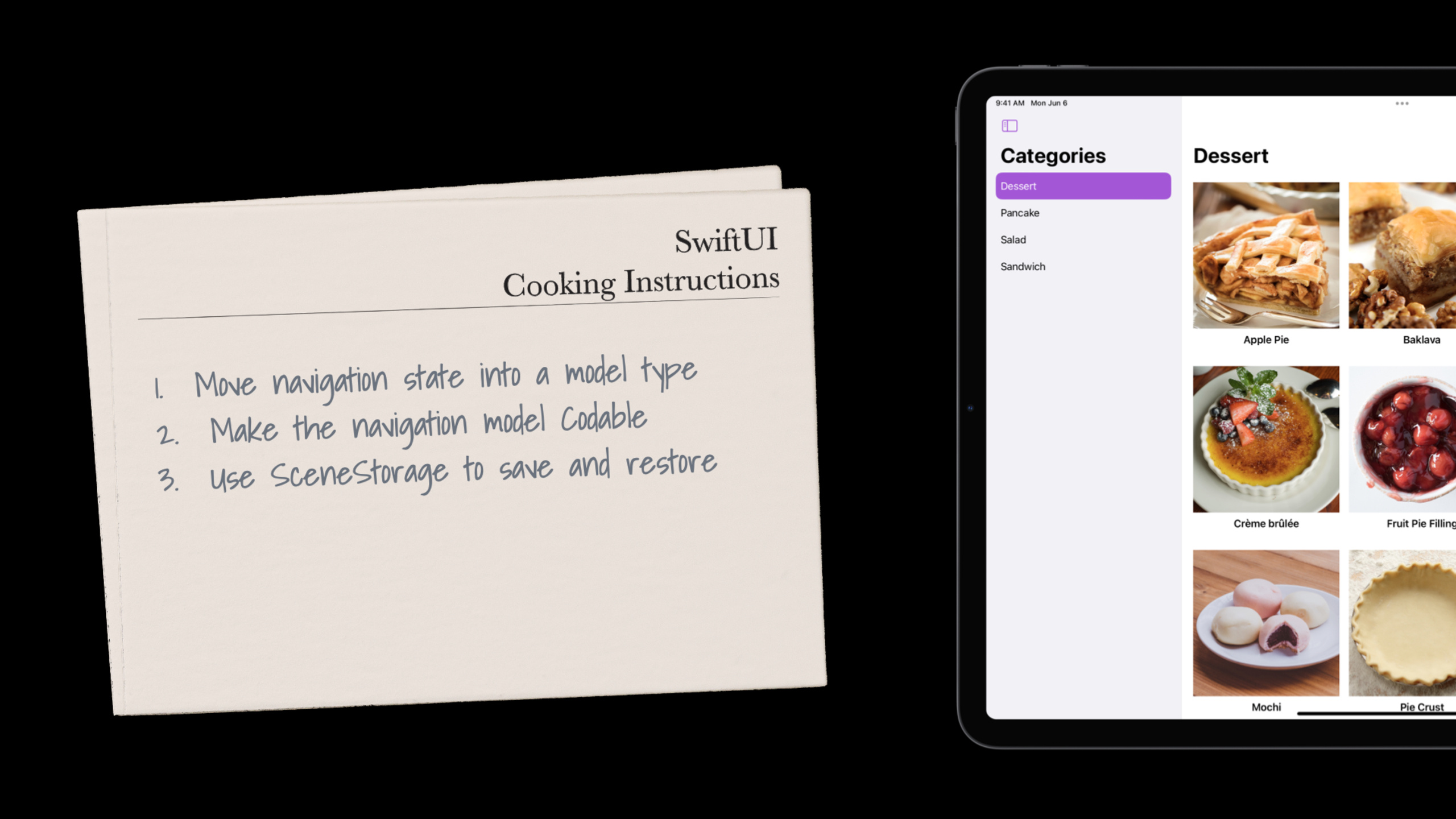
Session uses a recipe app as a run-through example. It shows a single column push-pop structure first, then three columnsNavigationSplitView, and finally combine split view and stack and useCodableandSceneStorageSave navigation state.
Detailed Content
Single column stack: turn push into path data
(06:05) The first recipe is a single-column navigation similar to iPhone Settings or Apple Watch Find My. The root view lists recipe categories. After clicking on a recipe, you can continue to click on related recipes to push a new details page onto the stack.
The core of the official code is three things:NavigationStack(path:)、NavigationLink(value:)、navigationDestination(for:)。
struct PushableStack: View {
    @State private var path: [Recipe] = []
    @StateObject private var dataModel = DataModel()

    var body: some View {
        NavigationStack(path: $path) {
            List(Category.allCases) { category in
                Section(category.localizedName) {
                    ForEach(dataModel.recipes(in: category)) { recipe in
                        NavigationLink(recipe.name, value: recipe)
                    }
                }
            }
            .navigationTitle("Categories")
            .navigationDestination(for: Recipe.self) { recipe in
                RecipeDetail(recipe: recipe)
            }
        }
        .environmentObject(dataModel)
    }
}
Key points:
@State private var path: [Recipe] = []Save the recipe data currently on the stack. In this example, the stack only displaysRecipe, so path can be[Recipe]。NavigationStack(path: $path)Expose stack state as bindings. code changepath, UI followed by push or pop. -NavigationLink(recipe.name, value: recipe)No longer write the target view directly, only submit oneRecipevalue. -.navigationDestination(for: Recipe.self)statementRecipeThe value should be mapped toRecipeDetail.- Session reminded at 09:20 that if a stack wants to display multiple data types, type erasure can be used
NavigationPath。
The advantage of this structure is that it is clear. Deep link to Apple Pie and Pie Crust without triggering links one by one. Just put twoRecipePut it into path, and the stack will restore the two-level detail page. Return to the root view and just clear the path (09:40).
Three column structure: let the selection state drive the split view
(10:40) The second recipe is a multi-column structure like Mail or Notes. The first column selects categories, the second column selects recipes, and the third column displays details.
The point here isNavigationSplitViewandList(selection:)cooperation. value drivenNavigationLinkWhen it appears in a List with selection, clicking the link will automatically update the corresponding selection.
struct MultipleColumns: View {
    @State private var selectedCategory: Category?
    @State private var selectedRecipe: Recipe?
    @StateObject private var dataModel = DataModel()

    var body: some View {
        NavigationSplitView {
            List(Category.allCases, selection: $selectedCategory) { category in
                NavigationLink(category.localizedName, value: category)
            }
            .navigationTitle("Categories")
        } content: {
            List(
                dataModel.recipes(in: selectedCategory),
                selection: $selectedRecipe)
            { recipe in
                NavigationLink(recipe.name, value: recipe)
            }
            .navigationTitle(selectedCategory?.localizedName ?? "Recipes")
        } detail: {
            RecipeDetail(recipe: selectedRecipe)
        }
    }
}
Key points:
selectedCategoryRecord the currently selected category of sidebar. -selectedRecipeRecord the currently selected recipe in the content column. -NavigationSplitView { ... } content: { ... } detail: { ... }Define a three-column structure. -List(Category.allCases, selection: $selectedCategory)Make the first column’s selection state readable and writable. -NavigationLink(category.localizedName, value: category)submitCategoryvalue; because List ‘s selection type matches, SwiftUI updatesselectedCategory.- The second List is used
dataModel.recipes(in: selectedCategory)Display recipes based on the first column selection. -RecipeDetail(recipe: selectedRecipe)Use the second column to select the Update Details area.
This structure reduces modal switching on large screens. Users can see categories, lists and details at the same time. Session explains at 13:00,NavigationSplitViewIt will automatically adapt to a single column stack in iPhone or iPad Slide Over, and selection changes will be converted into corresponding push and pop.
Split view plus stack: continue pushing in the details column
(14:10) The third recipe combines two types of containers. The category list is still on the left, and the recipe grid is first displayed in the details area on the right. After clicking on a recipe in the grid, push the recipe details in the details area on the right; click on the relevant recipe to continue pushing.
Code handleNavigationStackput inNavigationSplitViewdetail column.
struct MultipleColumnsWithStack: View {
    @State private var selectedCategory: Category?
    @State private var path: [Recipe] = []
    @StateObject private var dataModel = DataModel()

    var body: some View {
        NavigationSplitView {
            List(Category.allCases, selection: $selectedCategory) { category in
                NavigationLink(category.localizedName, value: category)
            }
            .navigationTitle("Categories")
        } detail: {
            NavigationStack(path: $path) {
                RecipeGrid(category: selectedCategory)
            }
        }
        .environmentObject(dataModel)
    }
}
Key points:
selectedCategoryControls category selection on the left. -path: [Recipe]Control the push stack inside the detail column on the right. -NavigationSplitViewResponsible for column structure on widescreen. -NavigationStack(path: $path)Embedded in the detail column, only the partial stack on the right is managed. -RecipeGrid(category: selectedCategory)Is the root view of this local stack.
RecipeGridThere is another point where it is easy to get into trouble:navigationDestinationshould not be placedLazyVGridon every link in .
struct RecipeGrid: View {
    @EnvironmentObject private var dataModel: DataModel
    var category: Category?

    var body: some View {
        if let category = category {
            ScrollView {
                LazyVGrid(columns: columns) {
                    ForEach(dataModel.recipes(in: category)) { recipe in
                        NavigationLink(value: recipe) {
                            RecipeTile(recipe: recipe)
                        }
                    }
                }
            }
            .navigationTitle(category.localizedName)
            .navigationDestination(for: Recipe.self) { recipe in
                RecipeDetail(recipe: recipe)
            }
        } else {
            Text("Select a category")
        }
    }

    var columns: [GridItem] { [GridItem(.adaptive(minimum: 240))] }
}
Key points:
LazyVGridOnly load subviews when needed. Session explicitly says at 16:19,List、Table、LazyVGridThis type of lazy container does not load all its contents at once.- if put
navigationDestinationPut it into lazy subview, outer layerNavigationStackProbably can’t see it. - Bundle
.navigationDestination(for: Recipe.self)put onScrollViewon the link, which is close to the link and ensures that the destination is discovered by the stack. -NavigationLink(value: recipe)The types of destination and destination are bothRecipe, will be pushed only after the type matchesRecipeDetail。
This combo fits a Photos-style iPad or Mac interface. Use columns at the root level to reduce the depth of the level, and use stack inside the detail column to display continuous drill-down.
State recovery: save the navigation model to avoid copying the entire data model
(18:12) The last recipe resolves the status restoration. When users leave the app and come back, they should return to the original categories, grids, and details pages.
The approach given by Session is divided into three steps: encapsulate the navigation state into a model and let the model supportCodable, then useSceneStorageSave JSON data.
struct UseSceneStorage: View {
    @StateObject private var navModel = NavigationModel()
    @SceneStorage("navigation") private var data: Data?
    @StateObject private var dataModel = DataModel()

    var body: some View {
        NavigationSplitView {
            List(
                Category.allCases, selection: $navModel.selectedCategory
            ) { category in
                NavigationLink(category.localizedName, value: category)
            }
            .navigationTitle("Categories")
        } detail: {
            NavigationStack(path: $navModel.recipePath) {
                RecipeGrid(category: navModel.selectedCategory)
            }
        }
        .task {
            if let data = data {
                navModel.jsonData = data
            }
            for await _ in navModel.objectWillChangeSequence {
                data = navModel.jsonData
            }
        }
        .environmentObject(dataModel)
    }
}
Key points:
navModelSave centrallyselectedCategoryandrecipePath, to prevent the two states from reverting to an inconsistent combination. -@SceneStorage("navigation") private var data: Data?Pass the navigation state of each scene to SwiftUI to save it. -.taskRuns when the view appears. When data already exists, first decode the data backnavModel。for await _ in navModel.objectWillChangeSequenceMonitor navigation model changes.- After each change,
data = navModel.jsonDataWrite the latest navigation state back to scene storage.
NavigationModelThe coding part is critical. it does not save the entireRecipe, instead the recipe ID is saved.
class NavigationModel: ObservableObject, Codable {
    @Published var selectedCategory: Category?
    @Published var recipePath: [Recipe] = []

    enum CodingKeys: String, CodingKey {
        case selectedCategory
        case recipePathIds
    }

    func encode(to encoder: Encoder) throws {
        var container = encoder.container(keyedBy: CodingKeys.self)
        try container.encodeIfPresent(selectedCategory, forKey: .selectedCategory)
        try container.encode(recipePath.map(\.id), forKey: .recipePathIds)
    }

    required init(from decoder: Decoder) throws {
        let container = try decoder.container(keyedBy: CodingKeys.self)
        self.selectedCategory = try container.decodeIfPresent(
            Category.self, forKey: .selectedCategory)

        let recipePathIds = try container.decode([Recipe.ID].self, forKey: .recipePathIds)
        self.recipePath = recipePathIds.compactMap { DataModel.shared[$0] }
    }
}
Key points:
selectedCategorycan be encoded directly becauseCategoryis a stable little enumeration. -recipePath.map(\.id)Only the ID of each recipe on path is saved.- When decoding, first restore the ID list, and then use the shared data model to retrieve it
Recipe。 compactMapRecipes that cannot be found will be discarded. Session at 21:28 Example: If another device deletes a recipe after syncing, you cannot assume that every ID still exists when restoring the state.- This saves the navigation intent and avoids copying possibly changing model content into the local navigation state.
Core Takeaways
-
What to do: Add URL deep links to specific items in content-based apps.
Why it’s worth doing:NavigationStackThe path itself is a variable collection, and deep links can be directly converted into path values.
How to start: Parse the URL to get the model ID, find the model and write it[Recipe]、NavigationPathor your own path type. -
What to do: Change the iPad details page to a combination of sidebar + grid + detail.
Why it’s worth doing:NavigationSplitViewIt can display multiple columns on a large screen and automatically adapt to a single column stack on a narrow screen.
How to start: UseList(selection:)Manage sidebar selection, embedded in detail columnNavigationStack(path:)。 -
What: Restore the level of detail the user was at before leaving the app.
Why it’s worth doing: Session showsSceneStorageSave the full path of the navigation JSON.
How to start: Encapsulate selection and path intoObservableObject & CodableModel, only encode the stable ID, and then useSceneStoragesaveData。 -
What: Clean up old boolean bound programmatic navigation.
Why it’s worth doing: Session explained at 24:24 that the old programmatic links with binding will be obsolete starting from iOS 16 and corresponding systems.
How to start: Put multipleisActiveortag/selectionLink is restructured into a value-driven link, and then declared centrallynavigationDestination。
Related Sessions
- What’s new in SwiftUI — Check out the overall updates to SwiftUI at WWDC 2022, including directions for navigation, layout, charts, and sharing.
- SwiftUI on iPad: Organize your interface — Go deep into iPad columns, list selection, and interface organization, and supplement the split view configuration mentioned in this Session.
- Bring multiple windows to your SwiftUI app — Continue to learn SwiftUI scene, window and state recovery, suitable for viewing together with navigation state persistence.
- Compose custom layouts with SwiftUI — Learn about the Grid and Layout protocols, and the
LazyVGridThe recipe grid forms a companion piece.
Comments
GitHub Issues · utterances