
Highlight
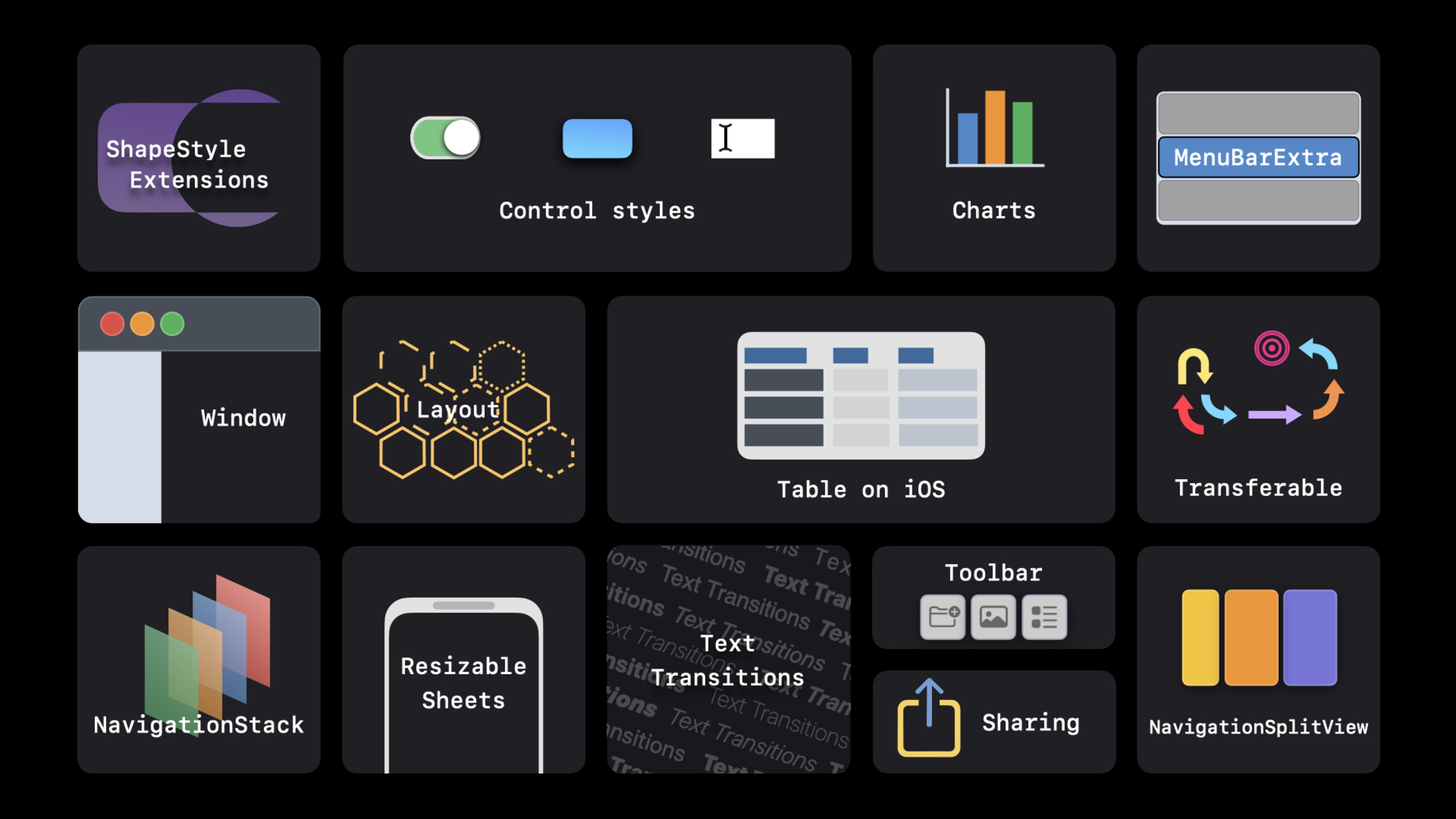
SwiftUI adds Swift Charts, NavigationStack, NavigationSplitView, Layout protocol, Grid, ShareLink, PhotosPicker, Transferable and multiple control updates in WWDC 2022, covering charts, navigation, layout, sharing and cross-platform interaction.
Core Content
A common trouble in the early days of SwiftUI was that simple interfaces were fast, while complex applications would encounter several types of gaps: charts required third-party libraries, navigation states were difficult to persist, custom layouts relied on GeometryReader, and sharing, dragging, and photo selection required cross-frame splicing.
The 2022 SwiftUI update focuses on filling these gaps. Apple uses declarative APIs to bring charting, navigation, layout, sharing, and data transfer into the same model. Developers still write views and modifiers, but the covered application structure is more complete.
This talk uses a Party Planner example to string together the updates: using Swift Charts to display to-do progress, using the new navigation API to organize hierarchies, using Grid and Layout to handle custom arrangements, and using PhotosPicker, ShareLink and Transferable to handle photos, sharing and dragging.
Detailed Content
Swift Charts
(02:51) Swift ChartsChartContainer and mark types describe the chart.BarMark、LineMark、RuleMarkEtc. mark works with the SwiftUI modifier, and the system handles localization, Dynamic Type, Dark Mode, and accessibility.
Chart(tasks) { task in
    BarMark(
        x: .value("Task", task.name),
        y: .value("Remaining", task.remainingCount)
    )
    .foregroundStyle(by: .value("Category", task.category))
}
Key Points:
-Chart(tasks)Traverse a collection of models to generate a graph
-BarMarkDeclare a single mark for the histogram
-xandyuse.valueBind semantic tags and data
-foregroundStyle(by:)Automatically generate color coding by category
Data-driven navigation
(10:27)NavigationStackReplaces traditional stack navigation. Developers use value-basedNavigationLinkTo express the destination, usenavigationDestinationMapping of registered values to views. The navigation path can be saved in an array, suitable for restoring the state or returning to the root page with one click.
NavigationStack(path: $path) {
    List(tasks) { task in
        NavigationLink(value: task) {
            Text(task.name)
        }
    }
    .navigationDestination(for: PartyTask.self) { task in
        TaskDetail(task: task)
    }
}
Key Points:
-pathSave current navigation stack state
-NavigationLink(value:)Pass model values without directly constructing the target view
-navigationDestinationUnified definition of pages corresponding to certain types of values
-ModifypathArrays can control push, pop and restore
Custom layout
(22:02)LayoutProtocols make custom layout a first-class capability in SwiftUI. In the past, GeometryReader was commonly used for manual measurement, but now the layout can implement measurement and placement logic and retain animation capabilities.
struct RadialLayout: Layout {
    func sizeThatFits(proposal: ProposedViewSize,
                      subviews: Subviews,
                      cache: inout ()) -> CGSize {
        proposal.replacingUnspecifiedDimensions()
    }

    func placeSubviews(in bounds: CGRect,
                       proposal: ProposedViewSize,
                       subviews: Subviews,
                       cache: inout ()) {
        for (index, subview) in subviews.enumerated() {
            let angle = Angle.degrees(Double(index) / Double(subviews.count) * 360)
            let point = CGPoint(x: bounds.midX + cos(angle.radians) * 120,
                                y: bounds.midY + sin(angle.radians) * 120)
            subview.place(at: point, anchor: .center, proposal: .unspecified)
        }
    }
}
Key Points:
-LayoutSeparate measurement and placement
-sizeThatFitsReturns the required size of the container
-placeSubviewsDetermine the position of each subview
-subview.placeFinal placement is performed by the layout system
Share and transfer
(24:45)PhotosPickerProvides SwiftUI native photo picker. After the user selects the image, the sample code passesloadTransferable(type: Image.self)WillPhotosPickerItemLoad as SwiftUIImage。
@Published var imageSelection: PhotosPickerItem? = nil {
    didSet {
        if let imageSelection = imageSelection {
            let progress = loadTransferable(from: imageSelection)
            imageState = .loading(progress)
        } else {
            imageState = .empty
        }
    }
}

private func loadTransferable(from imageSelection: PhotosPickerItem) -> Progress {
    return imageSelection.loadTransferable(type: Image.self) { result in
        DispatchQueue.main.async {
            guard imageSelection == self.imageSelection else { return }
            switch result {
            case .success(let image?):
                self.imageState = .success(image)
            case .success(nil):
                self.imageState = .empty
            case .failure(let error):
                self.imageState = .failure(error)
            }
        }
    }
}
Key Points:
-imageSelectionSave user inPhotosPickerselected inPhotosPickerItem
didSetStart loading when the selection changes, and first switch the status to.loading(progress)loadTransferable(type: Image.self)Use the system transfer mechanism to load the selection asImageguard imageSelection == self.imageSelectionAvoid old asynchronous results from overwriting new selections -success、nilandfailureBranches are updated with success, empty status and error status respectively.
(25:51) The processed pictures can be handed over directly toShareLinkshare. The speech also showed.dropDestination(payloadType: Image.self), same categoryImageData can be received via drag and drop.
if let item = viewModel.processedImage {
    ShareLink(
        item: item, preview: SharePreview("Birthday Effects"))
}
Key Points:
-processedImageThe sharing entry will be displayed only if it exists
-ShareLinkreceive to shareitem
SharePreviewSet the preview title in the system sharing panel- Use session code here
Image, does not extend customizations that do not appear in the exampleTransferableaccomplish
Core Takeaways
-
Change the operation dashboard to native Swift Charts: use
Chart、BarMark、LineMarkShowcase sales, habit punches, or project progress. The system automatically handles accessibility and theme adaptation, making it suitable for replacing lightweight third-party chart libraries. -
Make navigation state saveable: Use
NavigationStack(path:)Management details page path. After the user restarts the application, the user returns to the last opened project details, or directly constructs a path in the deep link to enter the multi-level page. -
Use Layout for branded layout: Make customized layouts for photo walls, dashboards, and course progress. accomplish
LayoutFinally, the layout can participate in SwiftUI animation without the need for GeometryReader to spell coordinates. -
Unify sharing and dragging with Transferable: enable cards, pictures, and note entries
Transferable. The same data model also supports ShareLink, drag and drop to other apps, and copy and paste.
Related Sessions
- The SwiftUI cookbook for navigation — An in-depth explanation of NavigationStack and NavigationSplitView
- Compose custom layouts with SwiftUI — Build custom layouts using the Layout protocol
- SwiftUI on iPad: Organize your interface — SwiftUI on iPad for lists, tables and selections
- Bring multiple windows to your SwiftUI app — Add multi-window capabilities to SwiftUI apps
Comments
GitHub Issues · utterances