
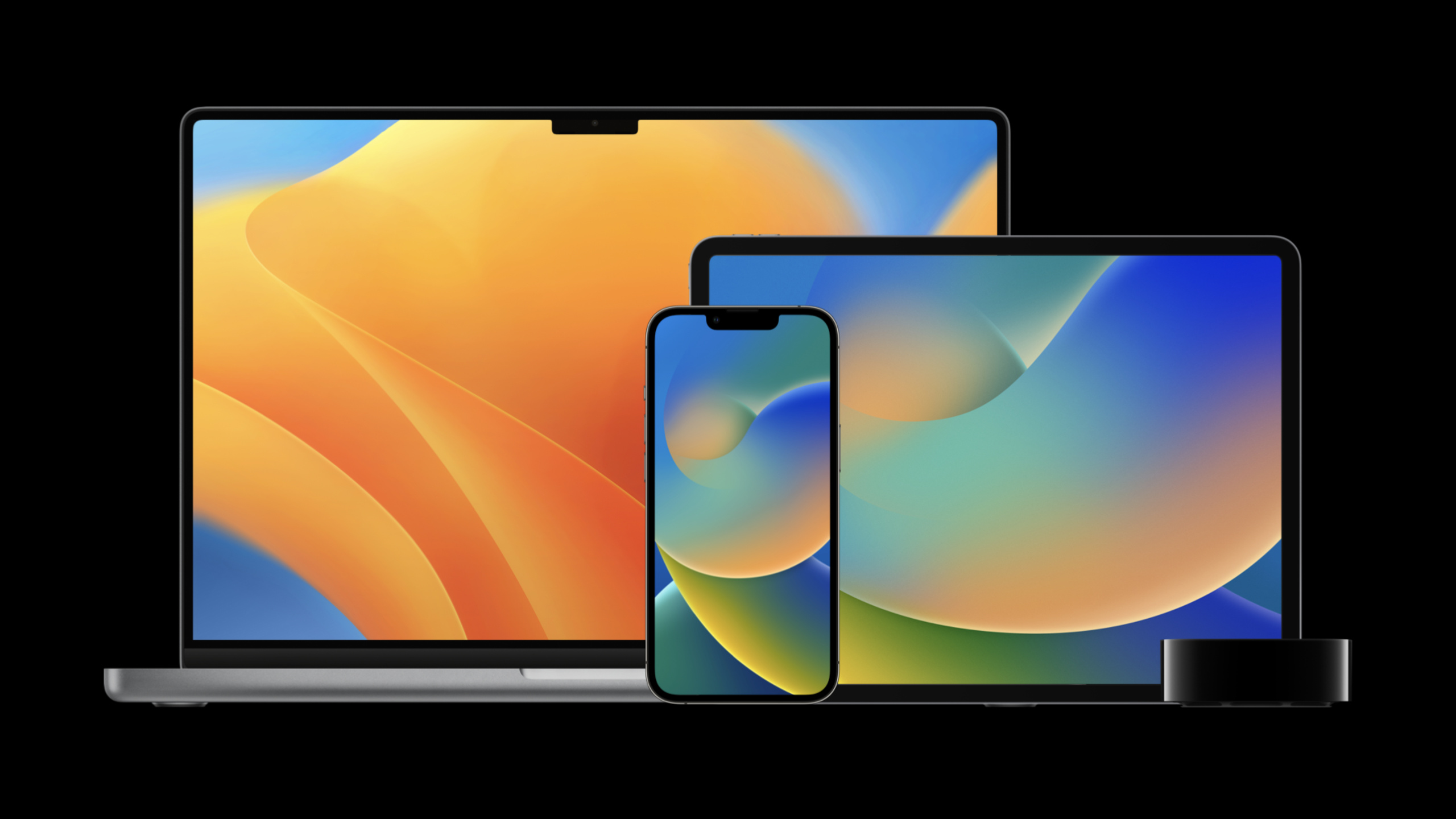
Highlight
Session presented by Nadia and Graham from the Device Management team, covering new device management features in macOS Ventura and iOS/iPadOS 16.
Core Content
Frequently asked questions about managing Apple devices in businesses and schools are very specific.
If a device is not in the procurement channel, the administrator needs to add it to Apple Business Manager. Employees use their personal iPhones to register for MDM, but they have to log in repeatedly in the registration, company app, and company website. After a system update is pushed to the same Macs, administrators want to know how many extensions users have left. BYOD devices only want to protect network traffic for corporate apps and don’t want to take over the entire device.
This session expands these issues along four lines: deployment, identity, MDM protocol, and documentation. It released a set of updates for device management links: Apple Configurator for iPhone supports adding iPhone and iPad; the identity system joins Google Workspace federated authentication, OAuth 2, Enrollment SSO, and Platform SSO; the MDM protocols of macOS, iOS, and iPadOS add more states, restrictions, and queries; the source data of device management documents is opened to GitHub.
Apple Configurator for iPhone expands to iPhone and iPad
(03:24) Apple Configurator for iPhone was originally used to add Macs purchased through abnormal procurement channels to the organization. As of iOS and iPadOS 16, it can also add iPhone and iPad to Apple School Manager or Apple Business Manager.
In the past, if you wanted to add an iPhone or iPad to an organization, Configurator for Mac needed to connect them one by one via USB. The new iPhone process follows the interaction of scanning the Setup Assistant animation, but the scanning location is different: iOS and iPadOS scan the Wi‑Fi page, and macOS scans the country or region page.
Interactive activation still has to be done manually first. Things like Activation Lock or Carrier Activation must be taken care of before joining an organization.
The goal of identity management: log in once and reuse within the system
(04:49) Apple makes the goal of identity management very straightforward: users log in once, and then use this identity consistently across the operating system.
Here are four updates.
First, Apple Business Manager supports Google Workspace as a federated identity provider. Organizations can use work accounts as authentication portals for Managed Apple IDs and use Directory Sync to automatically create Managed Apple IDs.
Second, Sign in with Apple supports Managed Apple ID. Apps that already support Sign in with Apple require no additional changes; administrators can allow all apps in Apple School Manager or Apple Business Manager, or configure an explicit allow list.
Third, iOS and iPadOS 16 add OAuth 2 for MDM client authentication. OAuth’s refresh token mechanism can be used with short-life access tokens to avoid frequently prompting users to enter credentials.
Fourth, Enrollment Single Sign-on combines account-driven user enrollment with scalable SSO. When the user enters their email address in Settings, the system prompts them to download an app with the Enrollment SSO extension; this app is responsible for the native authentication interface and takes the user through the MDM registration process.
Detailed Content
Enrollment SSO: Use JSON to tell the system which SSO App to install
(09:12) The entry point for Enrollment SSO comes from the authentication challenge response of the MDM server. The server returns a URL in an HTTP header, which the client uses to download the JSON document. This JSON tells the system: which App to use when registering, which domains to associate, and which configuration description file to install.
{
  "iTunesStoreID": 12345678,
  "AssociatedDomains": [
    "betterbag.com"
  ],
  "AssociatedDomainsEnableDirectDownloads": false,
  "ConfigurationProfile": "Base64EncodedProfile"
}
Key points:
iTunesStoreIDPoints to the Enrollment SSO App to be used during the enrollment process. -AssociatedDomainsUse withApplicationAttributesSame associated domain configuration. -AssociatedDomainsEnableDirectDownloadsControls the direct download behavior of associated domains. -ConfigurationProfileIt is a Base64-encoded configuration description file that contains at least one Extensible SSO payload; it can also include a certificate payload when a certificate is required.
(11:02) Test mode can be enabled during the development stage. It uses different response headers, JSON alsoiTunesStoreIDReplace withAppIDs, to facilitate the installation of test apps that have not yet been released on the App Store.
{
  "AppIDs": [
"ABC123.com.example.singlesignonapp"
  ],
  "AssociatedDomains": [
    "betterbag.com"
  ],
  "AssociatedDomainsEnableDirectDownloads": false,
  "ConfigurationProfile": "Base64EncodedProfile"
}
Key points:
AppIDsIs an array of strings listing the App IDs allowed for registration in test mode. -AssociatedDomains、AssociatedDomainsEnableDirectDownloads、ConfigurationProfileBe consistent with formal patterns.- The test process starts with Enrollment Single Sign-on test mode in the Developer area of Settings, and then initiates registration in VPN and Device Management.
- Test apps can be installed through Xcode, TestFlight, or enterprise distribution.
Platform SSO: Connect the macOS login window to the identity provider
(11:56) macOS Ventura introduces Platform Single Sign-On. It allows users to complete one authentication at the login window and then automatically log in to the organization’s apps and websites.
This capability is intended for identity providers and SSO extension developers. The identity provider needs to implement the SSO protocol and update its own SSO extension; the administrator needs to update the new key that can extend the SSO profile.
There are also clear boundaries for how you work.
The user still uses the local account password when logging in for the first time, which unlocks FileVault and ensures that the user can log in offline or in a captive network environment. It can then be unlocked with the identity provider password. Platform SSO supports password or Secure Enclave backed key and identity provider authentication. The retrieved SSO token is stored in the keychain and then provided to the SSO extension. The Kerberos TGT can also retrieve and import the credentials cache.
It does not use the directory service directly, nor does it query the identity provider every time it is unlocked. The identity provider is only called when the user attempts to unlock with a new password, or needs to retrieve an SSO token.
OSUpdateStatus: System update status becomes trackable
(15:15) macOS Ventura improves Managed Software Updates. The device will also acknowledge and respond when in sleep or Power Nap modeScheduleOSUpdate、OSUpdateStatus、AvailableOSUpdateOrder.
ScheduleOSUpdateNewprioritykey, the value isHighorLow。HighIt will simulate the priority of users actively requesting updates in the system settings. This key only supports minor OS updates.
(16:08)OSUpdateStatusThe return value provides more administrator visibility.
<key>DeferralsRemaining</key>
<integer>4</integer>
<key>DownloadPercentComplete</key>
<real>0.0</real>
<key>IsDownloaded</key>
<false/>
<key>MaxDeferrals</key>
<integer>5</integer>
<key>NextScheduledInstall</key>
<date>2022-04-19T09:00:00Z</date>
<key>PastNotifications</key>
<array>
	<date>2022-04-18T17:03:51Z</date>
</array>
<key>ProductKey</key>
<string>MSU_UPDATE_22A240a_full_13.0_minor</string>
<key>ProductVersion</key>
<string>16.0</string>
Key points:
DeferralsRemainingIndicates how many update prompt extension opportunities the user has left. -MaxDeferralsIndicates the total number of extensions allowed by the user. -NextScheduledInstallGives the next time the system will try to install updates. -PastNotificationsRecord the specific time an update notification has been shown to the user. -ProductKeyandProductVersionHelp administrators map status to specific system updates.
(16:58) Rapid Security Response also adds management restrictions.allowRapidSecurityResponseInstallationUsed to disable Fast Security Response installation,allowRapidSecurityResponseRemovalUsed to prevent end users from removing Quick Security Response.
Per-app DNS Proxy and Web Content Filter: Protect corporate app traffic on BYOD
(21:47) iOS and iPadOS 16 extend the per-app idea to DNS Proxy and Web Content Filter. It is suitable for user registration scenarios: organizations can protect company app traffic without having to manage the entire personal device traffic.
Configuration is a two-step process. The first step is to add the UUID to the Web Content Filter or DNS Proxy payload. The second step is inInstallApplicationcommand orSettingsIn the command, write the same UUID to the attributes of the corresponding App.
(22:38) Web Content Filter payload usesContentFilterUUID。
<plist version="1.0">
<dict>
	<key>PayloadContent</key>
	<array>
		<dict>
			<key>PayloadType</key>
			<string>com.apple.webcontent-filter</string>
			<key>ContentFilterUUID</key>
			<string>063D927E-ACE2-445F-8024-B355A6921F50</string>
			<key>FilterType</key>
			<string>Plugin</string>
			<key>FilterBrowsers</key>
			<true/>
			<key>FilterPackets</key>
			<false/>
			<key>FilterSockets</key>
			<true/>
			…
Key points:
PayloadTypeindicate that this iscom.apple.webcontent-filterpayload。ContentFilterUUIDIs an identifier for App attributes to be reused. -FilterBrowsers、FilterPackets、FilterSocketsControls the types of traffic covered by the filter.- After adding this UUID, the payload can only be installed through MDM.
(22:47) DNS Proxy payload usageDNSProxyUUID。
<plist version="1.0">
<dict>
	<key>PayloadContent</key>
	<array>
		<dict>
			<key>PayloadType</key>
			<string>com.apple.dnsProxy.managed</string>
			<key>DNSProxyUUID</key>
			<string>063D927E-ACE2-445F-8024-B355A6921F50</string>
			<key>AppBundleIdentifier</key>
			<string>com.example.myDNSProxy</string>
			…
Key points:
PayloadTypePoints to the hosted DNS Proxy payload. -DNSProxyUUIDIs the associated identifier of the per-app DNS Proxy. -AppBundleIdentifierPoints to an App that provides DNS Proxy capabilities.- The system allows multiple DNS Proxies, but system-wide and per-app proxies cannot be mixed.
(23:05) When installing the App, write the same UUID intoAttributes。
<plist version="1.0">
<dict>
	<key>RequestType</key>
	<string>InstallApplication</string>
	<key>iTunesStoreID</key>
	<integer>361309726</integer>
	<key>Attributes</key>
	<dict>
		<key>ContentFilterUUID</key>
		<string>063D927E-ACE2-445F-8024-B355A6921F50</string>
       <key>DNSProxyUUID</key>
		<string>063D927E-ACE2-445F-8024-B355A6921F50</string>
	</dict>
	<key>ManagementFlags</key>
	<integer>0</integer>
</dict>
</plist>
Key points:
RequestTypeuseInstallApplication, indicating that this is the MDM command to install the app. -iTunesStoreIDPoint to the app you want to install. -AttributesHosts per-app configuration association information. -ContentFilterUUIDandDNSProxyUUIDThe value must correspond to the UUID in the previous payload.- App developers do not need to change code for this capability; existing DNS Proxy and Web Content Filter Apps can continue to be used.
eSIM management: Check ServiceSubscriptions first, then send RefreshCellularPlans
(24:38) eSIM deployment is divided into two actions: MDM first queries the data required by the operator from the device, and then lets the device install eSIM from the operator server.
DeviceInformationin queryServiceSubscriptionsis your one-stop source for cellular data. Returning two items indicates that the device supports two active cellular plans; returnEIDIndicates this is an eSIM. New devices like iPhone 13 and third-generation iPhone SE support dual active carrier eSIM profiles.
(24:56) Below is aServiceSubscriptionsResponse fragment.
{
	"CarrierSettingsVersion": "41.7.46",
	"CurrentCarrierNetwork": "CarrierNetwork",
	"CurrentMCC": "310",
	"CurrentMNC": "410",
	"EID": "89049032004008882600004821436874",
	"ICCID": "6905 4911 1205 0650 3488",
	"IMEI": "35 309418 464558 9",
	"IsDataPreferred": false,
	"IsRoaming": false,
	"IsVoicePreferred": false,
	"Label": "Secondary",
	"LabelID": "FDG4225C-L9OY-89BM-JF38-36JR4JOL76B3",
	"MEID": "35745008005631",
	"PhoneNumber": "+14152739164",
	"Slot": "CTSubscriptionSlotTwo"
}
Key points:
EIDis the unique eSIM identifier for each device. -IMEI、EID, serial number and phone number are the four types of data that operators usually require. -PhoneNumberWhen non-empty, it can be used to confirm that eSIM has been installed successfully. -SlotIndicates the cellular slot corresponding to this subscription record.
(26:28) The eSIM server URL is provided by the operator during the installation phase. MDM sends to deviceRefreshCellularPlans, the device accesses the operator’s server, and if an eSIM is available, it is automatically downloaded and installed without user interaction.
There are three administrative details here.
- eSIM installation is a one-time operation. Subsequent installation on the same device requires the operator to configure a new eSIM.
-
allowESIMModificationIt can prevent users from accidentally deleting eSIM. - If you want to keep the eSIM when wiping the device,
EraseDeviceorder toPreserveDataPlanset toTrue。
Shared iPad: Reduce input, adjust remote authentication frequency, clarify quotas
(27:45) Shared iPad updates focus on the login experience and storage quotas.
ManagedAppleIDDefaultDomainsjoin inSharedDeviceConfigurationofSettingsOrder. When a user enters a Managed Apple ID, the QuickType keyboard prompts for the domain name. The command can accept any number of domain names, but the interface only displays three.
(28:32) iPadOS 16 changes remote authentication requirements. Existing users use local authentication by default. If the administrator wants to force remote authentication, he can setOnlineAuthenticationGracePeriod. This key is an integer, indicating the number of days between two remote authentications; when the value is 0, remote authentication is required for each login.
(29:18) Shared iPad quota still passesSharedDeviceConfigurationManagement, the relevant key isQuotaSizeandResidentUsers. No matter which key is set, the system will eventually calculate the storage quota for each user. As long as there are no cached users on the device, the quota size can be adjusted at any time after iOS 13.4.
MDM manages accessibility settings and installs apps in Setup Assistant
(31:28) iOS and iPadOS 16 allow MDM to manage several common accessibility settings, including Text Size, VoiceOver, Zoom, Touch Accommodations, Bold Text, Reduce Motion, Increase Contrast, and Reduce Transparency.
<key>Settings</key>
<array>
	<dict>
		<key>Item</key>
		<string>AccessibilitySettings</string>
		<key>TextSize</key>
		<integer>5</integer>
		<key>VoiceOverEnabled</key>
		<true/>
		<key>ZoomEnabled</key>
		<true/>
		<key>TouchAccommodationsEnabled</key>
		<true/>
		<key>BoldTextEnabled</key>
		<true/>
		<key>ReduceMotionEnabled</key>
		<true/>
		<key>IncreaseContrastEnabled</key>
		<true/>
		<key>ReduceTransparencyEnabled</key>
		<true/>
	</dict>
</array>
Key points:
Itemset toAccessibilitySettings, indicating that this set of Settings is for accessibility. -TextSizeSet text size. -VoiceOverEnabled、ZoomEnabled、TouchAccommodationsEnabledControl common accessibility switches. -BoldTextEnabled、ReduceMotionEnabled、IncreaseContrastEnabled、ReduceTransparencyEnabledControl display and animation related settings.- These settings are not locked and users can still modify them according to personal preferences; MDM can also
DeviceInformationquery queries them.
(32:23) Automated Device EnrollmentAwaitDeviceConfiguredStage supports installing applications. There are usually no users logged into the App Store at this stage, so Apple recommends using a device-based App license. In this way, before the device leaves Setup Assistant, it can prepare the apps that the user needs to start working.
(32:55) Security boundaries have also changed.CertificateListquery will be returned before unlocking for the first timeNotNow。
<plist version="1.0">
<dict>
	<key>CommandUUID</key>
	<string>0001_CertificateList</string>
	<key>Status</key>
	<string>NotNow</string>
	<key>UDID</key>
	<string>00008031-000123840A45507E</string>
</dict>
</plist>
Key points:
CommandUUIDmark this timeCertificateListOrder. -StatusreturnNotNow, indicating that the device is currently unable to provide results. -UDIDIdentifies the responding device.- After the user unlocks the device for the first time, the query will respond normally until the device is restarted.
- MDM server needs to be able to handle this
NotNow, cannot regard it as a permanent failure.
Device management documents are opened as machine-readable data
(33:51) Apple has opened the source code behind the device management documentation to GitHub, using the MIT Open Source License. The repository contains MDM documentation and declarative device management documentation.
The structure is also geared toward tool use: checkin, commands, and profiles are in the MDM directory; declarations, protocols, and status are in the declarative management directory. There is a YAML file for each command, profile or declaration.
(35:00) There are several key fields in YAML.
payloadRequest type representing the MDM command, for exampleProfileList。supportedOSDescribe the platform, system version, whether supervision is required, and whether user enrollment is supported. -payloadkeysDescribes the additional capabilities of query. Subkeys can cover the upper layer.supportedOS。response keysDescribes the response structure that the MDM server can expect to receive.
This is useful for MDM vendors. Tools can read YAML directly and generate protocol checks, version diffs, support matrices, or documentation pages.
Core Takeaways
-
Make an Enrollment SSO development checker
- What: Check that the JSON pointed to by the MDM authentication response header contains the correct
iTunesStoreIDor test modeAppIDs. - Why it’s worth doing: Enrollment SSO involves multi-party collaboration between MDM server, identity provider, Managed Apple ID, and SSO App. Configuration errors will cause users to get stuck in the registration process.
- How to start: Grab JSON from the server and verify it
AssociatedDomains、AssociatedDomainsEnableDirectDownloads、ConfigurationProfile, and then enable Enrollment SSO test mode verification on the test device.
- What: Check that the JSON pointed to by the MDM authentication response header contains the correct
-
Make a system update compliance panel
- What: Shows each Mac’s
DeferralsRemaining、MaxDeferrals、NextScheduledInstallandPastNotifications. - Why it’s worth doing: Administrators can distinguish three statuses: “The device has not received updates”, “The user is still deferred”, and “The system has been scheduled for installation”.
- How to start: Send regularly
OSUpdateStatus, put the returned fields into the database by device and product version, and then sort by the number of remaining extensions.
- What: Shows each Mac’s
-
Make a BYOD company App network policy generator
- What: Automatically generate Web Content Filter, DNS Proxy payload and
InstallApplicationattributes. - Why it’s worth doing: per-app DNS Proxy and Web Content Filter require UUID to be consistent between profile and App attributes, and manual maintenance is prone to errors.
- How to start: Generate UUID for each policy, write
ContentFilterUUIDorDNSProxyUUID, and then write the same value toInstallApplicationofAttributes。
- What: Automatically generate Web Content Filter, DNS Proxy payload and
-
Make an eSIM deployment reporting tool
- What to do: From
ServiceSubscriptionsSummarize IMEI, EID, serial number, phone number and generate carrier delivery list. - Why it’s worth doing: Operators usually need these types of data before activating eSIM, and MDM can already collect it from the device side.
- How to start: Initiate
DeviceInformationquery, extractServiceSubscriptions, query again after installation and use non-emptyPhoneNumberConfirm the result.
- What to do: From
-
Make a device management YAML diff browser
- What to do: Read the device-management YAML on Apple GitHub and display new commands, payload keys and supported platform changes by system version.
- Why it’s worth doing: The document source data is already machine-readable, and the MDM vendor can convert protocol changes into automated checks.
- How to start: Pull Apple’s device-management warehouse and parse it
supportedOS、payloadkeys、response keys, comparing the differences between iOS 16 and macOS Ventura by branch.
Related Sessions
- Adopt declarative device management — This session is recommended at the beginning and continues to talk about the expansion of declarative device management in platform support, status reporting and predicates.
- Discover Sign in with Apple at Work & School — An in-depth explanation of how Managed Apple ID is used for Sign in with Apple in organizational scenarios.
- Discover Managed Device Attestation — Talk about how device attestation uses Secure Enclave to provide device identity and software version assurance for servers.
- Explore Apple Business Essentials — Introducing all-in-one device management, support and cloud storage subscription options for small businesses.
Comments
GitHub Issues · utterances