
Highlight
App Store Server API and App Store Server Notifications V2 use JWS signature data, originalTransactionId query, notification history and test notifications to help the server migrate from verifyReceipt to a verifiable and recoverable in-app purchase state synchronization process.
Core Content
The in-app purchase server is most afraid of two types of problems.
The first category is scattered data sources. old process dependenciesverifyReceipt, the server has to parse it by itself after getting the receipt.in_app、latest_receipt_info、pending_renewal_info, and then fromexpiration_intent、grace_period_expires_dateOther fields infer subscription status.
The second category is when state changes occur outside the app. Subscription renewals, refunds, and users turning off automatic renewal may all occur when the user does not open the app. Relying only on client reporting, the server can easily fall behind.
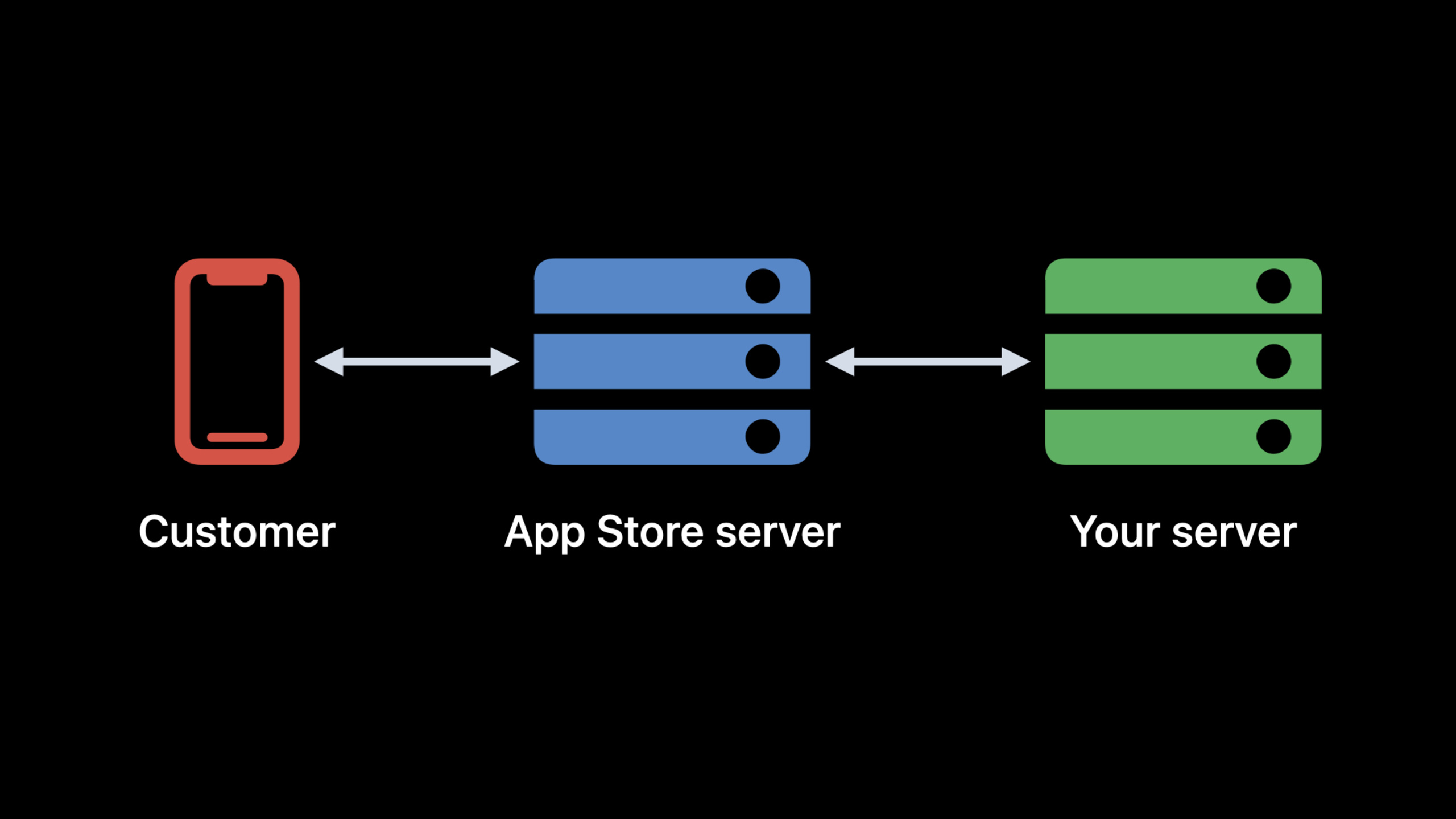
The migration path given in this session is divided into two parts. Gabriel talks about App Store Server API: usingoriginalTransactionIdCall endpoints such as Get Transaction History and Get All Subscription Statuses, and the returned data is in JWS (JSON Web Signature, JSON Web Signature) format. Alex talks about App Store Server Notifications V2: When the subscription status changes, Apple actively sends signature notifications to your server.
The point is that migration can be done separately. The App Store Server API does not bind StoreKit 2. Original StoreKit, StoreKit 2, Notification V1, and Notification V2 can be gradually accessed according to the current system status. The old client continues to send receipts, the new client sends signature transactions, and the server can use the sameoriginalTransactionIdEnter a new query and verification process.
Detailed Content
Enter the new server API from originalTransactionId
(02:39) Multiple endpoint usage of the App Store Server APIoriginalTransactionIdas path parameter. This ID can come from old receipts, signature transactions, signature renewal messages, and notifications. In this way, the server can migrate the query logic first without waiting for all clients to be upgraded to StoreKit 2.
(03:28) The migration process of Original StoreKit is: get the app receipt, callverifyReceipt, collected from the decoded receiptoriginalTransactionId, and then call Get Transaction History or Get All Subscription Statuses.
Concept flow: Original StoreKit client migration

appReceipt
  -> verifyReceipt(appReceipt)
  -> decodedReceipt.in_app / latest_receipt_info / pending_renewal_info
  -> collect originalTransactionId
  -> Get Transaction History(originalTransactionId)
  -> signed transactions
  -> Get All Subscription Statuses(originalTransactionId)
  -> latest signed transaction + signed renewal information
Key points:
appReceiptIt is the data that the original client has uploaded to the server. -verifyReceipt(appReceipt)Still exists in the first step of migration, used to decode old receipts. -in_app、latest_receipt_info、pending_renewal_infoIt’s named in the transcriptoriginalTransactionIdsource.- Get Transaction History returns the transaction history of this user, and the result is signed transactions.
- Get All Subscription Statuses returns the latest signed transaction and signed renewal information for the specified subscription.
(04:52) StoreKit 2 has a more direct entry point. After the client gets the verified transaction, it readsoriginalID, the server can also read it in the top-level field of JWS after receiving the signed transaction.originalTransactionId。
// Concept code: StoreKit 2 client reads originalTransactionId from a verified transaction
let verificationResult = transactionResult

switch verificationResult {
case .verified(let transaction):
    let originalTransactionId = transaction.originalID
    sendSignedTransactionToServer(transaction)
case .unverified:
    break
}
Key points:
- This paragraph is a conceptual code compiled according to the transcript process. The session does not provide official code snippets.
-
.verifiedCorresponds to a verified, decoded StoreKit 2 transaction. -transaction.originalIDis the attribute mentioned in transcript, used to obtainoriginalTransactionId。 sendSignedTransactionToServer(transaction)Indicates that the signed transaction is handed over to the server for storage and verification. The function name is a hint. -.unverifiedBranches cannot be used as the basis for equity.
Sign JWT for App Store Server API
(08:18) When calling the App Store Server API, each server request must carry JWT (JSON Web Token, JSON Web Token) in the Authorization header. JWT consists of three sections: header, payload, and signature, separated by periods.
There is in headerkeyId, which must match the private key ID in App Store Connect. Put information related to your App in the payload. Apple provides two documents in the resources: Creating API keys to authorize API requests and Generating JSON Web Tokens for API requests.
Concept pseudocode: generate an App Store Server API JWT

privateKey = loadPrivateKey(for: keyId)
header = {
  keyId: keyId,
  algorithm: signingAlgorithm
}
payload = {
  issuer: issuerId,
  audience: appStoreConnectAudience,
  bundleId: appBundleId,
  issuedAt: now,
  expiration: shortLivedExpiration
}

token = jwtLibrary.sign(
  privateKey: privateKey,
  header: header,
  payload: payload
)
Key points:
loadPrivateKey(for: keyId)Corresponds to the requirement of “private key must correspond to the key id” in transcript. -headerSave signature metadata, wherekeyIdTo match the App Store Connect private key. -payloadSave application-related declarations; specific fields are subject to Apple’s JWT document. -jwtLibrary.sign(...)Corresponds to “call the signing function that your JWT library exposes” in the transcript. -tokenTo be included in the Authorization header of each App Store Server API request.
(10:27) The session also shows a cURL example of using token to call Get All Subscription Statuses. The official snippet does not appear in the local Code tab, only the call structure is retained here.
# Concept command: put the generated JWT in the Authorization header
curl \
  --header "Authorization: Bearer ${token}" \
  "<Get All Subscription Statuses endpoint URL with ${originalTransactionId}>"
Key points:
${token}is the JWT checked out in the previous step. -${originalTransactionId}Is the original transaction ID in the receipt, signed transaction, or notification.- Use placeholders for URLs to avoid mistyping the specific endpoint form in the document.
- This request is used to get the latest status of the subscription, latest signature transaction and signature renewal information.
Verify JWS and confirm that the data comes from the App Store
(10:41) Both the App Store Server API and Notifications V2 return JWS. The value of JWS is tamper-proof: only after the server-side verification is passed, can we believe that the data comes from the App Store and has not been modified during the transmission process.
(11:20) Verification starts from the header. First base64 decode header, readalgConfirm the signature algorithm and read againx5cCertificate chain.x5cThe chain is issued by Apple, and the last leaf certificate on the chain is used to sign JWS.
Concept flow: verify a signed transaction

jws = receiveSignedTransaction()
header = base64Decode(jws.header)
algorithm = header.alg
certificateChain = header.x5c

verify certificateChain against Apple root certificate
verify jws signature with leaf certificate

if verification succeeds:
  store validated transaction data
else:
  reject the JWS
Key points:
jwsIs the signed data returned by the App Store Server API or Notifications V2. -header.algSpecify the signature algorithm. -header.x5cIt is a certificate chain, and the transcript emphasizes that the order of certificates is meaningful. -certificateChainTo establish a trust relationship with the root certificate of Apple Certificate Authority.- Do not use JWS when validation fails as it may have been tampered with or not issued by the App Store.
(13:35) session has given an OpenSSL verification idea: trust the Apple Root CA, use it to verify the WWDR certificate, and then use the chain to continue verifying the leaf certificate. Use the decoded data when successful, and troubleshoot based on the error code when failed.
# Concept command: verify the x5c certificate chain with OpenSSL
openssl verify \
  -trusted AppleRootCA.pem \
  -untrusted AppleWWDRCA.pem \
  LeafCertificate.pem
Key points:
AppleRootCA.pemCorresponds to the root certificate obtained from Apple Certificate Authority. --trustedIndicates using the root certificate as a trust anchor. -AppleWWDRCA.pemCorresponds to the WWDR certificate mentioned in the transcript. -LeafCertificate.pemIt is the leaf certificate at the end of the certificate chain, used to sign JWS.- After the command is successful, it only means that the certificate chain verification has passed; the JWS signature still needs to be verified using the JWS library according to the corresponding algorithm.
Replace the typical query of verifyReceipt with the new API
(16:04) Migration can be carried out in stages without removing all old logic at once. session lists several high-frequency scenarios, replacing old field inference with new endpoints.
Concept mapping: migrate verifyReceipt to the App Store Server API

Old flow:
verifyReceipt
  -> expiration_intent / grace_period_expires_date / latest_receipt_info
  -> infer subscription status and the latest transaction

New flow:
Get All Subscription Statuses(originalTransactionId)
  -> status
  -> latest signed transaction
  -> latest signed renewal information

Get Transaction History(originalTransactionId)
  -> filtered, sorted, paginated signed transactions
Key points:
expiration_intentandgrace_period_expires_dateIs the field used to infer status in old receipts.- Get All Subscription Statuses returns directly
statusfields, as well as the latest signed transaction and renewal information. - Get Transaction History returns the complete purchase history and supports filtering, sorting and paging.
- Both new endpoints still end with
originalTransactionIdfor the entrance.
(18:06)appAccountTokenAlso enters the scope of migration. In StoreKit 2, developers can provide a UUID to associate transactions with users. Apple also gives Original StoreKitapplicationUsernameAdded compatibility support: if a UUID is passed in here, it will haveappAccountTokenfunction and appears in verifyReceipt, App Store Server API and Notifications.
Concept flow: use a UUID to associate app users with transactions

userId
  -> generate UUID for purchase association
  -> StoreKit 2: provide UUID as appAccountToken
  -> Original StoreKit: provide UUID as applicationUsername
  -> signed transactions / signed renewals / notifications include appAccountToken
  -> server maps appAccountToken back to the app account
Key points:
- UUID is used to associate in-app users with App Store transactions.
- StoreKit 2 usage
appAccountToken. - Original StoreKit use
applicationUsernamePass in UUID. - This value will appear in signature transactions, signature renewal messages, and notifications.
- Servers can use this to reduce the vulnerability of transactions that rely solely on device or login status.
Connect to Notifications V2, changing from passive query to active synchronization
(19:37) App Store Server Notifications are messages that Apple sends to the server when users perform certain actions. Common categories include subscription updates and refund updates. It fills the gap when the App is not online. For example, when a subscription renewal occurs, the transaction information will reach your server directly.
(21:20) Configuration starts with App Store Connect. Production and Sandbox can set URL and notification version respectively. Apple recommends that V1 users first try V2 in the Sandbox to confirm that HTTPS certificate and Apple public IP access are normal.
Concept checklist: first integration with Notifications V2

App Store Connect
  -> open App Store Server Notifications section
  -> configure Sandbox URL
  -> select Version 2 Notifications
  -> confirm HTTPS certificate
  -> allow Apple public IPs
  -> Request a Test Notification
  -> Get Test Notification Status if delivery fails
Key points:
- Sandbox URL and Production URL can be configured separately.
- HTTPS certificates and firewalls are common reasons for failure in transcripts.
- Request a Test Notification is used to automatically trigger test notifications.
- Get Test Notification Status will return failure clues, for example
SSL_ISSUE. - Each time the notification configuration is changed, a test notification should be triggered.
(23:32) The notification itself is also JWS. After receiving the JSON body, the server first retrievessignedPayload, verify according to the same set of steps as the previous signed transaction. After verification, also check the target app and environment.
Concept flow: handle a Notifications V2 request

requestBody
  -> signedPayload
  -> verify JWS signature
  -> decode notification body
  -> check appAppleId / bundleId
  -> check environment
  -> store notification
  -> enqueue asynchronous processing
  -> return HTTP 200 quickly
Key points:
signedPayloadIs the field to be verified in the notification JSON body.- JWS verification steps are the same as signed transaction.
-
appAppleIdandbundleIdUsed to confirm that the notification belongs to your app. -environmentBe consistent with Production or Sandbox expectations. - Time-consuming processing should be executed asynchronously to avoid the App Store recording timeout and re-sending notifications.
Use notificationUUID, signedDate and History to handle retries and missed collections
(25:19) The body of Notifications V2 hasnotificationType, optionalsubtype、notificationUUID、signedDate、appAppleId、bundleId、environment、signedTransactionInfoand optionalsignedRenewalInfo。
innotificationUUIDUsed to remove weight. When Apple retries the same notification, the UUID does not change. If the server has already processed this UUID, it should not repeatedly issue rights, repeat accounting, or trigger user contact repeatedly.
Concept pseudocode: notification deduplication and asynchronous processing

notification = decodeAndVerify(signedPayload)

if notificationUUID already exists:
  return HTTP 200

store notificationUUID
store signedDate, notificationType, subtype
enqueue work with signedTransactionInfo and signedRenewalInfo
return HTTP 200
Key points:
decodeAndVerify(signedPayload)Indicates that JWS verification is completed first and then decoded. -notificationUUID already existsCorresponds to duplicate notification detection in transcript. -signedDateCan help identify late-arriving retry notifications. -enqueue workMove time-consuming logic to an asynchronous queue. -return HTTP 200Execute as quickly as possible to avoid triggering unnecessary retries.
(30:37) After a server outage, Apple retries V2 notifications per the documented policy: 1 hour after the first failure, then 12 hours, 24 hours, 48 hours, 72 hours. Short faults can wait and try again. Long faults need to be rectified proactively.
(33:39) Get Notification History Provides six months of notification history. During recovery, the start and end timestamps of outage are recorded, and only this period of time is queried. When there are many notifications, you can filter by type first, for exampleDID_RENEWandEXPIRED;Can be used when troubleshooting a single useroriginalTransactionIdfilter.
Concept flow: recover potentially missed notifications after an outage

outageStart, outageEnd = incident window

Get Notification History(
  startDate: outageStart,
  endDate: outageEnd,
  notificationType: highImpactTypes,
  originalTransactionId: optionalUserScope
)
  -> notificationHistory[]
  -> signedPayload
  -> firstSendAttemptResult
Key points:
outageStartandoutageEndNarrow the query scope and reduce repeated processing. -notificationTypeYou can first select the type that affects the rights and interests, for exampleDID_RENEW、EXPIRED。originalTransactionIdCan be used in customer support scenarios to check a user’s notification track. -notificationHistory[]Each item in represents a notification. -firstSendAttemptResultProvide first delivery results, e.g.SUCCESSorSSL_ISSUE。
Use subtype to understand the subscription life cycle
(27:06) Notifications V2 changed the notification model. V1 prefers each notification to carry the complete recent history; V2 only sends the latest information: the latest transaction information, and renewal pending information in subscription scenarios. Multiple notifications are combined to form a subscription status timeline.
(28:45) session uses a subscription life cycle as an example: the first subscription is issuedSUBSCRIBED + INITIAL_BUY, renewal is issuedDID_RENEW, the user turns off automatic renewal and sendsDID_CHANGE_RENEWAL_STATUS + AUTO_RENEW_DISABLED, issued after expirationEXPIRED + VOLUNTARY。
Concept timeline: subscription from purchase to voluntary expiration

SUBSCRIBED / INITIAL_BUY
  -> user enters renewing state

DID_RENEW
  -> subscription renews

DID_CHANGE_RENEWAL_STATUS / AUTO_RENEW_DISABLED
  -> user turns off auto-renewal

EXPIRED / VOLUNTARY
  -> subscription period ends without renewal
Key points:
notificationTypeIndicates what type of event occurred. -subtypeAdd reasons or subdivide scenarios. -DID_CHANGE_RENEWAL_STATUSRights do not necessarily have to be revoked immediately, but it is a window to recall users. -EXPIREDIndicates that the subscription has expired and access usually needs to be revoked.- V2 covers more transfer states in the subscription life cycle, and the server can start accessing from a small number of key types.
Core Takeaways
-
**What to do: Migrate the verifyReceipt status judgment into a dual-track query. ** Why it’s worth doing: When the Original StoreKit client is still using the receipt, the server can still get it from the receipt.
originalTransactionId, and then use the App Store Server API to query the latest status. How to get started: Keep existingverifyReceiptDecode entry, add Get All Subscription Statuses query, infer old fields and new onesstatusResults are logged in parallel over time. -
**What to do: Add a JWT signature layer to all App Store Server API requests. ** Why it’s worth doing: session explicitly requires JWT authentication for every server request, header
keyIdTo match the App Store Connect private key. How to start: Encapsulate the token generation module on the server side, exposing only the two capabilities of “generating short-term JWT” and “calling API with Authorization header”. -
**What to do: Make JWS verification a unified entrance. ** Why it’s worth doing: signed transaction and Notifications V2
signedPayloadUse the same kind of JWS validation flow. How to start: First implement certificate chain verification, and then use leaf certificate to verify the JWS signature; data that fails verification is directly discarded and does not enter the equity system. -
**What to do: Establish a fast ACK + asynchronous processing queue for Notifications V2. ** Why it’s worth doing: Apple will treat processing timeouts as delivery failures and retry. Repeated notifications will increase idempotent pressure. How to start: The request entry only does JWS verification, App/environment checking,
notificationUUIDDeduplicate and enqueue, then return HTTP 200 immediately. -
**What to do: Add a “downtime compensation” tool to the subscription server. ** Why it’s worth doing: Get Notification History provides six months of history with
firstSendAttemptResult, you can catch up on missed notifications and locate SSL or delivery issues after an incident. How to start: Record start and end times during incident recovery, by time period, notification type and optionaloriginalTransactionIdQuery history and replay it using existing JWS validation and deduplication logic.
Related Sessions
- What’s new with in-app purchase — The annual updates to Get Transaction History’s filtering, sorting, test notifications, and notification history mentioned here come from this overview.
- What’s new in StoreKit testing — Explain how to test in-app purchase boundary states such as subscriptions, refunds, price increases, and billing failures in Xcode and Sandbox.
- Implement proactive in-app purchase restore — Explain how to identify that the user has in-app purchase rights when the client starts, and synchronize with the server status.
Comments
GitHub Issues · utterances