
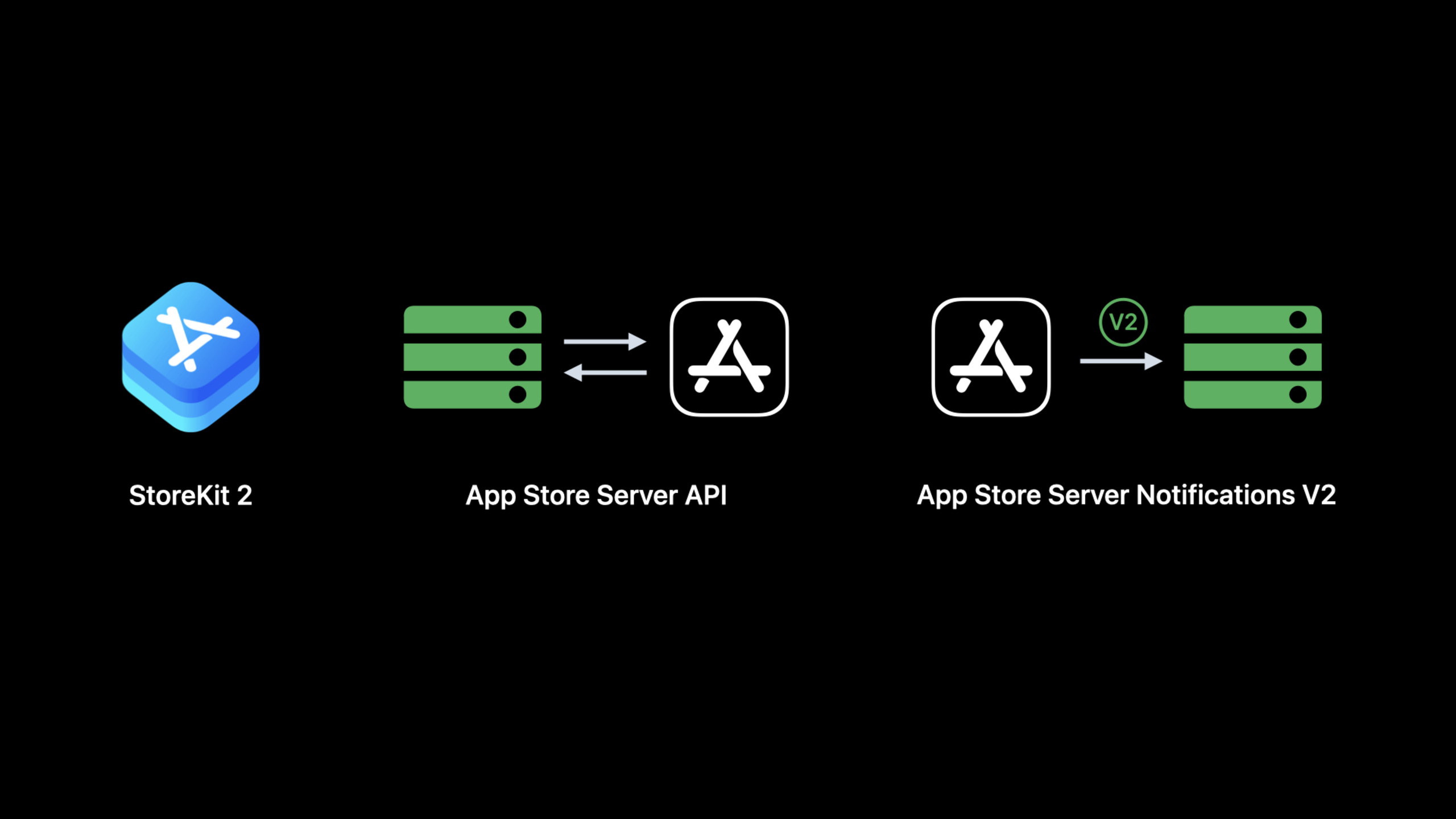
Highlight
Using Food Truck (a donut delivery app) as a running example throughout, this session introduces several StoreKit updates from this year.
Core Content
Food Truck was originally a paid app. After paying $4.99, users could deliver donuts, view basic social feeds, and see annual sales charts. Later the author switched it to free download: annual sales charts became a one-time in-app purchase, and premium social feeds became a subscription.
Problems appeared immediately. Alice paid for the app in version 2.5; Bob downloaded it free in version 8.2. Alice should not lose features she already paid for because the business model changed, while Bob should unlock premium content only after completing in-app purchases.
StoreKit’s core answer this year is App Transaction. It extracts the app’s purchase information from the old receipt, signs it with JWS, and StoreKit verifies it automatically. Developers can read originalAppVersion to determine which version the user first downloaded, then decide whether to preserve entitlements for legacy paid users.
The other half of this session is server-side. Get Transaction History in App Store Server API gains sorting and filtering; App Store Server Notifications V2 adds test notifications and a notification history endpoint. These address server integration and outage recovery: first confirm your notification URL can receive TEST notifications, then use the history endpoint after downtime to recover missed V2 notifications.
Detailed Content
Identifying Legacy Paid Users with App Transaction
(02:05) App Transaction is a new API for verifying app purchase records. It represents the signed purchase information for the app on the current device, signed with JWS, replacing the App detail section of the legacy App Receipt. StoreKit verifies automatically and also allows developers to verify the JWS signature themselves.
(06:53) Food Truck’s migration logic breaks into three steps: fetch App Transaction, handle the verification result, and read the original app version.
let result = await AppTransaction.shared

switch result {
case .unverified:
    // Prompt the user that app purchase cannot be verified and provide a refresh entry point.
case .verified(let appTransaction):
    let originalAppVersion = appTransaction.originalAppVersion
    // Use originalAppVersion to determine whether the user purchased the paid version before 8.0.
}
Key points:
AppTransaction.sharedis the entry point given in the transcript for obtaining the App TransactionVerificationResult..unverifiedmeans StoreKit did not complete verification; the session recommends providing a user-facing entry point to refresh the App Transaction.- Only read
appTransactionin the.verifiedbranch to avoid treating unverified data as an entitlement basis. originalAppVersionis the version when the user first downloaded this app. Food Truck uses it to check whether it predates 8.0.- Refreshing App Transaction triggers user authentication, so it can only be called in response to user action—not silently in the background.
The value of this API is not the word “verification” itself, but migration scenarios. When a paid app becomes free with in-app purchases, legacy and new users mix together. originalAppVersion provides an explainable cutoff: users who purchased before 8.0 keep annual sales charts; users who downloaded free after 8.0 unlock content per current in-app purchase entitlements.
New Ready-to-Use Properties on StoreKit Models
(09:01) StoreKit models gain three new properties: priceLocale, environment, and recentSubscriptionStartDate. When built with Xcode 14, these properties can back-deploy to older systems because the implementation is compiled into the app.
product.priceLocale
transaction.environment
renewalInfo.environment
subscriptionInfo.recentSubscriptionStartDate
Key points:
priceLocaleis used for localized formatting after price calculations—for example, converting an annual subscription price to a monthly price while keeping the App Store price locale.environmentappears on Transaction and Renewal Info to distinguish Xcode, sandbox, and production, avoiding test transactions in production analytics.recentSubscriptionStartDateis the start of the most recent continuous subscription period.- “Continuous subscription” allows up to 60 days between two subscription periods, so it cannot be used to calculate how many days the user has been subscribed.
(13:21) In StoreKit Testing in Xcode on older systems, these properties may return sentinel values. priceLocale is xx_XX, environment is an empty string, and recentSubscriptionStartDate is Date.distantPast. These placeholders only mean the local test environment cannot provide real values—they should not enter business logic.
SwiftUI Entry Points: Offer Code Redemption and Review Requests
(15:01) Subscription offer code redemption becomes a SwiftUI-friendly view modifier. It needs a binding Boolean to start presenting the redemption sheet; when the sheet closes, it returns whether presentation succeeded. Transactions from successful redemptions go into the transaction listener, so set up transaction listening at app launch.
// SwiftUI offer code redemption sheet
// Use a binding Boolean to trigger presentation; redeemed transactions go into the transaction listener.
offerCodeRedemption(isPresented: $isPresentingOfferCodeRedemption)
Key points:
- The transcript explicitly says this view modifier “just needs a binding Boolean.”
- The redemption sheet handles the offer code flow; transaction results are not returned directly from the sheet but go into the transaction listener.
- This capability is available from iOS 16.
(16:44) Review requests also have a SwiftUI entry point. SwiftUI adds requestReview, which provides a RequestReviewAction that you call as a function at the right moment.
@Environment(\.requestReview) private var requestReview

requestReview()
Key points:
requestReviewcomes from a SwiftUI environment value.- It provides a
RequestReviewAction. - The system shows the prompt at most three times to the same user within 365 days.
- Do not force a review request just because the user tapped a button; the session recommends choosing positive moments, such as after a purchase or completing a game level.
StoreKit Messages: Controlling When App Store Messages Appear
(17:48) A StoreKit message is a sheet distributed by the App Store to show important information to users. A typical reason is a subscription price increase requiring user consent. By default, when the app enters the foreground, StoreKit checks for pending messages and overlays them directly on the app.
Food Truck’s example is the donut editor. When users are editing delivery content, a price consent sheet popping up interrupts the workflow. The solution is to set a message listener in views where you need to control presentation timing, store messages first, and display them after leaving the editor.
// Listen for StoreKit messages in views that need delayed presentation.
// Append received messages to pendingMessages and display them later.
pendingMessages.append(message)

// Use displayStoreKitMessage from the SwiftUI environment in an appropriate parent view.
displayStoreKitMessage(message)
Key points:
- The session explains that pending messages are delivered to the app each time it enters the foreground.
- Without a message listener, StoreKit displays the sheet immediately.
- In a listening scenario, messages can be collected into
pendingMessagesand shown after the user leaves a sensitive flow. displayStoreKitMessageis a SwiftUI environment value providing aDisplayMessageAction.- The same message may be delivered multiple times because messages are only marked as read after being shown to the user.
Migrating Legacy applicationUsername to appAccountToken
(22:23) Legacy StoreKit used applicationUsername to associate transactions with the developer’s own user accounts. It accepts any string, but Apple recommends passing a UUID string; if it is not a UUID string, StoreKit does not guarantee persistence.
// Legacy StoreKit payment: set applicationUsername as a UUID string.
applicationUsername = userAccountUUID.uuidString

// In modern StoreKit APIs, the equivalent is appAccountToken, which requires UUID format.
appAccountToken = userAccountUUID
Key points:
applicationUsernameis a developer-created string associating transactions with your own account system.- When a UUID string is passed, the App Store server saves it as
appAccountToken. - It can then be seen in signed transaction info from App Store Server API and V2 App Store Server Notifications.
- This lets you preserve existing transaction-to-account associations when migrating from legacy StoreKit to modern StoreKit APIs.
Get Transaction History Supports More Precise Incremental Sync
(30:33) Get Transaction History originally fetched a user’s complete purchase history with originalTransactionId. Responses are paginated with up to 20 signed transactions per page and a revision token. Subsequent requests with the revision continue to the next page.
GET /inApps/v1/history/{transactionId}?revision={revision}Key points:
transactionIdis the path parameter; in this session’s migration context, pass the user’s original transaction ID when querying purchase history.revisionrequests the next page and can be stored for subsequent incremental sync.- When
hasMoreis true, continue requesting the next page. - Results are sorted by modified date, so revoked transactions may reappear in later results when
revocationDateandrevocationReasonare updated.
(33:20) This year’s enhancement is sorting and filtering. Developers can narrow scope from the first request, reducing server processing time and network requests.
GET /inApps/v1/history/{transactionId}?productType=NON_CONSUMABLE&startDate=1640995200000&excludeRevoked=trueKey points:
productType=NON_CONSUMABLEmatches the session example: fetch only non-consumable in-app purchases.startDatelimits the start time with a millisecond timestamp.excludeRevoked=trueexcludes revoked transactions.- Subsequent paginated requests must keep exactly the same query parameters, only replacing or appending the
revisionfrom the previous page. productType,productId, andsubscriptionGroupIdentifiersupport multi-value filtering with repeated parameters.
Verifying Server Configuration with Test Notifications
(36:15) When integrating App Store Server Notifications V2, a common approach was creating a sandbox account, completing a subscription purchase, and checking whether the server received SUBSCRIBED / INITIAL_BUY. That step mixes too many variables: account, purchase flow, server URL, and callback handling can all fail independently.
WWDC22 adds the Request a Test Notification endpoint. Developers can directly request the App Store server to send a V2 notification of type TEST to the URL configured in App Store Connect.
POST /inApps/v1/notifications/testKey points:
- This endpoint can be called in sandbox and production to test the notification URL saved for the corresponding environment.
- A successful call returns HTTP 200.
- The response includes a
testNotificationTokenidentifying this test notification. - The actual
TESTnotification is sent asynchronously; HTTP 200 only means the request was submitted. - The TEST payload has no transaction-related fields, especially no
signedTransactionInfo.
(40:12) If the TEST notification does not arrive, use the Get Test Notification Status endpoint to query the send result.
GET /inApps/v1/notifications/test/{testNotificationToken}Key points:
- The
testNotificationTokenin the path comes from the previous endpoint. - The response
signedPayloadis the TEST notification payload the App Store server attempted to send. firstSendAttemptResultindicates the first send result.SUCCESSmeans the App Store server received HTTP 200 from your server.- On failure, specific error values are returned to help locate URL, certificate, network, or response code issues.
Recovering Missed Notifications During Server Outages with Notification History
(42:17) The App Store server originally retried at most 5 times after production failure. Extended downtime could miss the final retry; brief failures could miss a few notifications without the developer knowing which users were affected.
The Get Notification History endpoint addresses recovery. It can fetch V2 notification history for an app by date range, regardless of whether your server successfully received them at the time.
POST /inApps/v1/notifications/history

{
  "startDate": 1654041600000,
  "endDate": 1656633600000,
  "notificationType": "DID_RENEW",
  "notificationSubtype": "BILLING_RECOVERY"
}
Key points:
- The request body includes
startDateandendDate; returns notifications whose first send attempt falls within that window. - History can only go back six months before the request date.
- Filter with
notificationTypeandnotificationSubtype. - Provide
originalTransactionIdto fetch notification history for a specific user only. - Subsequent paginated requests pass
paginationTokenas a query parameter while keeping the request body unchanged. - The response
notificationHistorycontains at most 20 notifications, oldest first. - Each record’s
signedPayloadmatches the original notification payload;firstSendAttemptResulthelps analyze why it was missed at the time.
Core Takeaways
-
What to do: Add a “legacy user entitlement preservation” check for paid-to-free apps. Why it’s worth it: App Transaction provides
originalAppVersionto identify the version when the user first downloaded the app. How to start: CallAppTransaction.sharedin the post-launch entitlement refresh flow; after verification passes, use a version threshold to decide whether to unlock historical paid content. -
What to do: Route StoreKit transaction reporting by environment. Why it’s worth it:
environmentdistinguishes Xcode, sandbox, and production, preventing test data from polluting revenue analytics. How to start: Readenvironmentbefore sending transactions or renewal info to your server; write non-production data to a test table or skip production statistics. -
What to do: Build a “notification URL self-check” admin tool for subscription apps. Why it’s worth it: Request a Test Notification and Get Test Notification Status can independently verify whether the App Store server can reach your callback URL. How to start: Trigger
POST /inApps/v1/notifications/testfrom your ops panel, save thetestNotificationToken, then poll the status endpoint to display send results. -
What to do: Add a notification compensation task after server outages. Why it’s worth it: Get Notification History can pull V2 notification history from the past six months, covering events missed due to retry failure or brief faults. How to start: Record outage start and end times, call the notification history endpoint, decode each
signedPayload, and idempotently update user entitlements bynotificationTypeand transaction ID. -
What to do: Delay StoreKit message presentation during editing, checkout, game levels, and other critical flows. Why it’s worth it: Important App Store messages like price increase consent sheets can interrupt users when shown on foreground by default. How to start: Set a message listener in sensitive views, write messages to
pendingMessages, and display withdisplayStoreKitMessageafter the flow completes.
Related Sessions
- Explore in-app purchase integration and migration — Continues server-side migration, covering JWT, signed transaction verification, and migration from verifyReceipt.
- Implement proactive in-app purchase restore — How to proactively restore user subscriptions and in-app purchase entitlements at app launch.
- Discover Benchmarks in App Analytics — App Store Connect analytics and benchmarks, useful alongside in-app purchase conversion data.
Comments
GitHub Issues · utterances