
Highlight
Apple provides network responsiveness testing, HTTP/3, TCP Fast Open, Multipath TCP and background service types in iOS 15 and macOS Monterey, allowing developers to reduce the number of network round-trips and user waiting time.
Core Content
A weather app displays a loading indicator when it opens. The code is fast and the interface is not big. The user still has to wait a second or two.
Developers often look at bandwidth first. The home network has been upgraded from several megabits to gigabit, but video conferencing and web page loading are still stuck. Stuart Cheshire gave the reason at the beginning: idle ping times do not represent real usage experience. When the network is in use, buffers are queued and an idle round trip latency of 20ms can become 600ms.
This type of problem is called bufferbloat. The packet doesn’t arrive any faster, it just gets queued in a large buffer on the network device. Bandwidth improvements cannot eliminate queuing times.
Apple’s approach is two-tiered.
The first level is measurement. iOS 15’s developer settings add Responsiveness testing, available on macOSnetworkQualityOrder. They measure the responsiveness under working conditions, expressed in RPM (Round-trips Per Minute). The higher the number, the faster the network can complete the round trip.
The second level is to reduce round trips. The app cannot change the speed of light, nor can it control the router in the user’s home. But applications can reduce the number of network round-trips required to establish a connection and get the first byte. The session focused on HTTP/3 and QUIC, TCP Fast Open, TLS 1.3, Multipath TCP, and how to mark non-urgent traffic as background.
Start optimizing by waiting for the first byte
If the application currently uses TCP + TLS 1.2, it may take 4 network round-trips for the user to get the first byte. When the round-trip latency rises to 600ms, the first byte wait approaches 2.4 seconds.
Here’s the value of HTTP/3, QUIC, TLS 1.3, and TCP Fast Open: they reduce round-trips during the handshake phase. For already usedURLSessionFor apps, iOS 15 and macOS Monterey enable HTTP/3 by default. After the server supports it, the client can automatically benefit.
Network switching will also cause waiting
The user walks from Wi-Fi to outdoors, and the device switches to the cellular network. Normal TCP connections need to be re-established. Multipath TCP allows a TCP connection to survive network switches and allows the system to automatically select a faster path.
This is straightforward for interactive applications such as chat, video conferencing, and remote control: when the user moves, the connection does not need to start from scratch.
Background downloads should not block front-end requests
Many applications prefetch images, audio, or files. Prefetching itself is reasonable, but if it fills up the network queue, when the user clicks on the profile, the data that really needs to be displayed immediately will be queued at the end of the queue.
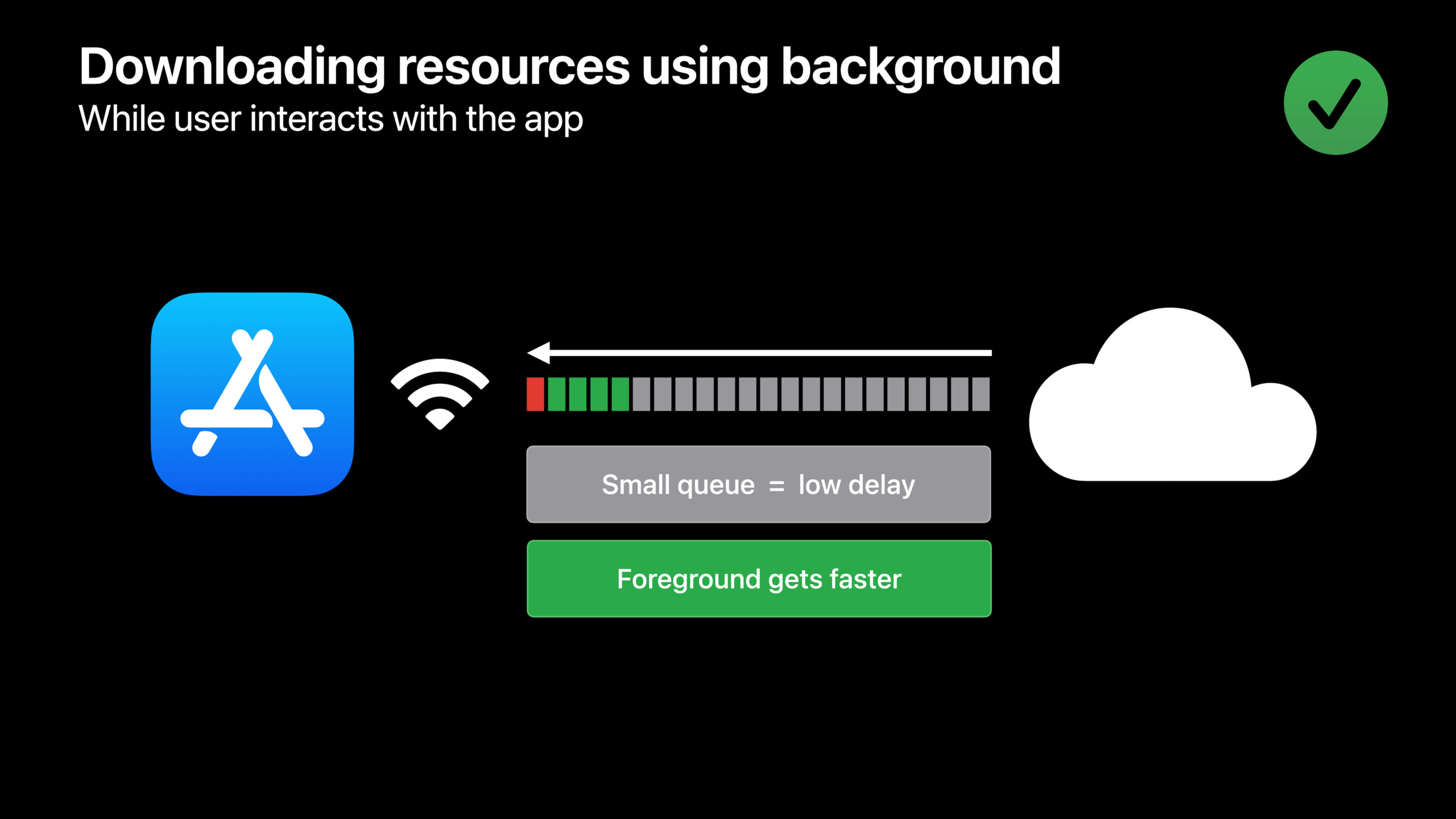
iOS 15 and macOS Monterey improve congestion control for background service types. After developers mark prefetch, batch synchronization, and non-urgent tasks as background, the system can let foreground traffic go through first while keeping background transfers close to their original completion time.
Detailed Content
Measure network responsiveness under working conditions
(00:36) In the developer settings of iOS 15, a new Responsiveness test is added in the Networking area. It generates network traffic and measures responsiveness under operating conditions. The corresponding command line tool on macOS is callednetworkQuality。
networkQualityKey points:
networkQualityRun network responsiveness tests on macOS.- The test focuses on round-trip capabilities in working mode, as opposed to idle pinging.
- Results are expressed in RPM, the higher the RPM, the faster the network responds.
- This indicator is suitable for reproducing the scenario where users complain that “the network speed is very fast but the application is very slow”.
(02:13) Session gives a specific number: the idle round-trip time may be 20ms, and it may rise to 600ms or higher in working mode. Application wait time is determined by two things: how long a round trip takes, and how many round trips the application requires.
wait time = round-trip time × number of round tripsKey points:
round-trip timeis the single network round trip time. -number of round tripsIt is the number of round trips required by the application protocol to complete an operation.- It is difficult for developers to control the underlying RTT of user networks.
- Developers can choose to reduce the number of round trips through protocols and APIs.
HTTP/3 and QUIC: URLSession benefits by default
(08:15) iOS 15 and macOS Monterey enable HTTP/3 and QUIC by default. QUIC is a transport protocol that establishes connections faster than TCP + TLS and can also reduce head-of-line blocking (packet loss within the same connection causes other data to wait).
let session = URLSession.shared
let (data, response) = try await session.data(from: url)
Key points:
URLSession.sharedUse the system-provided URLSession configuration. -session.data(from:)Make an HTTP request.- Session Explicit: If your application already uses a URLSession, it is ready to use HTTP/3.
- Whether to use HTTP/3 still requires server-side support.
(08:47) If your application implements its own application layer protocol, it can use the Network framework’s QUIC support. The lecture explains how to create a QUIC parameterNWConnection, and set TLS Application-Layer Protocol Negotiation (ALPN, application layer protocol negotiation).
let connection = NWConnection(
    host: "example.com",
    port: 443,
    using: .quic(alpn: ["myproto"])
)

connection.start(queue: myQueue)
Key points:
NWConnectionRepresents a Network framework connection. -hostandportPoint to the server. -.quic(alpn: ["myproto"])Use the QUIC parameter and declare the application protocol via ALPN. -start(queue:)Start the connection.- The server must also support the corresponding QUIC protocol and ALPN.
TCP Fast Open: Put the first data into the handshake
(09:28) TCP is still suitable for some applications. When using TCP, TCP Fast Open can send the application’s first data together with the TCP handshake, eliminating a complete round trip.
/* Allow fast open on the connection parameters */
parameters.allowFastOpen = true

let connection = NWConnection(to: endpoint, using: parameters)

/* Call send with idempotent initial data before starting the connection */
connection.send(content: initialData, completion: .idempotent)
connection.start(queue: myQueue)
Key points:
parameters.allowFastOpen = trueAllow this connection to use TCP Fast Open. -NWConnection(to:using:)Create a connection with these parameters. -connection.send(content:completion:)existstartSubmit data for the first time before. -.idempotentDeclare that this first piece of data is idempotent and can be safely replayed. -connection.start(queue:)When the connection is initiated, the system can send the first data along with the handshake.
(10:14) Idempotence is the key limitation. HTTP GET requests can generally be replayed; transactional requests such as purchasing a cell phone cannot be sent with a handshake. The network may retransmit data for the first time, and non-idempotent operations may cause repeated execution.
GET / HTTP/1.1
Host: developer.apple.com
Key points:
GETRequest for resources. -HostSpecify the target host.- Access for presentations
developer.apple.comThe GET description is idempotent request. - It is only suitable to put the first data of TCP Fast Open if it is confirmed that the request replay will not produce additional effects.
(11:01) If the application is based on Sockets, you can callconnectxand use corresponding flags.
connectx(fd, ..., CONNECT_DATA_IDEMPOTENT | CONNECT_RESUME_ON_READ_WRITE, ...); // delay SYN
write(fd, ...); // SYN goes out with first data segment
Key points:
connectxInitiate a socket connection. -CONNECT_DATA_IDEMPOTENTDeclare that data for the first time can be safely replayed. -CONNECT_RESUME_ON_READ_WRITELet the connection continue while reading and writing. -writeWrite data for the first time.- Comment stating that SYN will be sent with the first data segment.
TLS 1.3: One less handshake round trip by default
(12:46) TLS 1.3 removes a full handshake round trip compared to TLS 1.2 and provides stronger security. Session description It has been used by default for URLSession and NWConnection since iOS 13.4.
let session = URLSession.shared
let connection = NWConnection(to: endpoint, using: .tls)
Key points:
URLSession.shareduses the system TLS stack. -NWConnection(to:using: .tls)Create a TLS connection.- TLS 1.3 is enabled by default, no additional switches are required for URLSession or NWConnection.
- TLS 1.3 defines early data, which allows idempotent requests to be sent along with the TLS handshake, saving a round trip.
Multipath TCP: Preserve connections when switching networks
(13:35) Multipath TCP allows a TCP connection to survive when a device switches from one network to another. Use interactive mode in low-latency scenarios, and the system will automatically select a faster path for data packets.
// Multipath TCP
// Save multiple round-trips when switching networks

// On URLSessionConfiguration
let configuration = URLSessionConfiguration.default
configuration.multipathServiceType = .interactive

// On NWParameters
let parameters = NWParameters.tcp
parameters.multipathServiceType = .interactive
Key points:
URLSessionConfiguration.defaultCreate a default URLSession configuration. -configuration.multipathServiceType = .interactiveEnable interactive Multipath TCP for URLSession. -NWParameters.tcpCreate TCP parameters. -parameters.multipathServiceType = .interactiveEnable interactive Multipath TCP for NWConnection. -.interactiveSuitable for low-latency traffic, the system handles path selection.
Mark non-urgent traffic as background
(17:43) Applications often have two types of traffic at the same time: foreground requests that the user is waiting for, and non-urgent requests such as prefetching, batch synchronization, and uploading logs. If non-urgent requests fill up the bottleneck queue, requests made after the user clicks will be queued behind.
(20:09) Foreground applications can continue to use the default URLSession when performing non-user-initiated transfers, butURLRequestSet the background service type on. The corresponding settings for Network framework areNWParameters.serviceClass。
//Use default  URLSession, set background on URLRequest
var request = URLRequest(url: myurl)
request.networkServiceType = .background

//Set service class on parameters to apply to the  NWConnection
let parameters = NWParameters.tls
parameters.serviceClass = .background
Key points:
URLRequest(url:)Create a request. -request.networkServiceType = .backgroundIndicates that this transfer is background in nature. -NWParameters.tlsCreate TLS connection parameters. -parameters.serviceClass = .backgroundApply the background service class to the NWConnection.- The system can thus keep the network queue short and allow foreground data to be delivered faster.
(20:37) If your app initiates a long transfer and you want the app to continue executing after it hangs, you should use a background URLSession. Tasks that are not time sensitive can beisDiscretionaryset totrue, letting the system wait for more suitable conditions.
//Configure background URL Session

lazy var urlSession: URLSession = {
    let configuration = URLSessionConfiguration.background(withIdentifier: "MySession")
    configuration.isDiscretionary = true
    return URLSession(configuration: configuration, delegate: self, delegateQueue: nil)
}()
Key points:
URLSessionConfiguration.background(withIdentifier:)Create a background session configuration. -"MySession"is the background session identifier. -configuration.isDiscretionary = trueAllows the system to choose the appropriate time to perform the transfer. -URLSession(configuration:delegate:delegateQueue:)Create a session with this configuration.- This mode is suitable for download, upload and synchronization tasks that are not time sensitive.
The server should also reduce queuing on the sending side.
(21:17) Latency can also occur in the sending device itself. Historical network stacks used very large send buffers, and packets could be queued for several seconds before entering the network. Apple fixed this issue in 2015 for URLSession and NWConnection.
setsockopt(fd, IPPROTO_TCP, TCP_NOTSENT_LOWAT, &value, sizeof(value));Key points:
setsockoptSet socket options. -IPPROTO_TCPIndicates setting TCP level options. -TCP_NOTSENT_LOWATIt is the TCP not sent low watermark socket option mentioned in the speech.- This option is used to reduce the queuing of data that has not yet entered the network at the sender’s end.
- Session It is recommended to contact the server operation and maintenance personnel to confirm that the server uses this option.
Core Takeaways
-
What to do: Add a “Network Experience Diagnosis” page to the App to prompt users to run a system network responsiveness test when stuck. Why it’s worth doing: Session clearly distinguishes between idle ping and working state responsiveness, and RPM is closer to the real experience. How to get started: Help page explaining Responsiveness testing in iOS Developer Settings and macOS
networkQualitycommand to change user feedback from “slow network speed” to recordable RPM data. -
What to do: Enable TCP Fast Open for the above-the-fold interface. Why it’s worth doing: The above-the-fold interface usually determines when the user sees the loading indicator. Fast Open can put the idempotent first request into the handshake. How to start: Set on the Network framework connection parameters
parameters.allowFastOpen = true, and inconnection.start(queue:)Use before.idempotentSend read-only request data. -
What to do: Enable chat, calling, or collaboration connections to support network switching. Why it’s worth it: Reestablishing a connection introduces multiple round-trips as users move between Wi-Fi and cellular. Multipath TCP can preserve connections. How to start: Setting up URLSession
configuration.multipathServiceType = .interactive, or set the Network frameworkparameters.multipathServiceType = .interactive。 -
What to do: Mark image prefetching, offline package downloading, and log uploading as background traffic. Why it’s worth doing: When non-urgent traffic fills up the queue, it will slow down the foreground request that the user just triggered. The background service type lets the system control the queue length. How to start: For single
URLRequestset uprequest.networkServiceType = .background; Used for long tasks that are not time sensitiveURLSessionConfiguration.backgroundand setisDiscretionary = true。 -
What to do: Build a set of network latency regression tests. Why it’s worth it: 5G, LTE, or fast Wi-Fi on your development machine may mask problems, and Session recommends using Network Link Conditioner to replicate real network conditions. How to get started: Open Network Link Conditioner in iOS Developer Settings, download the tool from the Apple Developer website on macOS, and test first-screen, login, search, and upload paths with high RTT, packet loss, and congestion configurations.
Related Sessions
- Accelerate networking with HTTP/3 and QUIC — An in-depth talk about HTTP/3 enabled by default, QUIC transport and Network.framework’s QUIC API.
- Use async/await with URLSession — Shows how to write URLSession request, upload, download and cancellation logic with async/await.
- Get ready for iCloud Private Relay — Explains how web apps, servers, and networks adapt to more private Internet connections.
- Ultimate application performance survival guide — Systematically troubleshoot application performance issues from the perspectives of indicators, tools, and processes.
Comments
GitHub Issues · utterances