
Highlight
Apple adds document archiving hosting and support to DocC in Xcode 13
xcodebuild docbuildWith commands, developers can publish documentation for Swift frameworks, libraries, and packages to the website, and use scripts to keep online documentation updated.
Core Content
You wrote a Swift framework and the API annotations were completed. The problem remains: users must first pull the framework into Xcode before they can read the complete documentation in the Developer Documentation window.
This is not friendly to new users. Before users decide whether to adopt your framework, they must first download the code, open the project, and wait for indexing. The same problem will be encountered within the team: after the document is exported once, it quickly falls behind the main branch.
Xcode 13’s DocC (Documentation Compiler) takes this process one step further. Documentation Archive (.doccarchive) can be imported for reading by Xcode and hosted as a web page. You can put it in the directory of an existing website and let users read the document in the browser first.
After hosting, update issues need to be resolved. Manual export of archives is easy to miss. The method given by session is to usexcodebuild docbuildBuild the document on the command line, and then use the script to convert the generated.doccarchiveCopy to website directory. After putting the script into CI’s post-merge hook, the online documentation can be updated along with the code.
Detailed Content
Hosting DocC archives requires two types of routing
(02:38)
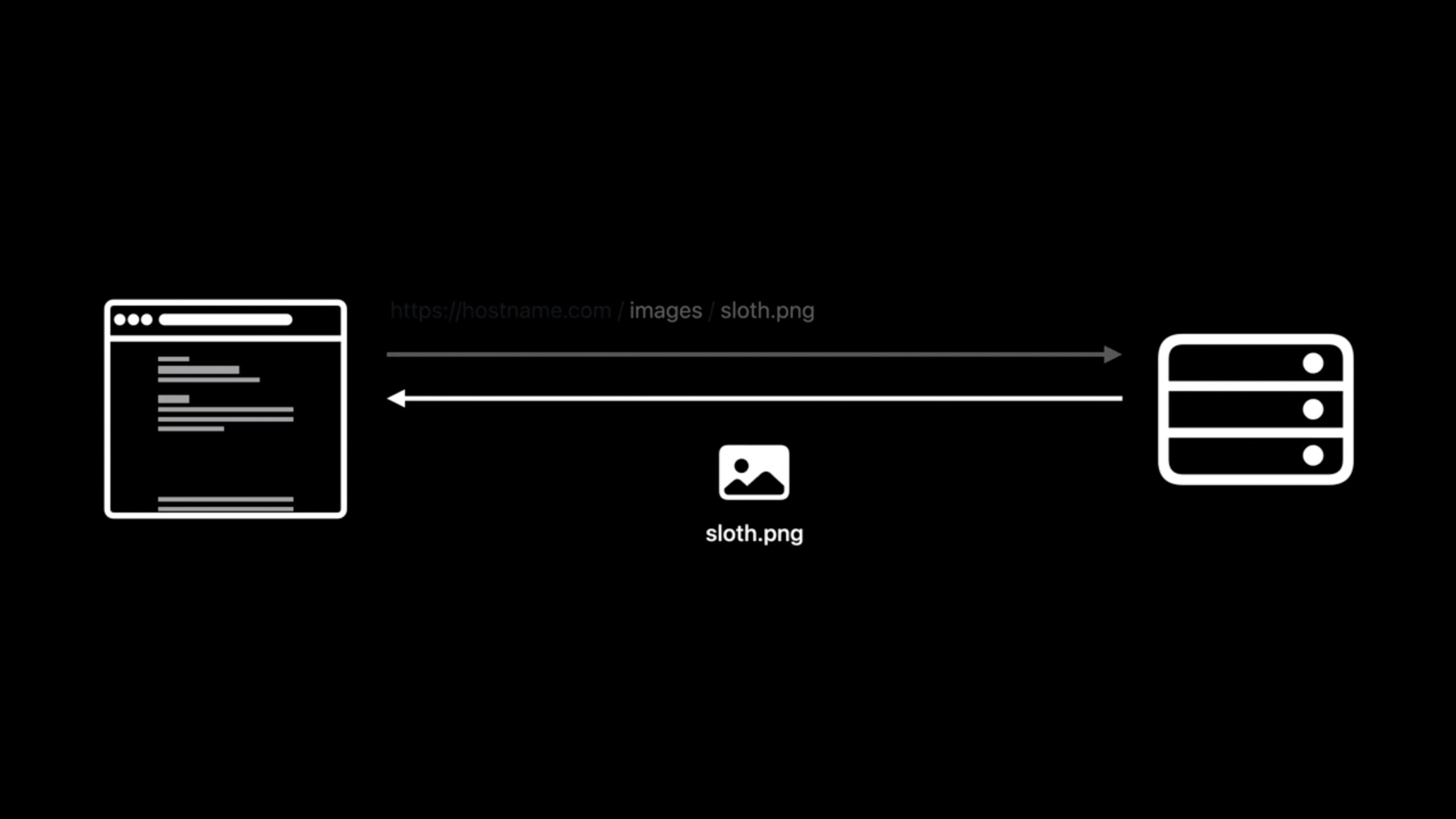
The DocC documentation archive is a single-page Vue.js Web App. The server has to handle two types of requests.
The first type is page request, the path starts with/documentation/or/tutorials/beginning. The server should return theindex.html。
The second category is static resources and data requests. The browser requests CSS, JavaScript, data, images, downloads, and media based on relative paths within the archive. The server needs to map these paths to.doccarchivein the directory.
(04:49)
# Enable custom routing.
RewriteEngine On

# Route documentation and tutorial pages.
RewriteRule ^(documentation|tutorials)\/.*$ SlothCreator.doccarchive/index.html [L]

# Route files within the documentation archive.
RewriteRule ^(css|js|data|images|downloads|favicon\.ico|favicon\.svg|img|theme-settings\.json|videos)\/.*$ SlothCreator.doccarchive/$0 [L]
Key points:
RewriteEngine OnOpen Apache’s rewrite rules.- Article 1
RewriteRulematch withdocumentationortutorialsURL that starts with . -SlothCreator.doccarchive/index.htmlIt is a single-page application entrance, responsible for rendering document pages and tutorial pages. -[L]Indicates that after a hit, stop matching subsequent rules. - Article 2
RewriteRuleExplicitly match the top-level resource directories and files of the DocC archive. -SlothCreator.doccarchive/$0Forward the request to a path with the same name inside the archive. - The rule lists specific directories because the same server is still hosting the project website and cannot transfer all website requests to the document archive.
xcodebuild docbuildBuild documentation from the command line
(07:28)
Xcode 13 givesxcodebuildaddeddocbuildaction. Its usage is similar to a normal build: pass in the scheme, and if necessary, the project, workspace, SDK, destination or configuration.
During the build process, the Swift compiler collects public symbols, symbol relationships, and documentation comments in the source code to generate a symbol graph. The documentation compiler then merges the symbol map, articles, media and tutorials in the Documentation Catalog into.doccarchive。
(09:17)
# Build documentation for the project.
xcodebuild docbuild                    \
  -scheme "SlothCreator"               \
  -derivedDataPath MyDerivedDataFolder

# Find all the built documentation archives
# to copy them to another location.
find MyDerivedDataFolder               \
  -name "*.doccarchive"
Key points:
xcodebuild docbuildTrigger document build. --scheme "SlothCreator"Specify the scheme in which the document is to be built. --derivedDataPath MyDerivedDataFolderWrite the build product to a fixed directory to facilitate script search. -find MyDerivedDataFolderStart the search from the build directory. --name "*.doccarchive"Find all generated DocC document archives.- Session mentioned that the dependent Swift framework, library or package will also go through the same process, and the relevant documents will be placed in one location.
Use script to update the document archive in the website
(10:54)
Automated publishing requires only two steps: first build the document, and then copy the archive to the website directory. The website directory in the demo is~/www。
This script is suitable for putting into the team’s automated process. session mentioned that you can run this in the CI server’s post-merge hook to keep the hosted document updated.
(09:18)
#!/bin/sh

# Build the SlothCreator documentation.
xcodebuild docbuild                  \
  -scheme "SlothCreator"             \
  -derivedDataPath MyDerivedDataPath

# Copy the documentation archive to ~/www where we
# host the SlothCreator website and documentation.
find MyDerivedDataPath               \
  -name "*.doccarchive"              \
  -exec cp -R {} ~/www \;
Key points:
#!/bin/shLet the file run as a shell script. -xcodebuild docbuildDocumentation for building SlothCreator. --derivedDataPath MyDerivedDataPathFixed the output directory to prevent scripts from relying on Xcode’s default Derived Data path. -find MyDerivedDataPathSearch for this build product. --name "*.doccarchive"Matches only DocC document archives. --exec cp -R {} ~/www \;Recursively copy each archive to the website root directory.- The website route has been pointed to
SlothCreator.doccarchive, refresh the page after copying is completed and you will see the new articles and tutorials.
If there is no Xcode interface, list the scheme first
(11:18)
The script needs to know the scheme name. In the demo, David confirmed it from the scheme selector in XcodeSlothCreator. If Xcode is not open on the machine, you can first list the available schemes on the command line.
xcodebuild -listKey points:
xcodebuild -listList the schemes available in the current project, workspace, or Swift package.- After finding the scheme, pass the name to
xcodebuild docbuild -scheme. - session is recommended to be called in the directory containing project, workspace or Swift package
xcodebuild, so that only scheme can be passed.
Core Takeaways
-
What to do: Create an online documentation portal for the open source Swift package. Why it’s worth it: DocC archives can be hosted directly on websites, and users don’t need to import them into Xcode first. How to get started: Export with Xcode
.doccarchive, put it in the website directory, press session.htaccessRule processing/documentation/and static resource requests. -
What to do: Add an automatically updated document station to the company’s internal framework. Why it’s worth doing:
xcodebuild docbuildDocumentation can be generated on the command line, suitable for connecting to CI. How to start: Write a shell script to executexcodebuild docbuild -scheme "YourFramework" -derivedDataPath MyDerivedDataPath, then usefind -name "*.doccarchive"Copy to intranet site. -
What: Turn document publishing into a merged fixed action. Why it’s worth doing: Session explicitly mentions post-merge hooks to keep hosted documents updated. How to start: Run the document build script in the post-merge step of CI. After the build is successful, replace the old one in the website directory.
.doccarchive。 -
What to do: Generate a unified document product list for multiple target projects. Why it’s worth doing:
find MyDerivedDataPath -name "*.doccarchive"All documentation archives produced by the build will be found. How to start: Run for each scheme that needs to be exposeddocbuild, collect all.doccarchive, and then copy to the release directory by archive name. -
What to do: Add the “Read Documentation” button on the product official website. Why it’s worth doing: DocC’s Web App can render reference documentation, articles, and interactive tutorials, making it suitable for users to use at the entrance to the project. How to start: Point the button link to
/documentation/On the top-level document page underindex.html。
Related Sessions
- Meet DocC documentation in Xcode — Generate DocC documentation for Swift frameworks, libraries, and packages starting from source code comments and Markdown.
- Elevate your DocC documentation in Xcode — Supplement the documentation beyond the API reference with a Documentation Catalog, concept articles, and automatic links.
- Build interactive tutorials using DocC — Use DocC commands to create tutorial tables of contents, chapters, steps, images, and code exercises.
Comments
GitHub Issues · utterances