
Highlight
Apple has added BNNS machine learning capabilities to Accelerate, improved C++ template support for simd.h, and launched Apple Encrypted Archive, allowing developers to use the system framework to complete high-performance computing, vectorization processing, and encrypted archiving.
Core Content
When developers encounter large-scale data processing, a common approach is to first write a Swift loop. It’s no problem when the array is small. When the input becomes an image, audio sample, matrix, or model tensor, the loop takes more CPU time and consumes more power.
Handwriting optimization is also troublesome. You have to consider CPU vector instructions, matrix libraries, image formats, cache reads and writes, and deal with the hardware differences between Apple devices. The lower the code is, the easier it is to write business logic into hardware adaptation code.
Accelerate solves this entry problem. It puts vDSP, vImage, vForce, BLAS, LAPACK, Sparse BLAS, Sparse Solvers and BNNS in the same framework. Developers call the system API, and the system is responsible for transferring calculations to the appropriate implementation.
This session also added two adjacent scenes.
The first is small vector calculations. simd.h is suitable for processing small vectors and matrices that fit into CPU registers. In the past, C++ template code had to convert back and forth between scalar types, vector lengths, and specific SIMD types, resulting in a lot of boilerplate code. WWDC 2021 adds new types, traits, and aliases, reducing the cost of using template code.
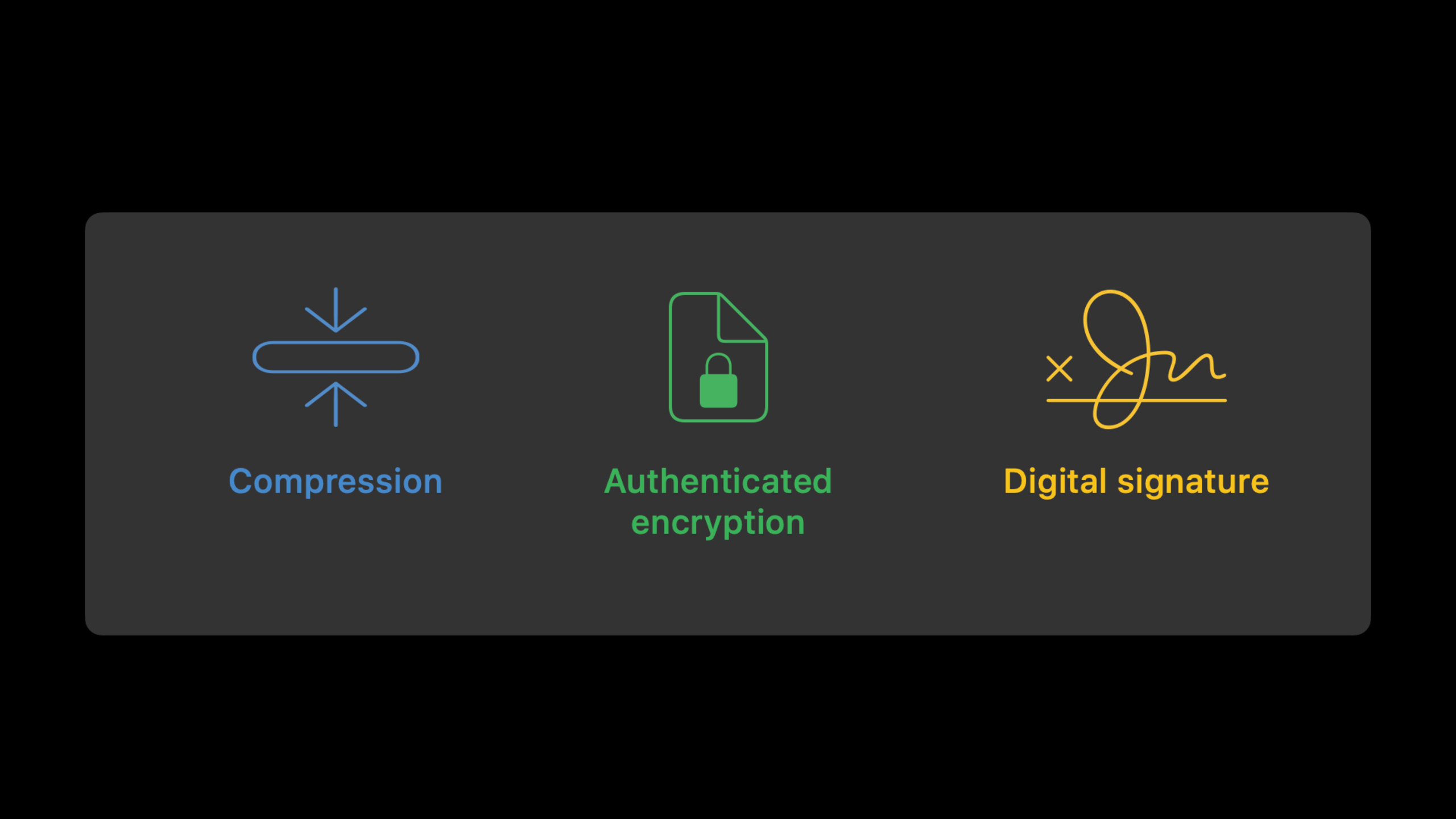
The second is archive encryption. When backing up a directory, developers usually have to archive it, compress it, encrypt it, and handle authentication and signing. Apple Encrypted Archive (AEA) puts compression, authenticated encryption, and digital signatures into a single format and provides Swift and C APIs.
From neural network to archive, the same goal
This speech has three topics on the surface: Accelerate, simd.h, and Apple Archive. The common denominator is performance sensitivity.
BNNS (Basic Neural Network Subroutines) is responsible for the training and inference primitives on the CPU. simd.h is responsible for small vector calculations at the register level. AEA takes care of streaming compression and encryption to avoid putting the entire directory into memory at once.
The changes Apple made are straightforward: turning these low-level capabilities into a system framework. What developers get is a set of performance tools that go directly into their projects.
Detailed Content
Introduce relevant frameworks
(01:55) Accelerate is available on all Apple platforms, including macOS, iOS, iPadOS, watchOS, and tvOS. The speech pointed out that the way to access the machine learning accelerator on Apple Silicon Mac and recent iPhones and iPads is to call Accelerate directly, or indirectly through an upper-layer framework such as Core ML.
// Swift
import Accelerate
import AppleArchive
import Compression
import simd
// C / Objective-C / C++
#include <Accelerate/Accelerate.h>
#include <AppleArchive/AppleArchive.h>
#include <Compression/Compression.h>
#include <simd/simd.h>Key points:
import AccelerateIntroduce numerical computing, signal processing, image processing and BNNS related capabilities. -import AppleArchiveIntroducing archiving and the Apple Encrypted Archive API. -import CompressionIntroducing lossless compression capabilities, AEA can be used with compression algorithms. -import simdIntroducing Swift’s SIMD types and functions.- C, Objective-C, C++ use corresponding header files,
simd.hNo need to add additional framework.
BNNS extends CPU machine learning primitives
(02:07) BNNS provides machine learning performance primitives on the CPU, supporting training and inference. It is at the same level as MPS (Metal Performance Shaders): BNNS is CPU-oriented and MPS is GPU-oriented. Upper-layer frameworks such as Core ML, Create ML, Vision, and Natural Language can run on these backends.
BNNS additions in this release:
- Layer types: embedding, random fill, quantization
- Optimizer: AdamW
- Activation functions: SiLU, HardSwish
- Arithmetic functions: ternary select, multiply add, element-wise minimum, element-wise maximum
- Layer fusions: convolution + quantization, fully connected + quantization, arithmetic + normalization
- Optimizer improvements: gradient clipping, AMSGrad support for Adam-based optimizers
Key points:
embedding、random fill、quantizationThis is the new layer type this time. -AdamWIt is a new optimizer for training scenarios. -SiLUandHardSwishis a new activation function. -ternary select、multiply add, element-wise minimum value, and element-wise maximum value expand the arithmetic layer capabilities.- Layer fusion allows the output of one layer to directly become the input of subsequent layers, reducing the overhead of writing back to memory and reading again.
- Gradient clipping can be used both in the optimizer and as a standalone function.
Use simd to change the branch to mask calculation
(04:26) The speech uses a custom activation function to illustrate the vectorization idea. scalar version for eachFloatMake three judgments. As the amount of data becomes larger, this loop will be limited by branching and element-by-element calls.
import simd

public func swishharder_scalar (_ data: [Float]) -> [Float] {
  return data.map { x in
    if x <= -.pi { return 0 }                         //        {  0                if  x ≤ -π
    if x <=  .pi { return 2*exp(x) * (x + .pi)/2 }    // f(x) = {  2eˣ * (x+π)/2    if -π <  x < π
    else         { return 2*exp(x) }                  //        {  2eˣ              if  π ≤  x
  }
}

func swishharder_elementwise(_ x: SIMD8<Float>) -> SIMD8<Float> {
    let y = 2*simd.exp(x)
    let a = y.replacing(with: 0, where: x .<= -.pi)
    let b = ((x + .pi)/2).replacing(with: 1, where: .pi .<= x)
    return a*b
}

extension SIMD {
    internal func store(
        into buffer: UnsafeMutableBufferPointer<Scalar>,
        startingAt offset: Int
    ) {
        for i in 0 ..< scalarCount {
            buffer[offset + i] = self[i]
        }
    }
}

public func swishharder_simd(_ data: [Float]) -> [Float] {
    return Array<Float>(unsafeUninitializedCapacity: data.count) {
        (buffer: inout UnsafeMutableBufferPointer<Float>, count: inout Int) in
        for i in stride(from: 0, to: data.count, by: 8) {
            let v = SIMD8(data[i ..< i+8])
            let w = swishharder_elementwise(v)
            w.store(into: buffer, startingAt: i)
        }
        count = data.count
    }
}
Key points:
import simdintroduceSIMD8<Float>andsimd.exp。swishharder_scalarusemapProcess the input array one by one, one at a timeFloat。func swishharder_elementwise(_ x: SIMD8<Float>)Replace the input with a SIMD vector of length 8. -let y = 2*simd.exp(x)Evaluates exponential expressions for 8 elements simultaneously. -y.replacing(with: 0, where: x .<= -.pi)Use the comparison result to generate a mask, convert less than or equal to-πReplace the position with0。((x + .pi)/2).replacing(with: 1, where: .pi .<= x)put greater than or equal toπReplace the position with1。return a*bCombine two vector expressions to get the result of a three-piece function. -store(into:startingAt:)Write the SIMD vector back to the output buffer. -stride(from:to:by: 8)Let the loop advance 8 elements each time, withSIMD8<Float>corresponding to the width.
After running the talk live, the SIMD version was nearly three times as fast as the scalar version. The key here is to putifBranches are split into vector expressions and masked substitutions.
simd.h improves C++ template usage
(07:02) The key improvement to simd.h this time is C++ template usability. New types and traits structures are added to convert between underlying scalar types, vector lengths, and concrete SIMD types. Added aliases to reduce template code boilerplate.
// Concepts shown in the session
vector and matrix types
Vector_t and Matrix_t aliases
get_traits struct
templated make functions
templated convert functions
Key points:
vectorandmatrixThe type derives the specific SIMD type from the scalar type, vector length.- Relevant members have access to the unaligned version and the mask type corresponding to the comparison result.
-
Vector_tandMatrix_tis an alias for simplified syntax. -get_traitsReturn from a specific SIMD type to a generic description. - Added template version
makeandconvert, the target type is passed in as a template parameter, making it easier to put it into the template code. - New classification functions include
isfiniteandisinfVector version of . - New functions also include gamma function and SIMD matrix trace calculations.
Apple Encrypted Archive puts compression, encryption and signing into streams
(08:32) Apple Archive has been used for system updates. macOS 11 opens up compression containers and archive formats. macOS 12 adds a new encryption API.
AEA provides multiple profiles: only digital signatures, symmetric encryption, password encryption, and public key encryption. Each encryption configuration has the option of signing or not. Compression is optional and data is always certified.
Apple Encrypted Archive profiles:
- digital signature without encryption
- symmetric encryption with or without a signature
- password encryption with or without a signature
- public key encryption with or without a signature

Command-line tools:
- compression_tool
- aea
- aa
Key points:
- Digital signatures are suitable for scenarios where the content is not confidential but needs to be tamper-proof, such as software updates.
- Symmetric encryption uses a securely shared binary key.
- Password encryption uses password as input.
- Public key encryption is suitable for scenarios where both the sender and the receiver use a key pair.
-
compression_toolHandles the compressed archive part. -aeaHandle encrypted archives. -aaProcess full container. - Apple Archive framework provides Swift and C APIs.
- The API is stream-based (stream-based), supports sequential access and random access, and the internal implementation is multi-threaded.
Create an AEA encrypted directory with Swift
(12:14) The demo of the speech drags a directory into the application and outputs the same name.aeadocument. The implementation is divided into three steps: creating an encryption context, creating a file stream and an encryption stream, and then writing the directory contents to the encoding stream.
/// Encrypts and archives the directory at the specified URL.
    ///
    /// - Parameter sourceURL: The URL of the directory that the function encrypts and archives.
    /// - Returns: A string containing the status message.
    ///
    /// This function writes the result to `directory`. The archive shares the name
    /// of the supplied directory with an `aea` extension.
    static func encrypt(sourceURL: URL) -> ConsoleMessage {

        // Verify that the URL path represents a directory.
        if !sourceURL.hasDirectoryPath {
            return ConsoleMessage(status: .error,
                                  message: "The specified URL doesn't point to a directory.")
        }

        guard let source = FilePath(sourceURL) else {
            return ConsoleMessage(status: .error,
                                  message: "Unable to create file path from source URL.")
        }

        // Create the destination `FilePath`.
        let destination = directory
            .appending(sourceURL.lastPathComponent)
            .appending(".aea")
        let archiveDestination = FilePath(destination)

        // Create the encryption context + setup credentials
        let encryptionKey = SymmetricKey(size: .bits256)

        let context = ArchiveEncryptionContext(
            profile: .hkdf_sha256_aesctr_hmac__symmetric__none,
            compressionAlgorithm: .lzfse)
        do {
            try context.setSymmetricKey(encryptionKey)
        } catch {
            return ConsoleMessage(status: .error,
                                  message: "Error setting password (\(error).)")
        }

        // Create the file stream, encryption stream, archive encode stream.
        guard
            let archiveDestinationFileStream = ArchiveByteStream.fileStream(
                path: archiveDestination,
                mode: .writeOnly,
                options: [ .create, .truncate ],
                permissions: FilePermissions(rawValue: 0o644)),

                let encryptionStream = ArchiveByteStream.encryptionStream(
                    writingTo: archiveDestinationFileStream,
                    encryptionContext: context),

                let encoderStream = ArchiveStream.encodeStream(
                    writingTo: encryptionStream) else {

                    return ConsoleMessage(status: .error,
                                          message: "Error creating streams.")
                }

        // Remember to close things in the correct order
        defer {
            try? encoderStream.close()
            try? encryptionStream.close()
            try? archiveDestinationFileStream.close()
        }

        // Encode all files in the target directory with the specifed fields.
        do {

            let fields = ArchiveHeader.FieldKeySet("TYP,PAT,DAT,UID,GID,MOD")!
            try encoderStream.writeDirectoryContents(archiveFrom: source,
                                                     keySet: fields)
        } catch {
            return ConsoleMessage(status: .error,
                                  message: "Error writing directory contents.")
        }

        if let url = URL(archiveDestination) {
            NSWorkspace.shared.activateFileViewerSelecting([url])
        }

        let message = """
Encrypted with key '\(encryptionKey.base64Encoded)'.
Archived and encrypted to: \(archiveDestination.description).
"""

        return ConsoleMessage(status: .encryptionSuccess(base64EncodedKeyData: encryptionKey.base64Encoded),
                              message: message)
    }
Key points:
static func encrypt(sourceURL: URL)Receives the directory URL to which the archive is to be encrypted. -sourceURL.hasDirectoryPathFirst make sure the input points to a directory. -FilePath(sourceURL)Convert the URL to the path type used by the Apple Archive API. -destination.appending(".aea")generate.aeaOutput path. -SymmetricKey(size: .bits256)Create a 256-bit symmetric key. -ArchiveEncryptionContext(profile:compressionAlgorithm:)Specify encryption profile and compression algorithm. -.hkdf_sha256_aesctr_hmac__symmetric__noneIndicates HKDF-SHA256, AES-CTR, HMAC, symmetric encryption, no digital signature. -.lzfseSpecifies to use LZFSE compression. -context.setSymmetricKey(encryptionKey)Write the key to the encryption context. -ArchiveByteStream.fileStreamCreate a byte stream that is written to the target file. -ArchiveByteStream.encryptionStreamWrap the file stream into an encrypted stream. -ArchiveStream.encodeStreamEncode directory entries into archive bytes. -deferClose the stream in the order of encoder, encryption, file. -ArchiveHeader.FieldKeySet("TYP,PAT,DAT,UID,GID,MOD")Specify the file fields saved in the archive. -writeDirectoryContents(archiveFrom:keySet:)Write the directory contents to the encoding stream. -encryptionKey.base64EncodedOutputs the key text, which the demo uses to complete subsequent decryption.
Core Takeaways
1. Add batch filters to the picture editor
- What to do: Let users select multiple images at once and perform format conversion, convolution or filter processing in batches.
- Why it’s worth doing: Accelerate’s vImage provides image processing routines, suitable for repeated calculations such as format conversion and convolution.
- How to start: First decode the image into a buffer, then use Accelerate/vImage to process each image, and finally write the result back to the file or display it to the interface.
2. Add real-time spectrum view to audio tools
- What it does: Display spectrum, peaks and energy changes while recording or playing.
- Why it’s worth it: Accelerate’s vDSP provides DFT and FFT routines, suitable for signal processing.
- How to start: Take sample blocks from the audio callback, give them to vDSP to do the FFT, and then map the frequency domain results to a SwiftUI or Metal view.
3. Add CPU inference path to local model
- What: Provides a CPU fallback path for the model when the GPU or Neural Engine is unavailable.
- Why it’s worth doing: BNNS provides training and inference primitives on the CPU, and adds capabilities such as quantization, Embedding, SiLU, HardSwish, and AdamW.
- How to start: First identify the layers and activation functions required in the model, and then use BNNS corresponding primitives to assemble the inference process; for existing Core ML models, you can first use Instruments or related tools to identify bottlenecks.
4. Add SIMD fast path to scientific computing app
- What: Change element-wise mathematical functions on arrays to SIMD versions, such as normalization, activation functions, thresholding.
- Why it’s worth doing: in the speech
SIMD8<Float>The example changes the three-segment function to mask calculation, and the on-site result is nearly three times faster. - How to start: Start with the hottest scalar loop, press input
SIMD8<Float>Divide into chunks, usereplacing(with:where:)Express conditional logic and then process the tail elements of the array.
5. Encrypt the backup of Documents App
- What to do: Export the user’s document directory to
.aeafile and ask for a key when restoring. - Why it’s worth it: AEA puts compression, authenticated encryption, and optional signing into a streaming container, suitable for directory backups.
- How to get started: Create
ArchiveEncryptionContext,useArchiveByteStream.fileStream、ArchiveByteStream.encryptionStreamandArchiveStream.encodeStreamString the three-layer flow together and then callwriteDirectoryContents(archiveFrom:keySet:)。
Related Sessions
- Accelerate machine learning with Metal Performance Shaders Graph — Learn a GPU-side machine learning computational graph, complementary to the CPU path of BNNS.
- Tune your Core ML models — Continue to see how Core ML models locate performance bottlenecks and optimize them.
- Build dynamic iOS apps with the Create ML framework — Understand the device-side model training process, which can be understood together with the new training capabilities of BNNS.
- Discover built-in sound classification in SoundAnalysis — Learn how Apple’s machine learning framework is used at the upper level in audio classification scenarios.
Comments
GitHub Issues · utterances