
Highlight
Xcode 13 adds iPadOS pointer, watchOS Digital Crown, and macOS trackpad scroll automation APIs to XCTest UI tests, allowing developers to verify interaction paths that previously relied on real input devices.
Core Content
After iPad apps support mouse and trackpad, many interactions only occur in the pointer environment. For example, users will see an animation when they hover the cursor over a button, and swiping the trackpad horizontally with two fingers will open the sidebar. In the past, it was difficult to put this kind of behavior into UI testing. The test could only cover the touch path, and the pointer path had to be manually clicked.
Xcode 13 turns iPadOS pointers into input sources that XCTest can drive. The test code can perform hover, click, right-click, double-click, two-finger scroll, hold modifier keys, and click-and-drag. The test goal is advanced from “the page can be opened” to “the page responds as expected when using Magic Keyboard”.
There is a practical problem with this capability: the same app may run on both iPad and iPhone. iPhone does not support pointer interaction. If you run the pointer test directly, the test will fail. Xcode 13 also availablesupportsPointerInteraction, testing can be skipped on unsupported devices to avoid falsely reporting environmental limitations as product defects.
watchOS also has similar pain points. Many watch applications use the Digital Crown as a core input method, such as scrolling time, adjusting values, and browsing lists. Xcode 12.5 already supports watchOS UI testing and crown click, and Xcode 13 adds crown rotation. The test can specify the number of rotations and speed to verify whether the interface text changes accordingly.
The problems for macOS are rolling. The mouse wheel is discrete scrolling, the trackpad is continuous scrolling. In the past, XCTest already had a pixel-by-pixel scrolling method on macOS, which was suitable for simulating a mouse wheel. Xcode 13 adds a new touchpad-like continuityswipeMethod, used to test rolling behavior with inertia and speed.
Detailed Content
iPadOS pointer support detection
(01:28) Xcode 13 inXCUIDeviceJoin onsupportsPointerInteraction. It tells the test whether the current device supports pointer interaction.
extension XCUIDevice {

  public var supportsPointerInteraction: Bool

}
Key points:
XCUIDeviceRepresents the device on which the current UI test is running. -supportsPointerInteractionReturns a Boolean value.- The iPad pointer test can check this value before deciding to run or skip it.
(04:36) In the complete test, Apple usedXCTSkipUnlessSkip devices that do not support pointer interaction.
import XCTest

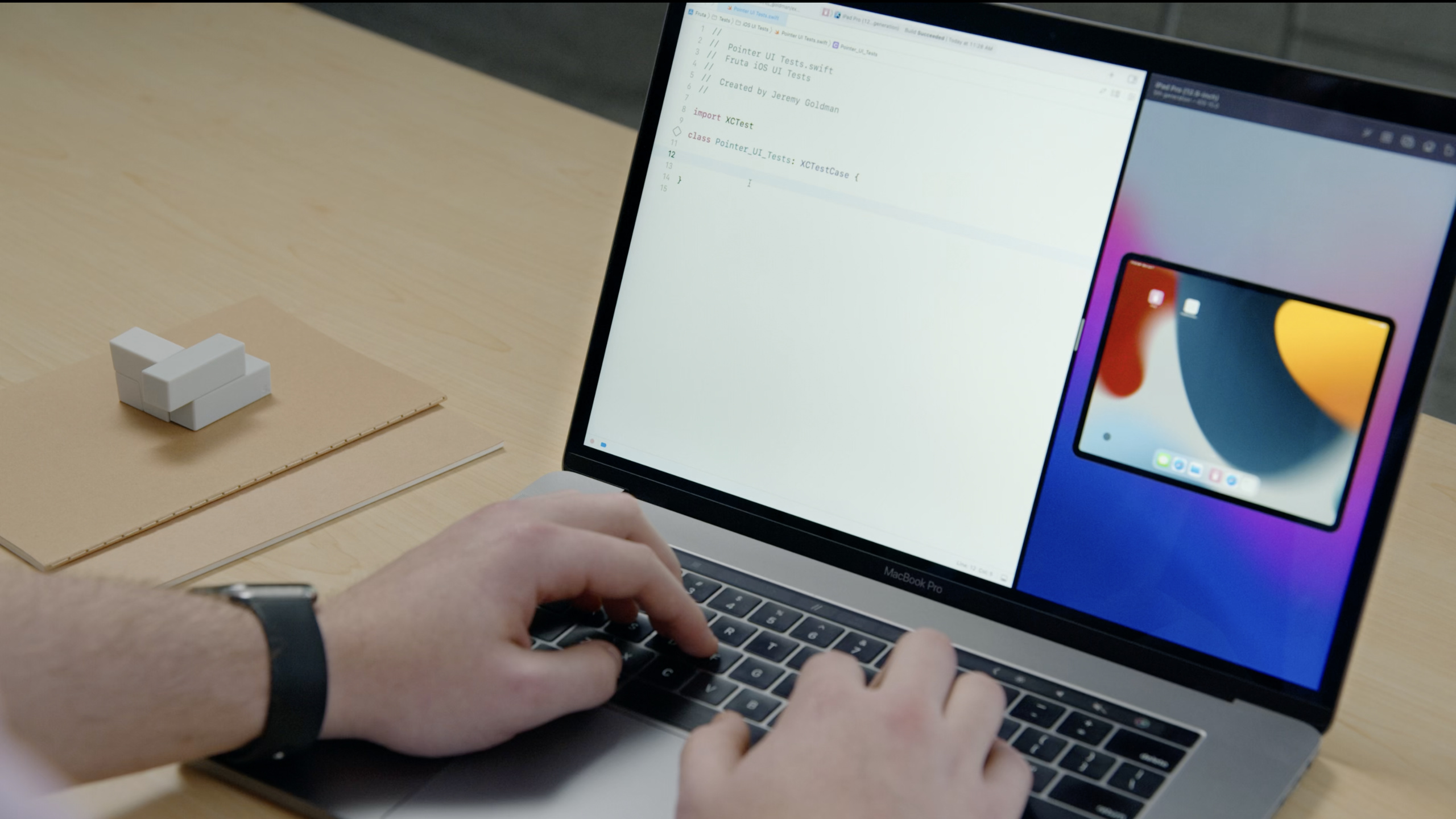
class Pointer_UI_Tests: XCTestCase {

  @available(iOS 15.0, *)
  func testHorizontalScrollRevealsSidebar() throws {
    try XCTSkipUnless(XCUIDevice.shared.supportsPointerInteraction,
                      "Device does not support pointer interaction")

    let app = XCUIApplication()
    app.launch()

    let sidebar = app.tables["Sidebar"]

    // Make sure sidebar menu is not present initially.
    XCTAssertFalse(sidebar.exists, "Sidebar should not be present initially")

    // Swipe horizontally to reveal sidebar.
    app.staticTexts["Select a smoothie"].scroll(byDeltaX: -200, deltaY: 0)

    // Verify sidebar is now present.
    XCTAssertTrue(sidebar.waitForExistence(timeout: 5),
                  "Sidebar did not appear within 5 second timeout")
  }

}
Key points:
@available(iOS 15.0, *)Mark this test to only use APIs available after iOS 15. -XCTSkipUnlessSkip the test if the condition is not met. -XCUIDevice.shared.supportsPointerInteractionFilter out devices that do not support pointer interaction. -XCUIApplication()Create the application object under test. -app.launch()Start the application under test. -app.tables["Sidebar"]Accessibility logo or name foundSidebarform. -XCTAssertFalse(sidebar.exists, ...)Verify that the sidebar does not exist when launched. -app.staticTexts["Select a smoothie"].scroll(byDeltaX: -200, deltaY: 0)Performs horizontal two-finger scrolling on the specified text element. -waitForExistence(timeout: 5)Wait up to 5 seconds for the verification sidebar to appear.
iPadOS pointer interaction method
(01:37) Xcode 13 inXCUIElementAdd a set of pointer methods to it. The speech also mentioned that these methods can also be used inXCUICoordinate, you can use the coordinate object when you need more precise coordinates.
extension XCUIElement {
  open func hover()

  open func click()

  open func rightClick()

  open func doubleClick()

  open func scroll(byDeltaX: CGFloat, deltaY: CGFloat)

  open func click(forDuration: TimeInterval, thenDragToElement: XCUIElement)

  open func click(forDuration: TimeInterval, thenDragToElement: XCUIElement,
                  withVelocity: XCUIGestureVelocity, thenHoldForDuration: TimeInterval)

  open class func perform(withKeyModifiers flags: XCUIElement.KeyModifiers,
                          block: () -> Void)
}
Key points:
hover()Move the pointer over an element to test hover animation or hover state. -click()Perform a normal click. -rightClick()Perform a right click. -doubleClick()Perform a double click. -scroll(byDeltaX:deltaY:)Perform two-finger scrolling,deltaXControl horizontal distance,deltaYControl vertical distance. -click(forDuration:thenDragToElement:)First press and hold, then drag to another element.- bring
withVelocityandthenHoldForDurationThe overload can specify the drag speed and the dwell time after the drag ends. -perform(withKeyModifiers:block:)Hold down a modifier key to perform an operation within a block of code.
watchOS Digital Crown Rotation
(05:27) Xcode 13 inXCUIDeviceJoin onrotateDigitalCrown. It receives the number of rotations and can specify the speed.
// New rotateDigitalCrown API

extension XCUIDevice {

  open func rotateDigitalCrown(delta: CGFloat, velocity: XCUIGestureVelocity = .default)

}
Key points:
rotateDigitalCrown(delta:velocity:)Synthesize the Digital Crown rotation event. -deltaIndicates the number of rotations.- A positive number means forward rotation, a negative number means backward rotation.
-
velocityThe type isXCUIGestureVelocity. - speed can be used
.slow、.fast、.defaultPreset, or you can use a custom decimal value, the unit is rotations per second.
(06:22) The speech uses a weather app to illustrate the testing method. Scroll the crown forward to view future temperatures and backward to view past temperatures.
// Example use of watchOS Digital Crown API

func testForecastScrolling() {
  let app = XCUIApplication()
  app.launch()

  let forecastTime = app.staticTexts["forecast-time"]

  XCTAssertEqual(forecastTime.label, "Current Temperature")

  // Scroll 1 full rotation forward.
  XCUIDevice.shared.rotateDigitalCrown(delta: 1.0)
  XCTAssertEqual(forecastTime.label, "One hour from now")

  // Scroll 2 full rotations backward.
  XCUIDevice.shared.rotateDigitalCrown(delta: -2.0)
  XCTAssertEqual(forecastTime.label, "One hour ago")
}
Key points:
XCUIApplication()Create a watchOS application object under test. -app.launch()Start the application. -app.staticTexts["forecast-time"]Find the text showing the predicted time.- first
XCTAssertEqualVerify that the initial state is the current temperature. -rotateDigitalCrown(delta: 1.0)Rotate forward one full circle. - the second
XCTAssertEqualThe verification interface will be updated one hour later. -rotateDigitalCrown(delta: -2.0)Rotate backwards two full turns. - the last one
XCTAssertEqualThe verification interface was updated one hour ago.
macOS discrete scrolling and continuous scrolling
(07:46) Original on macOSscroll(byDeltaX:deltaY:)Good for discrete scrolling. The speech compared it to a mouse wheel: each frame moves a fixed distance, and the content stops immediately when input is stopped.
extension XCUIElement {

  // Use the existing API for discrete (mouse wheel-like) scrolling.
  open func scroll(byDeltaX: CGFloat, deltaY: CGFloat)

}
Key points:
scroll(byDeltaX:deltaY:)There is an existing API. -deltaXSpecifies the horizontal scroll distance. -deltaYSpecifies the vertical scroll distance.- This method is used for pixel-level, non-inertial scroll testing.
(08:05) Xcode 13 adds a new continuous scrolling method, suitable for simulating two-finger sliding on the trackpad. Continuous scrolling has speed and inertia, and the content will gradually stop after your finger leaves.
extension XCUIElement {

  // Use the new API for continuous (trackpad-like) scrolling.
  open func swipeUp(velocity: XCUIGestureVelocity = .default)
  open func swipeDown(velocity: XCUIGestureVelocity = .default)
  open func swipeLeft(velocity: XCUIGestureVelocity = .default)
  open func swipeRight(velocity: XCUIGestureVelocity = .default)

}
Key points:
swipeUp(velocity:)Synthesis slides up. -swipeDown(velocity:)Synthesis slides down. -swipeLeft(velocity:)Composition slide left. -swipeRight(velocity:)Composition swipe right. -velocityThe type isXCUIGestureVelocity.- The speed can use a preset value or a custom decimal value, the unit is pixels per second.
Core Takeaways
-
What to do: Make pointer tests for iPad sidebars, column navigation, and canvas applications. Why it’s worth doing: Xcode 13 can perform two-finger scrolling, hovering and clicking in UI tests, and pointer-specific paths no longer need to be manually accepted. How to get started: Used in UI testing
XCTSkipUnless(XCUIDevice.shared.supportsPointerInteraction, ...)Protect the test and then call it on the target elementscroll(byDeltaX:deltaY:)orhover()。 -
What to do: Write regression tests for the iPad right-click menu. Why it’s worth it: Pointer API support
rightClick(), which can override whether the context menu appears and whether the menu item is clickable. How to start: Find the trigger menuXCUIElement, callrightClick(), and then assert that the button or text in the menu exists. -
What to do: Write boundary tests for the watchOS crown adjustment interface. Why it’s worth doing:
rotateDigitalCrown(delta:velocity:)The rotation direction and number of turns can be specified, which is suitable for testing crown-driven interfaces such as timeline, volume, temperature, and timer. How to start: Start the App in the watchOS UI test, read the current label, and callXCUIDevice.shared.rotateDigitalCrown(delta:), and then check for label or value changes. -
What to do: Add touchpad scrolling tests to macOS long lists or timelines. Why it’s worth doing: New
swipeUp、swipeDown、swipeLeft、swipeRightCloser to trackpad input, overriding loading and selection behavior under inertial scrolling. How to start: Select the scroll container element and callswipeUp(velocity:)orswipeDown(velocity:), check whether the target content appears. -
What to do: Test pointer operations with modifier keys. Why it’s worth doing:
perform(withKeyModifiers:block:)You can press and hold the modifier key to perform click or drag in UI testing, suitable for file selection, range selection, and canvas editor. How to start: Putclick()Or drag and drop intoXCUIElement.perform(withKeyModifiers:block:)In the closure, assert the selected state change.
Related Sessions
- Embrace Expected Failures in XCTest — Talk
XCTExpectFailure, suitable for working with this field to improve the failure signal of UI testing. - Diagnose unreliable code with test repetitions — Talk about repeated test runs, suitable for occasional failures in positioning pointer, scrolling, and crown tests.
- Detect and diagnose memory issues — Talking about Xcode memory diagnosis and XCTest collection, which belong to the same set of testing tool capabilities.
- Ultimate application performance survival guide — Talks about performance metrics, MetricKit and XCTest, suitable for extending quality checks beyond UI automation.
Comments
GitHub Issues · utterances