
Highlight
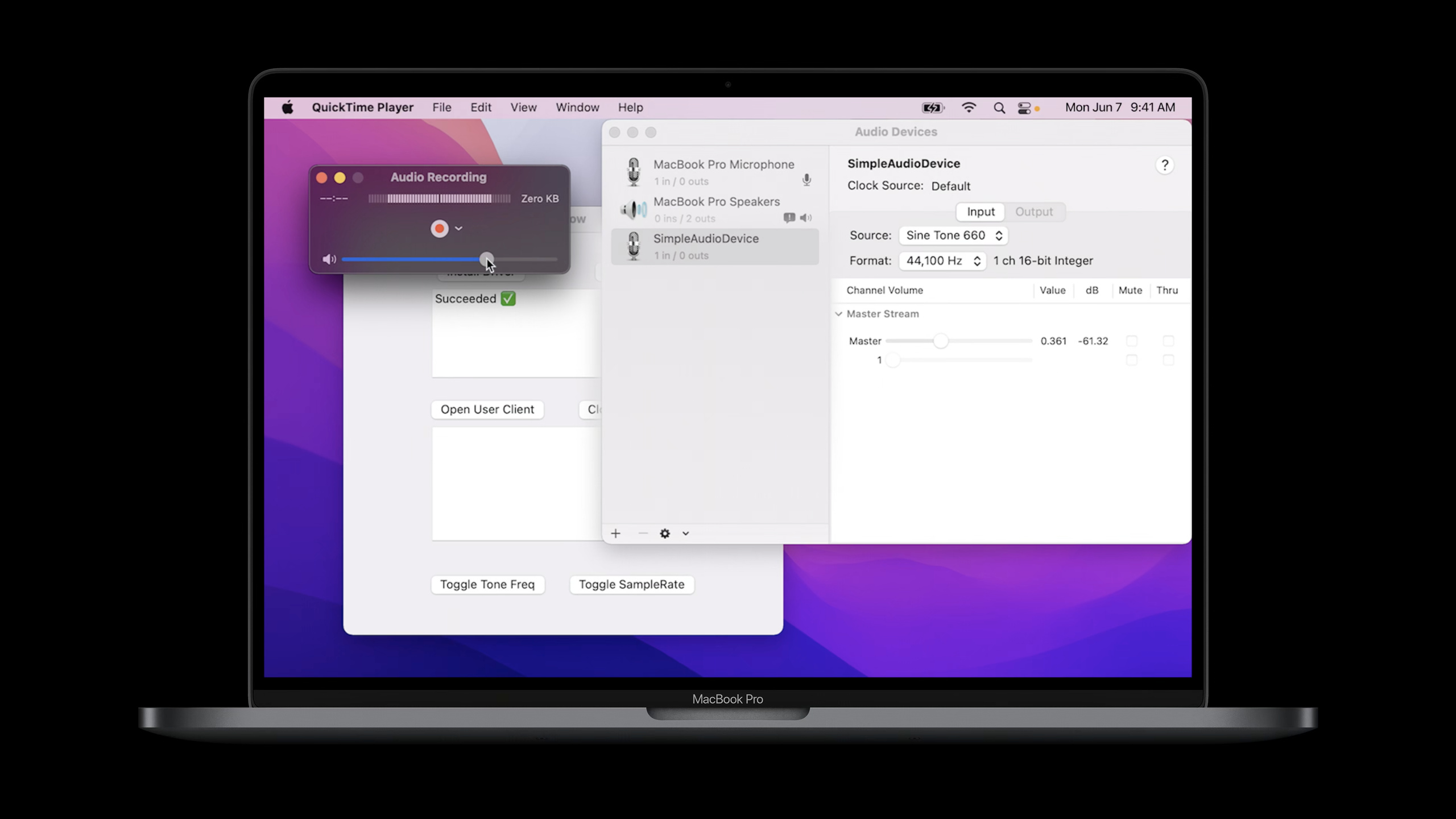
macOS Monterey introduces AudioDriverKit. The hardware audio driver can directly connect to CoreAudio HAL using a DriverKit extension running in user space, eliminating the need for audio server plug-in, independent installation package and restart process.
Core Content
Making macOS audio hardware drivers previously required maintaining two layers of code.
The first layer is the audio server plug-in. It is responsible for connecting with CoreAudio HAL (Hardware Abstraction Layer, hardware abstraction layer). The other layer is the kernel extension (kext) or DriverKit extension (dext). It is responsible for communicating with the hardware.
This link works, but the developer has to deal with the communication between the plug-in and the dext. As the number of components increases, resource usage increases, and overhead and latency may also increase.
macOS Big Sur has moved driver development from the kernel to user space. Security has improved, but the audio driver still requires the audio server plug-in and dext components.
macOS Monterey gives a new option: AudioDriverKit. It is a DriverKit framework, and the audio driver only requires a dext. The framework is responsible for handling inter-process communication between dext and the CoreAudio HAL.
The installation method has also changed. The AudioDriverKit extension is packaged in the Mac App. After the user installs the app and allows the driver, the system can dynamically load the dext without requiring a separate installer package or restarting.
The point of this session is clear: if you are making a USB or PCI audio hardware driver, you can converge the driver model to a user space dext; if you are only making virtual audio devices, Apple still recommends continuing to use the audio server plug-in model.
Detailed Content
Basic architecture of AudioDriverKit
(02:30) The CoreAudio HAL communicates with the driver extension through AudioDriverKit. AudioDriverKit creates a private user client for use by the HAL. This user client is not exposed to your dext.
If the app needs to communicate directly with dext, you can additionally open a custom user client. This path is suitable for manufacturer control panels, such as switching device modes or reading hardware status.
// SimpleAudioDriver example override of IOService::NewUserClient
kern_return_t SimpleAudioDriver::NewUserClient_Impl(uint32_t in_type,
													 IOUserClient** out_user_client)
{
	kern_return_t error = kIOReturnSuccess;
	//	Have the super class create the IOUserAudioDriverUserClient object if the type is
	//	kIOUserAudioDriverUserClientType
	if (in_type == kIOUserAudioDriverUserClientType)
	{
		error = super::NewUserClient(in_type, out_user_client, SUPERDISPATCH);
	}
	else
	{
		IOService* user_client_service = nullptr;
		error = Create(this, "SimpleAudioDriverUserClientProperties", &user_client_service);
		FailIfError(error, , Failure, "failed to create the SimpleAudioDriver user-client");
		*out_user_client = OSDynamicCast(IOUserClient, user_client_service);
	}
	return error;
}
Key points:
NewUserClient_ImplCalled when the client process connects to dext. -kIOUserAudioDriverUserClientTypeIt is the type required by HAL and is handed over toIOUserAudioDriverBase class creation. -super::NewUserClient(...)createIOUserAudioDriverUserClient, used by AudioDriverKit to handle HAL communication.- other types of walking
IOService::Create, from dextinfo.plistEntry creates a custom user client. -OSDynamicCast(IOUserClient, user_client_service)Convert the created service object intoIOUserClientreturn.
Driver entry: inherit IOUserAudioDriver
(05:58) The entrance to audio dext isIOUserAudioDriversubclass. It itself inherits fromIOService, so it needs to be processedStart、Stop、NewUserClientThese service lifecycle methods.
// SimpleAudioDriver example, subclass of IOUserAudioDriver

class SimpleAudioDriver: public IOUserAudioDriver
{
public:
	virtual bool init() override;
	virtual void free() override;

	virtual kern_return_t Start(IOService* provider) override;
	virtual kern_return_t Stop(IOService* provider) override;
	virtual kern_return_t NewUserClient(uint32_t in_type,
										 IOUserClient** out_user_client) override;

	virtual kern_return_t StartDevice(IOUserAudioObjectID in_object_id,
									   IOUserAudioStartStopFlags in_flags) override;

	virtual kern_return_t StopDevice(IOUserAudioObjectID in_object_id,
									  IOUserAudioStartStopFlags in_flags) override;
Key points:
init()andfree()Manage the initialization and release of the driver object itself. -Start(IOService* provider)Enter when dext starts, use it to create sessionSimpleAudioDevice, then useAddObjectAdd to driver. -Stop(IOService* provider)Entered when dext is stopped and used to release device-related resources. -NewUserClient(...)Responsible for the connection entrance of HAL user client and custom user client. -StartDevice(...)andStopDevice(...)Will be called when HAL starts and stops the IO of an audio device.
Create devices, streams and audio formats
(07:04)IOUserAudioDeviceRepresents an audio device. Hang under the deviceIOUserAudioStream. stream useIOMemoryDescriptorTo do audio IO, this memory will be mapped to CoreAudio HAL.
The session example creates an input stream. In real hardware drivers, Apple recommends that this memory should be the same IO memory used by hardware DMA.
// SimpleAudioDevice::init, set device sample rates and create IOUserAudioStream object
...
    SetAvailableSampleRates(sample_rates, 2);
    SetSampleRate(kSampleRate_1);

    //	Create the IOBufferMemoryDescriptor ring buffer for the input stream
    OSSharedPtr<IOBufferMemoryDescriptor> io_ring_buffer;
    const auto buffer_size_bytes = static_cast<uint32_t>(in_zero_timestamp_period *
        sizeof(uint16_t) * input_channels_per_frame);
    IOBufferMemoryDescriptor::Create(kIOMemoryDirectionInOut, buffer_size_bytes, 0,
       io_ring_buffer.attach());

    //	Create input stream object and pass in the IO ring buffer memory descriptor
    ivars->m_input_stream = IOUserAudioStream::Create(in_driver,
                                                      IOUserAudioStreamDirection::Input,
                                                      io_ring_buffer.get());
...
Key points:
SetAvailableSampleRates(sample_rates, 2)Declare the list of sample rates supported by the device. -SetSampleRate(kSampleRate_1)Set the current sampling rate. -IOBufferMemoryDescriptor::Create(...)Create the ring buffer used by the input stream. -buffer_size_bytesCalculated based on zero timestamp period, 16-bit sample size, and number of input channels. -IOUserAudioStream::Create(...)Create an audio stream in the input direction and give the memory descriptor to stream.
(08:19) The stream does not work directly after it is created. You also declare the list of formats it supports, set the current format, and add the stream to the device.
// SimpleAudioDevice::init continued
    IOUserAudioStreamBasicDescription input_stream_formats[2] = {
            kSampleRate_1, IOUserAudioFormatID::LinearPCM,
            static_cast<IOUserAudioFormatFlags>(
                    IOUserAudioFormatFlags::FormatFlagIsSignedInteger |
                    IOUserAudioFormatFlags::FormatFlagsNativeEndian),
            static_cast<uint32_t>(sizeof(int16_t)*input_channels_per_frame),
            1,
            static_cast<uint32_t>(sizeof(int16_t)*input_channels_per_frame),
            static_cast<uint32_t>(input_channels_per_frame),
            16
		    },
        ...
    }

    ivars->m_input_stream->SetAvailableStreamFormats(input_stream_formats, 2);
    ivars->m_input_stream_format = input_stream_formats[0];
    ivars->m_input_stream->SetCurrentStreamFormat(&ivars->m_input_stream_format);

    error = AddStream(ivars->m_input_stream.get());
Key points:
IOUserAudioStreamBasicDescriptionDescribes the audio format of the stream. -IOUserAudioFormatID::LinearPCMRepresents linear PCM. -FormatFlagIsSignedIntegerIndicates that the sampled value is a signed integer. -FormatFlagsNativeEndianIndicates using the platform’s native byte order. -SetAvailableStreamFormats(...)Register the list of formats supported by the stream. -SetCurrentStreamFormat(...)Set the current format. -AddStream(...)Add the stream to the device so HAL can see it.
Volume control and custom properties
(08:50) AudioDriverKit also models volume controls as audio objects. For exampleIOUserAudioLevelControlCreate an input volume control with an initial value of -6 dB and a range of -96 dB to 0 dB.
//	Create volume control object for the input stream.
    ivars->m_input_volume_control = IOUserAudioLevelControl::Create(in_driver,
        true, -6.0, {-96.0, 0.0},
        IOUserAudioObjectPropertyElementMain,
        IOUserAudioObjectPropertyScope::Input,
        IOUserAudioClassID::VolumeControl);

    //	Add volume control to device
    error = AddControl(ivars->m_input_volume_control.get());
Key points:
IOUserAudioLevelControl::Create(...)Create a volume control object.- second parameter
trueIndicates that this control is configurable. --6.0is the initial volume value. -{-96.0, 0.0}is the dB range. -IOUserAudioObjectPropertyScope::InputIndicates that this control acts on the input scope. -AddControl(...)Add controls to the device.
(09:22) EachIOUserAudioObjectAll can have custom attributes. Custom properties require a property address, which contains selector, scope and element.
// SimpleAudioDevice::init, Create custom property

IOUserAudioObjectPropertyAddress prop_addr = {
    kSimpleAudioDriverCustomPropertySelector,
    IOUserAudioObjectPropertyScope::Global,
    IOUserAudioObjectPropertyElementMain
};

custom_property = IOUserAudioCustomProperty::Create(in_driver, prop_addr, true,
    IOUserAudioCustomPropertyDataType::String,
    IOUserAudioCustomPropertyDataType::String);

qualifier = OSSharedPtr(
    OSString::withCString(kSimpleAudioDriverCustomPropertyQualifier0), OSNoRetain);
data = OSSharedPtr(
    OSString::withCString(kSimpleAudioDriverCustomPropertyDataValue0), OSNoRetain);
custom_property->SetQualifierAndDataValue(qualifier.get(), data.get());

AddCustomProperty(custom_property.get());
Key points:
IOUserAudioObjectPropertyAddressDefine attribute address. -kSimpleAudioDriverCustomPropertySelectorIs a custom selector. -IOUserAudioObjectPropertyScope::GlobalRepresents global scope. -IOUserAudioCustomProperty::Create(...)Create a custom property object.- two
IOUserAudioCustomPropertyDataType::StringSpecify the types of qualifier and data value respectively. -SetQualifierAndDataValue(...)Write qualifier and data value. -AddCustomProperty(...)Attach properties to the device.
Start IO and map stream memory
(11:18) When HAL wants to run device IO, the driver will call the device’sStartIO. Real hardware drivers should start hardware IO here. The example does not have hardware, so timer and action are used to simulate interrupts and DMA.
// StartIO
kern_return_t SimpleAudioDevice::StartIO(IOUserAudioStartStopFlags in_flags)
{
    __block kern_return_t error = kIOReturnSuccess;
    __block OSSharedPtr<IOMemoryDescriptor> input_iomd;
    ivars->m_work_queue->DispatchSync(^(){
		//	Tell IOUserAudioObject base class to start IO for the device
        error = super::StartIO(in_flags);
        if (error == kIOReturnSuccess)
        {
            // Get stream IOMemoryDescriptor, create mapping and store to ivars
            input_iomd = ivars->m_input_stream->GetIOMemoryDescriptor();
            input_iomd->CreateMapping(0, 0, 0, 0, 0, ivars->m_input_memory_map.attach());

            // Start timers to send timestamps and generate sine tone on the stream buffer
            StartTimers();
        }
    });
    return error;
}
Key points:
DispatchSync(...)Put the startup process on the work queue and execute it synchronously. -super::StartIO(in_flags)Notifies the base class device that IO has started. -GetIOMemoryDescriptor()Get the memory descriptor of the input stream. -CreateMapping(...)createIOMemoryMap, you can get the buffer address, length and offset later. -StartTimers()Start the time source in the example to generate zero timestamp and test audio data.
Update zero timestamp
(11:57) The HAL requires a pairing of sample time and host time to synchronize IO.IOUserAudioClockDevicesupplyUpdateCurrentZeroTimestampandGetCurrentZeroTimestamp, for atomic updates and reads of this pair.
kern_return_t SimpleAudioDevice::StartTimers()
{
...
	//	clear the device's timestamps
	UpdateCurrentZeroTimestamp(0, 0);
	auto current_time = mach_absolute_time();
	auto wake_time = current_time + ivars->m_zts_host_ticks_per_buffer;

	//	start the timer, the first time stamp will be taken when it goes off
	ivars->m_zts_timer_event_source->WakeAtTime(kIOTimerClockMachAbsoluteTime,
												 wake_time,
												 0);
	ivars->m_zts_timer_event_source->SetEnable(true);
...
}
Key points:
UpdateCurrentZeroTimestamp(0, 0)First clear the current timestamp of the device. -mach_absolute_time()Read the current host time. -m_zts_host_ticks_per_bufferRepresents the host ticks corresponding to a buffer. -WakeAtTime(...)Schedule the next firing of the zero timestamp timer. -SetEnable(true)Enable timer event source.
(12:27) After the timer is triggered, the sample reads the current timestamp, advances the sample time and host time by a buffer step, and then writes them back to the device.
void SimpleAudioDevice::ZtsTimerOccurred_Impl(OSAction* action, uint64_t time)
{
...
GetCurrentZeroTimestamp(¤t_sample_time, ¤t_host_time);
auto host_ticks_per_buffer = ivars->m_zts_host_ticks_per_buffer;
if (current_host_time != 0) {
current_sample_time += GetZeroTimestampPeriod();
current_host_time += host_ticks_per_buffer;
}
else {
current_sample_time = 0;
current_host_time = time;
}
// Update the device with the current timestamp
UpdateCurrentZeroTimestamp(current_sample_time, current_host_time);
// set the timer to go off in one buffer
ivars->m_zts_timer_event_source->WakeAtTime(kIOTimerClockMachAbsoluteTime,
current_host_time + host_ticks_per_buffer, 0);
}Key points:
GetCurrentZeroTimestamp(...)Read the last sample time and host time. -current_host_time != 0Indicates that there is already an anchor timestamp. -GetZeroTimestampPeriod()Returns the number of sample frames advanced each time.- When triggered for the first time,
timeUsed as a host time anchor. -UpdateCurrentZeroTimestamp(...)Writes the new pairing back to the device, which the HAL uses to run and synchronize IO. - The last line schedules the timer to the next buffer time point.
Write input buffer
(13:03) Example simulates input audio with a sine wave. In real hardware drivers, this step usually corresponds to the audio data written by DMA.
void SimpleAudioDevice::GenerateToneForInput(size_t in_frame_size)
{
	// Fill out the input buffer with a sine tone
	if (ivars->m_input_memory_map)
	{
		//	Get the pointer to the IO buffer and use stream format information
		//	to get buffer length
		const auto& format = ivars->m_input_stream_format;
		auto buffer_length = ivars->m_input_memory_map->GetLength() /
            (format.mBytesPerFrame / format.mChannelsPerFrame);
		auto num_samples = in_frame_size;
		auto buffer = reinterpret_cast<int16_t*>(ivars->m_input_memory_map->GetAddress() +
            ivars->m_input_memory_map->GetOffset());
...
}
Key points:
ivars->m_input_memory_mapWhen present, explainStartIOThe memory map has been created. -m_input_stream_formatProvides the current stream format. -GetLength()Returns the mapped memory length. -format.mBytesPerFrame / format.mChannelsPerFrameGet the number of bytes in a single sample. -GetAddress() + GetOffset()Get the starting address of the writable buffer. -reinterpret_cast<int16_t*>Corresponds to the signed 16-bit PCM format in the example.
(13:30) When writing buffer, the example reads the scalar value of the volume control, multiplies it by the sine wave, and then writes it to the ring buffer according to the number of channels.
void SimpleAudioDevice::GenerateToneForInput(size_t in_frame_size)
{
...
	auto input_volume_level = ivars->m_input_volume_control->GetScalarValue();

	for (size_t i = 0; i < num_samples; i++)
	{
		float float_value = input_volume_level *
    sin(2.0 * M_PI * frequency *
       static_cast<double>(ivars->m_tone_sample_index) / format.mSampleRate);

		int16_t integer_value = FloatToInt16(float_value);
		for (auto ch_index = 0; ch_index < format.mChannelsPerFrame; ch_index++)
		{
			auto buffer_index =
                (format.mChannelsPerFrame * ivars->m_tone_sample_index + ch_index) %
                buffer_length;
			buffer[buffer_index] = integer_value;
		}
		ivars->m_tone_sample_index += 1;
	}
}
Key points:
GetScalarValue()Reads the gain of the input volume control. -sin(...)Generate sine wave samples corresponding to the current sample index. -FloatToInt16(float_value)Convert floating point samples to 16-bit integer samples.- Inner loop button
mChannelsPerFrameWrite the same sample value to each channel. -% buffer_lengthHandle ring buffer wraparound. -m_tone_sample_index += 1Advance the next spawn position.
Configuration change: Let HAL stop IO first
(14:02) If you want to change the sampling rate or stream format, the driver cannot directly change the device status. The correct process is to callRequestDeviceConfigurationChange。
After the HAL receives the request, it notifies the listener that the configuration change will begin. If the device is running IO, HAL will first stop IO, capture the old state, and then call the driver’sPerformDeviceConfigurationChange. After the change is completed, HAL updates the IO-related status, notifies the client, and restarts IO as needed.
// IOUserAudioClockDevice.h and IOUserAudioDevice.h

kern_return_t RequestDeviceConfigurationChange(uint64_t in_change_action,
											    OSObject* in_change_info);

virtual kern_return_t PerformDeviceConfigurationChange(uint64_t in_change_action,
											            OSObject* in_change_info);

virtual kern_return_t AbortDeviceConfigurationChange(uint64_t change_action,
													  OSObject* in_change_info);
Key points:
RequestDeviceConfigurationChange(...)Initiate a configuration change request. -in_change_actionIdentifies the type of change. -in_change_infoCan be anyOSObject, used to pass change context. -PerformDeviceConfigurationChange(...)is the location that truly allows modification of the device status. -AbortDeviceConfigurationChange(...)Used to abort configuration changes.
(15:32) The example uses a custom user client command to simulate bottom-up configuration changes of the hardware and request to switch the sampling rate.
kern_return_t SimpleAudioDriver::HandleTestConfigChange()
{
	auto change_info = OSSharedPtr(OSString::withCString("Toggle Sample Rate"), OSNoRetain);
	return ivars->m_simple_audio_device->RequestDeviceConfigurationChange(
        k_custom_config_change_action, change_info.get());
}

class SimpleAudioDevice: public IOUserAudioDevice
{
...
	virtual kern_return_t PerformDeviceConfigurationChange(uint64_t change_action,
												    OSObject* in_change_info) final LOCALONLY;
}
Key points:
OSString::withCString("Toggle Sample Rate")Create a change description. -OSSharedPtr(..., OSNoRetain)manage thisOSString。RequestDeviceConfigurationChange(...)Give custom actions and change info to the device. -PerformDeviceConfigurationChange(...)Needs to be overridden in device subclass.
(16:05) When performing a change, the sample reads the current sample rate, switches between the two sample rates, and then notifies the stream device that the sample rate has changed.
// In SimpleAudioDevice::PerformDeviceConfigurationChange
	kern_return_t ret = kIOReturnSuccess;
	switch (change_action) {
		case k_custom_config_change_action: {
			if (in_change_info)	{
				auto change_info_string = OSDynamicCast(OSString, in_change_info);
				DebugMsg("%s", change_info_string->getCStringNoCopy());
			}

			double rate_to_set = static_cast<uint64_t>(GetSampleRate()) !=
                static_cast<uint64_t>(kSampleRate_1) ? kSampleRate_1 : kSampleRate_2;
			ret = SetSampleRate(rate_to_set);
			if (ret == kIOReturnSuccess) {
				// Update stream formats with the new rate
				ret = ivars->m_input_stream->DeviceSampleRateChanged(rate_to_set);
			}
		}
			break;

		default:
			ret = super::PerformDeviceConfigurationChange(change_action, in_change_info);
			break;
	}

	// Update the cached format:
	ivars->m_input_stream_format = ivars->m_input_stream->GetCurrentStreamFormat();

	return ret;
}
Key points:
switch (change_action)Distributed by change type. -OSDynamicCast(OSString, in_change_info)Retrieve the description string passed in during the request phase. -GetSampleRate()Read the current device sampling rate. -SetSampleRate(rate_to_set)Modify the device sampling rate. -DeviceSampleRateChanged(rate_to_set)Let stream update the current stream format.- Unprocessed actions are handed over to
super::PerformDeviceConfigurationChange(...). -Use lastGetCurrentStreamFormat()Update driver cache format.
Core Takeaways
-
What to do: Make a companion control app for the USB audio interface. Why it’s worth doing: The AudioDriverKit extension can be packaged in the Mac App. Users can load the driver after installing the App, and no independent installer is required. How to start: Use
IOUserAudioDriverAs the dext entry, place the device control commands in the custom user client and useRequestDeviceConfigurationChangeUpdate sample rate or stream format. -
What to do: Add hardware gain and input level controls to your recording equipment. Why it’s worth doing: session shows
IOUserAudioLevelControl, the control value can be used in the IO path to process the input buffer. How to start: InIOUserAudioDeviceCreated during initializationIOUserAudioLevelControl,useAddControlAdded to the device; called when writing or reading bufferGetScalarValue()Apply gain. -
What to do: Make stable sampling rate switching for multi-sampling rate hardware. Why it’s worth doing: Sampling rate changes will affect IO status, AudioDriverKit provides a HAL-coordinated configuration change process. How to start: Call first
RequestDeviceConfigurationChange,existPerformDeviceConfigurationChangeexecuted inSetSampleRate, and then call streamDeviceSampleRateChanged。 -
What: Expose hardware manufacturer diagnostic information to the control panel. Why it’s worth doing: AudioDriverKit supports custom user clients and also supports
IOUserAudioCustomProperty. How to start: UseIOUserAudioCustomProperty::CreateDefine device properties; the App side communicates with dext through a customized user client to read hardware status or trigger test commands. -
What to do: Build a timestamp verification tool for low-latency input devices. Why it’s worth doing: HAL relies on sample time and host time to pair and synchronize IO. Timestamp close to the hardware clock will affect recording stability. How to start: Maintenance in device
UpdateCurrentZeroTimestamp,Recordmach_absolute_timeRelationship with sample time, and display jitter or buffer cycle changes in the control app.
Related Sessions
- What’s new in AVFoundation — Learn about updates to Apple’s media framework for playing, inspecting, and authoring audio and video assets.
- Discover built-in sound classification in SoundAnalysis — Detect specific sounds from audio input, suitable for evaluation together with hardware input links.
- Explore ShazamKit — Use precise audio matching to build a recognition experience, focusing on the processing of audio data after it enters the App.
- Immerse your app in Spatial Audio — Understand the position of Spatial Audio in the playback experience and complete the upper-level perspective of the audio output experience.
Comments
GitHub Issues · utterances