
Highlight
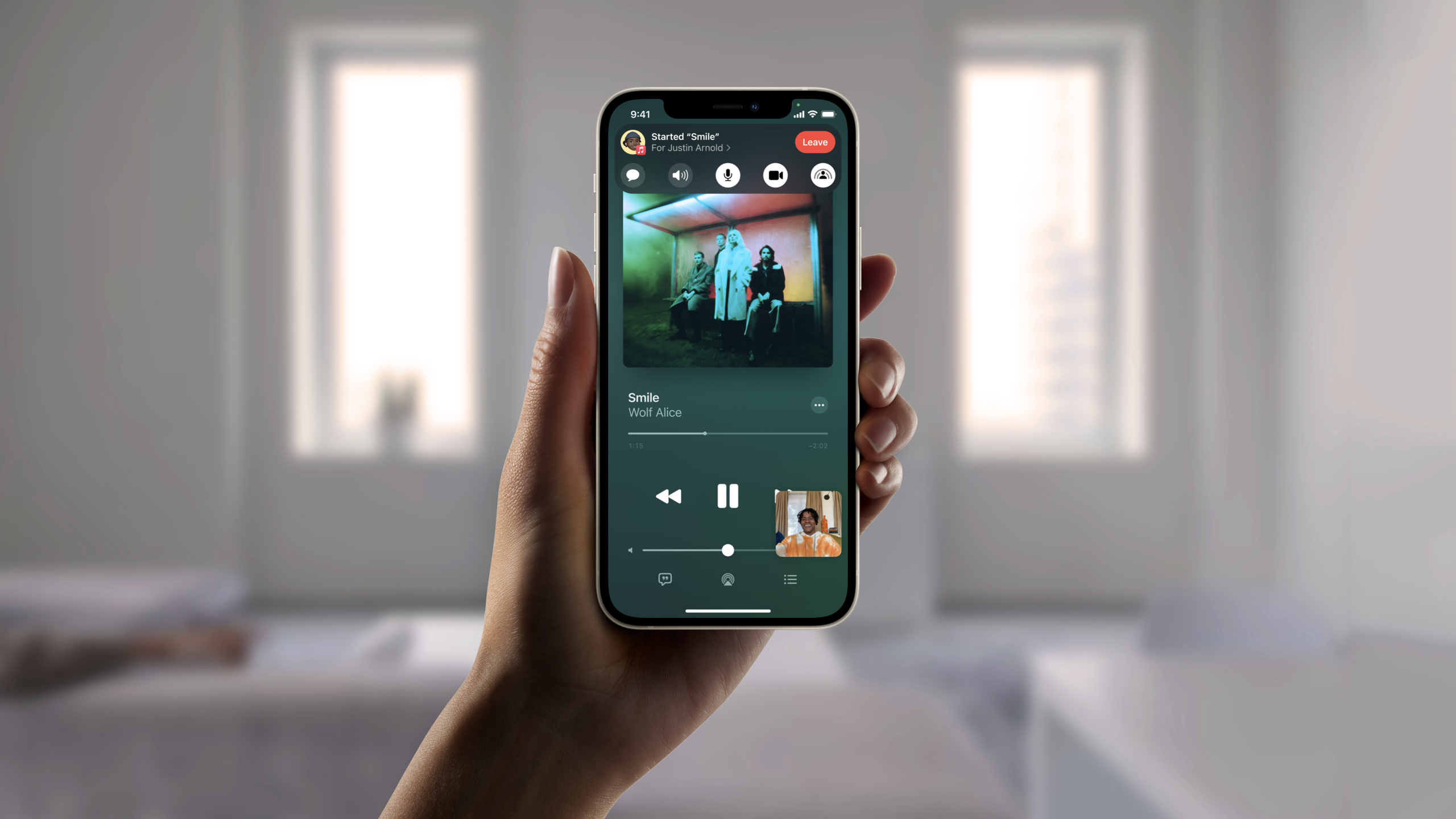
Apple introduced SharePlay and Group Activities in iOS 15, allowing developers to integrate media playback and custom collaboration experiences in FaceTime calls into system-level sessions, synchronized playback, and end-to-end encrypted data channels.
Core Content
You made a video app. If two users want to watch the same video together, the most primitive way is to count down by voice: three, two, one, play. Someone pauses, someone drags the progress bar, and everyone else has to keep up manually.
If you implement synchronization yourself, things can get complicated quickly. You need to know who is in the same room, communicate play, pause, and jump states, and handle calls, volume, picture-in-picture, and multi-device switching. The media content itself cannot be retransmitted through the call, otherwise there will be problems with image quality, copyright, and bandwidth.
SharePlay puts this scene into FaceTime and Messages. The user first enters a system session and then starts a Group Activity in your app. The system is responsible for inviting, joining, leaving, and cross-device awareness. Your app is responsible for defining the activities to share.
For media apps, Group Activities and AVFoundation (audio and video infrastructure) work together. The playback content is still fetched from your app and server, and the system only synchronizes the playback status. The user presses play, pause or drags the progress, and other devices in the group follow the synchronization.
For custom collaboration apps, GroupSession provides an end-to-end encrypted channel. You can use it to pass states such as “draw a stroke” or “switch to page 3”. It is not suitable for transferring large files, but is suitable for transferring small messages required to keep users in sync.
Detailed Content
Define an activity that can be launched by SharePlay
(07:24)
GroupActivity (group activity) is the core object of the framework. It represents something you can do with the person you’re on a FaceTime call with.
In a media app, it can save the URL of the content currently being played. In a drawing app, it can save the canvas information you want to enter. It was clearly stated in the speech that the application first creates an implementationGroupActivityThe object of the protocol, then callprepareForActivation。
import Foundation
import GroupActivities

struct MovieActivity: GroupActivity {
    let contentURL: URL

    var metadata: GroupActivityMetadata {
        var metadata = GroupActivityMetadata()
        metadata.title = "Movie Night"
        metadata.type = .watchTogether
        return metadata
    }
}
Key points:
import FoundationsupplyURLtype. -import GroupActivitiesIntroducing the framework behind SharePlay. -MovieActivityobeyGroupActivity, indicating an activity that the app supports sharing. -contentURLSave the location of the content to be played in this event, corresponding to the description in the speech “GroupActivity holds the information needed to share the experience”. -metadataDisplay activity information to the system. -metadata.type = .watchTogetherIndicates that this is a media experience viewed together.
Ask the user to confirm before starting the activity
(07:48)
When a user opens your app during a FaceTime call and clicks the play button, the app should not directly pull everyone into the activity. The speech said,prepareForActivationUsers will be asked to choose between “Share with everyone in FaceTime” or “Continue locally only.”
After confirmation, the App calls againactivate, telling the system to start a shared experience.
import Foundation
import GroupActivities

func startMovieNight(contentURL: URL) async throws {
    let activity = MovieActivity(contentURL: contentURL)
    let result = await activity.prepareForActivation()

    if result == .activationPreferred {
        try await activity.activate()
    }
}
Key points:
MovieActivity(contentURL:)Create this event to share. -prepareForActivation()Trigger the system confirmation process to avoid users being suddenly brought into the shared experience. -result == .activationPreferredRepresents user selection and group sharing. -activate()Starts an activity and the corresponding GroupSession is distributed to participating devices.
Listen to GroupSession and then join the session
(12:44)
After an activity is started, both the initiating device and the receiving device listen for incoming sessions. The speech says that the application needs to traverseGroupSessiononAsyncSequence. After getting the session, do the preparations first and then calljoin。
Preparation depends on the app type. Drawing apps can load canvas resources first. The media app can first prepare the player and connect the player’s coordinator to the session.
import AVFoundation
import GroupActivities

func observeMovieSessions(player: AVPlayer) async {
    for await session in MovieActivity.sessions() {
        player.playbackCoordinator.coordinateWithSession(session)
        session.join()
    }
}
Key points:
MovieActivity.sessions()Returns the asynchronous sequence of the incoming session. -for awaitContinuously wait for the system to hand over the GroupSession to the App. -player.playbackCoordinatorIs the playback coordinator for AVPlayer. -coordinateWithSession(session)Connect AVFoundation’s synchronized playback to GroupSession. -session.join()Join the session and the system then establishes an end-to-end encrypted channel.
Use GroupSession to transmit synchronization status, not media content
(10:21)
A GroupSession represents a group that is participating in a shared experience. It can access participants and can also work with other APIs in the framework to send and receive data between devices.
This channel has boundaries. The talk specifically states that it is not intended for exchanging large amounts of data. When sharing songs, do not use it to transfer song files. AVFoundation uses it to exchange play, pause, and jump commands to keep each end in the same playback state.
import GroupActivities

func joinDrawingSession(session: GroupSession<DrawingActivity>) {
    let participants = session.activeParticipants

    for participant in participants {
        print(participant.id)
    }

    session.join()
}
Key points:
GroupSession<DrawingActivity>Represents a group session of drawing activity. -activeParticipantsRead the collection of users currently participating in the shared experience.- in loop
participant.idCan be used to identify participants. -session.join()Let the current device officially enter the shared experience. - This channel is suitable for transmitting synchronization information such as drawing operations, page position, and playback status.
Media playback events can be handed over to the system for display
(15:28)
When users watch a movie together, group members need to know what’s going on. Who paused, who skipped a section, who started the next one. Group Activities supports publishing events to allow the system to display prompts.
The speech says that if usingAVPlayerorAVDelegatingPlaybackCoordinator, media playback events can automatically obtain this set of capabilities. Apps that don’t use either can still publish events through the framework.
import AVFoundation
import GroupActivities

func configureSharedPlayback(player: AVPlayer, session: GroupSession<MovieActivity>) {
    player.playbackCoordinator.coordinateWithSession(session)
    session.join()
}
Key points:
AVPlayerResponsible for playing media content provided by the App itself. -GroupSession<MovieActivity>Represents the current SharePlay group. -coordinateWithSession(session)Let the player synchronize the playback state through GroupSession. -session.join()After establishing a participation relationship, play, pause and jump will be synchronized within the group.- When using AVPlayer, playback event prompts are handled by the system.
Core Takeaways
-
What to do: Add a “Watch Together” button to the long video app. Why it’s worth doing: As the talk explains, SharePlay lets users in FaceTime launch a shared media experience directly from your app, with playback state synchronized by AVFoundation. How to start: Define the save video URL
GroupActivity, called in the play buttonprepareForActivation()andactivate(),monitorMovieActivity.sessions()back handleAVPlayer.playbackCoordinatorReceived session. -
What to do: Provide remote co-listening to a podcast app. Why it’s worth doing: Audio content also belongs to shared media playback scenarios. The system can handle intelligent volume and reduce the content volume when the user speaks. How to get started: Create for a single episode
GroupActivity,useAVPlayerPlay audio, join the GroupSession and use the playback coordinator to play, pause and jump synchronously. -
What to do: Use FaceTime to draw pictures together with the whiteboard app. Why it’s worth doing: The speech uses draw-together as an example of a custom experience, and GroupSession provides an end-to-end encrypted data channel. How to start: Let the active object save the canvas ID; load the canvas resources after entering the session; use the messaging capabilities of GroupSession to transfer small states such as strokes, undo, and clear.
-
What to do: Make “classmates watch the class together” for the online course app. Why it’s worth it: The course video still plays from your server, SharePlay only synchronizes the playback state and does not retransmit the media. How to start: Put the lesson URL into the GroupActivity; coordinate the AVPlayer after joining the session; update the local player status when switching chapters.
-
What to do: Plan Safari shared experiences for web companion services. Why it’s worth doing: Presentation Notes Group Activities supports WebKit on macOS and can extend SharePlay to websites. How to start: First read “Coordinate media playback in Safari with Group Activities” and map the App-side activity model to the web-side media playback state.
Related Sessions
- Design for Group Activities — Design the SharePlay experience from a product and interaction perspective to decide what content is suitable for group sharing.
- Coordinate media experiences with Group Activities — Describe in detail how media apps access synchronous playback, picture-in-picture, and playback coordinators.
- Build custom experiences with Group Activities — Talk about custom collaboration experiences and GroupSessionMessenger, suitable for whiteboarding, games, and co-editing scenarios.
- Coordinate media playback in Safari with Group Activities — Talk about how Safari and companion apps work together to support SharePlay web media playback.
Comments
GitHub Issues · utterances