
Highlight
StoreKit 2 New
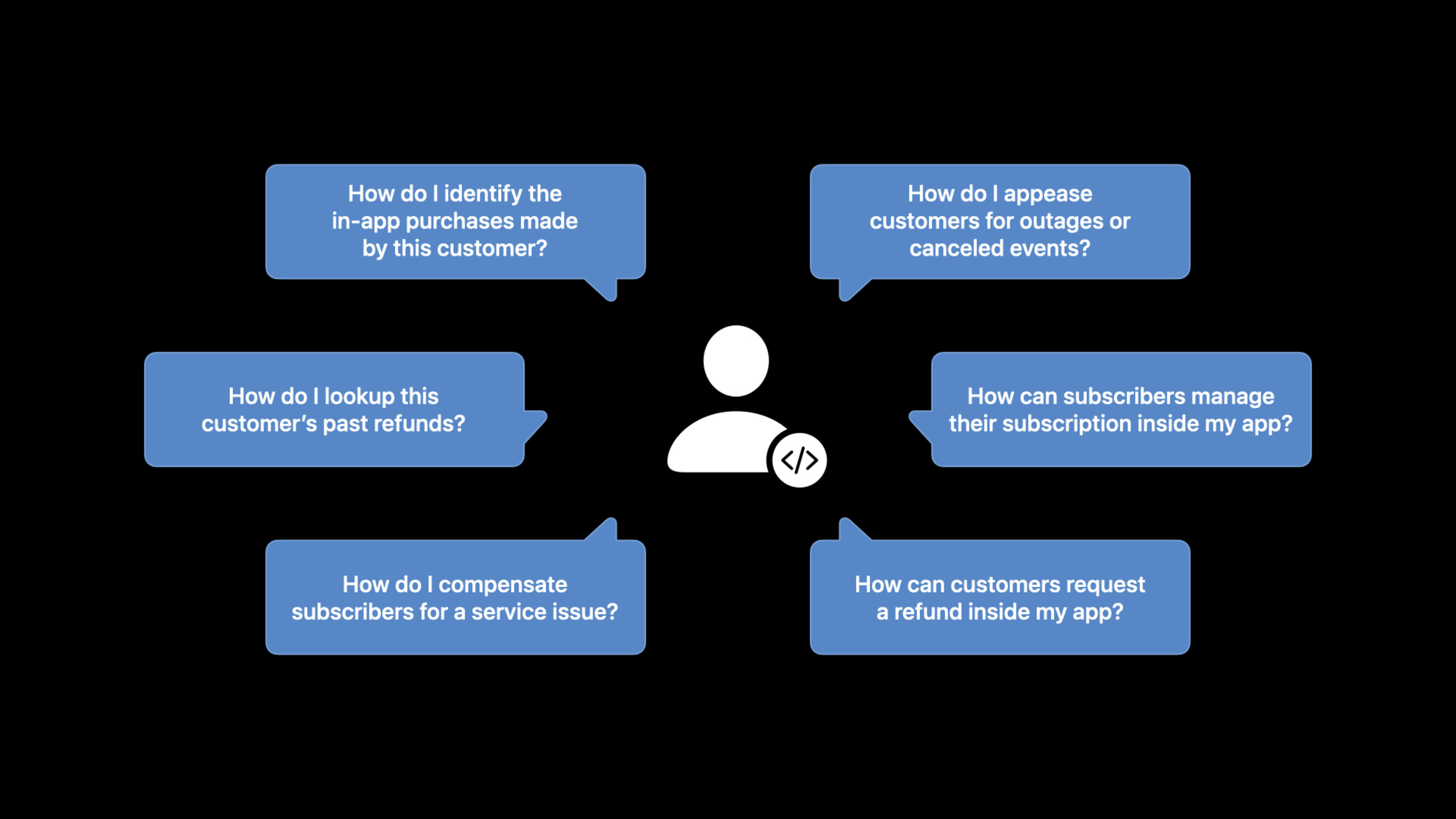
showManageSubscriptions()andbeginRefundRequest()The API allows users to manage subscriptions and apply for refunds within the app; the Consumption API allows developers to provide consumption data to Apple and participate in refund decisions.
Core Content
The user wants to cancel the subscription but cannot find the entrance. The user wants to apply for a refund but doesn’t know how. In these scenarios, users may leave negative reviews for the app or contact Apple support. If these issues could be addressed directly within the app, the user experience would be much better.
StoreKit 2 adds three new APIs this year to address these pain points.
Detailed Content
Manage subscriptions in-app
(11:42)
Previously, to manage subscriptions, users had to leave the app and go to the App Store. The admin page can now be opened directly within the app.
import StoreKit

// Show the subscription management page
func showSubscriptionManagement() {
    if let windowScene = view.window?.windowScene {
        Task {
            try await AppStore.showManageSubscriptions(in: windowScene)
        }
    }
}(12:20)
Key points:
AppStore.showManageSubscriptions(in:)Show system management page- Users can see current subscription and renewal options
- Can upgrade, downgrade or cancel your subscription
- All operations are synced to the App Store
You can also display retention offers in front of your admin page:
// Show an offer before the user taps cancel
func showRetentionOffer() {
    // Show a custom retention UI
    // If the user still wants to cancel, call showManageSubscriptions
}
Apply for a refund within the app
(13:36)
Users can request a refund directly within the app without contacting Apple Support.
import StoreKit

// Request a refund
func requestRefund(for transaction: Transaction) async {
    do {
        let refundStatus = try await transaction.beginRefundRequest(
            in: view.window!.windowScene!
        )

        switch refundStatus {
        case .success:
            // Refund request has been submitted
            showRefundSubmittedMessage()
        case .userCancelled:
            // The user cancelled the request
            break
        }
    } catch {
        // Handle errors
        print("Refund request failed: \(error)")
    }
}(14:14)
Key points:
transaction.beginRefundRequest(in:)Initiate a refund request- The system displays the refund reason selection interface
- Refund approval is received by the server
REFUNDnotify - Server receives after refund is rejected
REFUND_DECLINEDnotify - Sandbox environment supports refund testing
Invoice Lookup API
(03:44)
The user contacted customer service and said “I bought something but didn’t receive it.” Customer service can ask the user to provide the order number (order ID) and then query it through the Invoice Lookup API.
GET https://api.storekit.itunes.apple.com/inApps/v1/lookup/{orderId}return:
{
  "status": 0,
  "signedTransactions": [
    {
      "transactionId": "1000000123456789",
      "originalTransactionId": "1000000098765432",
      "productId": "com.example.coins",
      "purchaseDate": 1620000000000,
      "quantity": 100
    }
  ]
}(04:20)
Key points:
status0 means valid, 1 means the order number is invalid, 2 means no matching transaction- Return signed transaction data in JWS format
- Can verify transaction status and refund status
- Help customer service quickly locate problems
Refund Lookup API
(06:02)
Query all refund records of a user:
GET https://api.storekit.itunes.apple.com/inApps/v1/refund/lookup/{originalTransactionId}Suitable for processing server outage and then synchronizing refund data.
(06:44)
Key points:
- use
originalTransactionIdQuery - Return all refund transactions for this user
- Suitable for complementary synchronization and auditing
- Return JWS format data
Subscription Extension API
(09:40)
If there is a service failure (such as a live broadcast being interrupted), you can compensate by extending the user’s subscription for free.
PUT https://api.storekit.itunes.apple.com/inApps/v1/subscriptions/extend

{
  "originalTransactionId": "1000000098765432",
  "extensionDuration": 7,
  "extensionReason": 1,
  "requestIdentifier": "unique-request-id"
}(10:23)
Key points:
- Each subscription can be extended up to 2 times per year
- Extended by up to 90 days at a time
- Reason code required
- User will receive email notification
- The extension does not count towards the one-year period of 85% split
Consumption API
(19:12)
When a user requests a refund, Apple sends your serverCONSUMPTION_REQUESTnotify. You can reply with consumption data within 12 hours to help Apple make refund decisions.
PUT https://api.storekit.itunes.apple.com/inApps/v1/consumption/{originalTransactionId}

{
  "customerConsented": true,
  "consumptionStatus": 1,
  "consumptionPlatform": 1,
  "sampleContent": 1,
  "deliveryStatus": 0,
  "appAccountToken": "uuid-string",
  "accountTenure": 365,
  "playTime": 120,
  "lifetimeSpend": 99.99,
  "userStatus": 0
}(20:00)
Key points:
customerConsented: Whether the user agrees to share dataconsumptionStatus: 0=not consumed, 1=partially consumed, 2=fully consumed, 3=transferreddeliveryStatus:0=successfully delivered, 1=delivery failed- Must respond within 12 hours
- Data helps Apple make more accurate refund decisions
Core Takeaways
-
Provide subscription management entrance within the app. Users can view and modify subscriptions without leaving the app. Entrance API:
AppStore.showManageSubscriptions(in:)。 -
Provide a refund application portal within the app. Reduce the chance of users leaving negative reviews or contacting Apple support. Entrance API:
transaction.beginRefundRequest(in:)。 -
Use Invoice Lookup API to assist customer service. When users report a problem, they can use the order number to quickly check the transaction status. Entrance API:
GET /inApps/v1/lookup/{orderId}。 -
Use Subscription Extension API to compensate for service failures. When the live broadcast is interrupted or the server fails, user subscriptions are extended for free. Entrance API:
PUT /inApps/v1/subscriptions/extend。 -
Reply to Consumption Request and participate in refund decision. Provide consumption data to reduce unreasonable refunds. Entrance API:
PUT /inApps/v1/consumption/{originalTransactionId}。
Related Sessions
- Manage in-app purchases on your server — Server-side in-app purchases management
- Meet StoreKit 2 — StoreKit 2 new features
- Meet in-app events on the App Store — App Store in-app events
Comments
GitHub Issues · utterances