
Highlight
Xcode 13 integrates the DocC document compiler, supports automatic generation of API reference documents from Swift code comments, supports articles and tutorials, can be exported as document packages for sharing, and is planned to be open source.
Core Content
You maintain a Swift framework, but documentation has been a pain point. The document style generated by Jazzy is inconsistent with Apple’s official documents, and third-party dependent documents are scattered everywhere. Team members and external users often ask you “how to use this API”.
DocC in Xcode 13 solves this problem. It’s natively integrated into Xcode and uses the exact same rendering engine as Apple developer documentation.
Detailed Content
Three document types
(01:29)
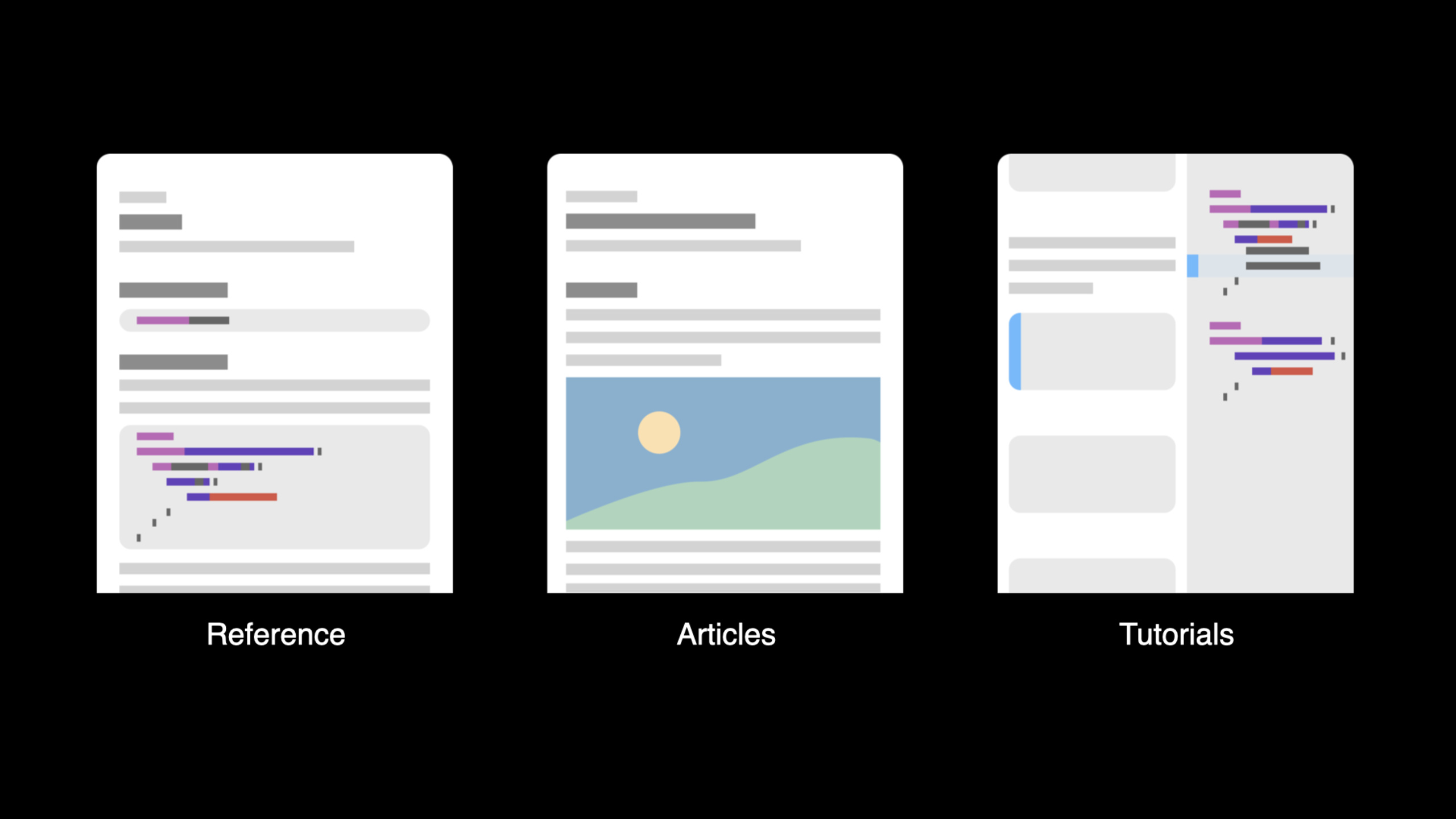
DocC supports three document types:
- Reference: API reference documentation, automatically generated from code comments
- Articles: Conceptual articles that explain the overall design and use of the framework
- Tutorials: Step-by-step tutorials, teaching users step by step how to build a project
Build documentation
(04:36)
Xcode 13 offers three ways to build documents:
- Build Documentation Menu: Manually build and view
- Build Settings: Automatically build documents every time you compile
- xcodebuild: command line build, suitable for CI
# Build documentation from the command line
xcodebuild docbuild -scheme MyFramework(06:08)
Key points:
Product > Build DocumentationManual buildBUILD_DOCUMENTATION_COMPILATION = YESAutomatic buildxcodebuild docbuildCommand line build- Dependent framework documents will also be built together
Write documentation comments
(09:34)
DocC from code///Annotation extraction API documentation.
/// Food that a sloth can consume.
///
/// Sloths love fresh leaves, especially from the Cecropia tree.
/// Here's how to create food:
///
///

```swift
/// let leaf = Food(name: "Cecropia Leaf")
///

```
struct Food {
    /// The name of the food.
    let name: String

    /// The energy level this food provides.
    ///
    /// - Parameter quantity: The amount of food consumed.
    /// - Returns: The total energy gained.
    func energy(from quantity: Int) -> Int {
        return quantity * 10
    }
}(10:05)
Key points:
///Mark documentation comments (two slashes are normal comments)- The first line is the summary, which appears in lists and search results
- A blank line is followed by a detailed description
- Markdown code blocks will be rendered with syntax highlighting
Symbolic link
(17:58)
DocC supports linking to other symbols in documents:
/// When they eat food, a sloth's ``energyLevel`` increases.
///
/// The amount of increase depends on the food's ``Food/energy``.
/// For more details, see ``Habitat/comfortLevel``.
func eat(_ food: Food, quantity: Int) -> Int {
    return food.energy(from: quantity)
}(17:58)
Key points:
- double backtick
`SymbolName`Create symbolic link - Write names directly for symbols of the same type
- Different types of symbols available
TypeName/memberNameFormat - Xcode provides code completion to help select the correct symbols
Quick Help
(12:44)
Option-click the symbol in the code to view the Quick Help:
- Display summary and description of the symbol
- Contains parameter and return value descriptions
- Symbolic links can be clicked to jump
- There is an “Open in Developer Documentation” link at the bottom
(13:22)
Key points:
- Option-click to trigger Quick Help
- Available in both source code editor and call site
- Link to full documentation page
- Reflect the latest document comments in real time
Export and share documents
(20:03)
After the build is complete, you can export the documentation package (.doccarchive):
- Right-click the frame in the Documentation Navigator
- Select Export
- Save as .docarchive file
Others can double-click the .doccarchive to view the document in Xcode without downloading or building the source code.
(20:36)
Key points:
- .doccarchive contains compiled documentation
- Can be opened by double-clicking like an app
- Suitable for sharing with team members or users
- Can also be deployed as a static website
Core Takeaways
-
Write from day one
///Documentation comments. Written next to the code, it can be easily updated when the code is updated, and the cost is almost zero. Entrance API:///Note. -
Provide usage examples for the public API. DocC will automatically convert the type names in the code block into clickable links. Entry API: Markdown code block.
-
Use symbolic links to connect related APIs. Help users understand the relationships between APIs. Entry API:
`SymbolName`。 -
Export the document package to share with the team. Everyone doesn’t need to build the source code to view the documentation. Entrance API: Documentation Navigator → Export.
-
Integrate DocC into the CI process. use
xcodebuild docbuildAutomatically build and validate documents. Entrance API:xcodebuild docbuild -scheme MyFramework。
Related Sessions
- Elevate your DocC documentation in Xcode — DocC documentation organization and extension
- Build interactive tutorials in DocC — DocC interactive tutorials
- Host and automate your DocC documentation — DocC document hosting and automation
Comments
GitHub Issues · utterances