
Highlight
MPSGraph adds TensorFlow Metal Plugin, control flow API (if/else/for/while), stencil operator and gatherND operator to make GPU-accelerated machine learning training and inference more flexible.
Core Content
You train a model with TensorFlow on your Mac, but by default it only uses the CPU. An epoch of ResNet50 takes 20 minutes. You want to use GPU acceleration, but CUDA is not available on Mac.
Apple’s solution is TensorFlow Metal Plugin, which is based on MPSGraph and translates TensorFlow’s calculation graph to Metal GPU.
Detailed Content
TensorFlow Metal Plugin
(02:19)
Installation method:
pip install tensorflow-macos
pip install tensorflow-metal
Once installed, TensorFlow automatically recognizes your Mac’s GPU:
import tensorflow as tf

# List available devices
print(tf.config.list_physical_devices())
# The output includes GPU devices

# Define the ResNet50 model
model = tf.keras.applications.ResNet50(
    weights=None,
    input_shape=(224, 224, 3),
    classes=1000
)

# Train, automatically using the Metal GPU
model.compile(optimizer='adam', loss='categorical_crossentropy')
model.fit(x_train, y_train, epochs=10)(03:00)
Key points:
pip install tensorflow-metalInstall plugin- No need to modify model code
- ResNet50 training speed increased by about 4 times
- Some models can be accelerated up to 8 times
- Supports M1 MacBook Pro
Core ML inference acceleration
(05:08)
MPSGraph optimizations also benefit Core ML. The BERT model’s inference speed is increased by 2 times on M1, and ResNet50 is increased by 16%.
These improvements come from the optimization of the underlying operators of MPS, especially the performance improvement of Convolution2D on NHWC and NCHW layouts.
Control Dependency: Prevent operators from being optimized
(08:35)
MPSGraph may optimize out intermediate operators that are not output. But some operators (such as the running mean update in batch normalization) need to be executed even if their output is not used directly.
// Problem: the assign operator is not depended on by other operators and may be optimized away
let assignOp = graph.assign(variable: runningMean, value: newMean)
let exponentOp = graph.exponent(input: x)

// Solution: make exponent depend on assign
let dependentExponent = graph.controlDependency(
    dependent: exponentOp,
    dependentOn: assignOp
)(09:01)
Key points:
controlDependencyExplicitly specify execution orderdependentThe operator must be independentOnexecute after- No need to track targetOperation globally
- Suitable for batch normalization and other scenarios
Stencil Operator: sliding window calculation
(09:25)
The Stencil operator is a generalization of convolution and supports weighted reduction of arbitrary sliding windows. Suitable for operations such as Laplacian and local response normalization.
// 5-point 2D Laplacian stencil
let stencil = graph.stencil(
    source: input,
    descriptor: stencilDescriptor,
    weights: weightsTensor
)(10:28)
Key points:
- Support 2D/3D stencil
- Supports multiple reduction modes (sum, argmin, argmax)
- Supports multiple padding modes (reflection, clampToZero)
- Can be stitched into a single kernel launch
GatherND: N-dimensional index
(11:05)
GatherND supports extracting data from N-dimensional tensors by coordinate index, which is more flexible than linear indexing.
// Gather from a 3D tensor by coordinates
// indices: [[0, 1], [2, 3]] means taking row (0,1) and row (2,3)
let result = graph.gatherND(
    updates: inputTensor,
    indices: indicesTensor,
    batchDimensions: 0
)(12:29)
Key points:
- Supports indexes of any dimension
- Automatic slice copy of unspecified dimensions
- Suitable for embedding lookup and other scenes
- Each coordinate specifies the starting point of a slice
MPSGraphExecutable: Precompiled graph
(14:42)
By default, MPSGraph is compiled on first execution. MPSGraphExecutable allows you to compile ahead of time and control the compilation timing.
// Define the graph
let graph = MPSGraph()
let x = graph.placeholder(shape: [1, 224, 224, 3], dataType: .float32, name: "x")
let y = graph.convolution2D(...)

// Compile as an executable
let executable = graph.compile(
    device: device,
    feeds: [x: MPSGraphTensorData],
    targetTensors: [y],
    compilationDescriptor: descriptor
)

// Execute directly later, skipping compilation
let result = executable.run(
    withCommandQueue: commandQueue,
    inputs: [inputData]
)(14:42)
Key points:
compileCompile graph ahead of timerunDirect execution, no need to recompile- Can cache compiled executable
- Suitable for reasoning scenarios to avoid first-time delays
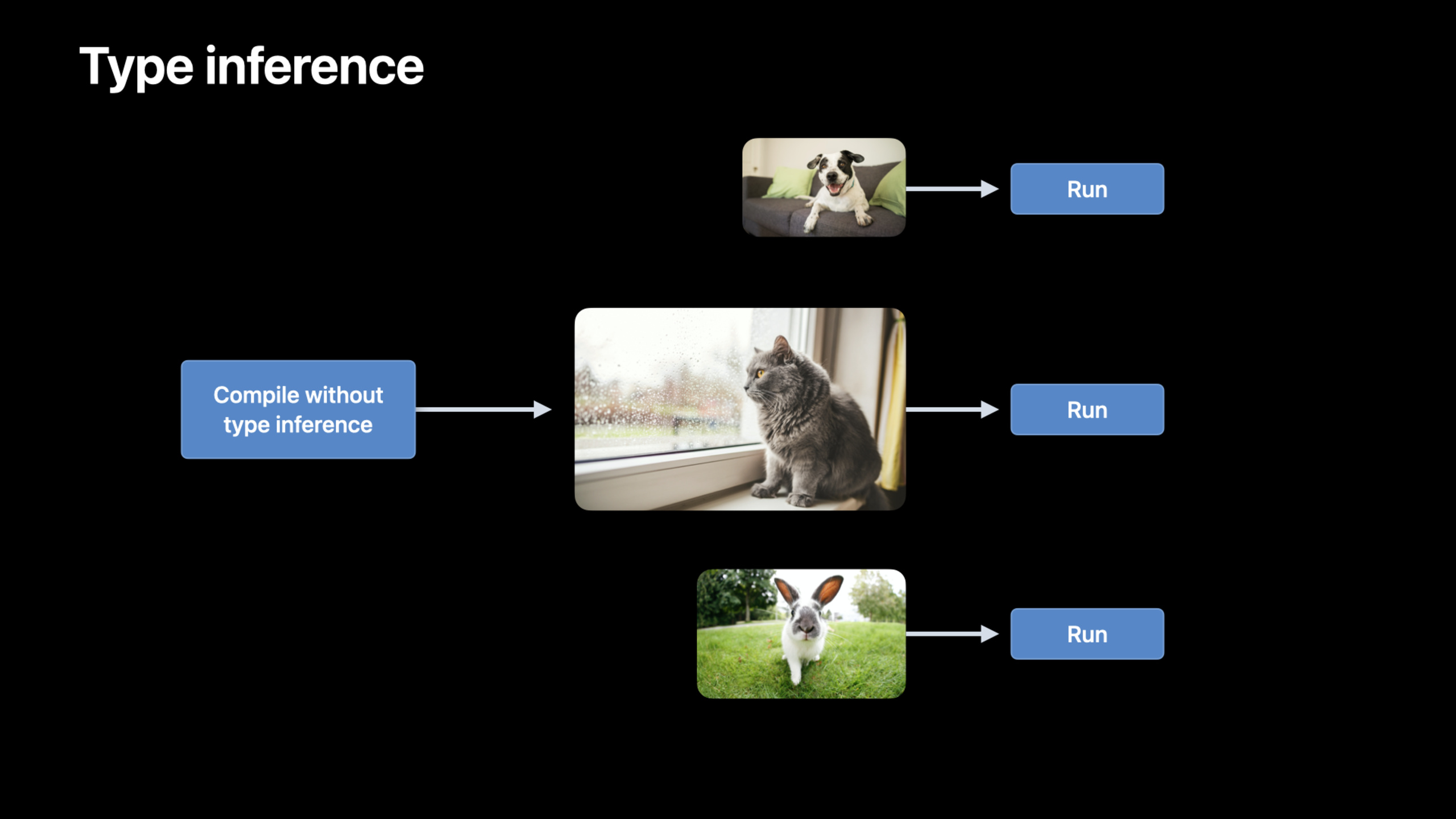
Disable type inference
(16:38)
For networks with changing input sizes (such as sentences of different lengths in NLP), each new size triggers type inference and recompilation.
let descriptor = MPSGraphCompilationDescriptor()
descriptor.disableTypeInference = true

let executable = graph.compile(
    ...,
    compilationDescriptor: descriptor
)(16:38)
Key points:
disableTypeInference = trueSkip type inference- MPSGraph dynamically infers types while encoding
- Save a lot of compilation time
- Sacrifice a small number of optimization opportunities
Control flow: if/else, for, while
(19:22)
MPSGraph adds a new control flow API to support conditional execution and looping.
If/else:
let predicate = graph.lessThan(x, y)

let result = graph.ifElse(
    predicate: predicate,
    thenBlock: { graph in
        return graph.addition(x, y, name: nil)
    },
    elseBlock: { graph in
        return graph.subtraction(x, y, name: nil)
    }
)(19:22)
For loop:
let result = graph.forLoop(
    iterations: 4,
    initialInputs: [input0],
    body: { graph, index, inputs in
        let result = graph.multiplication(inputs[0], input1, name: nil)
        return [result]
    }
)(20:15)
While loop:
let result = graph.whileLoop(
    before: { graph, inputs in
        let condition = graph.lessThan(inputs[0], threshold)
        return [condition, inputs[0]]
    },
    after: { graph, inputs in
        let multiplied = graph.multiplication(inputs[0], multiplier, name: nil)
        return [multiplied]
    },
    initialInputs: [input0]
)(22:09)
Key points:
- Control flow is executed on the GPU, no CPU-GPU synchronization is required
- Suitable for batch normalization, RNN and other scenarios
- predicate is a tensor, not a scalar
- The loop body receives the current index and the output of the previous round
Core Takeaways
-
Train the model with TensorFlow Metal Plugin on Mac. Two lines of pip command to install, no need to change the code, ResNet50 training speed increased by 4 times. Entrance API:
pip install tensorflow-metal。 -
Use MPSGraphExecutable to precompile the inference graph. It avoids the compilation delay of the first execution and is suitable for real-time inference scenarios. Entrance API:
graph.compile()+executable.run()。 -
Disable type inference for variable-length input. Different sentence lengths in NLP models no longer trigger recompilation. Entrance API:
compilationDescriptor.disableTypeInference = true。 -
Use control flow to implement batch normalization training. A graph supports both training and inference modes. Entrance API:
graph.ifElse(predicate: isTraining, ...)。 -
Use stencil operator to implement custom image filtering. Operations such as Laplacian and local normalization can be stitched into a single kernel. Entrance API:
graph.stencil(source:descriptor:weights:)。
Related Sessions
- Tune your Core ML models — Core ML model optimization
- Detect people, faces, and poses using Vision — Vision framework person detection
- Classify hand poses and actions with Create ML — Create ML gesture classification
Comments
GitHub Issues · utterances