
Highlight
The Metal hybrid rendering pipeline uses rasterization for main rendering, and light tracing for reflection, shadowing and ambient light occlusion. It is completed in a single render pass with tile memory to avoid writing out the G-Buffer to the main memory.
Core Content
Your game already has a complete rasterization rendering pipeline. The image is nice, but the reflections are fake (screen space reflections), the shadows are hard-edged (shadow map), and the corners have no touching shadows. You want to add ray tracing to improve image quality, but don’t want to rewrite the entire renderer.
Hybrid rendering is the answer to this problem: rasterization takes the lead and ray tracing takes the backseat.
Detailed Content
Hybrid rendering pipeline architecture
(01:19)
The core idea is divided into three steps:
- Rasterization generates G-Buffer — renders the scene in the traditional way and outputs position, normal, and material information
- Emit rays from G-Buffer — Read G-Buffer in compute pass or fragment shader and emit rays
- Synthesize the final image — Mix the ray tracing results and the rasterization results
Render Pass 1 (rasterization):
  - Render the scene into the G-Buffer (position, normal, albedo)

Compute Pass (ray tracing):
  - Read the G-Buffer
  - Emit shadow rays / reflection rays / AO rays
  - Output shadow mask / reflection color / AO factor

Render Pass 2 (composition):
  - Read the G-Buffer and ray tracing results
- Calculate lighting and composite(06:32)
Key points:
- G-Buffer only needs to be generated once
- Each light tracing effect can be realized independently
- Ray tracing resolution can be lower than screen resolution
- Use temporal accumulation to reduce noise
Ray-Traced Shadows
(08:35)
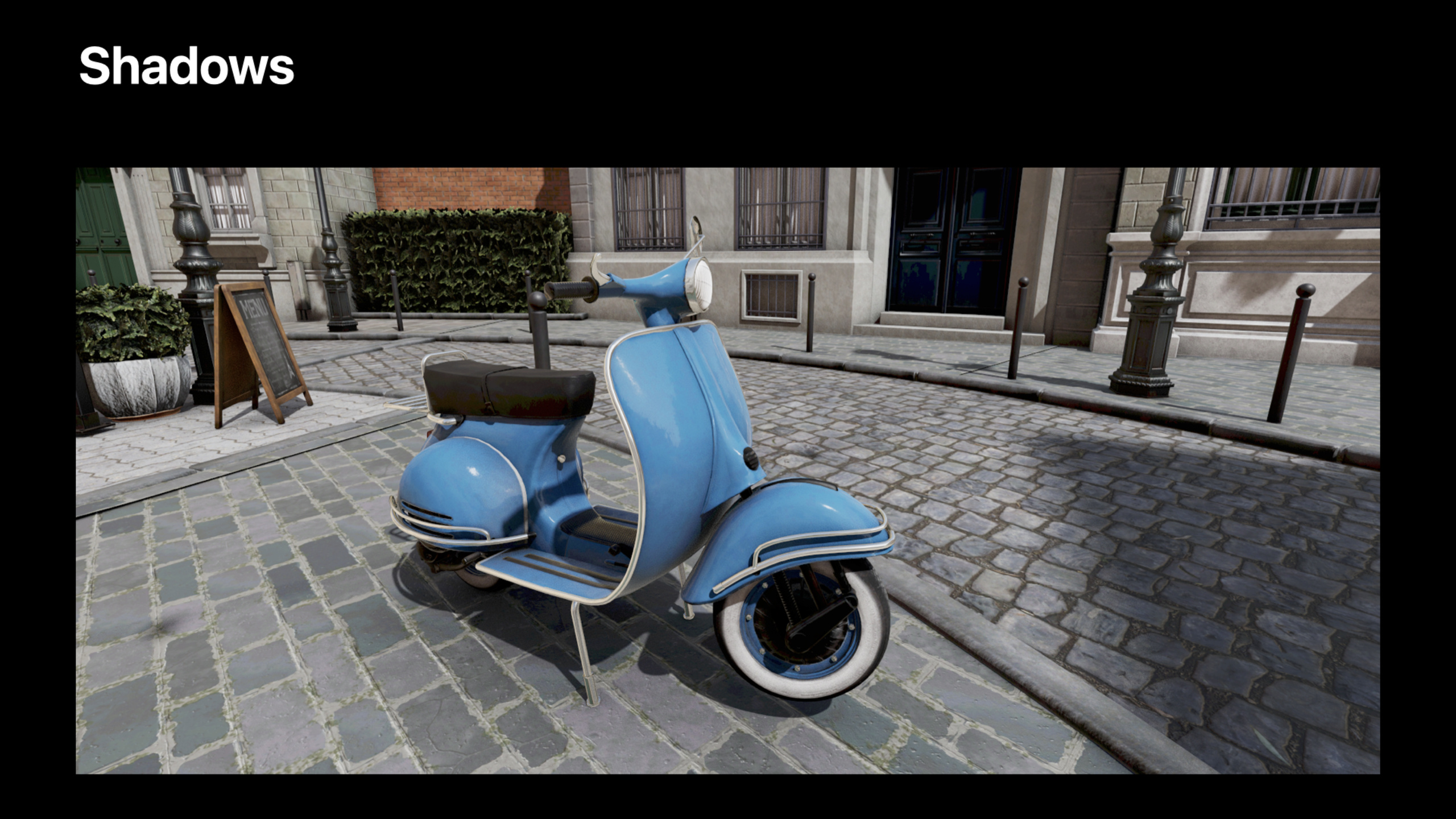
The problem with the shadow map is that the resolution is limited, aliasing is obvious at close range, and it does not support soft shadows. Light tracing shadows directly emit light from the G-Buffer to the light source to determine whether there is occlusion.
kernel void rayTracedShadows(
    texture2d<float> gBufferPosition [[texture(0)]],
    texture2d<float> gBufferNormal [[texture(1)]],
    texture2d<float> shadowMask [[texture(2)]],
    uint2 gid [[thread_position_in_grid]]
) {
    float3 position = gBufferPosition.read(gid).xyz;
    float3 normal = gBufferNormal.read(gid).xyz;

    // Offset the origin to avoid self-intersection
    float3 origin = position + normal * 0.01;
    float3 direction = normalize(lightPosition - position);

    ray ray;
    ray.origin = origin;
    ray.direction = direction;
    ray.max_distance = distance(lightPosition, position);

    intersector<instancing> intersector;
    intersector.set_acceleration_structure(accelerationStructure);

    auto intersection = intersector.intersect(ray, accelerationStructure);

    // If there is an intersection, it is occluded
    float shadow = (intersection.type == intersection_type::none) ? 1.0 : 0.0;
    shadowMask.write(shadow, gid);
}(11:54)
Key points:
- Read world space position from G-Buffer
- The starting point is offset along the normal to avoid self-intersection
max_distanceSet to distance from light source- Output shadow mask, multiplied by lighting when compositing
Soft shadows can be achieved by randomly sampling multiple points into the light source area:
float shadow = 0.0;
for (int i = 0; i < sampleCount; i++) {
    float3 lightSample = lightPosition + randomOffset(i);
    float3 direction = normalize(lightSample - position);
    ray.direction = direction;
    ray.max_distance = distance(lightSample, position);

    auto intersection = intersector.intersect(ray, accelerationStructure);
    shadow += (intersection.type == intersection_type::none) ? 1.0 : 0.0;
}
shadow /= sampleCount;
Ray-Traced Ambient Occlusion
(13:30)
Screen Space Ambient Occlusion (SSAO) fails at the edges of the screen and behind occlusions. Light tracing AO emits short-distance light from the G-Buffer to the hemisphere, and counts the proportion of occlusion.
kernel void rayTracedAO(
    texture2d<float> gBufferPosition [[texture(0)]],
    texture2d<float> gBufferNormal [[texture(1)]],
    texture2d<float> aoTexture [[texture(2)]],
    uint2 gid [[thread_position_in_grid]]
) {
    float3 position = gBufferPosition.read(gid).xyz;
    float3 normal = gBufferNormal.read(gid).xyz;

    float ao = 0.0;
    for (int i = 0; i < sampleCount; i++) {
        float3 sampleDir = sampleHemisphere(normal, i);

        ray ray;
        ray.origin = position + normal * 0.01;
        ray.direction = sampleDir;
        ray.max_distance = aoRadius; // Short distance, for example 1.0 meter

        auto intersection = intersector.intersect(ray, accelerationStructure);
        ao += (intersection.type != intersection_type::none) ? 1.0 : 0.0;
    }
    ao = 1.0 - (ao / sampleCount);
    aoTexture.write(ao, gid);
}(15:07)
Key points:
- The sampling direction is limited to the normal hemisphere
- The light distance is short (AO only cares about nearby occlusion)
- The result can be blurred and noise reduced
- 4-8 rays per pixel will give good results
Tile Memory Optimization
(17:20)
On Apple GPUs, hybrid rendering can take advantage of tile memory to avoid writing out the G-Buffer.
// Rasterization pass: store the G-Buffer in tile memory
fragment GBufferOutput gBufferFragment(...) {
    GBufferOutput output;
    output.position = float4(worldPosition, 1.0);
    output.normal = float4(normal, 0.0);
    output.albedo = albedo;
    return output;
}

// Perform ray tracing in the tile shader of the same render pass
[[kernel]] void tileShader(
    texture2d<float> positionTexture [[texture(0)]], // tile memory
    texture2d<float> normalTexture [[texture(1)]],   // tile memory
    ...
) {
    // Read the G-Buffer directly from tile memory and emit rays
    // Write the result back to tile memory
}(18:45)
Key points:
- tile shader executes in tile memory
- G-Buffer does not need to be written out to main memory
- Ray tracing results are used directly for compositing
- Dramatically reduce memory bandwidth
Noise reduction and time domain accumulation
(20:30)
Emitting only a small number of rays per pixel (1-4) creates noise. The solution is temporal accumulation: blending the results of the current frame with historical frames.
// Ray tracing result for the current frame
float4 currentResult = traceRays(...);

// Reproject to the previous frame's screen coordinates
float2 prevUV = reproject(currentPosition, prevViewProjMatrix);

// Read the historical frame result
float4 historyResult = historyTexture.sample(sampler, prevUV);

// Blend (exponential moving average)
float blendFactor = 0.9; // 90% history + 10% current
float4 denoisedResult = lerp(currentResult, historyResult, blendFactor);(22:15)
Key points:
- Reprojection requires the view-projection matrix of the previous frame
- The blend factor can be adjusted adaptively (reduced when the movement is fast)
- Invalid historical samples need to be rejected (when occlusion changes)
- Use spatial filter to further reduce noise
Core Takeaways
-
Migrate from shadow map to light tracing shadow. Emit rays to light sources using G-Buffer positions, supporting arbitrary precision and soft shadows. Entrance API:
intersector.intersect(ray, accelerationStructure)。 -
Replace SSAO with light tracing AO. Get more accurate occlusion information at corners and contact surfaces. Entrance API: Hemispheric sampling + short-distance ray intersection.
-
Use tile shader for hybrid rendering on Apple GPU. The G-Buffer remains in tile memory, and light tracing and compositing are completed in the same render pass. Entrance API:
[[kernel]] tileShader+ tile memory texture。 -
The light tracing results are denoised using time domain accumulation. Few rays per pixel + historical frame blending = smooth result. Entry API: reprojection + exponential moving average.
-
Gradually add light chasing effects. Add shadows first, then AO, and finally reflections. Each effect is implemented independently without affecting existing pipelines. Entry API: independent compute pass or tile shader.
Related Sessions
- Enhance your app with Metal ray tracing — New features of Metal ray tracing API
- Optimize high-end games for Apple GPUs — Apple GPU TBDR architecture game optimization
- Discover Metal debugging, profiling, and asset creation tools — Xcode 13 Metal debugging and performance analysis tools
Comments
GitHub Issues · utterances