
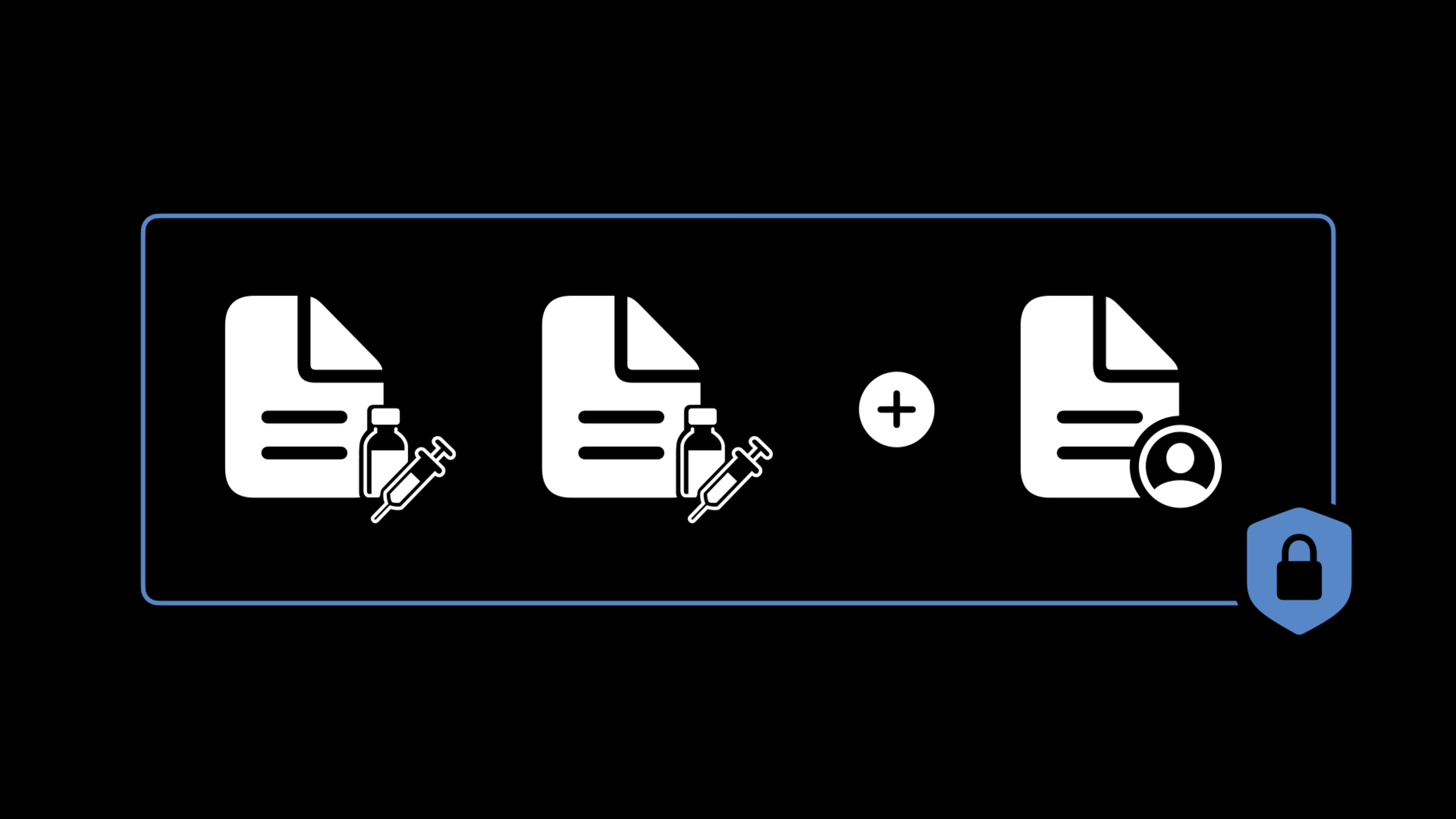
Highlight
iOS 15 allows Health Apps to store and share verifiable health records (Verifiable Health Records), based on the SMART Health Cards specification.Users can import vaccination records, test results and other credentials by scanning QR Codes or downloading files. These records are cryptographically signed and any third party can use CryptoKit to verify their authenticity.Developers can use
HKVerifiableClinicalRecordQueryAsk users to share these records.
Core Content
What is a verifiable health record?
(00:23)
Verifiable health records are digital credentials issued by a medical issuer (e.g., hospital, laboratory) that contain:
- Multiple FHIR resources (Patient resources + Clinical resources)
- SMART Health Card format packaging
- JSON Web Signature (JWS) cryptographic signature
Differences from ordinary Health Records:
- Signed by the issuer, anyone can verify authenticity
- Only necessary information is included, data is minimized
- Can be verified offline, no need to query the issuer server
Import method
(03:55)
Users can import in three ways:
- Health Records Connect (US, UK, Canada only)
- Connect with health records-enabled medical institutions in the Health App
- Automatically download verifiable records
- Download file
- Open
.smart-health-cardsfile extension - Health App automatically recognizes and imports
- Scan QR Code
- Scan the SMART Health Card QR Code with your camera
- Jump directly to the Health App import interface
HealthKit Access
(04:42)
Access to verifiable health records requires:
com.apple.developer.healthkitentitlement- Verifiable Health Records special entitlement
- Each query requires explicit authorization from the user
The licensing model is different from traditional Health Records:
- No need to apply for type permission in advance
- An authorization sheet pops up every time a query is executed
- Users choose which records to share specifically
- Authorization is one-time and does not establish long-term access
Detailed Content
HKVerifiableClinicalRecordQuery
(04:47)
import HealthKit

// Create the query
let recordTypes = ["https://smarthealth.cards#health-card",
                   "https://smarthealth.cards#immunization"]
let predicate = HKQuery.predicateForClinicalRecords(
    with RelevantDateWithin: DateInterval(start: Date().addingTimeInterval(-7*86400),
                                          end: Date())
)

let query = HKVerifiableClinicalRecordQuery(
    recordTypes: recordTypes,
    predicate: predicate
) { query, records, error in

    guard let records = records, !records.isEmpty else {
        print("No records shared or error: \(error?.localizedDescription ?? "")")
        return
    }

    // Handle records shared by the user
    for record in records {
        print("Issuer: \(record.issuer)")
        print("JWS: \(record.jws)")
    }
}

// Run the query (an authorization sheet appears)
healthStore.execute(query)
Key points:
recordTypesIs a string array, specifying the record type to be queried- Only records containing all specified types will be displayed in the authorization sheet
predicateYou can further filter the time range- An authorization sheet will pop up every time it is executed.
Parsing and validating JWS
(10:54)
import CryptoKit
import Combine

// Define the JWS data structure
struct SmartHealthCardJWS: Codable {
    let header: JWSHeader
    let payload: JWSPayload
    let signature: Data

    struct JWSHeader: Codable {
        let alg: String       // signature algorithm
        let kid: String       // public key ID
        let zip: String?      // compression algorithm
    }

    struct JWSPayload: Codable {
        let iss: String       // issuer URL
        let nbf: Date         // not-before time
        let exp: Date?        // expiration time
        let vc: VerifiableCredential

        struct VerifiableCredential: Codable {
            let type: [String]
            let credentialSubject: CredentialSubject

            struct CredentialSubject: Codable {
                let fhirVersion: String
                let fhirBundle: FHIRBundle
            }
        }

        struct FHIRBundle: Codable {
            let resourceType: String
            let entry: [Entry]

            struct Entry: Codable {
                let resource: FHIRResource
            }
        }
    }

    // Parse from compact serialization format
    init(fromCompactSerialization string: String) throws {
        let parts = string.split(separator: ".").map(String.init)
        guard parts.count == 3 else {
            throw NSError(domain: "JWSParsing", code: -1, userInfo: nil)
        }

        // Decode the Header
        let headerData = Data(base64URLEncoded: parts[0]) ?? Data()
        let headerDecoder = JSONDecoder()
        header = try headerDecoder.decode(JWSHeader.self, from: headerData)

        // Decode the Payload (possibly compressed)
        let payloadData = Data(base64URLEncoded: parts[1]) ?? Data()
        let decoderPayload: Data
        if header.zip == "DEF" {
            decoderPayload = try payloadData.decompressed(using: .deflate)
        } else {
            decoderPayload = payloadData
        }

        let payloadDecoder = JSONDecoder()
        payload = try payloadDecoder.decode(JWSPayload.self, from: decoderPayload)

        // Save the signature
        signature = Data(base64URLEncoded: parts[2]) ?? Data()
    }
}

// Verify the signature
extension SmartHealthCardJWS {
    func verifySignature() -> AnyPublisher<Bool, Error> {
        // Get the issuer public key
        let issuerURL = URL(string: payload.iss)!
        let jwksURL = issuerURL.appendingPathComponent(".well-known/jwks.json")

        return URLSession.shared.dataTaskPublisher(for: jwksURL)
            .map(\.data)
            .decode(type: JWKSResponse.self, decoder: JSONDecoder())
            .map { jwks in
                // Find the corresponding public key by kid
                guard let jwk = jwks.keys.first(where: { $0.kid == self.header.kid }) else {
                    throw NSError(domain: "JWSVerification", code: -2, userInfo: nil)
                }

                // Convert to a CryptoKit public key
                let publicKey = try P256.Signing.PublicKey(x963Representation: jwk.toX963())

                // Verify the signature
                let signedData = (parts[0] + "." + parts[1]).data(using: .utf8)!
                return publicKey.isValidSignature(self.signature, for: signedData)
            }
            .eraseToAnyPublisher()
    }
}

// Usage example
let jwsString = "..." // Get from HKVerifiableClinicalRecord.jws
let jws = try SmartHealthCardJWS(fromCompactSerialization: jwsString)

jws.verifySignature()
    .sink { isValid in
        print("Signature is valid: \(isValid)")
    }
    .store(in: &cancellables)
Key points:
- JWS uses compact serialization format: header.payload.signature
- Header specifies algorithm (ES256) and public key ID
- Payload is compressed with DEFLATE and needs to be decompressed first
- Public key from the issuer
.well-known/jwks.jsonget - Using CryptoKit
P256.Signing.PublicKeyVerify signature
Data extraction
(13:36)
// Extract vaccination information
func extractImmunizations(from record: HKVerifiableClinicalRecord) -> [Immunization] {
    guard let jwsData = record.jws.data(using: .utf8),
          let jws = try? SmartHealthCardJWS(fromCompactSerialization: jwsData) else {
        return []
    }

    var immunizations: [Immunization] = []

    for entry in jws.payload.vc.fhirBundle.entry {
        if let resource = entry.resource as? ImmunizationResource {
            immunizations.append(Immunization(
                vaccine: resource.vaccineCode,
                date: resource.occurrenceDateTime,
                manufacturer: resource.manufacturer
            ))
        }
    }

    return immunizations
}
Key points:
- FHIR Bundle contains multiple resources
- Each resource has a corresponding resourceType field
- See Handling FHIR without getting burned session to learn more
Core Takeaways
1. Integrate health credential verification in medical and health apps
If your app involves vaccinations or test result verification, you can use verifiable health records instead of paper certificates or simple photo uploads.Users share verified credentials directly from the Health App, no additional photos are required.
How to get started: IntegrationHKVerifiableClinicalRecordQuery, triggering queries on pages that require verification of health credentials.After user authorization, extract the specific information you need (such as vaccine type, vaccination date).
2. Build a health certificate issuance system
If your organization is a healthcare organization, you can become an issuer of SMART Health Cards.The issuance process includes:
- Build FHIR resources
- Package into SMART Health Card
- Sign with the organization’s private key
- Generate QR Code or file for users to download
How to get started: Refer to the SMART Health Cards specification and use CryptoKit to implement the signature logic.Ensure private keys are stored securely in the HSM and public keys are published to.well-known/jwks.json。
3. Protect user privacy in non-medical apps
Even if your app is not medical, it may still be exposed to users’ health information.Using verifiable health records is more privacy-friendly than collecting sensitive data directly—users control what information is shared, and each share is a one-time use.
How to start: If the app involves health-related scenarios (e.g. gym, insurance), don’t directly collect users’ medical records.Guide users to share verifiable records from the Health App, with the App reading only the necessary fields.
Related Sessions
- What’s new in HealthKit — All updates to HealthKit in iOS 15
- Build a research and care app, part 1 — Build a clinical research app using ResearchKit and CareKit
- Handling FHIR without getting burned — Best practices for correct handling of FHIR data
- Apple’s privacy pillars in focus — Technical implementation of Apple’s four privacy pillars
Comments
GitHub Issues · utterances