
Highlight
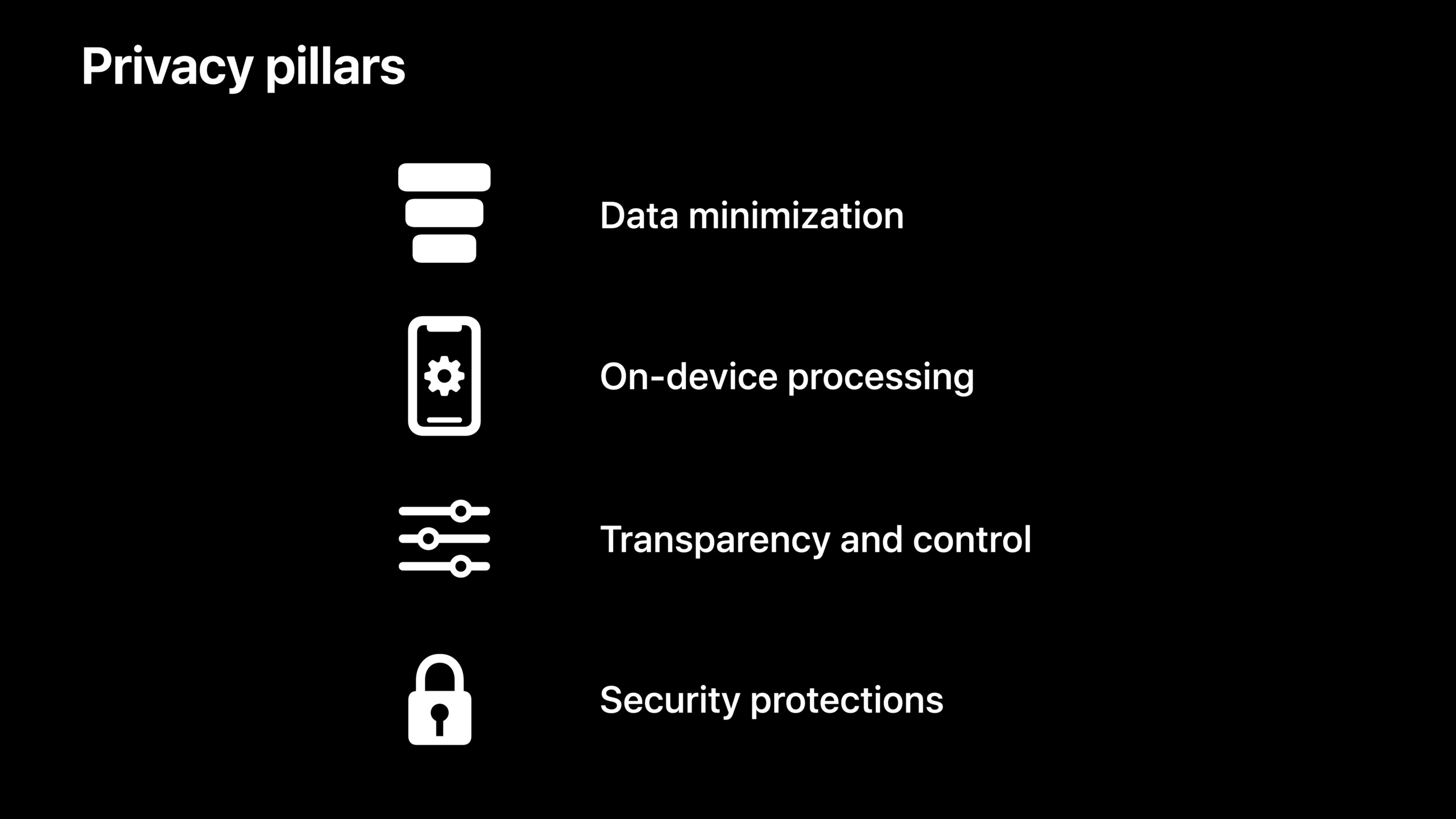
Apple summarizes privacy engineering into four pillars: Data Minimization, On-Device Processing, Transparency and Control, and Security Protections.iOS 15 introduces specific technologies such as CLLocationButton, CloudKit encrypted fields, App Privacy Report, and iCloud Private Relay around these four pillars. Developers can directly adopt these capabilities to improve user trust.
Core Content
Data Minimization: Let users share their location on demand
(03:03)
Many apps only require location information for one or two functions, but the traditional approach is to request location permissions “during use” once upon startup.Users may refuse due to distrust, resulting in core functions being unavailable.
iOS 15 introducesCLLocationButton(Share current location button).After the user clicks the button, the app gets one-time location access permission that lasts until the user leaves the app.The next time you click the same button, the system will no longer pop up the window and return directly to the location.This button can customize the background color, text color and rounded corners, but it must maintain sufficient size and contrast to ensure that iOS can confirm that the user actively clicked it.
This design changes location permissions from “one big decision during installation” to “multiple small decisions during use”, lowering the user’s psychological threshold.
Client-side processing: Siri speech recognition fully localized
(07:01)
The privacy concerns of voice assistants mainly focus on “will my voice be uploaded to the server?”Apple started adding Neural Engine to the chip starting with iOS 12, and gradually moved Siri components to the device.iOS 13 realizes the terminalization of Siri speech synthesis, and iOS 14 realizes the terminalization of keyboard dictation.
iOS 15 completes the final step: all of Siri’s automatic speech recognition (ASR) models run on-device.By default, audio from voice requests does not leave your iPhone or iPad.The added benefit is faster response times and some requests can be completed offline.
For developers, the Create ML framework for iOS 15 also supports training models directly on iPhone and iPad.Sensitive data (such as photos) can remain on the device throughout the process, and the trained personalized model only serves the current user.
Transparency and Control: App Privacy Report and Record App Activity
(14:44)
Users have the right to know when an app has accessed their sensitive data.The “Record App Activity” function of iOS 15 will generate a JSON file to record the time when the App accesses sensitive permissions such as location, photos, and contacts, as well as all domain names connected to the App.
Developers can turn on this feature in iOS 15 Beta to see if their apps actually behave as expected.The structure of the JSON file is as follows: each access event contains a timestamp, the data type being accessed, and the Bundle ID that initiated the access.The domain name connection part will mark whether it is initiated by the App or the web page (WebView) - connections through SafariViewController and ASWebAuthenticationSession will be automatically marked as the web page source.For other third-party content, developers can manually tag:
// Mark the connection source in NSMutableURLRequest
let request = NSMutableURLRequest(url: url)
request.mainDocumentURL = mainDocumentURL

// Mark it in an NWConnection from the Network framework
// Or mark it in URLSession convenience methods through LinkPresentation and AVFoundation
Key points:
mainDocumentURLUsed to distinguish main document requests and third-party resource requests- Untagged connections are classified as App traffic by default
- WKWebView adds a new method of passing NSURLRequest for markup
The App Privacy Report will be available to users in subsequent software updates.Developers now use Record App Activity to self-check to avoid unexpected behavior being discovered by users after going online.
Security Protection: CloudKit Encrypted Fields
(23:03)
CloudKit previously only provided automatic encryption for CKAsset.iOS 15 extends this capability: strings, numbers, dates, CLLocations, and arrays can all be stored encrypted directly.
// Device 1: encrypt and save to CloudKit
myRecord.encryptedValues["encryptedStringField"] = "Sensitive value"

// Device 2: automatically decrypt after reading
let decryptedString = myRecord.encryptedValues["encryptedStringField"] as? String
Key points:
encryptedValuesIt is a new attribute of CKRecord and its usage is the same as that of ordinary fields.- Encryption is done on the device and key material is stored in iCloud Keychain
- Support CloudKit sharing function, only participants of CKShare can decrypt related fields
- CKAsset is encrypted by default and cannot be set to encryptedValue again
- CKReference cannot be encrypted because the server needs to see the reference relationship
iCloud Private Relay: Network-level privacy protection
(24:29)
Private Relay is a new service of iCloud+ that solves the problem of “websites and network providers tracking user browsing behavior.”Its core design is: No single entity (including Apple) can know “who you are” and “which website you visited” at the same time.
The implementation relies on two randomly selected relay servers:
- Ingress Proxy: Knows the user’s real IP address, but cannot see the target website.It converts an IP address into a rough geographic area (such as “Bay Area, California”).
- Egress Proxy: Knows the target website, but cannot see the user’s real IP.It randomly selects an IP address from the geographical area provided by the ingress proxy.
The connection uses multiple layers of encryption, with each layer stripped by a corresponding relay server.The device is the only node that can see the complete information.Access tokens are generated through RSA Blinded Signatures and devices can redeem network access without exposing account information.
Users can choose between two IP address precisions in the settings: “Keep approximate location” to allow the site to serve localized content, or “Use only country and time zone” for greater anonymity.
Detailed Content
Using CLLocationButton
(04:49)
import CoreLocationUI

struct ContentView: View {
    @StateObject var locationManager = LocationManager()

    var body: some View {
        LocationButton(.shareCurrentLocation) {
            locationManager.requestLocation()
        }
        .cornerRadius(8)
        .labelStyle(.titleAndIcon)
    }
}
Key points:
LocationButtonIt is a special component for SwiftUI, and UIKit also has a corresponding version..shareCurrentLocationIs the system-defined button semantics- The appearance of the button can be customized, but the system will verify the authenticity of the click (to prevent programmatic triggering)
- Supports watchOS, iOS, iPadOS and macOS Catalyst
Verify App’s Network Behavior
(16:59)
import Network

// Mark third-party content connections
let connection = NWConnection(host: "cdn.example.com", port: .https, using: .tls)

// Mark manually in NSMutableURLRequest
let request = NSMutableURLRequest(url: thirdPartyContentURL)
request.mainDocumentURL = mainPageURL
Key points:
mainDocumentURLHelp system differentiates between core functionality and third-party content- Connections to SafariViewController and ASWebAuthenticationSession are automatically marked as web page sources
- Regularly review the JSON output of Record App Activity to confirm there are no unexpected connections
Complete process of CloudKit encrypted fields
(23:44)
import CloudKit

// Save encrypted data
let record = CKRecord(recordType: "PatientData")
record.encryptedValues["ssn"] = "123-45-6789"
record.encryptedValues["notes"] = "Confidential medical notes"

let container = CKContainer.default()
let database = container.privateCloudDatabase

do {
    let savedRecord = try await database.save(record)
    print("Encrypted record saved")
} catch {
    print("Save failed: \(error)")
}

// Read encrypted data
let query = CKQuery(recordType: "PatientData", predicate: NSPredicate(value: true))
let (matchResults, _) = try await database.records(matching: query)

for (recordID, result) in matchResults {
    switch result {
    case .success(let record):
        let ssn = record.encryptedValues["ssn"] as? String
        print("Decrypted SSN: \(ssn ?? "N/A")")
    case .failure(let error):
        print("Fetch error: \(error)")
    }
}
Key points:
encryptedValuesThe reading and writing syntax is exactly the same as that of ordinary fields.- Encryption/decryption is automatically handled by CloudKit, so developers don’t need to manage keys
- Requires valid iCloud login status (
CKAccountStatus.available) - new status
temporarilyUnavailableIndicates that the account is logged in but not ready and the user should be directed to setup verification
Core Takeaways
1. Use LocationButton to reconstruct the location permission process
If your app only requires location on specific pages (such as map annotations, nearby businesses), replace the location permission request at startup with the one within the page.CLLocationButton.Authorization rates often increase significantly when the location is requested only when the user clicks the button.
How to start: Place on the page where you need itLocationButton, removeInfo.plistinNSLocationWhenInUseUsageDescriptionPop-up dependencies.Test the difference in flow between a user’s first click and subsequent clicks.
2. Enable encrypted fields for sensitive data in CloudKit
Any personally identifiable information (PII), medical records, financial data stored in CloudKit should useencryptedValues.The cost is next to zero, but the privacy promise is an order of magnitude higher.
How to get started: Audit your existing CloudKit data model to identify sensitive fields.Willrecord["field"]Replace withrecord.encryptedValues["field"].Confirm in the CloudKit Console that the field type appears with a prefix such as “Encrypted String”.
3. Integrate Record App Activity into CI process
Before each release, start the Record App Activity, run the core user process, and check whether there are any unexpected permissions or domain name connections in the generated JSON.This can detect hidden behaviors of the SDK in advance.
How to get started: Turn on “Settings > Privacy > Record App Activity” on the test device, run the core scenario of the App, and export the JSON file.examineaccessedDataandnetworkActivitysection to confirm that all accesses are within the expected range.
4. Adapt Mail Privacy Protection and Hide My Email
If your app sends marketing emails, be aware that Mail Privacy Protection in iOS 15 will preload remote images, causing distortion in open rate statistics.IP addresses and device information are also no longer reliable.At the same time, users may register with random email addresses provided by Hide My Email. Do not assume that email addresses can be linked to real identities.
How to start: Review your email marketing data reliance and reduce your reliance on open rate pixel tracking.During the user registration process, if a real name or contact information is required, clearly state the purpose and request it separately.
Related Sessions
- What’s new in CloudKit — Detailed explanation of CloudKit’s async/await API, encrypted fields and Zone Sharing
- Get ready for iCloud Private Relay — How to ensure your apps and servers are compatible with Private Relay
- Meet privacy-preserving ad attribution — Measure advertising effectiveness without tracking users
- Why is my app getting killed? — Reduce common reasons why apps are terminated by the system
Comments
GitHub Issues · utterances