
Highlight
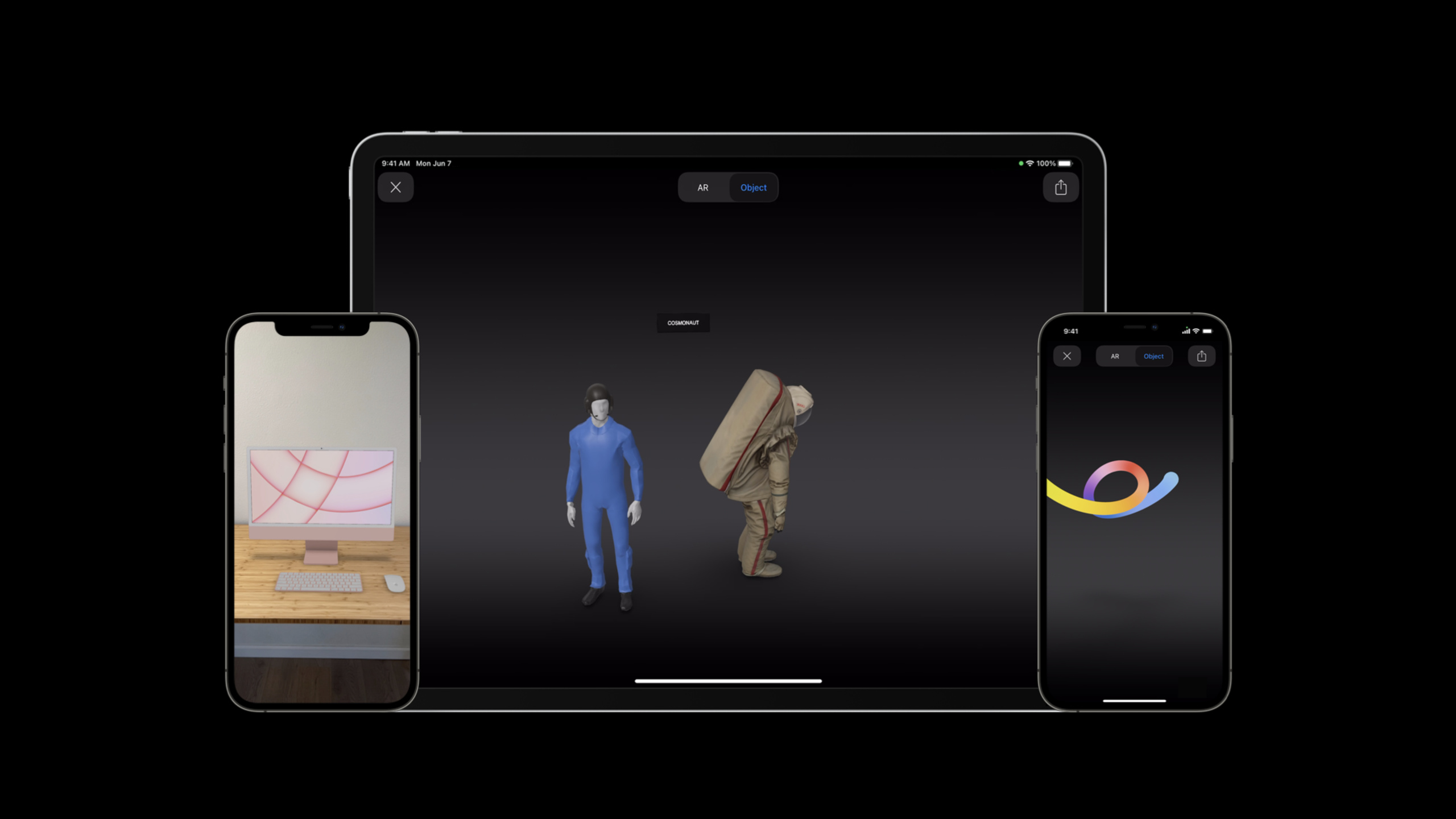
The Object Capture API allows anyone to generate USDZ models from photos taken with iPhone, add interactive behaviors with Reality Composer, and then display them in apps or web pages through AR Quick Look, without the need for 3D modeling experience.
Core Content
How troublesome was it to do 3D display in the past?
If you want to display a 3D model of a product in an app or website, there used to be only one way: find a 3D modeler and model it manually using Maya or Blender.These software are expensive and have a steep learning curve, making it difficult for a small team to afford them.The built model needs to be exported to USDZ format and then embedded into an app or web page.The whole process has high professional requirements, long cycle and high cost.
New path for Object Capture + AR Quick Look
The Object Capture API launched at WWDC2021 changed this situation.You only need to take multi-angle photos of a physical object with your iPhone or iPad, and then run Object Capture on your Mac to automatically generate high-quality USDZ files.(01:38)
This USDZ file can be viewed directly in AR Quick Look.AR Quick Look is the built-in AR viewer of the iOS system, and is already supported by system applications such as Safari, Messages, and Files.Your app or website can integrate the same experience with just a few lines of code.(00:18)
If you need to add interactive behavior to the model, you can use Reality Composer.For example, click on the model to switch between different styles, play audio commentary, trigger animations, etc.(02:01)
Demonstration: Succulent plant e-commerce scenario
The demo shows a complete e-commerce scenario.The seller has a pot of handmade clay pots and succulents, and wants the buyer to preview the effects of different plant combinations before placing an order.(02:21)
The process is as follows:
- Take photos of the clay pot from various angles and use Object Capture to generate USDZ
- Take photos of three types of succulent plants and generate a USDZ for each one.
- Use the clay pot as the base in Reality Composer and stack the three plants on top
- Add interactive behavior: click on the current plant to switch to the next one, and display in a loop
- Export to a single USDZ file for viewing in AR Quick Look
After buyers open AR Quick Look, they can place the virtual plants on their desktop, click to switch between different varieties, and find the one that best matches them.(02:43)
Detailed Content
Object Capture export settings selection
Object Capture offers three detail settings that provide a trade-off between visual quality and file size.(04:56)
| Settings | File size | Applicable scenarios |
|---|---|---|
| Reduced | Minimal | Web page distribution, multi-model combination scenario |
| Medium | Medium | Complex objects, locally stored apps |
| High | Largest | Highest quality requirements |
Key points:
- Regardless of which setting is selected, Object Capture uses the same underlying reconstruction algorithm, differing only in the degree of mesh simplification and texture downsampling
- It is recommended to export the Reduced and Medium settings first, and then decide after comparing the visual effects.
- Reduced is suitable for most scenarios, especially scenarios where web pages are distributed and multiple models are combined
- Medium is suitable for complex objects (requiring hundreds of photos to be reconstructed) or apps where the model is already pre-installed on the device
- Do not combine models from multiple Medium settings in the same scene, the file size will be too large
- Be sure to test compatibility and performance on a variety of iOS hardware
Shooting quality suggestions
The output quality of Object Capture depends on the quality of the input photos.(07:21)
- Photos must be clear and avoid motion blur
- At least 70% overlap between adjacent photos
- Fill the frame with objects
- Shoot against a neutral background to reduce reconstruction noise
Integrate AR Quick Look in App
To integrate AR Quick Look in the app, you only need to implementQLPreviewControllerDataSourceprotocol.(08:02)
import QuickLook
import ARKit

func presentARQuickLook() {
    let previewController = QLPreviewController()
    previewController.dataSource = self
    present(previewController, animated: true)
}

// MARK: QLPreviewControllerDataSource
func previewController(
    _ controller: QLPreviewController,
    previewItemAt index: Int
) -> QLPreviewItem {
    let previewItem = ARQuickLookPreviewItem(fileAt: fileURL)
    return previewItem
}
Key points:
QLPreviewControllerIs the standard preview controller provided by the Quick Look frameworkARQuickLookPreviewItemSpecifically for AR content, receives local file URL- accomplish
QLPreviewControllerDataSourceProtocol, tells the system what content to preview - The system will automatically recognize USDZ files and enable AR mode
Disable content scaling:
By default, users can zoom in and out of models using pinch gestures in AR mode.If you want your model to always show true scale, you can disable scaling.(08:37)
let previewItem = ARQuickLookPreviewItem(fileAt: fileURL)
previewItem.allowsContentScaling = false
Key points:
allowsContentScalingControls whether the user can zoom the model in AR mode- set to
false, the model is always placed into the environment at true scale - Suitable for displaying real-size products such as furniture, shoes, etc.
Integrate AR Quick Look into web pages
Integrating AR Quick Look into web pages only requires a bandrel="ar"Property link.(08:54)
<a rel="ar" href="https://example.com/model.usdz">
    <img src="thumbnail.jpg" alt="3D Model">
</a>
Key points:
rel="ar"The attribute will add an AR badge icon to the thumbnail, prompting the user to click to see the AR effect.- USDZ files must be served over HTTPS
- Link to the URL of the USDZ file
Disable zoom on the web:
<a rel="ar" href="https://example.com/model.usdz#allowsContentScaling=0">
    <img src="thumbnail.jpg" alt="3D Model">
</a>
Key points:
- Via URL fragment
#allowsContentScaling=0Disable zoom - The web page also supports Apple Pay and custom action buttons, and you can complete the purchase process directly in the AR preview.
Practical application scenarios
E-commerce.The most common application scenarios of AR Quick Look.Users can place shoes, photo frames, furniture and other products in their own space for preview.The GOAT Apps team used Object Capture to create a 3D model of the Fragment Design x Air Jordan 3, allowing users to view the details in 360 degrees before purchasing.(10:23)
museum.Historical artifacts are often kept in protective covers, making them difficult to view from all angles.After scanning artifacts with Object Capture, viewers can view detailed virtual replicas on their own devices.The Metropolitan Museum of Art displays the Zemi statue this way, adding audio commentary.(11:10)
educate.Traditional diagrams and videos are 2D and sometimes struggle to convey 3D concepts.AR allows teaching to truly enter the three-dimensional space.The Qlone app allows children to scan their favorite toys or works of art, generate 3D models, and display and share them in AR.(12:04)
Core Takeaways
-
What to do: Build 3D product displays for handmade/indie brands
-
Why it’s worth doing: Object Capture allows merchants without 3D modeling experience to create product models, and AR Quick Look allows users to preview the physical effect before purchasing, reducing return rates.
-
How to get started: Take product photos with iPhone, run on Mac
PhotogrammetrySessionGenerate USDZ, upload it to the server and display it through web links or App integration -
What: Create an interactive product configurator
-
Why it’s worth doing: Reality Composer supports click-triggered hide/show behaviors, allowing users to switch between different colors, styles or accessories in the same scene
-
How to start: Create independent USDZ for each variant, combine into a scene in Reality Composer, add interaction chain of Tap Trigger + Hide/Show Action
-
What to do: Create an AR tour for a museum or exhibition
-
Why it’s worth doing: Object Capture can accurately restore the details of cultural relics, and with audio commentary, remote visits can also be immersive.
-
How to get started: Scan exhibits to generate USDZ, use Reality Composer to add audio behavior, and provide it to visitors via web embed or app
-
What: Develop 3D scanning creation tools for children
-
Why it’s worth doing: The example of Qlone proves that children can also complete scanning and creation independently. Such tools have great educational value
-
How to get started: Integrate in the App
PhotogrammetrySession, providing a photo-taking guidance interface, and automatically jumps to Reality Composer to add interaction after the scan is completed. -
What to do: Integrate AR + Apple Pay into the e-commerce website for one-click purchase
-
Why it’s worth it: The web version of AR Quick Look supports Apple Pay and custom action buttons. Users can pay directly after watching the AR preview, shortening the purchase path.
-
How to get started: Embed in web page
rel="ar"Link, refer to Apple documentation to configure the Apple Pay button or customize the Preorder button
Related Sessions
- Capture and scan real-world objects with Object Capture — Learn how to create 3D models from photos using the Object Capture API
- Create 3D workflows with USD — Introduction to USD workflow and tool chain
- Dive into RealityKit 2 — What’s new in RealityKit 2
- Shop online with AR Quick Look — Integrate AR Quick Look and Apple Pay in the web page
Comments
GitHub Issues · utterances