
Highlight
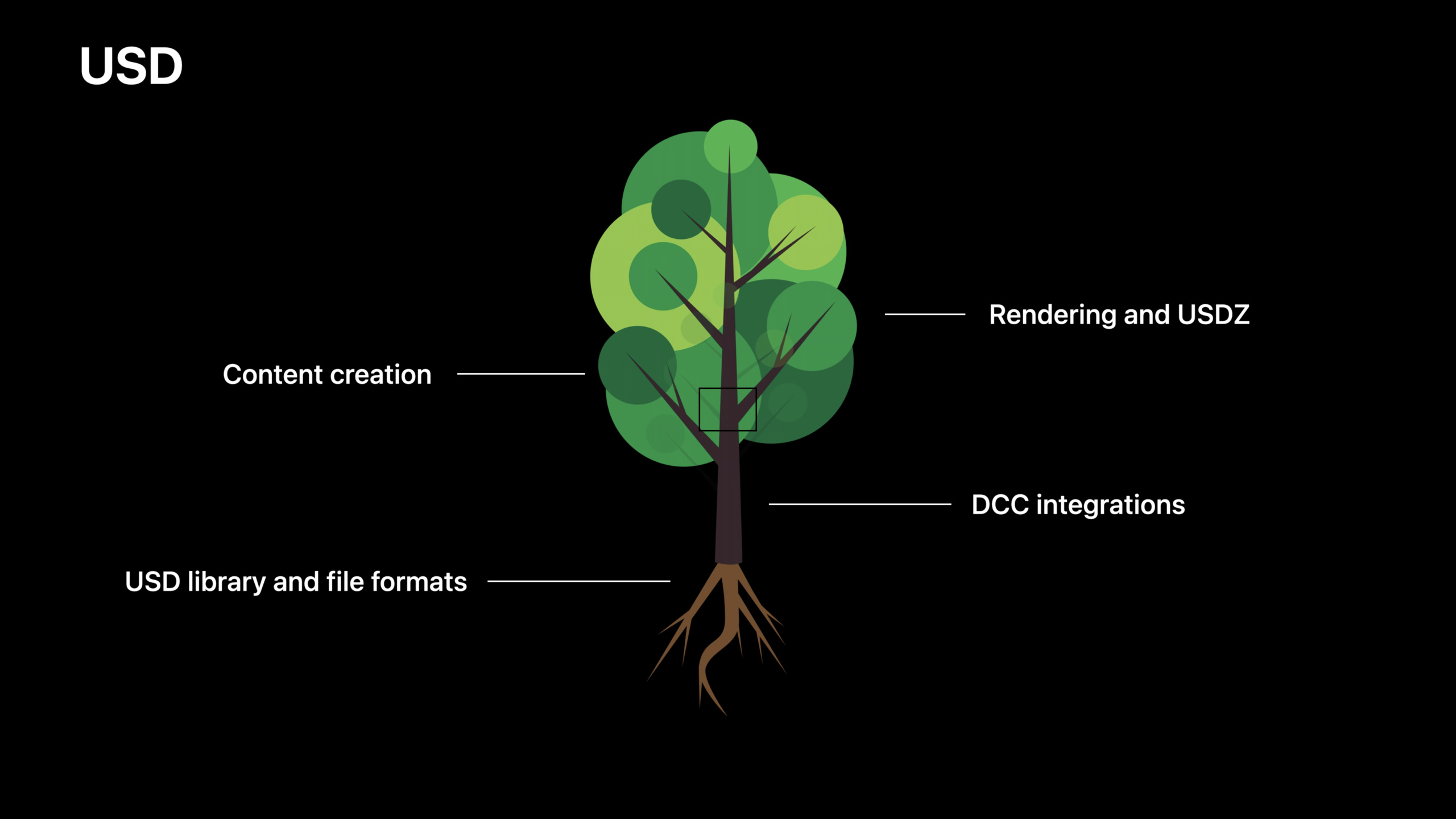
Preview and Quick Look of macOS Monterey have a built-in Metal-accelerated Hydra Storm renderer, which supports directly viewing complex USD scenes, exporting sub-assets, and rendering animations to videos. At the same time, DCC tools such as Maya 2022, Houdini, and ZBrush have natively integrated USD, eliminating the need for repeated import and export of the 3D workflow from scanning physical objects to AR display.
Core Content
Long-term pain points of 3D workflows
Anyone who makes 3D content has had this experience: the model is adjusted in Maya, exported to .obj or .fbx, and then imported into another tool for material or rendering.Data may be lost at every export step, material mapping may be misaligned, and animation frame rates may be inconsistent.What’s more troublesome is that this process is usually one-way - the people who model the models in the early stage cannot see what their models look like in the final scene, and can only adjust them blindly.
Traditional formats such as .obj only support a single model, have limited material support, and no animation.Although .fbx has more functions, it is a proprietary format, has poor compatibility between different versions, and does not support multiple people collaboratively editing the same scene.
How USD solves these problems
USD (Universal Scene Description) is a scene description format developed by Pixar for its film productions.It was designed with three core requirements in mind from the beginning:
Collaborative Editing.USD allows the scene to be split into multiple files, each file responsible for a part of the scene - for example, one person is responsible for lighting, one person is responsible for animation, and one person is responsible for the model.These files are linked to the main scene through references or payloads.Everyone works in their own files, and the main scene is automatically updated after saving.(08:10)
Non-destructive editing.USD adopts the concept of “Layer Stack”.You can make changes within a layer without affecting the original data.If you make a mistake, turn off this layer to restore it to its original state.This makes it safe to experiment with tweaks.(09:11)
Scalability.USD natively supports scenarios with millions of objects.A shot in a Pixar movie may have tens of millions of geometries, and USD’s architecture is designed for this scale.(02:36)
USDZ: Single file format optimized for AR
Apple and Pixar collaborated to develop USDZ, an archive package format for USD.USDZ packages all resources into a single file, which can be shared directly via iMessage, email, or the web, and opened and viewed directly in AR Quick Look on iOS.(02:49)
Apple provides the Reality Converter tool, which can convert .obj, Alembic and other formats into USDZ.There are also command line tools that support batch processing of assets.(03:11)
Detailed Content
USD support for Preview and Quick Look
The Preview app for macOS Monterey has added full USD viewing capabilities.(05:37)
Hydra Storm Renderer.Apple has integrated the Metal-accelerated Hydra Storm renderer in Preview.Hydra is USD’s high-performance rendering architecture, of which Storm is the real-time renderer.This means that the image you see when opening a USD file on a Mac is consistent with the result rendered with Hydra Storm on other platforms.(05:23)
The demonstration showed an antique mall scene from Pixar’s “Toy Story 4”, which contains tens of thousands of independent objects and about 34 million triangles. Preview can render and navigate in real time.(05:57)
Scene Navigation Tool:
- The thumbnail panel displays all cameras defined in the USD file, and you can click to switch to the corresponding perspective (06:22)
- Click on an object in the scene to lock the camera and follow the object (06:29)
- The Outliner panel lists all object nodes in the scene and supports searching by name (06:35)
- Once you find an object of interest, you can save it as a separate USD file (07:00)
Export function:
- Render animated USD scenes to video files (07:13)
- Render the current view as an image with an alpha channel (07:17)
- For USDZ files, Preview uses the RealityKit rendering engine, which has the same effect as iOS’s AR Quick Look (07:21)
USD integration of DCC tool ecosystem
Maya 2022.Autodesk Maya 2022 integrates USD natively and seamlessly for the first time.Several gigabytes of USD data can be directly loaded in seconds.USD data is integrated directly into the Attribute Editor and Outliner, supporting non-destructive editing, variants, and collaboration.(04:22)
Apple has also worked with Autodesk to improve USD import and export functionality, including Blendshape support and the ability to use textures directly in USDZ files.(04:44)
ZBrush.ZBrush can work directly with USD mesh data, bringing sculpting capabilities into the USD workflow.(04:07)
Houdini.SideFX Houdini natively supports USD and can directly load all USD files as native data and use its powerful programmatic tools to generate special effects.(04:57)
Octane Render.OTOY’s Octane renderer can be plugged into DCC tools such as Houdini, using the GPU to render spectrally correct images directly from USD files.(03:57)
Multiverse.Multiverse for J-Cube brings non-destructive USD editing capabilities to Mac, supports multi-DCC workflows, and uses the Metal Hydra Storm renderer.(03:43)
Physics simulation support
Apple, Nvidia, and Pixar jointly developed the USD schema to represent the properties of physical simulations.This schema can represent all the properties needed for offline simulations from real-time AR physics to robotics and cinema.(05:02)
Complete workflow demonstration: from physical to virtual
The demo shows a complete USD workflow for making a plate of virtual pancakes:
- Object Capture: Use iPhone to take multi-angle photos of real pancakes and generate 3D mesh and surface materials (10:27)
- Maya Layout: Create the USD file structure in Maya 2022, assemble the props in the scene, and set up the camera animation (10:55)
- ZBrush Sculpting: Import the captured model into ZBrush to supplement the missing geometry at the bottom, add more physical details and surface material improvements (11:30)
- Houdini Special Effects: Load all USD files in Houdini, use fluid simulation to create syrup effects, and add virtual lights (12:10)
- Output:
- Export to USDZ via Reality Composer and view with AR Quick Look on iPad (13:00)
- View and navigate scenes in Preview on Mac (13:35)
- Use the Octane renderer to create offline ray tracing videos (13:46)
Key points:
- The data is always in USD format throughout the entire process, and there are no import or export steps. -Each tool edits an independent USD file, linked to the main scene through a reference
- Any modifications will automatically be reflected in all references to the file
- The final output can be AR, real-time preview or offline rendering, and the data source is completely consistent
Core Takeaways
-
What to do: Build a 3D product display process for e-commerce apps
-
Why it’s worth doing: Use Object Capture to scan physical goods and generate USDZ files. Users can directly view the size and details of the goods in AR, reducing the return rate.
-
How to get started: Use
PhotogrammetrySessionAPI generates USDZ from photos viaQLPreviewControllerShow AR preview in app -
What: Create collaborative 3D asset editing workflows
-
Why it’s worth doing: USD’s cascading editing allows multiple people to work on different levels (models, materials, lighting) at the same time without interfering with each other, and modifications are automatically merged.
-
How to start: Split the scene into multiple
.usdfile, useSdfLayerandUsdReferencesEstablish reference relationships and allow each team member to edit independent layers -
What to do: Integrate USD preview function in macOS App
-
Why it’s worth doing: Preview has built-in Metal accelerated Hydra Storm renderer, you can directly use this capability to view USD content in a custom app
-
How to get started: Pixar will provide Metal-accelerated Hydra Storm through the USD open source project in late 2021, which can be integrated into your own applications
-
What to do: Build workflows from 3D scan to print
-
Why it’s worth doing: The USD model generated by Object Capture can be viewed directly in Preview, exported as sub-objects, and then converted to 3D printing format
-
How to start: First use Object Capture to obtain the model, check and export the required parts in Preview, and then use Reality Converter or command line tools to convert the format
-
What: Build a cross-tool 3D review process for design teams
-
Why it’s worth doing: Designers use Maya for modeling, Houdini for special effects, and ZBrush for sculpting. Everyone works on the same USD scene, and the project manager can view the latest version directly in Preview.
-
How to start: Establish a centralized USD file server. Each link outputs an independent USD layer file. The main scene is referenced through a relative path. Preview opens the main file to see the complete effect.
Related Sessions
- Capture and scan real-world objects with Object Capture — Learn how to use Object Capture to create 3D models from photos
- Create 3D models for augmented reality — Create optimized 3D models for AR
- What’s new in USD — New features and improvements in the USD format
- Dive into RealityKit 2 — What’s new in RealityKit 2
Comments
GitHub Issues · utterances