
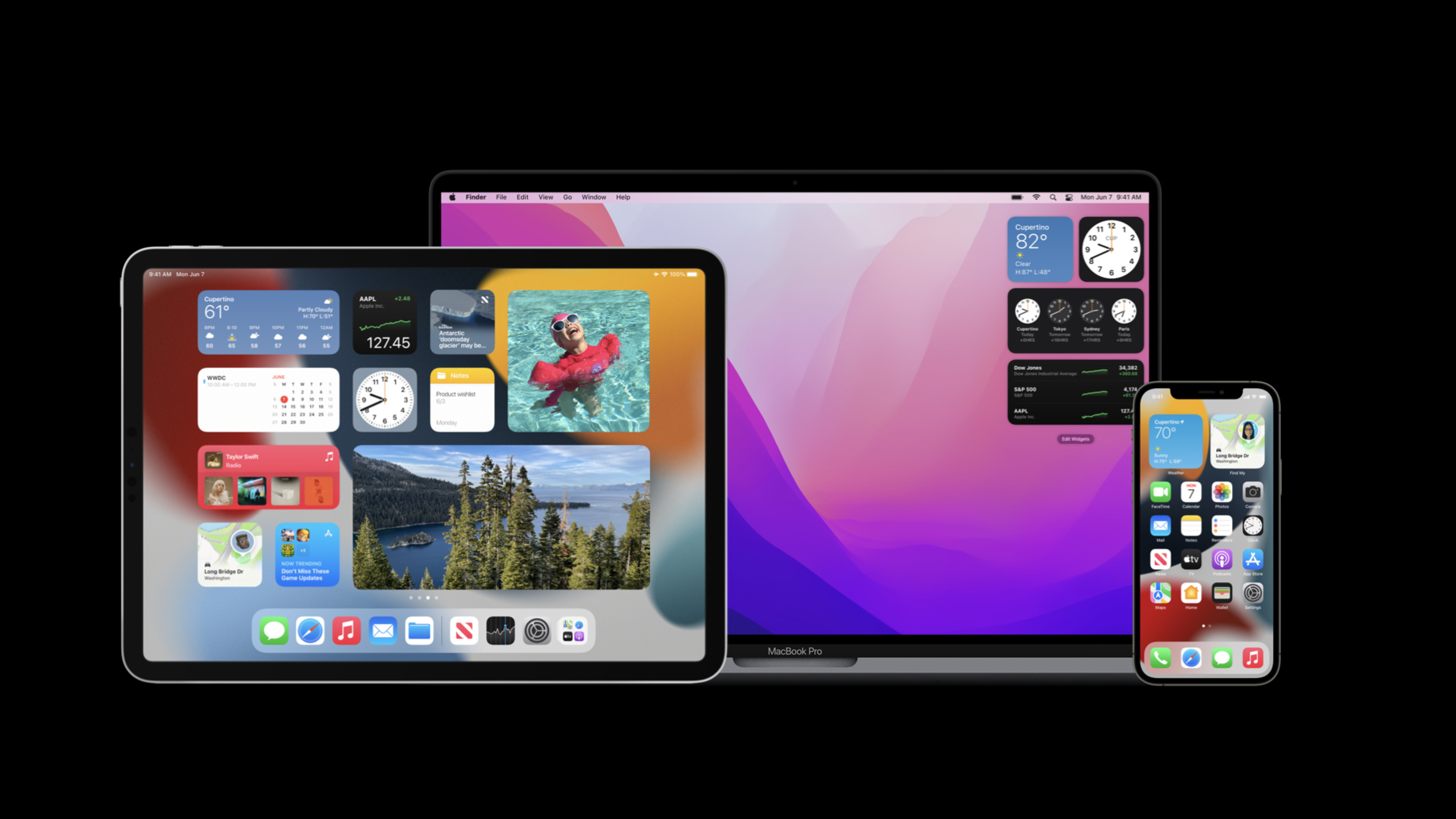
Highlight
iOS 15 brings configurability, privacy-sensitive controls, and adaptability to different environments and locations to WidgetKit, while updating design principles to ensure widgets remain relevant and personal.
Core Content
The core value of Widget is “get it at a glance”.Users don’t need to open the app to get key information on the home screen, lock screen (starting with iOS 16), or smart stack.iOS 15 adds three things to this foundation: allowing users to customize Widget content, protecting sensitive information, and adapting Widgets to different display environments.
Configurability means the user can decide what content the widget displays.The stock widget can choose which stocks to focus on, and the weather widget can choose which cities to focus on.iOS 15 introducesIntentConfiguration, allowing users to open the configuration interface by long pressing the Widget and select the content they care about.
Privacy sensitivity control solves the problem of “private information should not be displayed on the home screen”.When the user locks the screen, the bank card balance should be obscured.Available on iOS 15.privacySensitive()Modifier, the system will automatically replace sensitive content with placeholders on the lock screen or in privacy mode.
Environment adaptation refers to the fact that the same Widget may be presented differently in different locations.A weather widget on the home screen could show detailed temperatures, whereas in a smart stack you might only need an icon.iOS 15 provides Widgets withwidgetFamilyandisPreviewWait for the environment value to allow developers to adjust the layout based on the context.
Detailed Content
Xcode Previews supports dark mode
(15:46) Xcode Previews for Widgets now supports explicitly setting the color scheme, making it easy to preview light and dark effects at the same time.
struct MyWidget_Previews: PreviewProvider {
    static var previews: some View {
        MyWidgetEntryView(date: Date())
            .previewContext(WidgetPreviewContext(family: .systemSmall))
            .environment(\.colorScheme, .dark)
    }
}
Key points:
WidgetPreviewContextSpecify the size series of the widget.environment(\.colorScheme, .dark)Switch to dark mode preview- Multiple preview instances can be created to display different sizes and color schemes at the same time
Privacy Sensitivity Control
(16:34) Widgets in categories such as finance and health often need to display sensitive data.This information should be obscured when the user locks the screen.
struct MyWidgetEntryView: View {
    var body: some View {
        ZStack {
            Rectangle().fill(BackgroundStyle())
            VStack(alignment: .leading) {
                Text("Balance")
                    .font(.largeTitle)
                    .fontWeight(.bold)
                    .foregroundColor(Color.blue)
                Text("$128.45")
                    .privacySensitive()
                    .font(.title2)
                    .foregroundColor(Color.gray)
            }
        }
    }
}
Key points:
.privacySensitive()marks views that may contain sensitive information- The system automatically replaces content with placeholders on the lock screen, in privacy mode, etc.
- Placeholders are typically dots, squares, or generic icons
- No need to manually determine whether you are currently in privacy mode
WidgetBundle organizes multiple Widgets
(23:08) An App can provide multiple Widgets and manage them uniformly through WidgetBundle.
struct IndividualSymbolWidget: Widget {
    var body: some WidgetConfiguration {
        // Configuration
    }
}

struct StocksOverviewWidget: Widget {
    var body: some WidgetConfiguration {
        // Configuration
    }
}

@main
struct MyWidgetBundle: WidgetBundle {
    var body: some Widget {
        // Order here determines display order in Widget Gallery
        IndividualSymbolWidget()
        StocksOverviewWidget()
    }
}
Key points:
@mainThe tagged WidgetBundle is the entry point for the Widget extension- The order of Widgets in Bundle is consistent with that in Widget Gallery
- Each Widget can have independent configuration and TimelineProvider
Static configuration and Intent configuration
(25:43) Widget has two configuration methods: static configuration and Intent configuration.
// Static configuration — for Widgets that don't need user customization
@main
public struct SampleWidget: Widget {
    public var body: some WidgetConfiguration {
        StaticConfiguration(
            kind: "com.sample.myStaticSampleWidgetKind",
            provider: Provider()
        ) { entry in
            SampleWidgetEntryView(entry: entry)
        }
        .configurationDisplayName("My Widget")
        .description("This is an example widget.")
    }
}

public struct Provider: TimelineProvider {
    public func timeline(with context: Context,
                         completion: @escaping (Timeline<Entry>) -> ()) {
        let entry = SimpleEntry(date: Date())
        completion(timeline)
    }
}
// Intent configuration — for Widgets that need user customization
@main
public struct SampleWidget: Widget {
public var body: some WidgetConfiguration {
IntentConfiguration(
kind: "com.sample.myIntentSampleWidgetKind",
intent: SampleConfigurationIntent.self,
provider: Provider()
) { entry in
SampleWidgetEntryView(entry: entry)
}
.configurationDisplayName("My Widget")
.description("This is an example widget.")
}
}
public struct Provider: IntentTimelineProvider {
public func timeline(for configuration: SampleConfigurationIntent,
with context: Context,
completion: @escaping (Timeline<Entry>) -> ()) {
let entry = SimpleEntry(date: Date(), configuration: configuration)
completion(timeline)
}
}Key points:
StaticConfigurationuseTimelineProvider, suitable for Widgets with fixed contentIntentConfigurationuseIntentTimelineProvider, the user-configured Intent needs to be passed- Intent type needs to be in
.intentdefinitiondefined in file - The user can long press the Widget to open the configuration interface and modify the Intent parameters.
Core Takeaways
- Multiple City Weather Widget
- What to do: Weather Widget allows users to choose the number and order of cities to follow
- Why it’s worth doing:
IntentConfigurationAllow each user to customize their own weather panel - How to start: In
.intentdefinitionin definitionCityConfigurationIntent, including city list parameters, Provider generates the corresponding Timeline based on the city selected by the user
- Personal Finance Dashboard
- What to do: The bank balance widget automatically blocks the specific amount when the screen is locked, and only displays “there is a balance” or the balance range.
- Why it’s worth doing:
.privacySensitive()Protect sensitive information with one line of code - How to start: Add on the Text view showing the amount
.privacySensitive(), the system automatically handles the occlusion logic
- Smart stacking adaptive layout
- What: The News Widget displays title summaries on the home screen, and only displays category icons and headlines in smart stacks
- Why it’s worth doing:
widgetFamilyThe environment value can determine the current size and dynamically adjust the information density. - How to start: Use
@Environment(\.widgetFamily)Get the current size,@Environment(\.isPreview)Determine whether it is in preview and return different views according to the environment
- Multi-Stock Tracker
- What to do: The Stock Widget allows users to add multiple stocks they follow and display them in the order specified by the user.
- Why it’s worth doing: Intent supports array parameters, and users can freely combine the stocks they care about.
- How to start: Definition
StockSymbolsIntentInclude[String]Type of stock code array, Provider obtains real-time quotes based on the contents of the array
- Time-based schedule reminder
- What to do: The calendar widget displays different content according to the time period: today’s itinerary is displayed in the morning, commuter traffic conditions are displayed in the afternoon, and tomorrow’s weather is displayed in the evening
- Why it’s worth doing:
TimelineEntryDifferent content can be set for different points in time - How to start: Generate different Entries for different time points in the Timeline. Each Entry contains the most relevant information for that time period.
Related Sessions
- Widgets code-along — Widgets introductory practice and code demonstration
- Build a document group app — SwiftUI App structure and Widget configuration
- Design for spatial interaction — Principles of spatial interaction design
Comments
GitHub Issues · utterances