
Highlight
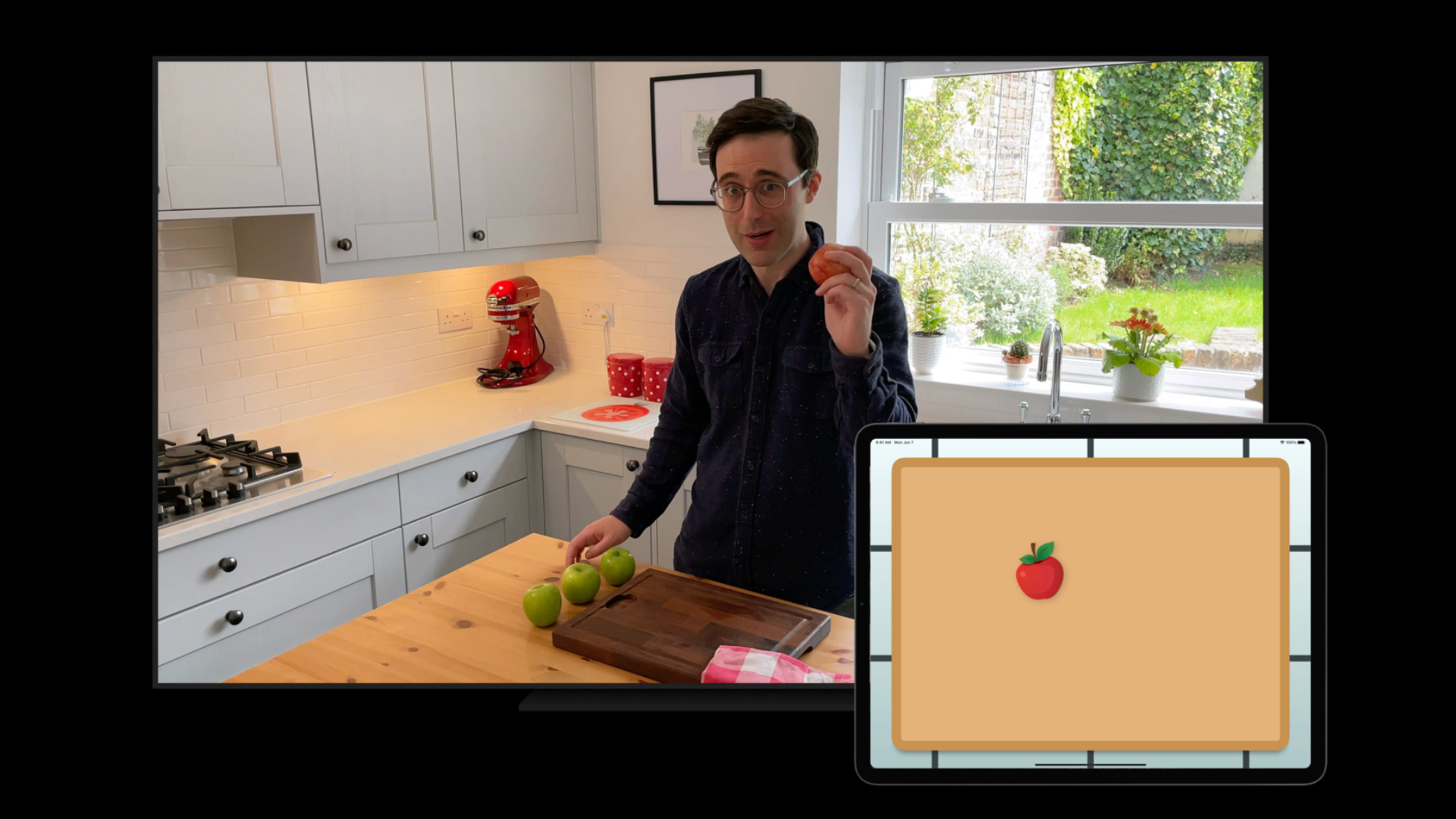
This Code-along demonstrates how to use ShazamKit’s Custom Catalog to build an educational companion app: Apple TV plays instructional videos, and iPhone recognizes audio through the microphone and displays interactive questions simultaneously, supporting pause, fast forward, and playback.
Core Content
The biggest pain point of distance teaching is that students tend to get distracted.The teacher lectures on the topic on the other side of the screen, and the students scroll through social media on the other side.If students’ iPhones can automatically pop up interactive questions following the video content, the situation will be completely different.
ShazamKit’s custom directory recognition makes this scenario a reality.Unlike Shazam music library recognition, custom catalogs run completely locally on the device and do not require a network.You can generate a signature from any audio (teaching video, TV show, podcast), save it in the directory, and the app will match it in real time.
(01:20) The demo of this session is an educational App called FoodMath.Apple TV plays mathematics teaching videos, and iPhone monitors the TV sound through the microphone, identifies the number and progress of the currently played episode, and then displays the corresponding mathematics questions simultaneously.
The core mechanism is:predictedCurrentMatchOffsetReturns the time offset (in seconds) of the current matching point in the reference signature.App uses this offset to find the correspondingQuestionObject, determines what content should be displayed.Even if students pause the video, fast forward or rewind, the app can keep up in real time.
(14:15) This “audio is the remote control” model makes the cross-device experience extremely simple.No Bluetooth pairing required, no need for the same Wi-Fi, as long as the device can hear the sound, it will sync.
Detailed Content
Generate reference signature from audio file
The core of the custom directory is the reference signature.You can generate it from an audio file or load it directly.shazamsignaturedocument.
let signatureGenerator = SHSignatureGenerator()

// Capture audio from AVAudioEngine's inputNode
audioEngine.inputNode.installTap(onBus: 0, bufferSize: 2048, format: audioFormat) { buffer, audioTime in
    try? signatureGenerator.append(buffer, at: audioTime)
}

let signature = signatureGenerator.signature()
Key points:
SHSignatureGeneratorConvert audio buffer to signatureinstallTapfrominputNodecapture audio,bufferyesAVAudioPCMBufferaudioTimeIs the point in time when the buffer is captured, used to ensure audio continuity- The audio format must be PCM and the sample rate is within the supported range
- The generated signature is called reference signature and can be added to a custom directory
Build a custom catalog and associate metadata
// Load the signature from a file
let signatureURL = Bundle.main.url(forResource: "FoodMath", withExtension: "shazamsignature")!
let signature = try SHSignature(data: Data(contentsOf: signatureURL))

// Define custom media item properties
extension SHMediaItemProperty {
    static let teacher = SHMediaItemProperty("teacher")
    static let episode = SHMediaItemProperty("episode")
}

// Create media item metadata
let mediaItem = SHMediaItem(properties: [
    .title: "Count on Me",
    .subtitle: "Addition",
    .teacher: "Neil",
    .episode: 3
])

// Create a catalog and add the signature
let customCatalog = SHCustomCatalog()
try customCatalog.addReferenceSignature(signature, representing: [mediaItem])
Key points:
.shazamsignatureis an opaque file format that can be shared between devicesSHMediaItemPropertyCustom keys are supported, but values must be valid property list typesaddReferenceSignatureAssociate signatures with metadata and return these metadata when the match is successful.- Custom directories run entirely locally, no network connection required
Real-time matching with microphone
let session = SHSession(catalog: customCatalog)
session.delegate = self

// Start capturing microphone audio
audioEngine.inputNode.installTap(onBus: 0, bufferSize: 2048, format: audioFormat) { buffer, audioTime in
    session.matchStreamingBuffer(buffer, at: audioTime)
}

try audioEngine.start()
Key points:
SHSession(catalog:)Specify a custom directory instead of the default Shazam cloud librarymatchStreamingBufferOptimized for real-time audio streaming, signatures are automatically generated and updated- incoming
audioTimeVery important, the session will verify the continuity of the audio - Need to add microphone usage description in Info.plist
Process matching results and synchronize content
extension ViewController: SHSessionDelegate {
    func session(_ session: SHSession, didFind match: SHMatch) {
        guard let matchedMediaItem = match.mediaItems.first else { return }

        // predictedCurrentMatchOffset is the automatically updated match time offset in seconds
        let currentOffset = matchedMediaItem.predictedCurrentMatchOffset

        // Find the Question for the current offset
        let currentQuestion = questions.last { $0.offset <= currentOffset }

        DispatchQueue.main.async {
            self.updateUI(with: currentQuestion, mediaItem: matchedMediaItem)
        }
    }
}
Key points:
predictedCurrentMatchOffsetyesSHMatchedMediaItemA unique attribute of , indicating the current position in the reference signature- This value will automatically update as the audio plays, no need to rematch
session(_:didFind:)It may be called multiple times. It is recommended to filter duplicate Questions.- Find content by time offset and achieve synchronization accurate to the second
Directory distribution and caching
(14:27) Custom directories can be passed.shazamcatalogThe file format is saved to disk and can also be distributed over the network.
// Save the catalog locally
let catalogURL = documentsURL.appendingPathComponent("lessons.shazamcatalog")
try customCatalog.write(to: catalogURL)

// Load after downloading from the network
let downloadedCatalog = try SHCustomCatalog(contentsOf: downloadedURL)
Key points:
- Catalog files can be downloaded on demand through the Internet, reducing the size of the App
- It is recommended to provide a local fallback directory, which can be used normally even when the network is unavailable.
- You can split the directory by episode/chapter and download only the content you currently need
Core Takeaways
- Fitness course synchronization assistant
- What to do: The fitness app automatically displays the name, number and key points of the current action based on the training video played by the user.
- Why is it worth doing: There is no need for users to manually turn pages or remember the progress. The prompts will be displayed wherever the video is played.
- How to start: Generate a custom directory for the audio of the fitness video, and associate each action clip with the corresponding guidance content. Use
predictedCurrentMatchOffsetDriver UI update
- Podcast Chapter Navigation
- What: The podcast player automatically displays chapter titles, guest information and related links based on the currently playing content
- Why it’s worth it: Podcasts usually don’t have precise chapter markers, ShazamKit can achieve arbitrary precision time positioning based on audio content
- How to start: Generate a signature directory of podcast audio by chapter, and use it after matching
predictedCurrentMatchOffsetFind and display metadata for corresponding chapters
- Offline activity interactive wall
- What to do: At an exhibition or event, visitors can get detailed information and interactive content of the current exhibits by opening the app
- Why it’s worth doing: No NFC tags or QR codes are required, the audio itself becomes the content entry, and the deployment cost is extremely low
- How to start: The introduction video/audio of each booth generates a signature and stores it in the directory. When the audience approaches, the App automatically recognizes and displays the corresponding content.
- Multi-language subtitle synchronization
- What: The video player automatically loads and displays subtitles at the corresponding time point based on the current playback progress.
- Why it’s worth it: Audio matching enables precise subtitle synchronization even if the video file itself does not have an embedded subtitle track
- How to start: Use the audio of the video to generate a custom directory. The subtitle files are segmented by timestamp. After matching, the
predictedCurrentMatchOffsetLoad corresponding subtitles
Related Sessions
- Explore ShazamKit — ShazamKit basic API and Shazam music library identification
- Meet MusicKit for Swift — The media items returned by ShazamKit can be connected to MusicKit strongly typed objects
- Classify sound in video with Sound Analysis — If you need to identify sound categories (laughter, applause, etc.), use the SoundAnalysis framework
Comments
GitHub Issues · utterances